Pricing
The homepage presents the tool as free to use and shows no paid tiers or usage caps for the generator itself. RADAAR's broader platform pricing is not described on this page.
Learn moreTurn a topic into ready to publish social posts in a few clicks
Own AI-Powered Post Generator? Verify ownership to get a dofollow link
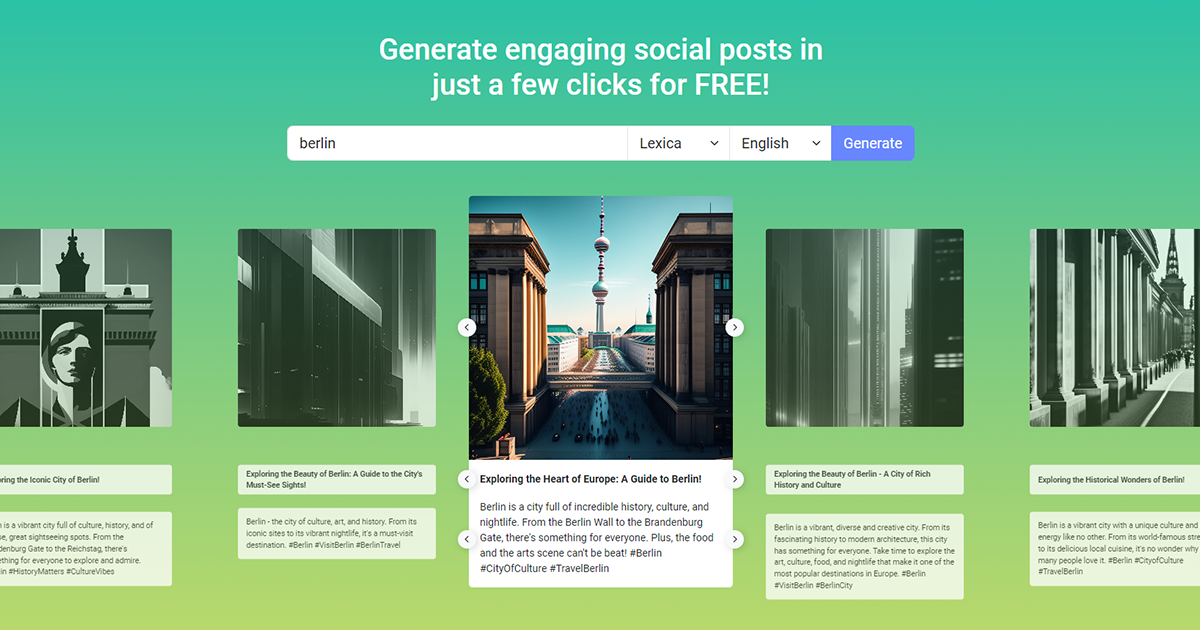
AI-Powered Post Generator is a content tool that turns a topic into ready to publish social posts in a few clicks. A free browser tool from RADAAR that generates multiple social media caption variants (short, long, emoji and hashtag versions) from a single topic prompt, with image search and multilingual output.
RADAAR's AI-Powered Post Generator is a browser based tool that turns a short prompt into a set of social media captions. You type in the subject you want to talk about, and the tool returns multiple caption variants, some short and punchy, some longer with a fuller message, and some with emoji and hashtags already attached. Every result can be published directly from the same screen, which keeps the writing and the scheduling in one place. The interface is deliberately plain. A topic field sits above an image provider selector (Lexica, Unsplash, Pexels, Pixabay, Giphy and Tenor), a language selector covering English, German, French, Italian, Spanish, Turkish and Dutch, and a single Generate button. Generated posts appear as a grid of cards so you can compare angles side by side instead of regenerating one caption at a time. Each card shows a title style option (question, benefit led, urgency led) and a body version that varies in length, which makes the output feel like a small brainstorm rather than a single answer. It suits social media managers, small business owners and solo marketers who post regularly and want a fast first draft. It is less useful for teams that need deep brand voice controls, because the homepage does not describe any tone, persona or brand guideline settings. The free positioning also means it competes mainly with other lightweight caption generators rather than full AI writing suites. For anyone already inside RADAAR's wider publishing suite, the generator is the natural starting point before scheduling.
The homepage presents the tool as free to use and shows no paid tiers or usage caps for the generator itself. RADAAR's broader platform pricing is not described on this page.
Learn moreImage results are pulled from Lexica, Unsplash, Pexels, Pixabay, Giphy and Tenor. No other integrations are described on the page.
Generates multiple caption variants per topic, including short headlines, longer bodies, and versions with emoji and hashtags. Includes a language selector for English, German, French, Italian, Spanish, Turkish and Dutch, plus image search across Lexica, Unsplash, Pexels, Pixabay, Giphy and Tenor, and a publish action on each result.
 AI Angels400+ customizable AI girlfriends for NSFW chat, voice calls, and roleplay
 Candy AIExperience the future of companionship with AI friends who chat, role-play, and connect with you on a human level.
 ourdream.aiA vast AI roleplay platform with millions of characters for chat, images, video and voiceAI Angels400+ customizable AI girlfriends for NSFW chat, voice calls, and roleplayCandy AIExperience the future of companionship with AI friends who chat, role-play, and connect with you on a human level.ourdream.aiA vast AI roleplay platform with millions of characters for chat, images, video and voice








