aiFetchly

A local-first desktop AI agent for business research, communication, and workflows.

Beginner
Screenshot of aiFetchly, A local-first desktop AI agent for business research, communication, and workflows

What is aiFetchly?

aiFetchly is an open-source, local-first desktop AI agent that handles business research, document processing, customer communication drafting, and scheduled workflow automation from one controllable workspace.

aiFetchly is an open-source desktop application that runs an AI agent directly on a user's own computer rather than in the cloud. It combines a local business knowledge library, browser-assisted research, document processing, scheduled workflow automation, and a customer communication assistant into one workspace. Because it is local-first, business files and context stay on the device by default, and the agent can call approved tools, plugins, MCP servers, and specialist subagents to complete multi-step tasks. The tool is built for small business teams and operations or communication staff who handle recurring research, document review, and outreach drafting but want to avoid sending sensitive data to third-party cloud platforms or managing their own API keys. No coding knowledge is required to install or operate it, which makes it accessible to non-technical business users who still need agentic automation. In practice, a user installs the desktop app, uploads relevant documents to build a knowledge library, and then works with a chat-based assistant that can draft customer messages, summarize information, and generate reports grounded in that uploaded context. Permission-gating lets teams control which tools, plugins, and subagents the agent is allowed to run, with a reviewable history of automated actions. Recurring jobs, such as periodic research pulls or chained document tasks, can be scheduled to run in the background. Within the broader AI agent landscape, aiFetchly sits apart from cloud-hosted assistants by emphasizing local control, open-source transparency on GitHub, and an extensible plugin and subagent model. It occupies a middle ground between generic chat assistants and heavier enterprise automation platforms, aimed at teams that want agentic workflows without full cloud dependency.
How do you use aiFetchly?

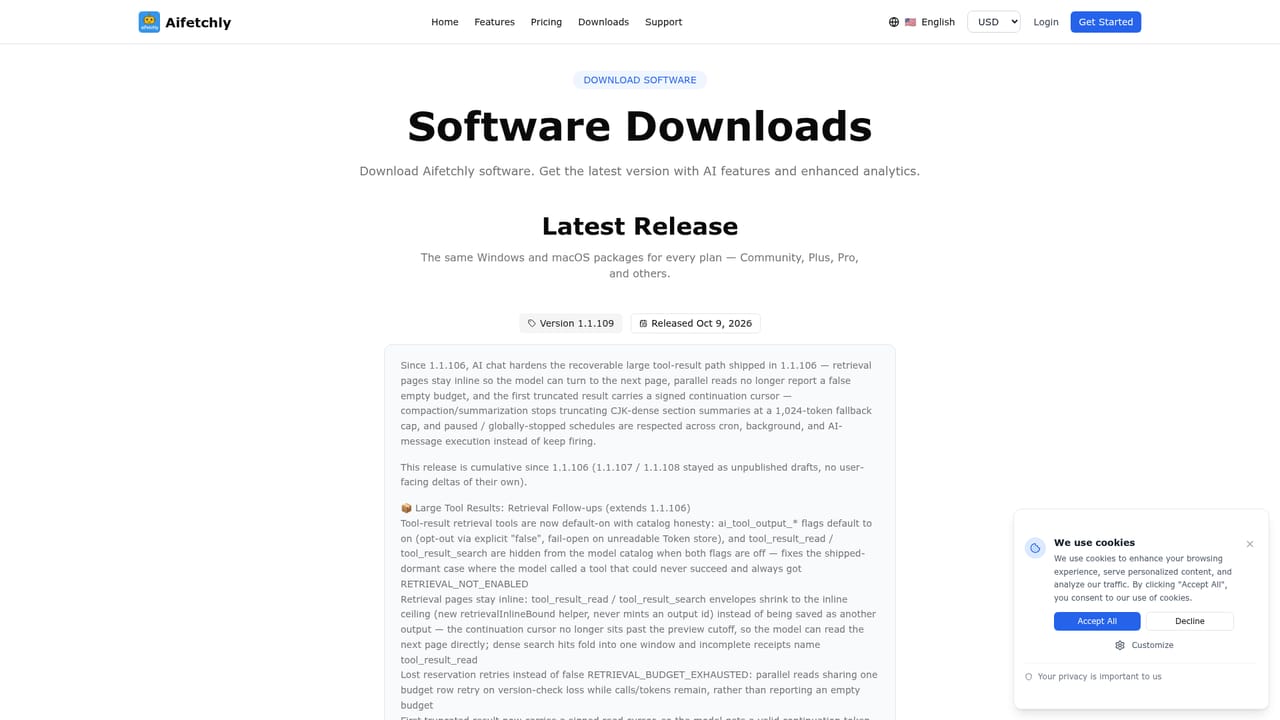
  1. 1Download the community version
    Get the free, open-source desktop build from the downloads page to start using aiFetchly without any paid commitment.
    aiFetchly — Download the community version
  2. 2Install and launch the desktop app
    Run the installer on your machine; no coding knowledge is required to set up the local workspace.
  3. 3Build a business knowledge library
    Upload relevant documents so the assistant can generate grounded summaries, drafts, and reports from your own context.
  4. 4Set permissions for tools and plugins
    Choose which tools, plugins, hooks, and subagents are allowed to run, and keep a reviewable record of automated actions.
  5. 5Run and schedule workflows
    Use the chat assistant for research or customer communication tasks, then schedule recurring jobs to run automatically in the background.
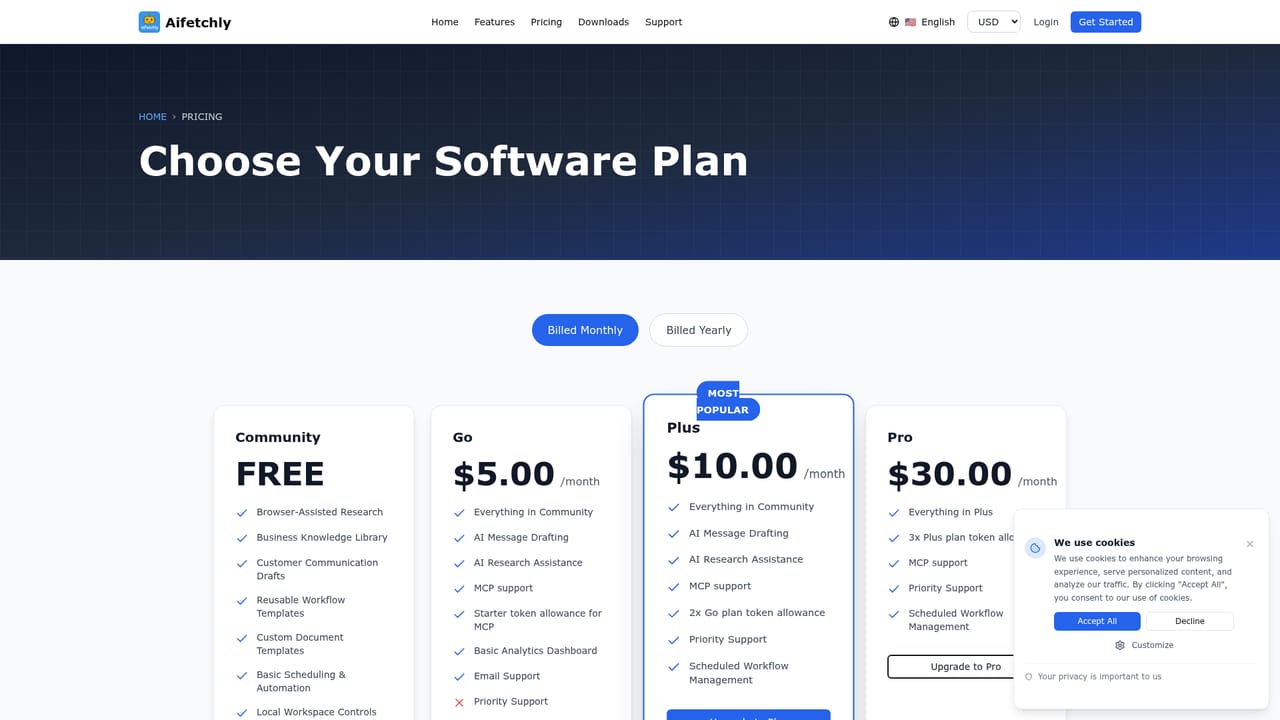
  6. 6Upgrade to Plus if needed
    Review the paid plan for AI token credits and the content assistant feature if the free tier's limits are not enough.
    aiFetchly — Upgrade to Plus if needed

Pros and cons

Pros

  • Keeps business data on the local device by default instead of routing it through cloud servicesAI
  • Open source codebase is publicly available on GitHub for review and transparencyAI
  • Free community version covers core research, document, and workflow automation featuresAI
  • Extensible with installable skills, plugins, MCP servers, and specialist subagentsAI
  • Permission-gated execution lets teams review and restrict what automated tools can doAI

Cons

  • Desktop-only workspace, with no stated web, mobile, or browser extension accessAI
  • Homepage does not disclose what the $10/month Plus tier includes beyond AI content assistant featuresAI
  • No detail on supported file formats, languages, or the scope of browser-assisted researchAI
  • Support is described only as general 'online support' with no stated channels or response timesAI
  • Token-based costs for the paid tier are not broken down beyond the base monthly priceAI

How much does aiFetchly cost?

Pricing

Core community version is free and open source. A Plus plan starts at $10 per month and adds AI token credits and content assistant features so users do not need their own API keys.

Learn more

Support

The homepage references general online support without listing specific channels, hours, or response commitments.

Integrations

Extensible through installable skills, plugin tools, MCP servers, and specialist background subagents rather than a fixed list of named third-party integrations.

Features

Browser-assisted research, document and URL processing into structured notes, a customer communication assistant, scheduled recurring workflows, a local business knowledge library, and permission-gated tool and plugin execution.

Frequently asked questions about aiFetchly

  • How much does aiFetchly cost?
    Core community version is free and open source. A Plus plan starts at $10 per month and adds AI token credits and content assistant features so users do not need their own API keys.
  • How do you use aiFetchly?
    The walkthrough on this page covers 6 steps: 1. Download the community version 2. Install and launch the desktop app 3. Build a business knowledge library 4. Set permissions for tools and plugins 5. Run and schedule workflows 6. Upgrade to Plus if needed.
  • What platforms does aiFetchly support?
    aiFetchly is available on Windows, MacOS and Linux.
  • What does aiFetchly integrate with?
    Extensible through installable skills, plugin tools, MCP servers, and specialist background subagents rather than a fixed list of named third-party integrations.
  • What are the limitations of aiFetchly?
    Desktop-only workspace, with no stated web, mobile, or browser extension access. Homepage does not disclose what the $10/month Plus tier includes beyond AI content assistant features. No detail on supported file formats, languages, or the scope of browser-assisted research.

Status

StatusActive
Views0
Outbound clicks1
Added10/15/2026

Platforms

WindowsMacOSLinux

Pricing

FreeFreemiumSubscription