Pricing
The desktop app is offered as a free download, with no token limits or API costs. Some features, such as Magic Echo, are documented under a Pro section, and the homepage does not list prices.
Learn morePrivate, open-source AI assistant that runs fully on your own computer
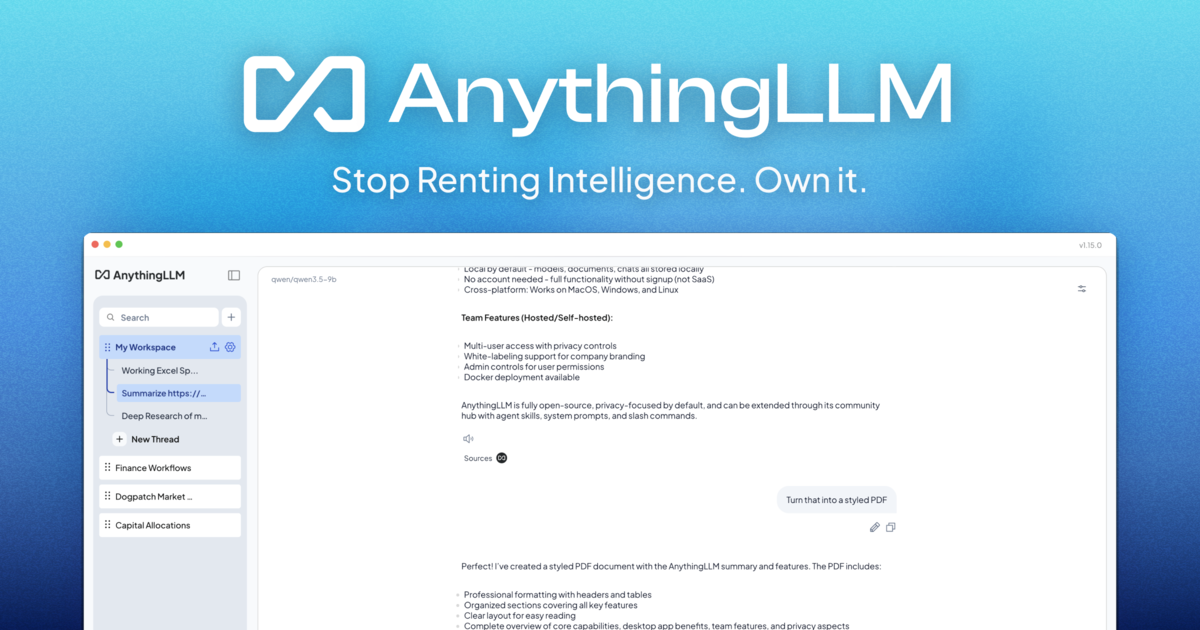
AnythingLLM is a free, MIT-licensed AI assistant that runs on your own computer with no account, API key or token limits. It chats with your documents, runs agents, transcribes meetings locally and can also be self-hosted with Docker.
AnythingLLM is an open-source AI assistant that runs on the user's own machine instead of a cloud service. The desktop app installs from a single file with no dependencies, needs no account and no API key, and does not meter tokens. Documents, chats and processing stay on the device, which makes it a fit for people and organizations that cannot send sensitive material to a hosted model. In practice, the app is set up in a few steps. After downloading it for macOS, Windows or Linux, the user picks a model or lets the app recommend one based on the computer's hardware. From there, files become a knowledge base the assistant can chat with, and the built-in agent can search the web (You.com search is the default, with no key to configure), scrape pages, run background jobs and use custom skills. A custom tool builder and a developer API let teams extend it. Recent releases moved the built-in engine to llama.cpp managed by AMD's Lemonade, and on Windows the app can use Microsoft Foundry Local to run models across CPU, GPU and NPU. Two features stand out. The Meeting Assistant transcribes and summarizes calls locally, producing action items, decisions and transcripts without a bot joining the call and without cloud processing. Magic Echo adds on-device dictation that refines speech as it is spoken and uses what is on screen for context, alongside text highlighting and context-aware autocomplete. A mobile companion for Android runs small models on the phone and can pair with the desktop to reach larger models and full workspaces. The project is MIT licensed, with a self-hosted Docker option for multi-user deployments on an organization's own servers. Compared with hosted assistants such as ChatGPT or Claude, it trades convenience and top-end model quality for ownership and privacy. Compared with other local runners, it bundles document chat, agents and meeting tools into one application rather than a bare model launcher. The homepage cites more than 67k GitHub stars and over 200 contributors.
The desktop app is offered as a free download, with no token limits or API costs. Some features, such as Magic Echo, are documented under a Pro section, and the homepage does not list prices.
Learn moreDocumentation covers document chat, the Meeting Assistant, Magic Echo and Docker installation. The project is open source on GitHub with 200+ contributors. The homepage names no dedicated support channel.
Learn moreUses llama.cpp managed by AMD's Lemonade, Microsoft Foundry Local on Windows, and You.com web search by default. Offers a developer API, a custom tool builder and Docker self-hosting, and works with any meeting platform.
Document chat as a local knowledge base, web scraping and search, dynamic model selection, background jobs, custom agent skills, a local Meeting Assistant, Magic Echo dictation and autocomplete, a custom tool builder and a developer API.
Learn more AI Angels400+ customizable AI girlfriends for NSFW chat, voice calls, and roleplay
 Candy AIExperience the future of companionship with AI friends who chat, role-play, and connect with you on a human level.
 ourdream.aiA vast AI roleplay platform with millions of characters for chat, images, video and voiceAI Angels400+ customizable AI girlfriends for NSFW chat, voice calls, and roleplayCandy AIExperience the future of companionship with AI friends who chat, role-play, and connect with you on a human level.ourdream.aiA vast AI roleplay platform with millions of characters for chat, images, video and voice