Free trial
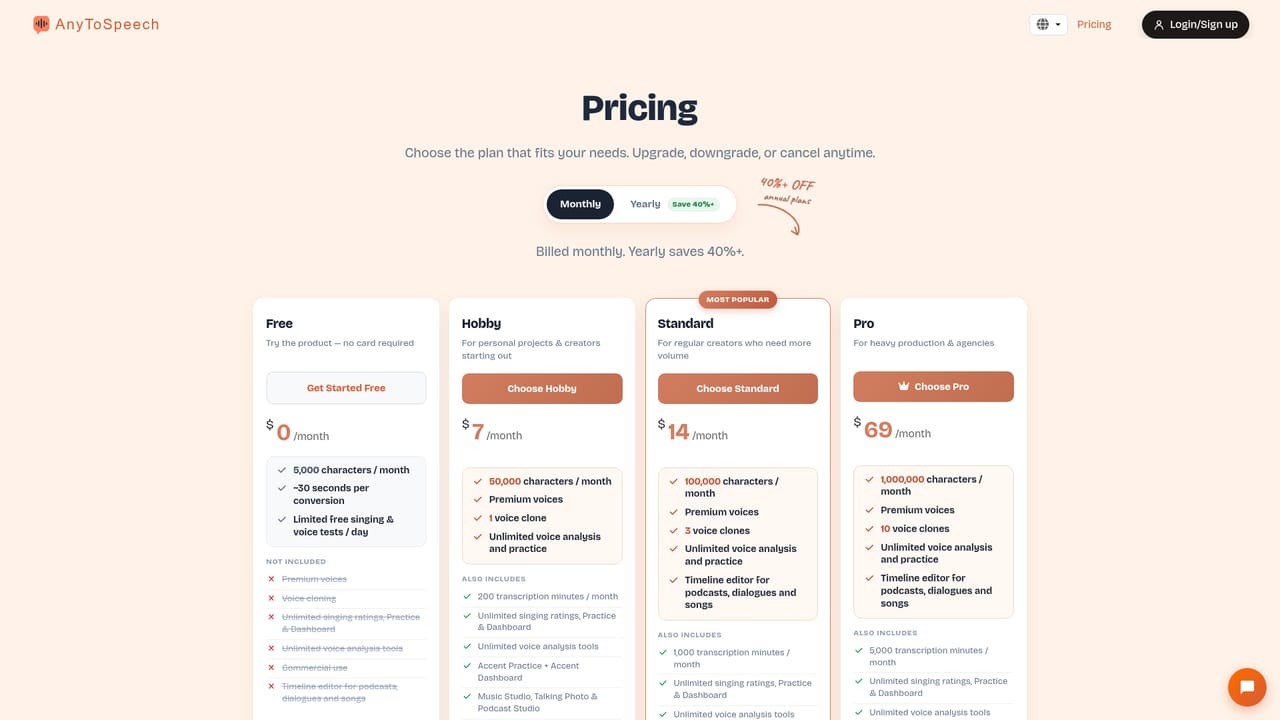
A permanent free plan covers 5,000 characters and 50 transcription minutes. Some character voices and the music studio allow a few generations without signing up, and PDF to podcast offers a 2 minute demo.
Learn moreSpeech generation, transcription, cloning and voice analysis in one workspace

AnyToSpeech is an accent identifier tool. A browser based speech suite covering text to speech, PDF and image to audio, transcription, translation, voice cloning, voice design, podcast and music creation, plus voice analysis tools for singing, accent and pronunciation.
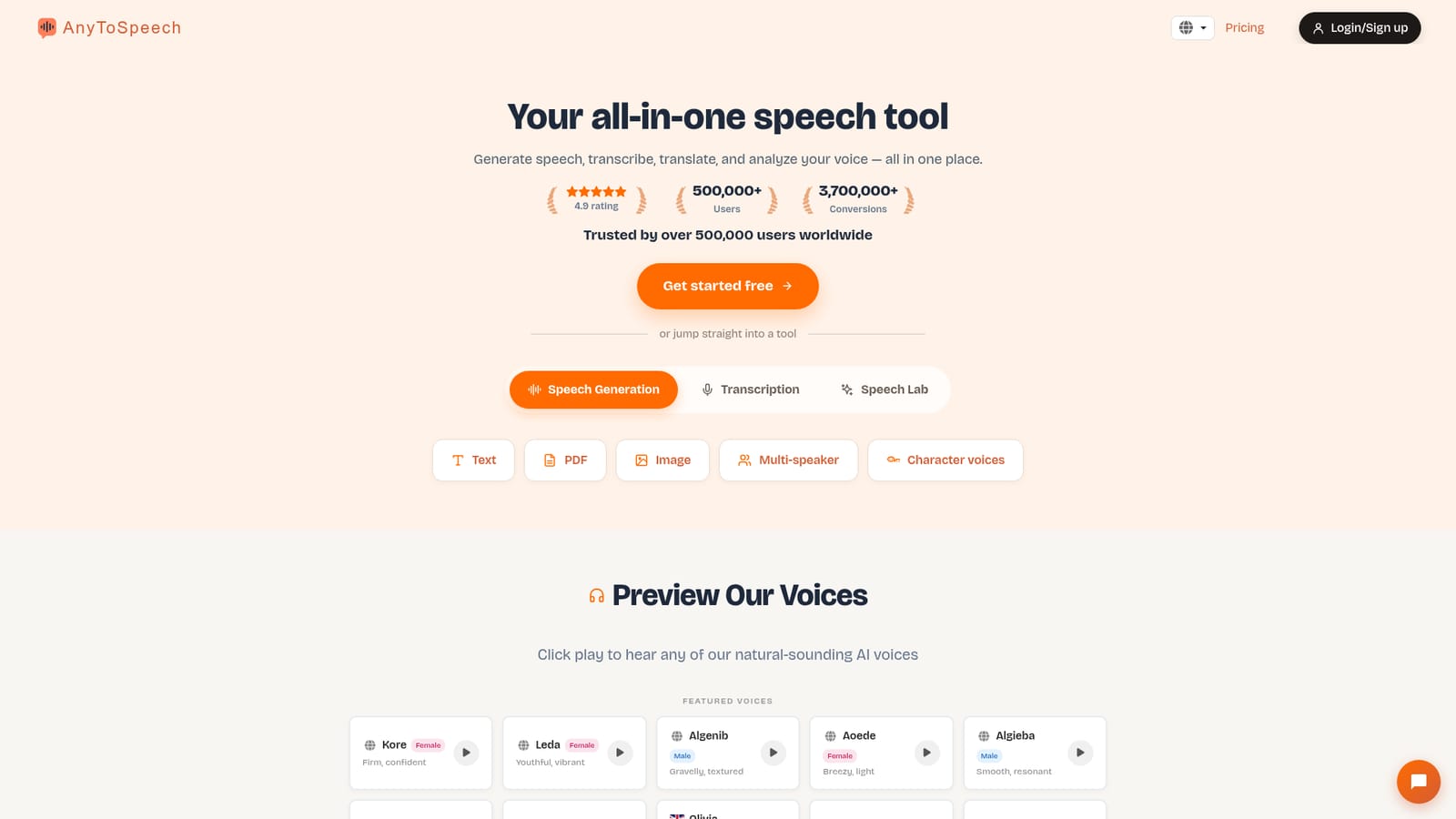
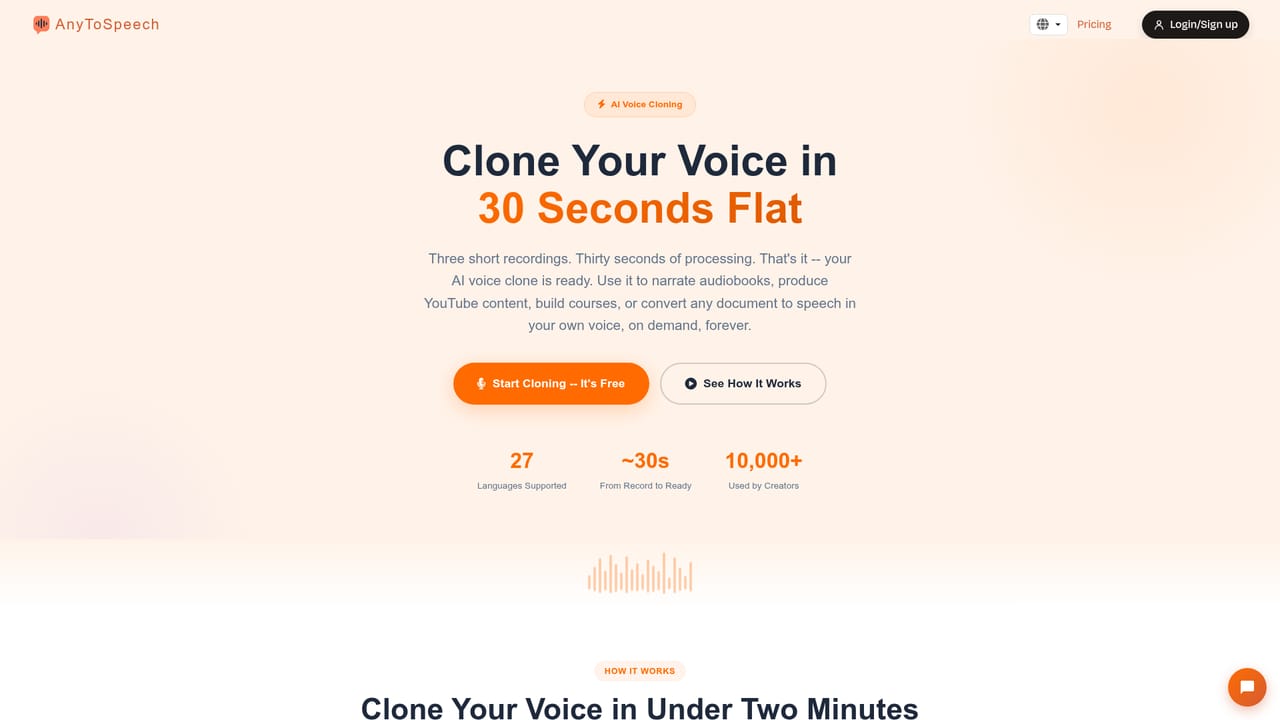
AnyToSpeech is a browser based speech platform that bundles several tools that are usually sold separately. Text, PDFs, PowerPoint decks, web pages and images can all be converted into spoken audio using a library of AI voices, while audio and video files can be pushed the other way through transcription and translation. The same account also covers voice cloning from three short recordings, text to voice design, an AI music studio, a podcast studio, and a set of voice analysis tools that score singing, accent, pronunciation, perceived gender and vocal age. Typical use cases fall into a few buckets. Readers convert long documents and slide decks into audio they can listen to on the move. Creators produce character voices, multi-speaker dialogue and two host podcasts without booking studio time. Language learners and accent coaches use the analysis tools to get a breakdown of pitch, rhythm, accuracy and clarity. Because cloning and design sit inside the same product as generation, a saved voice can be reused across every tool rather than being locked to one feature. The workflow is straightforward. Most tools start from an upload or a paste, then ask for a voice selection before rendering an MP3 or a transcript. Free accounts get limited characters and transcription minutes, while paid tiers remove daily limits and open the timeline editor for podcasts, dialogues and songs. An MCP connection lets supported AI assistants drive the same actions from a chat window on an existing plan. AnyToSpeech competes with dedicated text to speech services and with standalone transcription apps. Its argument is breadth and convenience: one login, one credit pool and one voice library across reading, listening, translation and analysis tasks. Buyers who only need a single synthesised voice may find simpler tools cheaper, but anyone juggling documents, recordings and audio production will get more value from the combined set. The homepage claims more than 500,000 users and 3.7 million conversions. The interface is translated into around twenty seven languages, which suits international teams working across several markets.
A permanent free plan covers 5,000 characters and 50 transcription minutes. Some character voices and the music studio allow a few generations without signing up, and PDF to podcast offers a 2 minute demo.
Learn moreFree tier at $0 with 5,000 characters, about 15 seconds of audio and 50 transcription minutes per month. Hobby is $7/month, Standard $14/month and Pro $69/month, scaling from 50,000 to 1,000,000 characters and from 200 to 5,000 transcription minutes, with 1, 3 or 10 voice clones. Monthly subscription, cancel anytime.
Learn moreCustomer reviews on the homepage mention support stepping in when a conversion went wrong, though no help centre, documentation or contact channel is listed on the page itself.
An MCP connection links a single account to ChatGPT, Claude, Cursor, Perplexity and Meta Muse so those assistants can generate audio, transcribe files, clone voices and build podcasts.
Learn moreText, PDF, PowerPoint, URL and image to speech, multi-speaker and character voices, voice cloning in about 30 seconds, text based voice design, transcription with translation, audio and video translation, AI music studio, podcast studio, PDF and PowerPoint to podcast, and voice analysis for singing, accent, pronunciation, gender and vocal age.
 AI Angels400+ customizable AI girlfriends for NSFW chat, voice calls, and roleplay
 Candy AIExperience the future of companionship with AI friends who chat, role-play, and connect with you on a human level.
 ourdream.aiA vast AI roleplay platform with millions of characters for chat, images, video and voiceAI Angels400+ customizable AI girlfriends for NSFW chat, voice calls, and roleplayCandy AIExperience the future of companionship with AI friends who chat, role-play, and connect with you on a human level.ourdream.aiA vast AI roleplay platform with millions of characters for chat, images, video and voice
