Article Rewriter

AI article spinner with five rewriting modes and a built-in plagiarism check

Beginner
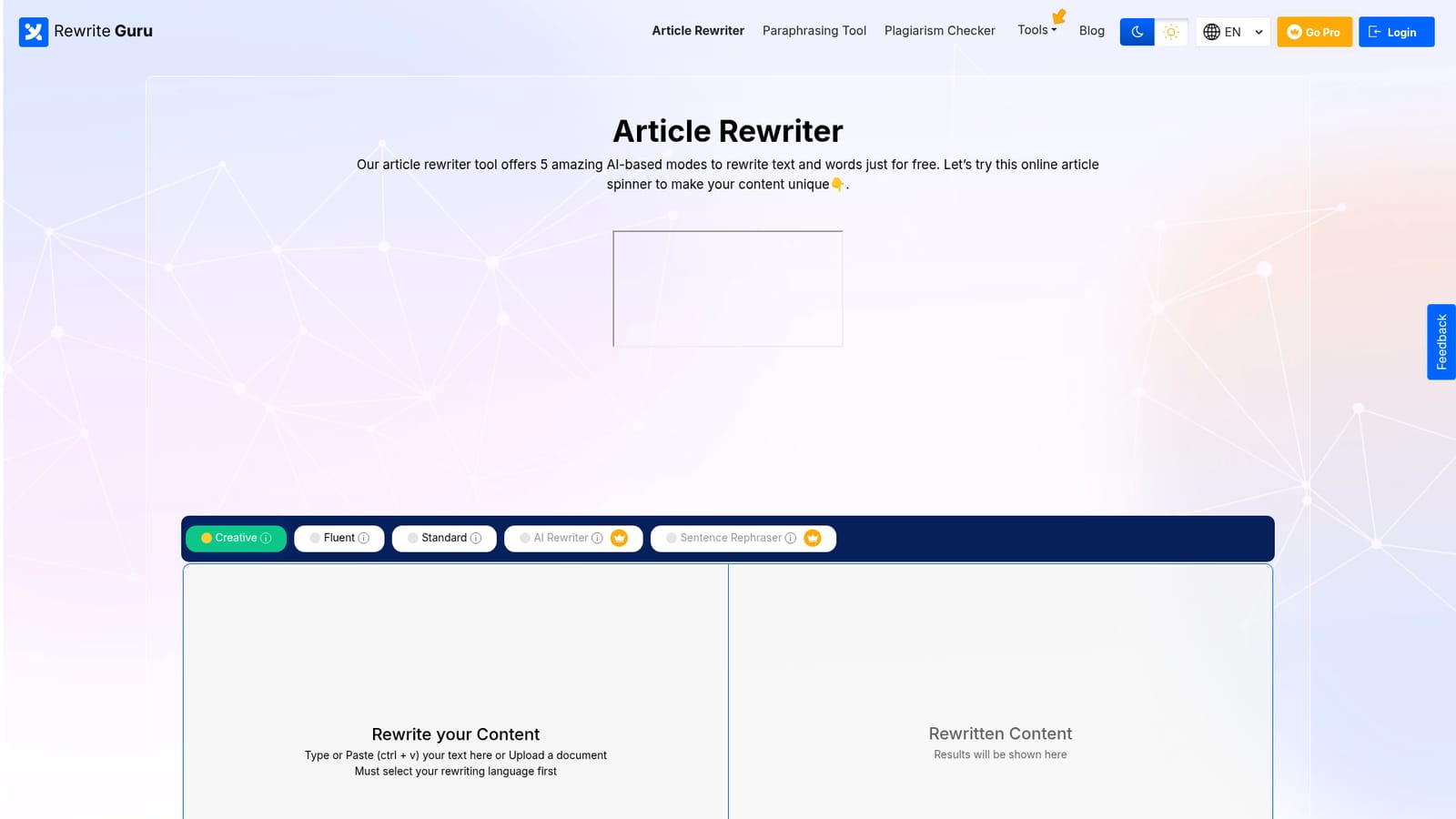
Screenshot of Article Rewriter, AI article spinner with five rewriting modes and a built-in plagiarism check

What is Article Rewriter?

Article Rewriter is an AI humanizer tool. RewriteGuru's Article Rewriter is a free AI spinner with five modes (Creative, Fluent, Standard, AI Rewriter and Sentence Rephraser), synonym suggestions, and in-window grammar, spelling and plagiarism checks across eleven languages. The free editor caps input at 800 words and requires a desktop or laptop browser.

Article Rewriter is the flagship tool from RewriteGuru, a free online spinner built for taking existing text and producing a fresh version of it without shifting the underlying meaning. The editor takes pasted text or an uploaded document and returns a rewritten draft in seconds, with the output shown side by side against the original so every substitution can be reviewed rather than trusted blindly. The tool separates its work into five modes that suit different levels of intervention. Creative and Fluent handle medium and advanced level spinning respectively, highlighting the words that were changed and offering a synonym list so the writer can override any choice. Standard mode is the most hands-on: it marks original nouns, verbs and adjectives so each one can be swapped manually. Sentence Rephraser works line by line and returns several candidate phrasings for a single sentence. AI Rewriter sits alongside these as a context-preserving pass that can also be combined with the spinning modes for a hybrid result. It is aimed at bloggers, students, freelance writers and small marketing teams who need to refresh existing copy, reduce duplication or work around thin source material without paying for a human rewrite. The free version accepts up to 800 words per pass and covers eleven languages, including English, Spanish, German, French, Russian, Portuguese, Italian, Dutch, Turkish and Indonesian, with a localized interface for several of them. Grammar, spelling and plagiarism checks sit in the same window, so the rewritten draft does not need to be moved into a separate tool for verification. Against paraphrasing tools built around tone control, Article Rewriter leans toward word-level spinning with visible edits, which suits people who want to inspect and adjust each change rather than accept a black box result. The Pro tier lifts the word ceiling considerably and adds an AI content detector plus ad-free use. Note that the site blocks the editor on phones and asks for a laptop or desktop.

How do you use Article Rewriter?

  1. 1Open the article rewriter
    Load the rewriter in a desktop or laptop browser. The editor does not run on mobile devices, so a computer is required.
    Article Rewriter — Open the article rewriter
  2. 2Add your source text
    Paste or type into the input box, or upload a document from your device. The free counter shows how many of the 800 available words you have used.
  3. 3Choose a language and mode
    Pick the rewriting language from the dropdown first, then select Creative, Fluent, Standard, AI Rewriter or Sentence Rephraser depending on how much of the text should change.
  4. 4Run the rewrite and review the diff
    Press the rewrite button and compare the original against the rewritten output. Highlighted words can be swapped using the synonym suggestions or reverted to the source wording.
  5. 5Verify and export
    Run the grammar and plagiarism checks from the results panel, then download the file or copy the text out. Pro adds an AI content detector and higher word limits.

Pros and cons

Pros

  • Five distinct rewriting modes let you choose between light synonym swaps and deeper context-preserving rewritesAI
  • Changed words are highlighted with synonym alternatives, so edits stay reviewable instead of hiddenAI
  • Grammar, spelling and plagiarism checks run in the same window as the rewriteAI
  • Supports eleven input languages with localized interfaces for several of themAI
  • No registration is required to start rewriting on the free tierAI

Cons

  • Free tier caps each pass at 800 words, which is short for long-form articles or reportsAI
  • The editor is blocked on mobile devices, so phone and tablet users cannot rewrite at allAI
  • Several headline features (plagiarism detection, AI content detection, ad-free use) are locked behind the Pro planAI
  • No API or third-party integrations are documented, which rules out automated pipelinesAI
  • Aggressive spinning modes can produce awkward phrasing that still needs a human passAI

How much does Article Rewriter cost?

Pricing

The homepage advertises a free tier limited to 800 words per rewrite and a Pro plan that removes ads and raises the limit to 30,000 words per search, adding AI content detection and plagiarism detection. Exact Pro prices are not shown on the homepage and sit on a separate pricing page.

Learn more

Features

Five rewriting modes including Creative, Fluent, Standard, AI Rewriter and Sentence Rephraser. Synonym suggestions with highlighted substitutions, manual word replacement, grammar and spell checks, plagiarism and similarity checking in the results panel, file download or in-account saving, and support for eleven languages including English, Spanish, German, French, Russian, Portuguese, Italian, Dutch, Turkish and Indonesian.

Frequently asked questions about Article Rewriter

  • How much does Article Rewriter cost?
    The homepage advertises a free tier limited to 800 words per rewrite and a Pro plan that removes ads and raises the limit to 30,000 words per search, adding AI content detection and plagiarism detection. Exact Pro prices are not shown on the homepage and sit on a separate pricing page.
  • How do you use Article Rewriter?
    The walkthrough on this page covers 5 steps: 1. Open the article rewriter 2. Add your source text 3. Choose a language and mode 4. Run the rewrite and review the diff 5. Verify and export.
  • What platforms does Article Rewriter support?
    Article Rewriter is available on Web App.
  • What are the limitations of Article Rewriter?
    Free tier caps each pass at 800 words, which is short for long-form articles or reports. The editor is blocked on mobile devices, so phone and tablet users cannot rewrite at all. Several headline features (plagiarism detection, AI content detection, ad-free use) are locked behind the Pro plan.

Status

StatusActive
Views0
Outbound clicks0
Added10/21/2026

Platforms

Web App

Pricing

FreeFreemiumSubscription