Article.Audio

Turn written articles into natural-sounding audio in over 140 languages.

Beginner
Screenshot of Article.Audio, Turn written articles into natural-sounding audio in over 140 languages

What is Article.Audio?

Article.Audio is an AI narration tool that turns written articles into natural-sounding audio in over 140 languages. Article.Audio converts web articles into spoken audio using 140+ languages, 270+ voices and 31 speaking styles on the paid tier.

Article.Audio is a web tool that converts written articles into spoken audio. The premise is deliberately narrow: paste a web link, pick a language and a voice, and receive a listenable version of the text. The homepage frames it around the obvious use case, catching up on reading when there is no time to sit down with it, and the engine underneath is Thundercontent, a separate text to speech service that Article.Audio wraps in a simple interface. Language coverage is the headline capability. The language picker lists more than 140 entries, and the list is far more granular than most competitors: regional variants are separated rather than merged, so English splits across the United States, United Kingdom, Australia, Canada, India, Ireland, Kenya, New Zealand, Nigeria, the Philippines, Singapore, South Africa and Tanzania, and Spanish, French, Arabic and Portuguese get similar treatment. A Pro account adds access to 270 or more voices and 31 speaking styles, which is the part that actually determines whether the output sounds like a narrator or like a machine. The workflow suits people who consume rather than produce text: commuters who want articles read aloud, language learners testing material in a regional accent, and publishers or marketers who want an audio version of written content without booking a voice artist. It competes with general purpose text to speech platforms on one axis, convenience for long-form web articles, rather than on studio-grade editing. On the practical side, sign-in is through Google or an email confirmation link, the interface offers dark and light modes, and the Pro plan is billed monthly with a one-click cancellation. There is no stated API, no stated plugin ecosystem beyond the conversion itself, and no stated desktop or mobile app, so treat this as a browser utility. Credits, usage caps on the free tier and file formats are not documented on the homepage, which is worth confirming before committing to a paid month.

How do you use Article.Audio?

  1. 1Create an account
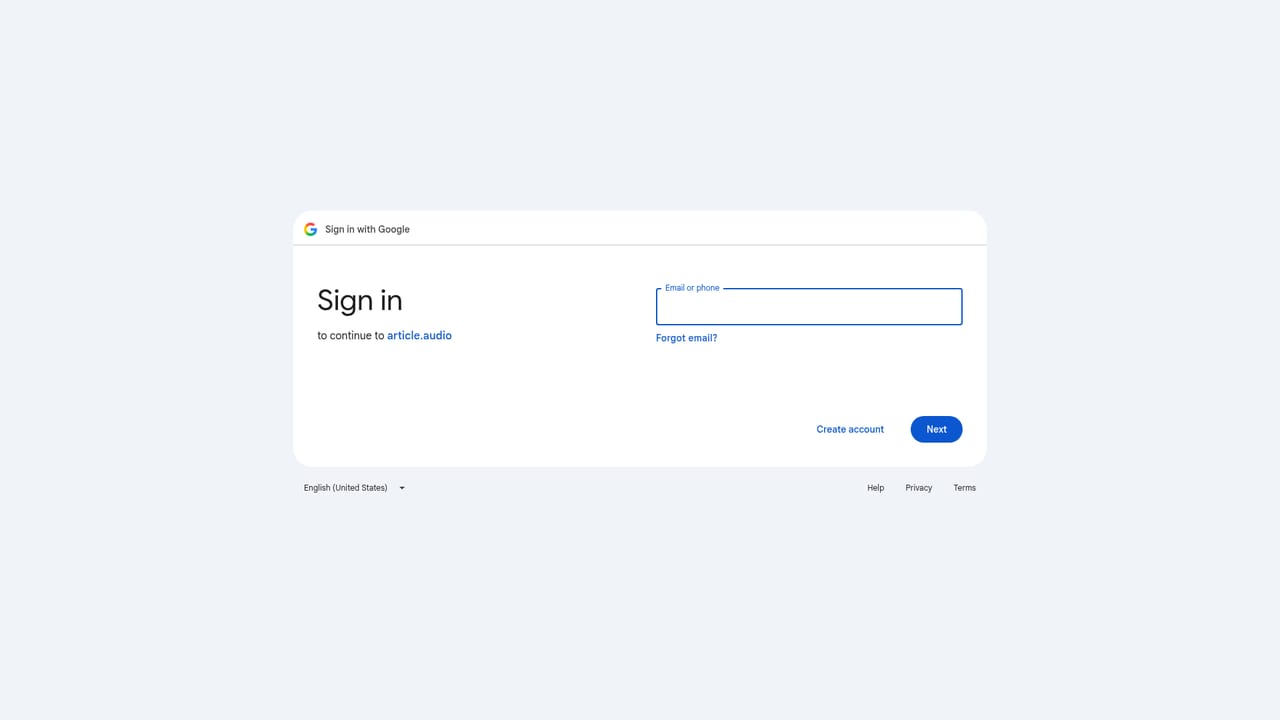
    Sign in with Google in one click, or enter an email address and confirm via the link sent to your inbox. No password is required either way.
    Article.Audio — Create an account
  2. 2Paste the article link
    In the Web link field on the main screen, paste the URL of the article you want narrated. Text is pulled from the page rather than typed in manually.
  3. 3Pick a language variant
    Open the language selector and choose a specific regional variant, such as English (United Kingdom) or Spanish (Mexico), rather than a generic locale.
  4. 4Select a voice and style
    Choose from the available voices and apply one of the 31 speaking styles. Pro accounts unlock the full library of 270 or more voices.
  5. 5Generate and download
    Run the conversion and download the resulting audio file. Unlimited conversions and downloads require the Pro plan.

Pros and cons

Pros

  • Regional language variants are separated, so you can choose English (India) rather than a generic English voice.AI
  • Voice library is large on Pro: 270 or more voices plus 31 speaking styles to shape the delivery.AI
  • Monthly billing with one-click cancellation makes it easy to test for a single project.AI
  • Email sign-up works without a Google account, and a dark mode is included.AI
  • Built specifically around long-form articles rather than short snippets, which fits its stated purpose.AI

Cons

  • The homepage does not state how many free conversions you get, so the limits of the unpaid tier are unclear until you sign in.AI
  • Output quality depends on Thundercontent, a third-party engine, so voice behaviour is not fully controlled by Article.Audio.AI
  • No API is mentioned, which rules it out for anyone wanting to automate conversions at scale.AI
  • No published integration list: conversion happens inside the tool, not in your reading or publishing stack.AI
  • The page render is broken in places, including a truncated language list, which does not build confidence in polish.AI

How much does Article.Audio cost?

Pricing

A single Pro plan is listed at 19 USD per month, billed monthly and cancellable in one click. It includes unlimited conversion and download, faster and higher quality audio, 145 languages, 270+ voices, 31 speaking styles, dark and light mode and premium support. A Product Hunt discount code is advertised on the homepage.

Learn more

Support

Pro subscribers are listed as receiving premium support and the ability to request features. Support channels and response times are not described on the homepage.

Features

Converts article links into spoken audio, with a language picker covering more than 140 regional variants and a voice library of 270 or more voices alongside 31 speaking styles on Pro. Pro also lifts conversion and download limits and promises faster, higher quality output. Sign-in is via Google or email confirmation, and the interface supports dark and light mode.

Frequently asked questions about Article.Audio

  • How much does Article.Audio cost?
    A single Pro plan is listed at 19 USD per month, billed monthly and cancellable in one click. It includes unlimited conversion and download, faster and higher quality audio, 145 languages, 270+ voices, 31 speaking styles, dark and light mode and premium support. A Product Hunt discount code is advertised on the homepage.
  • How do you use Article.Audio?
    The walkthrough on this page covers 5 steps: 1. Create an account 2. Paste the article link 3. Pick a language variant 4. Select a voice and style 5. Generate and download.
  • What platforms does Article.Audio support?
    Article.Audio is available on Web App.
  • What are the limitations of Article.Audio?
    The homepage does not state how many free conversions you get, so the limits of the unpaid tier are unclear until you sign in. Output quality depends on Thundercontent, a third-party engine, so voice behaviour is not fully controlled by Article.Audio. No API is mentioned, which rules it out for anyone wanting to automate conversions at scale.

Status

StatusActive
Views0
Outbound clicks0
Added10/21/2026

Platforms

Web App

Pricing

FreemiumSubscription


