Free trial
The first three recipes are free and no credit card is required. Paid plans start with a trial, and the homepage states you can cancel your subscription at any time.
Learn moreTurn Instagram and TikTok recipe finds into a baby-safe cookbook on WhatsApp

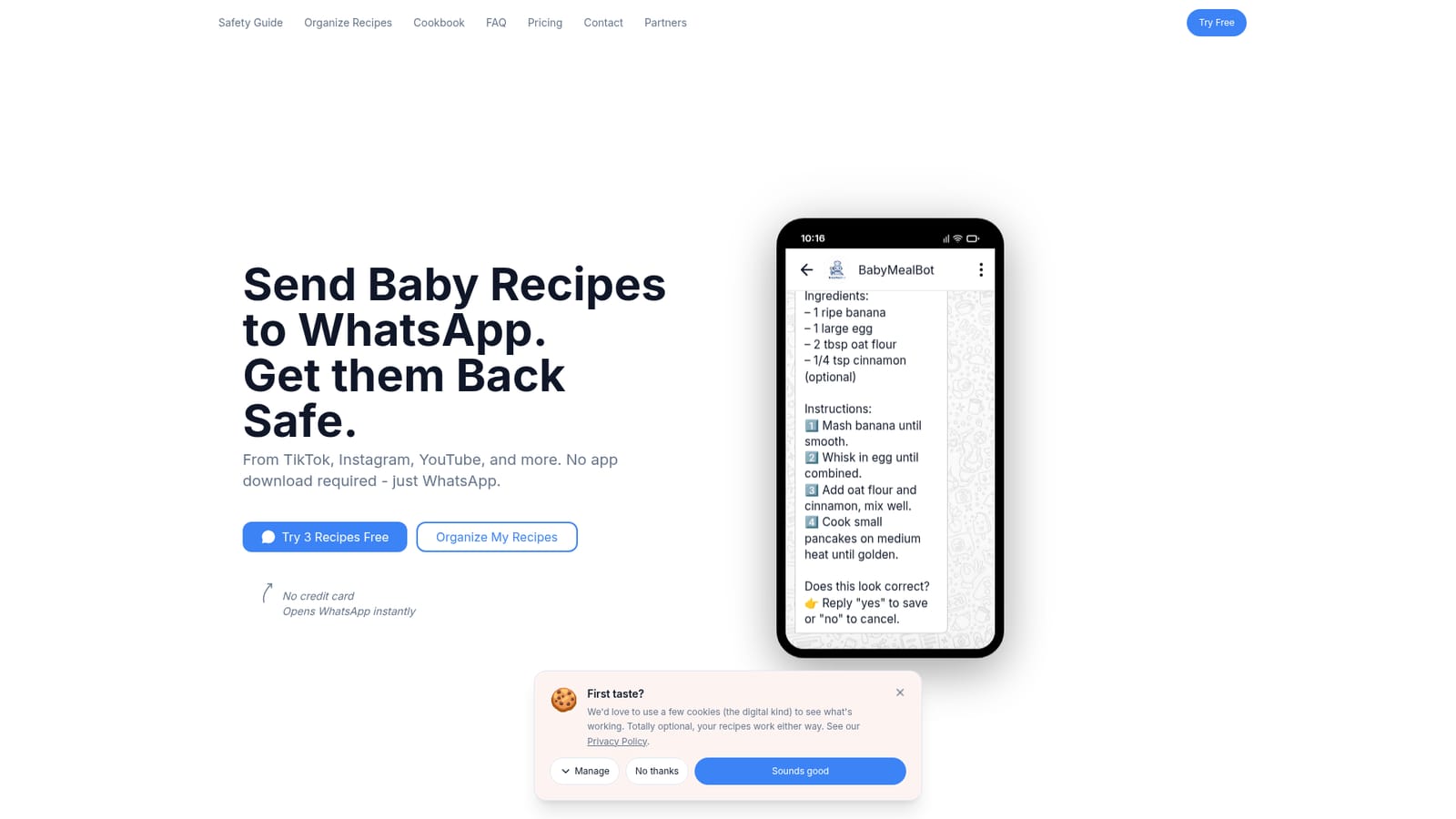
BabyMealBot is an advice giver tool that turns Instagram and TikTok recipe finds into a baby-safe cookbook on WhatsApp. A WhatsApp-based baby food recipe assistant that extracts recipes from Instagram, TikTok, YouTube and website links, runs age and allergen safety checks against a baby profile, saves everything to a searchable cookbook and builds grocery lists.
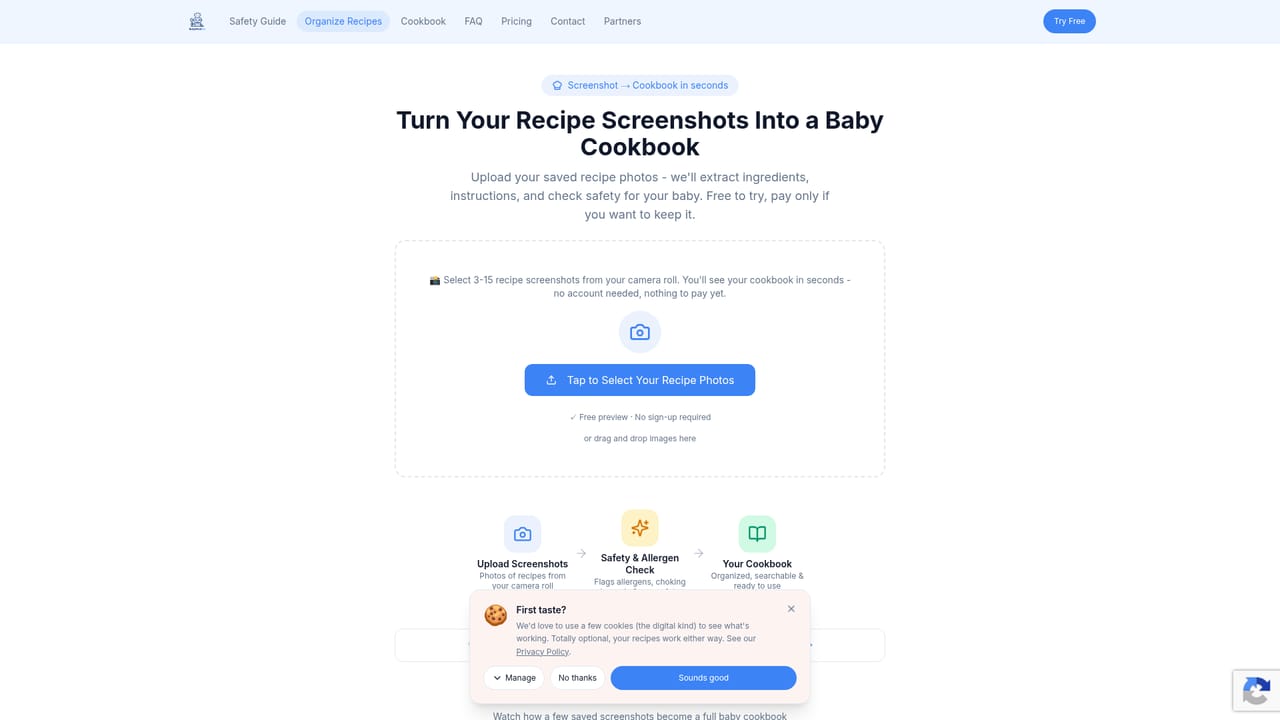
BabyMealBot is a recipe assistant that lives inside WhatsApp and is built around one persistent problem for parents: the good baby food ideas are scattered across Instagram Reels, TikTok videos, YouTube links, websites and old screenshot folders, and none of them are checked for whether a baby of a given age can actually eat the result. Rather than asking parents to install another app, it works as a contact you forward links to. The bot reads the shared content, pulls out ingredients and steps from the caption or page, and files the result into a personal cookbook. Safety is the second half of the pitch. Each recipe passes through an AI check that flags common allergens and choking hazards and assesses age-appropriateness against the baby profile set at the start (age and allergy details carry over to every future recipe). The site is explicit that these checks are AI-generated and not medical advice, with a recommendation to consult a pediatrician before introducing new foods. A public checker on the homepage lets anyone paste a recipe URL and preview the allergen and choking hazard output before signing up. Day to day, the workflow is share, extract, save. Cookbook entries store age suitability and meal type (breakfast, lunch) alongside timing, and saved recipes roll up into a grocery list with ingredients automatically combined and organised. A Family tier syncs one cookbook and shopping list across several WhatsApp numbers, so a partner, nanny or grandparent sees the same recipes and whoever is shopping can open the list in chat. It suits parents in the weaning and toddler years who already collect recipes from social feeds and want one place to keep them, plus households where more than one adult handles feeding. Against general recipe managers, the difference is the allergy and age layer and the chat-first interface; parents who want structured meal planning, nutrition tracking or a native app experience will find the scope narrower than a dedicated meal planner. There is also a migration path for people who already hoard recipe screenshots: a separate page turns an existing screenshot folder into a cookbook.
The first three recipes are free and no credit card is required. Paid plans start with a trial, and the homepage states you can cancel your subscription at any time.
Learn morePersonal is $7 per month for one WhatsApp number with unlimited recipes and age and allergen checks. Family is $9 per month and covers up to three numbers (partner, nanny, grandparent) with a synced cookbook and shared grocery list, with a partner number available for $2 more. Cancellation is allowed at any time according to the site.
Learn moreRuns entirely through WhatsApp, with recipe sources including Instagram, TikTok, YouTube and general websites. No app install is needed according to the homepage.
Forward recipes from Instagram, TikTok, YouTube, websites or screenshots to a WhatsApp contact and the bot extracts ingredients, steps and tips. Each recipe is checked for allergens, choking hazards and age fit using the stored baby profile. Saved recipes form a searchable cookbook with age and meal type, and one tap generates a grocery list with ingredients combined. Personal and Family plans add synced cookbooks and shared lists across multiple WhatsApp numbers.
 AI Angels400+ customizable AI girlfriends for NSFW chat, voice calls, and roleplay
 Candy AIExperience the future of companionship with AI friends who chat, role-play, and connect with you on a human level.
 ourdream.aiA vast AI roleplay platform with millions of characters for chat, images, video and voiceAI Angels400+ customizable AI girlfriends for NSFW chat, voice calls, and roleplayCandy AIExperience the future of companionship with AI friends who chat, role-play, and connect with you on a human level.ourdream.aiA vast AI roleplay platform with millions of characters for chat, images, video and voice


