Integrations
BIK describes itself as an open API platform, with connections through webhooks and REST API blocks alongside listed app integrations and Shopify-linked product recommendations.
Learn moreAgentic AI CRM for eCommerce marketing, support and retention
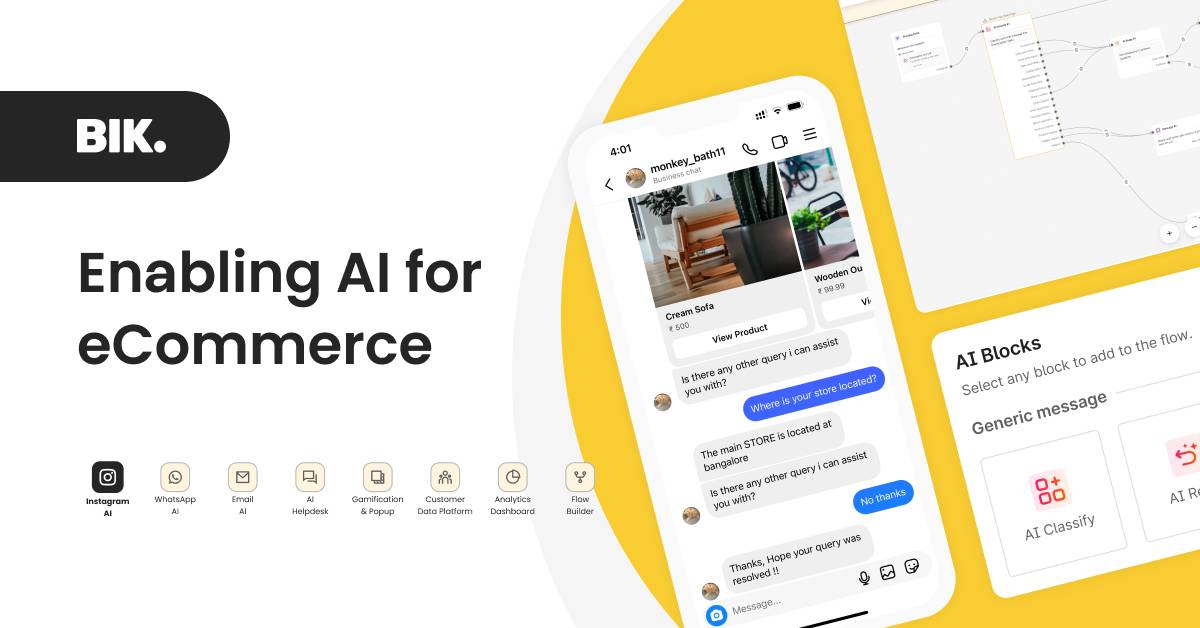
BIK is an agentic AI CRM for eCommerce brands, combining 100+ pre-built commerce agents with multichannel marketing, helpdesk automation, analytics and gamification in one platform, connected through an open API and aimed at D2C and enterprise retail teams.
BIK is an agentic AI CRM aimed at eCommerce brands that want marketing and customer support to run from one system. The core of the product is a library of more than 100 pre-built AI commerce agents spanning acquisition, retention, order management, helpdesk and gamification. Brands can also build their own agents by assigning a goal, success criteria and instructions. Included agents cover narrow but concrete jobs: booking appointments, negotiating discounts, tracking orders in real time, resolving product problems from customer photos or videos, helping shoppers find reward points, matching products to a style preference and turning purchase history into repeat-sale recommendations. Around the agents sits a wider stack. Agentic acquisition and retention tools handle journeys, campaigns and AI drip sequences, while the multichannel CRM keeps customer data unified. On the service side the platform applies AI to tickets: summarising conversations, translating messages for foreign language customers, classifying intent and routing issues, and drafting replies. An Instagram layer adds intent classification and Shopify-backed product recommendations. Advanced analytics and an agentic CDP feed the same customer view, so support interactions and marketing sends draw on shared data rather than separate silos. The product is pitched at D2C brands and established retailers running high message volumes, particularly those active on Instagram and social commerce. The homepage cites 500+ brands, 30M+ messages per day per brand and a 137x ROI figure, alongside case studies from Recode Studios, Fuaark and Conscious Chemist. Setup starts with a demo request rather than self-serve signup, so onboarding is sales-led. Compared with standalone helpdesks or email marketing suites, BIK competes on bundling: one platform for journeys, campaigns, helpdesk and agents, with an open API, webhooks and REST blocks for connecting other apps. Security messaging references SOC 2, GDPR and ISO, plus a Meta business partner badge. Buyers who only need a chatbot or a single-channel email tool will likely find the breadth unnecessary.
BIK describes itself as an open API platform, with connections through webhooks and REST API blocks alongside listed app integrations and Shopify-linked product recommendations.
Learn moreAgentic acquisition, retention, order management, helpdesk, gamification and CDP modules, plus more than 100 pre-built commerce agents and a builder for custom ones. Helpdesk AI covers summaries, translation, intent classification and reply drafting; analytics and Shopify-linked Instagram recommendations round out the stack.
Learn more AI Angels400+ customizable AI girlfriends for NSFW chat, voice calls, and roleplay
 Candy AIExperience the future of companionship with AI friends who chat, role-play, and connect with you on a human level.
 ourdream.aiA vast AI roleplay platform with millions of characters for chat, images, video and voiceAI Angels400+ customizable AI girlfriends for NSFW chat, voice calls, and roleplayCandy AIExperience the future of companionship with AI friends who chat, role-play, and connect with you on a human level.ourdream.aiA vast AI roleplay platform with millions of characters for chat, images, video and voice










