Pricing
One-time purchase of $28.10 (listed in EUR) for a personal Blender Copilot add-on plus a lifetime license. A 20% discount code, PIONEER, is advertised as a limited-time offer. A 30-day money-back guarantee covers the purchase.
Learn moreA GPT-powered add-on that takes the grind out of Blender tasks
Own Blender Copilot? Verify ownership to get a dofollow link

Blender Copilot is a ~2 MB Blender add-on that brings OpenAI's GPT models into your 3D workflow to automate tedious tasks like UV mapping and texture refinement. You install the zip, paste in your own OpenAI API key, and keep a lifetime license for a one-time price.
Blender Copilot is a paid add-on for Blender that connects the 3D application to OpenAI's models through an API key you supply yourself. The pitch is straightforward: the repetitive, technical side of 3D work (UV layouts, texture refinement, general task automation inside the scene) gets handed to a text model, while the artist keeps the creative decisions. It is a small download, about 2 MB, that installs the same way as any other Blender extension from a zip file. It is aimed squarely at working Blender users who already know their way around the interface and the preferences menu, not at people who have never opened the software. In practice the workflow is install, activate, paste your OpenAI key into the plugin configuration, and then drive Blender tasks through the copilot panel. Nothing runs without that key, and nothing about the tool is a hosted service: the purchase buys the add-on and a lifetime license, and your model usage is a separate arrangement between you and OpenAI. The vendor describes it as an assistant that keeps you in control rather than one that replaces your process, and the FAQ states it works alongside existing projects and add-ons. A dedicated installation guide and a video demo are provided on the product page. Where it fits: this is one of a growing set of Blender AI helpers, and its differentiator is breadth of task coverage rather than a single trick. Compared with dedicated UV tools or standalone texture generators, it bundles several chores behind one panel. Compared with free scripts on GitHub, you pay for packaging, a walkthrough, and a refund window. The listing claims more than 1000 artists and a 30-day money-back guarantee, so the risk of trying it is low, but the marketing leans heavily on slogans. Read the specs and the installation requirements first: if you do not already have an OpenAI account with billing set up, budget for that on top of the license.
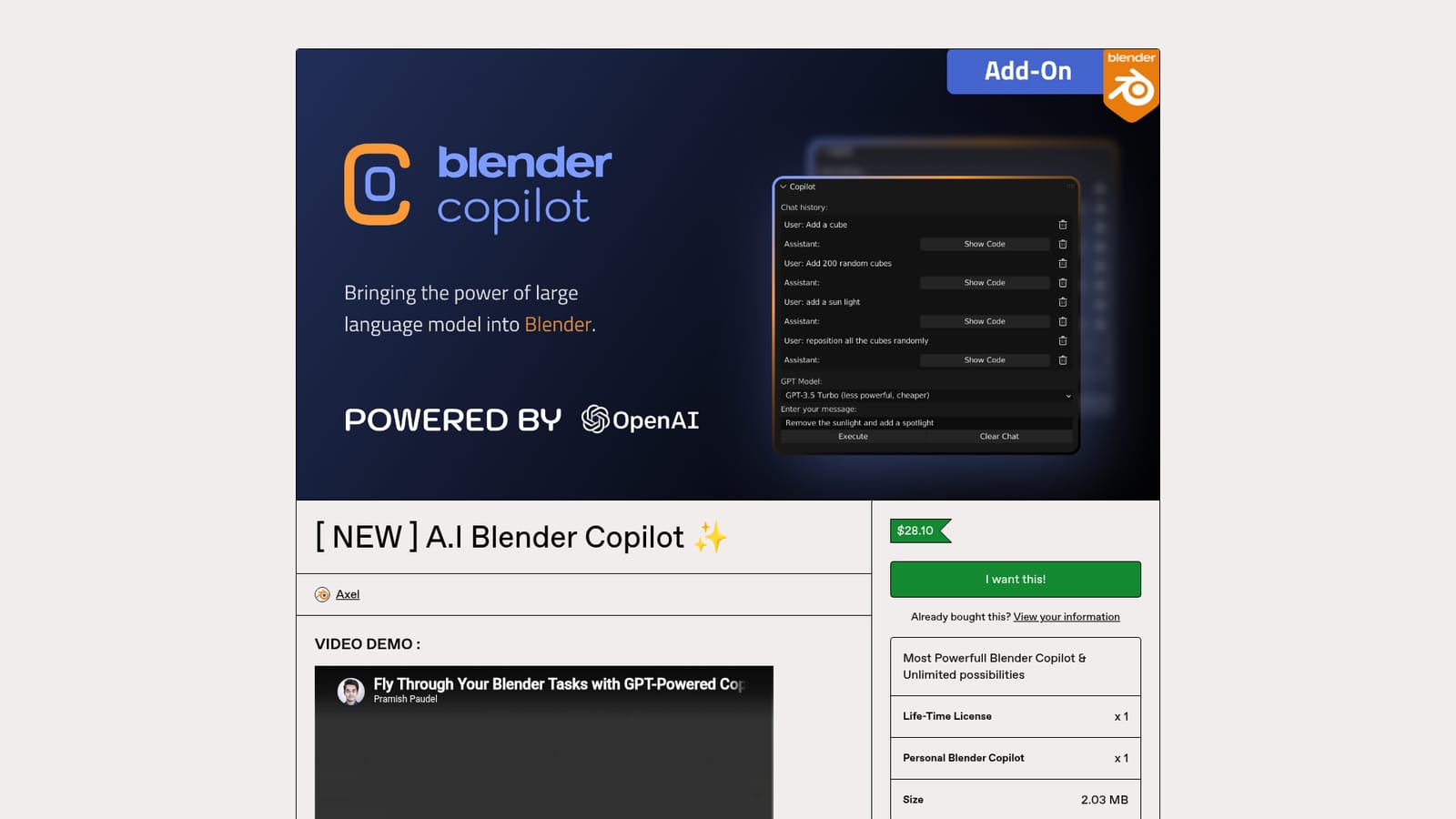
One-time purchase of $28.10 (listed in EUR) for a personal Blender Copilot add-on plus a lifetime license. A 20% discount code, PIONEER, is advertised as a limited-time offer. A 30-day money-back guarantee covers the purchase.
Learn moreA written installation guide and a video demo are published on the product page, plus a 30-day money-back guarantee contactable within 30 days of purchase. The vendor links out to Instagram, YouTube, Product Hunt and a directory listing for community updates.
Runs inside Blender as an add-on and connects to OpenAI's models using an API key you obtain from the OpenAI platform. The FAQ states it works with your existing Blender projects and add-ons.
A GPT-powered copilot inside Blender that assists with tedious work such as UV maps and texture refinement, and is framed as general task automation for the 3D workflow. It installs as a standard add-on zip, connects to OpenAI through your own API key, and is described as compatible with existing projects and add-ons while leaving creative control with the artist.
 AI Angels400+ customizable AI girlfriends for NSFW chat, voice calls, and roleplay
 Candy AIExperience the future of companionship with AI friends who chat, role-play, and connect with you on a human level.
 ourdream.aiA vast AI roleplay platform with millions of characters for chat, images, video and voiceAI Angels400+ customizable AI girlfriends for NSFW chat, voice calls, and roleplayCandy AIExperience the future of companionship with AI friends who chat, role-play, and connect with you on a human level.ourdream.aiA vast AI roleplay platform with millions of characters for chat, images, video and voice