CHARLES by BuzzChat

AI companion with a human-like personality and emotional range.

Beginner
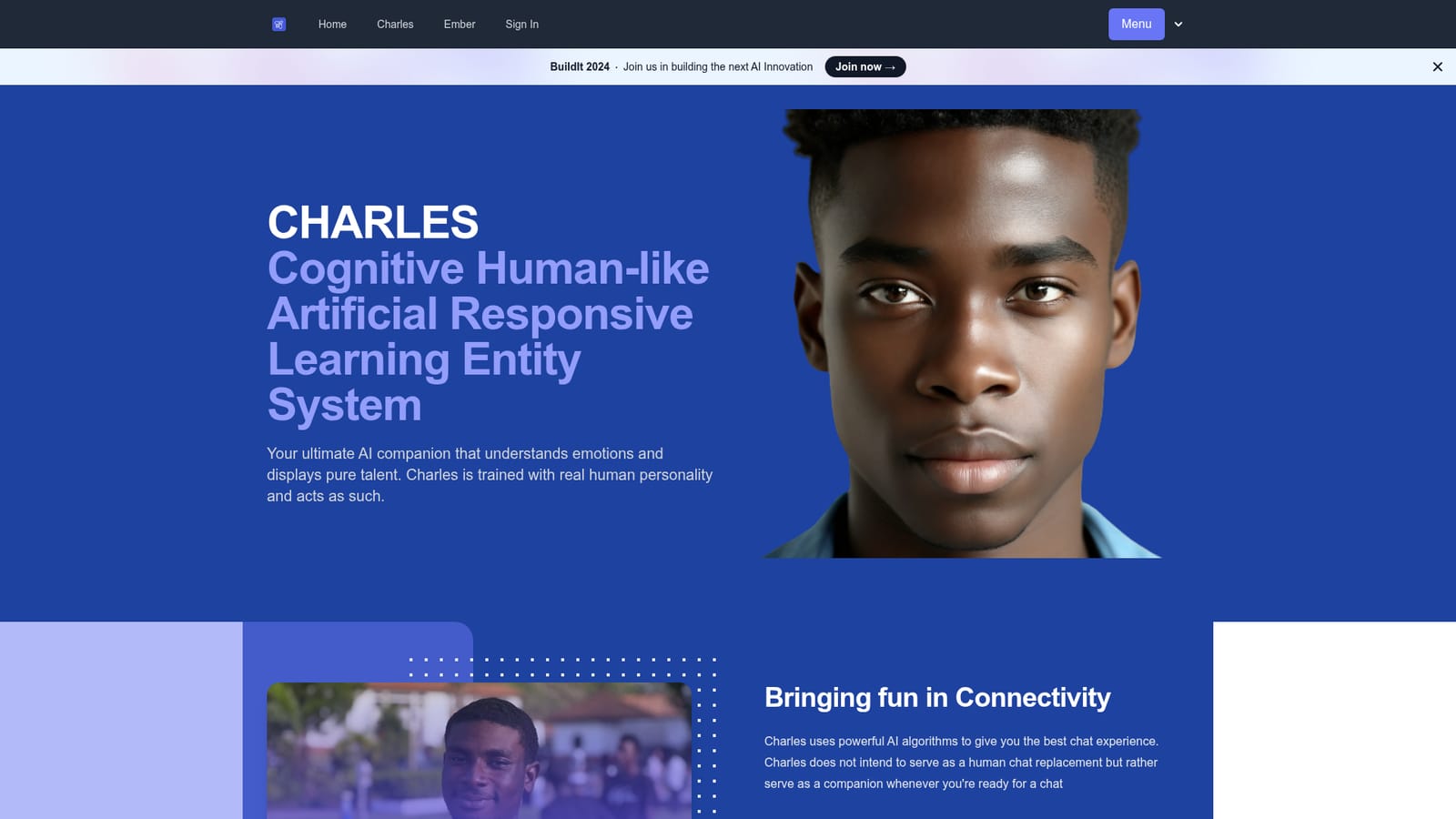
Screenshot of CHARLES by BuzzChat, AI companion with a human-like personality and emotional range

What is CHARLES by BuzzChat?

CHARLES by BuzzChat is a web-based AI companion built around a single named character with a stated human personality and emotional expression. Sign in, open the chat and talk. The site frames it as company for when you want a conversation, not a replacement for human contact, and notes that chats are monitored for safety.

CHARLES is a conversational AI companion built by BuzzChat and positioned as a digital friend rather than a task assistant. The name expands to Cognitive Human-like Artificial Responsive Learning Entity System, and the product leans hard on that framing: the character is described as trained with a real human personality, credited to Charles Tweneboah, and is presented as someone who understands emotions and expresses them back. The site is explicit that Charles does not intend to replace human conversation, only to keep you company when you are ready to chat. In practice the experience is a single persistent chat with a named character, complete with an avatar and an active status indicator. You sign up or log in, open the conversation, and talk. The homepage shows a greeting that invites you to authenticate before the chat begins, which tells you the product is gated behind an account rather than open to anonymous visitors. The interface is simple to the point of minimalism: no prompt library, no model picker, no project workspace. The value is in the persona and the continuity, not in tooling around it. The obvious audience is people looking for low-stakes virtual companionship: a chat to return to, a consistent voice, a character with a stated backstory. Anyone comparing it with general purpose chatbots should note the deliberate narrowness. There is no writing help, research support or coding angle advertised on the page. It sits closer to character-driven companion apps than to productivity assistants, and the site's own framing, fun in connectivity, supports that reading. Two practical caveats stand out. The page states that chats are monitored for safety purposes, so the conversation is not private in the strict sense. And the public material covers very little beyond the personality pitch: no plan structure, no feature matrix, no integration list. Buyers should treat it as an early stage companion product and judge it on the chat itself.

How do you use CHARLES by BuzzChat?

  1. 1Open the CHARLES page
    Go to the BuzzChat subdomain hosting Charles and read the short introduction. It explains the persona and the companionship framing before you commit to an account.
    CHARLES by BuzzChat — Open the CHARLES page
  2. 2Create an account or log in
    The chat window greets you with a prompt to log in or sign up. Access to the conversation requires an account, so complete that step first.
  3. 3Start the conversation
    Once authenticated, type into the chat as you would with any messaging app. Charles responds in character, and the exchange is meant to feel like talking with a person rather than querying a tool.
  4. 4Keep the persona in mind
    Treat replies as roleplay from a designed character. The site states that Charles is not a substitute for human conversation, so set expectations accordingly.
  5. 5Note the safety monitoring
    The page discloses that chats are monitored for safety. Avoid sharing sensitive personal details you would not want reviewed.

Pros and cons

Pros

  • Clear persona: a named character with a backstory, not a generic assistantAI
  • Positioned honestly as companionship rather than a human replacementAI
  • Emotional expression is the core design goal, not an afterthoughtAI
  • Chat begins right after signup, with no configuration requiredAI
  • Safety monitoring of chats is disclosed up frontAI

Cons

  • Homepage gives no pricing, plan or feature detail of any kindAI
  • Chats are monitored for safety, so conversations are not strictly privateAI
  • No integrations, exports or productivity features advertisedAI
  • Web only: no mobile apps or desktop clients are mentionedAI
  • Thin public material makes it hard to judge model quality before signing upAI

How much does CHARLES by BuzzChat cost?

Features

A single character-driven chat experience. Charles is presented as an AI companion trained on a human personality, able to understand and express emotions. Users sign in and hold an ongoing conversation with the character. The homepage advertises no other tools, no model options and no productivity features, and it discloses that chats are monitored for safety purposes.

Frequently asked questions about CHARLES by BuzzChat

  • How do you use CHARLES by BuzzChat?
    The walkthrough on this page covers 5 steps: 1. Open the CHARLES page 2. Create an account or log in 3. Start the conversation 4. Keep the persona in mind 5. Note the safety monitoring.
  • What platforms does CHARLES by BuzzChat support?
    CHARLES by BuzzChat is available on Web App.
  • What are the limitations of CHARLES by BuzzChat?
    Homepage gives no pricing, plan or feature detail of any kind. Chats are monitored for safety, so conversations are not strictly private. No integrations, exports or productivity features advertised.

Status

StatusActive
Views0
Outbound clicks0
Added10/21/2026

Platforms

Web App

Pricing

Freemium