Free trial
New accounts get 50 free credits to try the tool, and videos created on the free plan carry a watermark.
Learn moreTurn a prompt into a captioned short video for Reels, Shorts and TikTok
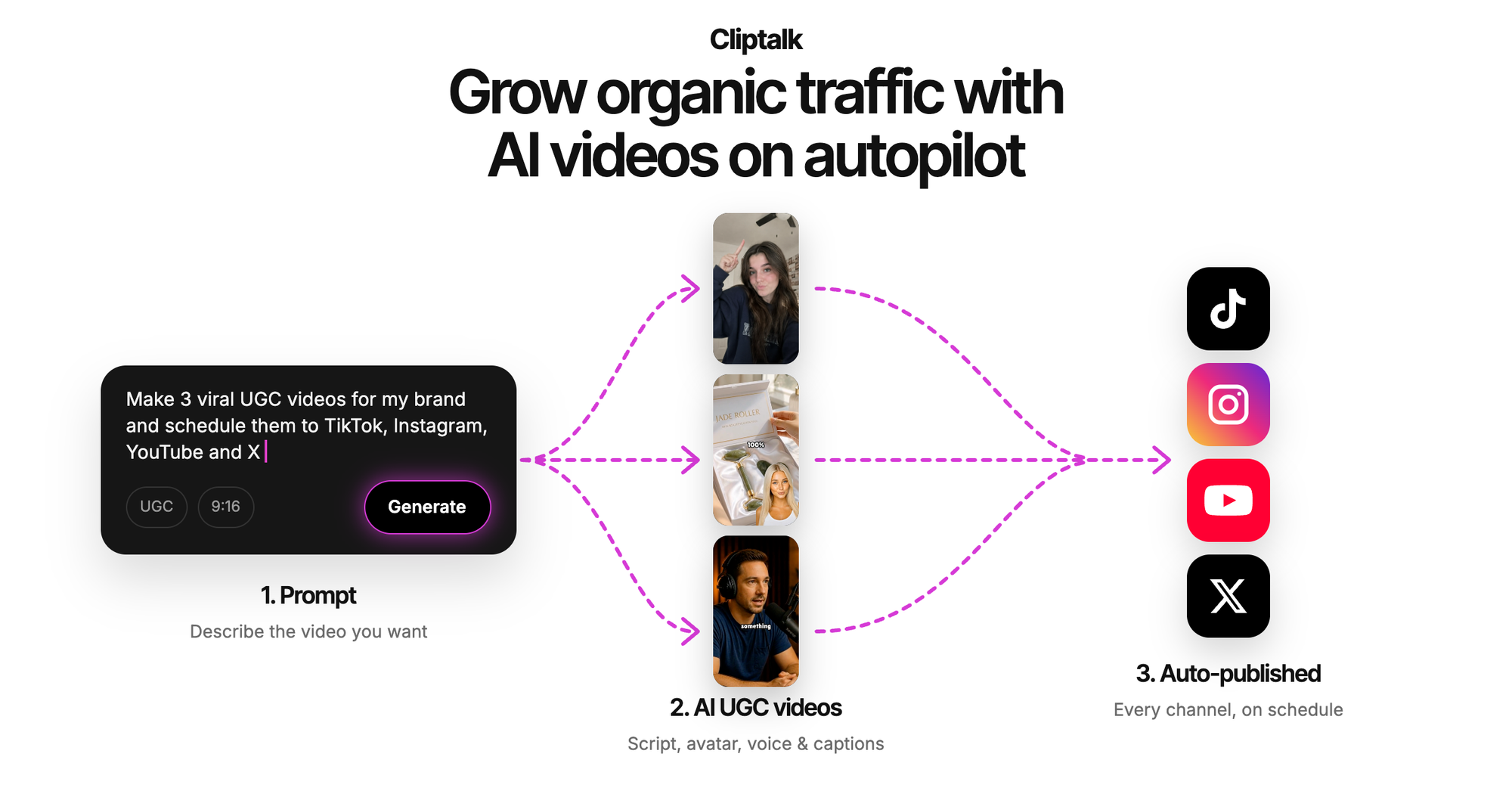
Cliptalk is an AI tool that turns a prompt into a captioned short video for Reels, Shorts and TikTok. AI short video tool that builds captioned clips from a prompt or script, adds B-roll and voiceover, and lets users edit by chatting with an agent or on a layer timeline.
Cliptalk is a browser based AI video studio built around the short form formats that dominate TikTok, Instagram Reels and YouTube Shorts. The workflow starts with a prompt or a script: paste an article, a web page address or raw text and the system assembles a finished clip with script, visuals, voiceover and captions. From there the platform layers on the parts of editing that usually eat a creator's afternoon, including automatic cuts, word by word animated captions, inserted B-roll and a one click pass that strips silences and filler words. The product is aimed at solo creators, social media managers and small marketing teams who need volume without hiring an editor. Its most distinctive feature is conversational editing. Instead of dragging clips on a timeline, users tell the agent what to change (shorten the intro, add music, swap a scene) and the timeline updates. A layer based editor remains available for people who want manual control, so the same project can be handled by prompt or by hand, with the option to regenerate scenes, remove backgrounds or drop in their own media files. Voice is treated as a first class asset. The library holds more than 140 premium AI voices and lifelike characters across 30 or more languages, sorted by use case such as UGC creator, professional presenter, story character and talking animal. Users can also record a short sample and clone their own voice so every video speaks in their tone. Captions are rendered word by word and sync to the audio, with preset styles selectable in one click. Against dedicated AI video generators, Cliptalk leans harder into post production assistance than pure generation, which suits people repurposing existing footage as well as people starting from nothing. The free tier carries a watermark and AI generation draws on credits, so the entry point is best treated as an evaluation rather than a production plan. Editing actions such as captions and silence removal do not consume credits, which keeps routine cleanup cheap once a subscription is active.
New accounts get 50 free credits to try the tool, and videos created on the free plan carry a watermark.
Learn morePlans are subscription based with monthly minute allocations that do not carry over. New accounts receive 50 free credits and free plan videos are watermarked. Subscribed users can buy additional credits once minutes run out.
Learn moreCancellation is handled inside the dashboard through the customer portal, and email support is available at support@cliptalk.pro.
Core features include prompt to video generation, auto-editing, word by word animated captions, automatic B-roll insertion, silence and filler word removal, auto-clipping from text, conversational editing with an agent, a layer based manual editor, 140+ AI voices and characters in 30+ languages, voice cloning and 30+ language support.
 AI Angels400+ customizable AI girlfriends for NSFW chat, voice calls, and roleplay
 Candy AIExperience the future of companionship with AI friends who chat, role-play, and connect with you on a human level.
 ourdream.aiA vast AI roleplay platform with millions of characters for chat, images, video and voiceAI Angels400+ customizable AI girlfriends for NSFW chat, voice calls, and roleplayCandy AIExperience the future of companionship with AI friends who chat, role-play, and connect with you on a human level.ourdream.aiA vast AI roleplay platform with millions of characters for chat, images, video and voice


