Free trial
The first book is free to generate and read in the browser, with chapter one in full and the opening of every other chapter. Payment is only needed to read the rest and download the files.
Learn moreOne sentence in, a sellable ebook out, paid per book.

create-ebook is an AI book generator tool. An AI ebook generator that expands one sentence into a planned, chaptered book with a cover and PDF, EPUB and DOCX exports. Paid per book at 19 with no subscription required, a free first book, and native writing in five languages.
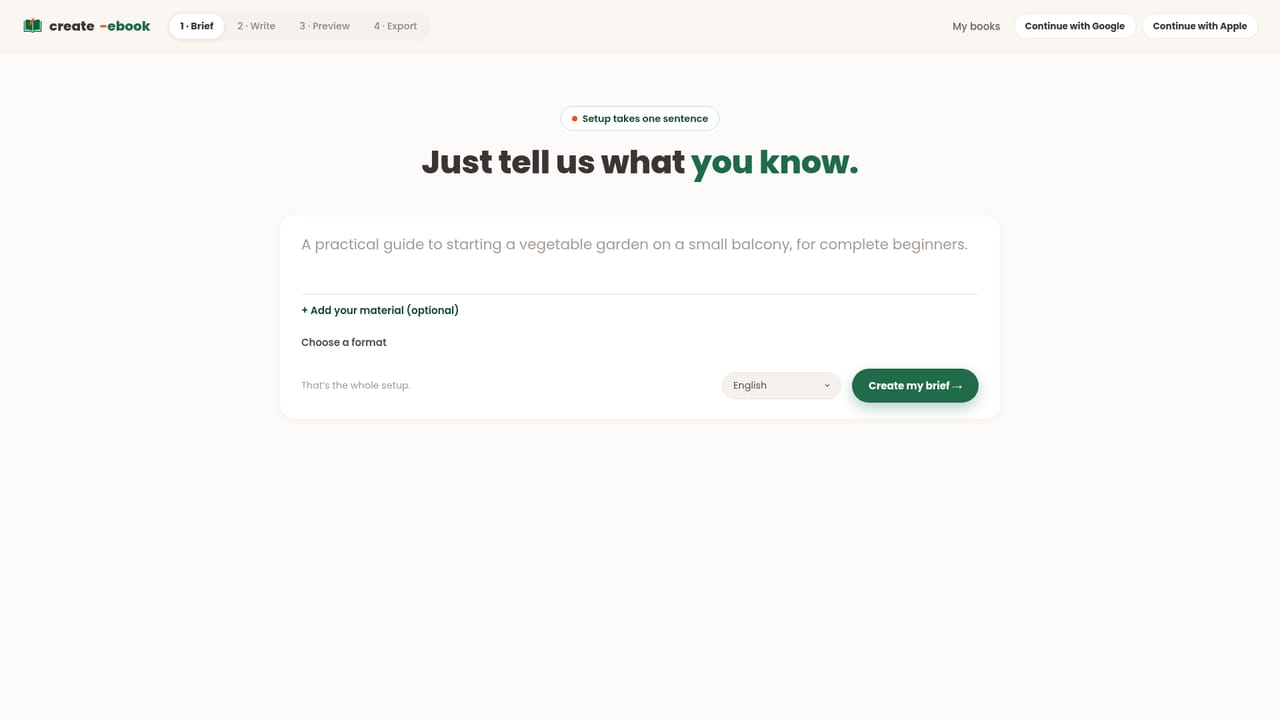
create-ebook is a browser based generator that turns a single sentence into a finished book. The pitch is narrow and honest: describe the book you want, approve a chapter plan, then watch chapters appear one at a time with a quality review between each. When the draft is done, a cover is designed and the manuscript can be exported as PDF, EPUB and DOCX. The output is aimed squarely at people who want files they can upload to a storefront rather than a rough draft to rewrite. The process is deliberately staged. A plan takes roughly a minute to produce and stays editable, so chapter titles and order can be corrected before writing begins. A ten chapter book finishes in five to ten minutes. The finished book reads freely in the browser, with chapter one in full and the opening of every other chapter, and payment unlocks the rest plus the downloads. Manual edits are unlimited, with a set number of AI chapter improvements and cover variations attached to each purchase. Supporting formats go beyond the plain how-to guide: workbooks, course companions, lead magnets, kids question books, coloring books of twelve to twenty four full-page drawings, recipe books of around thirty recipes and short novels. Lengths run from roughly 4,000 to 25,000 words depending on format. Books are written natively in English, French, Spanish, Brazilian Portuguese and German rather than translated after the fact. The commercial model is the main differentiator. There is no subscription requirement: a single book is 19 dollars or euros with a full commercial license and unlimited re-exports. The first book is free to produce and read in the browser. An Author plan at 39 per month delivers three books monthly at roughly 13 each, and unused books never expire. Amazon KDP sellers should note that KDP requires disclosing AI-assisted content. Against subscription ebook writers, create-ebook trades breadth of features for pay-as-you-go pricing and store-ready exports.
The first book is free to generate and read in the browser, with chapter one in full and the opening of every other chapter. Payment is only needed to read the rest and download the files.
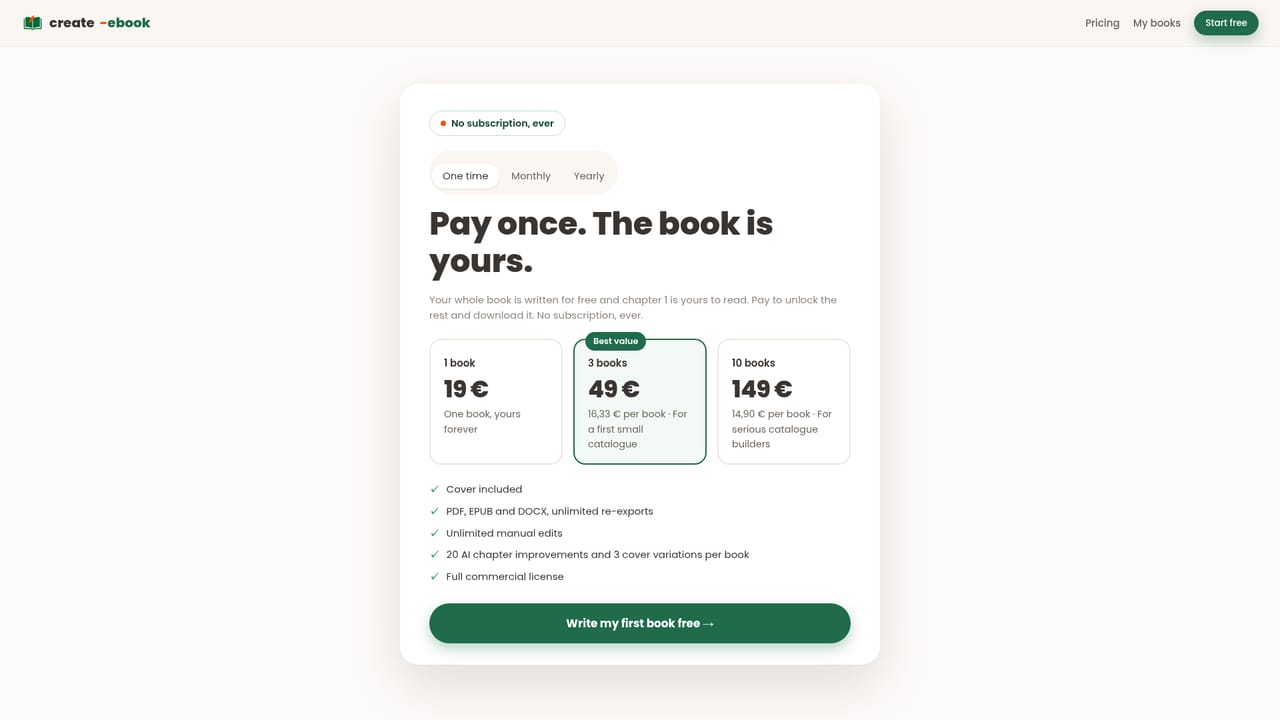
Learn moreFree first book, written and readable in the browser. One paid book costs 19 with cover, PDF, EPUB and DOCX exports, unlimited manual edits, 20 AI chapter improvements, 3 cover variations and a commercial license. Packs of 3 and 10 books are available, plus a 39 per month Author plan giving 3 books at about 13 each.
Learn moreOne-sentence idea to editable chapter plan, then chapters written one by one with a quality review. Covers are designed automatically. Exports are PDF, EPUB and DOCX with unlimited re-exports and unlimited manual edits, plus 20 AI chapter improvements and 3 cover variations per book. Formats include how-to guides, workbooks, course companions, lead magnets, recipe books, kids' Q&A, coloring books and short novels, from about 4,000 to 25,000 words.
 AI Angels400+ customizable AI girlfriends for NSFW chat, voice calls, and roleplay
 Candy AIExperience the future of companionship with AI friends who chat, role-play, and connect with you on a human level.
 ourdream.aiA vast AI roleplay platform with millions of characters for chat, images, video and voiceAI Angels400+ customizable AI girlfriends for NSFW chat, voice calls, and roleplayCandy AIExperience the future of companionship with AI friends who chat, role-play, and connect with you on a human level.ourdream.aiA vast AI roleplay platform with millions of characters for chat, images, video and voice