Free trial
The homepage invites users to start for free via the web app registration page. No duration or usage cap for the free offering is stated on the homepage.
Learn moreAI music tagging and similarity search for catalog owners
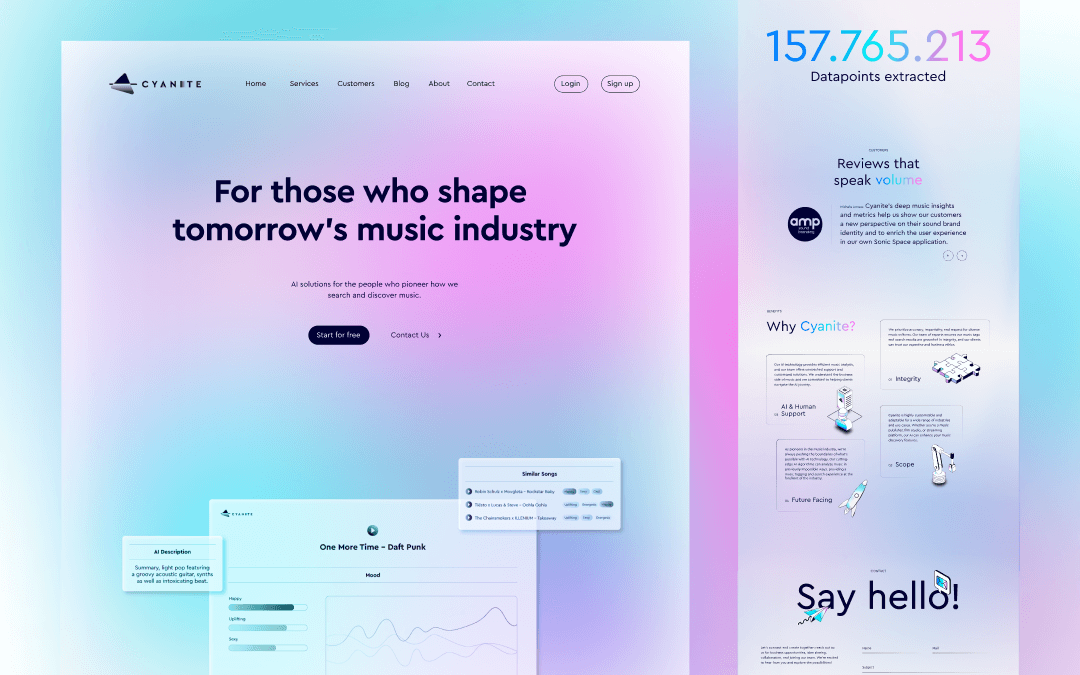
Cyanite is an AI tool. Cyanite provides AI music tagging and similarity search for catalog owners and music companies. It auto-generates genre, mood, instrument, lyric theme, and tempo tags plus natural language descriptions, then powers similarity and free text search through a web app, API, and CMS integrations.
Cyanite is an AI platform built for the business side of music: catalog owners, sync agencies, labels, and anyone who needs to organize a large library and make it searchable. Its core product automatically tags songs with genre, mood, instruments, lyric theme, and tempo, then generates natural language descriptions that capture a track's character. Those tags feed two search modes. Similarity Search finds tracks that sound alike, with filters for genre and BPM, while Free Text Search converts plain language prompts into matching results. The pitch is straightforward: less manual metadata work, faster discovery, and better placement of existing assets. The tool runs in two forms. A web app gives catalog teams a ready interface for browsing and analysis, while an API lets developers push audio through the same tagging and search pipeline inside their own systems. Cyanite also points to music content management systems as a common integration path, with published case studies from companies such as Marmoset, Thematic, SyncMyMusic, and a CMS-focused study covering content management workflows. That makes the product most relevant to operations where music is inventory rather than a personal listening hobby. Practically, a new user registers, uploads tracks to the web library, and reviews the generated tags and descriptions. From there, search becomes the daily workflow: a supervisor looking for a specific feel can either describe it in text or seed a similarity query from an existing track. Teams that need the same capability at scale move to the API, where documentation covers request structure and search parameters. Cyanite states that its algorithms are developed in-house rather than built on third-party models like ChatGPT, and that data is hosted on EU servers with GDPR compliance, which matters for organizations handling rights-sensitive material. The platform has been active since 2019 and claims adoption by more than 200 companies. Its edge is depth in music-specific metadata and search rather than breadth across media types. Buyers comparing general AI tagging tools will find Cyanite narrower but more specialized; buyers comparing manual cataloging will find the tradeoff is between subscription cost and the labor saved on listening, labeling, and hunting through folders.
The homepage invites users to start for free via the web app registration page. No duration or usage cap for the free offering is stated on the homepage.
Learn moreCyanite integrates with music content management systems and offers an API for custom builds. Case studies describe deployments with Marmoset, Thematic, and SyncMyMusic. A dedicated CMS case study covers content management workflows.
Learn moreAutomatic tagging returns genre, mood, instruments, lyric theme, and tempo, paired with natural language descriptions of each track. Similarity Search matches by sound, vibe, and era with genre and BPM filters. Free Text Search converts short or long prompts into song matches. The same capabilities are exposed through the web app and the API, and Cyanite offers integrations with music content management systems.
Learn more AI Angels400+ customizable AI girlfriends for NSFW chat, voice calls, and roleplay
 Candy AIExperience the future of companionship with AI friends who chat, role-play, and connect with you on a human level.
 ourdream.aiA vast AI roleplay platform with millions of characters for chat, images, video and voiceAI Angels400+ customizable AI girlfriends for NSFW chat, voice calls, and roleplayCandy AIExperience the future of companionship with AI friends who chat, role-play, and connect with you on a human level.ourdream.aiA vast AI roleplay platform with millions of characters for chat, images, video and voice


