DigiCord

An AI multi-tool that lives inside your Discord server

Beginner API
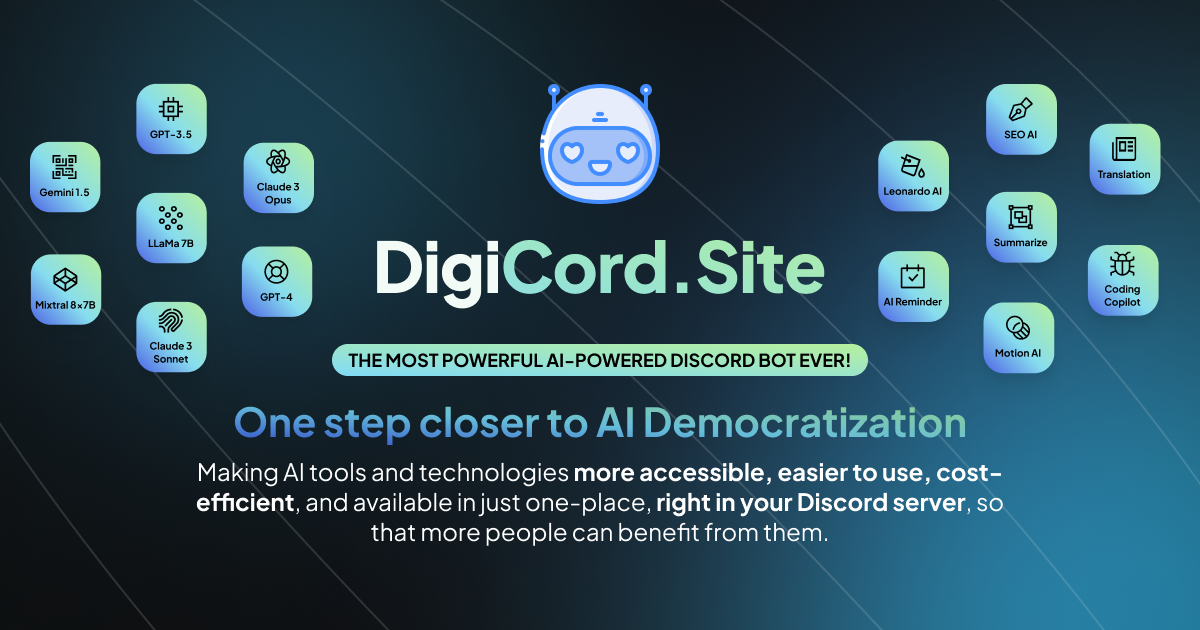
Screenshot of DigiCord, An AI multi-tool that lives inside your Discord server

What is DigiCord?

DigiCord is an AI tool. A pay-as-you-go Discord bot bundling chat, image generation, summarization, translation, text-to-speech and document tools behind slash commands, with more than 80 AI models and per-server credit tracking.

DigiCord is a Discord bot that packs a large set of AI utilities into slash commands, so a server can query language models, generate images, read documents and manage reminders without leaving the chat window. The project positions itself around AI democratization: instead of paying for several monthly subscriptions, a community invites one bot and spends credits only on the requests it actually makes. The bot is free to add, and usage is metered through a prepaid credit balance that server owners can top up by credit card, bank transfer or PayPal. The command set splits into four rough groups. Conversation covers /ask and /prompt for model queries, a mention of @JojoAI for casual chat, /recap to catch up on a thread privately, and /watch or /unwatch to let the agent answer every message in a channel. Customization covers /role-create for system-prompt personas, /default-role for a standing identity, and /channel-config to pin a default model, language and role per channel. Content tools cover /write for long-form articles, /draw through Leonardo AI, /dall-e for OpenAI image generation, /speech for voice-over in six voices, /transcript for speech to text across 50 plus languages, and summarizers for web pages, YouTube videos and uploaded documents. DigiCord suits Discord communities, study groups, gaming clans and small teams that already coordinate in a server and want AI answers in the same place as the conversation. Administrators get usage reporting through /usage and /server-info, which matters when a shared credit pool has to be tracked across members. The site claims support for more than 80 models, naming GPT-4o, Claude Sonnet 3.5, Gemini, Llama and Mixtral among others, and a single API is documented for developers who want to call the same backend outside Discord. Against standalone chat assistants, DigiCord trades polish for reach: it is a collection of wrappers rather than a purpose-built product, and everything happens in Discord rather than a dedicated app. Against other Discord AI bots, its differentiators are breadth of commands and the pay-as-you-go credit model instead of a flat monthly fee. The site lists Telegram and Slack support as an open question rather than a shipped feature, so treat Discord as the current home.

How do you use DigiCord?

  1. 1Invite the bot to your server
    Use the invite link on the homepage and grant the bot the permissions it requests. It appears in your member list once authorized.
  2. 2Start a conversation with @JojoAI
    Mention the bot in any channel to ask a question naturally, or use /ask when you want to pass model parameters explicitly.
  3. 3Define an AI persona
    Run /role-create with a system prompt to shape how the assistant behaves, then set it as the standing identity with /default-role.
  4. 4Configure a channel
    Use /channel-config to choose a default model, language and role for a specific channel so members do not repeat settings.
  5. 5Check credits and top up
    Run /usage for your balance and /server-info for the shared pool, then use /topup to add credits by card, bank transfer or PayPal.

Pros and cons

Pros

  • Broad command set covers chat, images, summarization, translation and speech in one botAI
  • Credit model charges only for requests made, with no recurring subscriptionAI
  • Per-channel configuration and custom AI roles let admins tailor behavior by channelAI
  • Usage and server credit reporting helps communities track a shared balanceAI

Cons

  • Everything is confined to Discord, so there is no standalone app or web workspaceAI
  • Exact per-request pricing is not shown on the homepage and lives on a separate models pageAI
  • Capabilities are wrappers around third-party models, so output quality depends on whichever model a channel picksAI
  • Community moderation is limited to watch and recap plus configuration; there is no visible auto-moderation or raid protectionAI

How much does DigiCord cost?

Pricing

The bot is free to add with no recurring subscription. Usage runs on prepaid credits, and the site says users pay only for what they consume at pricing it describes as 10x cheaper. Top-ups support credit card, bank transfer and PayPal, and per-model rates are listed on the AI Models Pricing page.

Learn more

Support

The FAQ says questions can be sent through chat or email, and the footer lists hi@digicord.site alongside the creator's X account for contact.

Integrations

Runs inside Discord as a bot. The site lists Leonardo AI and OpenAI DALL-E for image generation, plus a documented API for developers. Telegram and Slack appear only as a roadmap question.

Features

Slash commands cover model queries, custom AI roles, per-channel defaults, Leonardo AI and DALL-E image generation, article writing, summarization of web pages, YouTube videos and documents, translation, text to speech and transcription, AI search, and credit usage tracking. The site states support for more than 80 models, including GPT-4o, Claude, Gemini, Llama and Mixtral.

Frequently asked questions about DigiCord

  • How much does DigiCord cost?
    The bot is free to add with no recurring subscription. Usage runs on prepaid credits, and the site says users pay only for what they consume at pricing it describes as 10x cheaper. Top-ups support credit card, bank transfer and PayPal, and per-model rates are listed on the AI Models Pricing page.
  • Does DigiCord have an API?
    Yes, DigiCord offers an API.
  • How do you use DigiCord?
    The walkthrough on this page covers 5 steps: 1. Invite the bot to your server 2. Start a conversation with @JojoAI 3. Define an AI persona 4. Configure a channel 5. Check credits and top up.
  • What platforms does DigiCord support?
    DigiCord is available on Discord and Web App.
  • What does DigiCord integrate with?
    Runs inside Discord as a bot. The site lists Leonardo AI and OpenAI DALL-E for image generation, plus a documented API for developers. Telegram and Slack appear only as a roadmap question.
  • What are the limitations of DigiCord?
    Everything is confined to Discord, so there is no standalone app or web workspace. Exact per-request pricing is not shown on the homepage and lives on a separate models page. Capabilities are wrappers around third-party models, so output quality depends on whichever model a channel picks.

Status

StatusActive
Views0
Outbound clicks0
Added10/21/2026

Platforms

DiscordWeb App

Pricing

FreePaid