Free trial
A 7-day free trial is offered through the app sign-in, and the site states no credit card is required to start it.
Learn moreAI editing inside Word that keeps your words and your voice

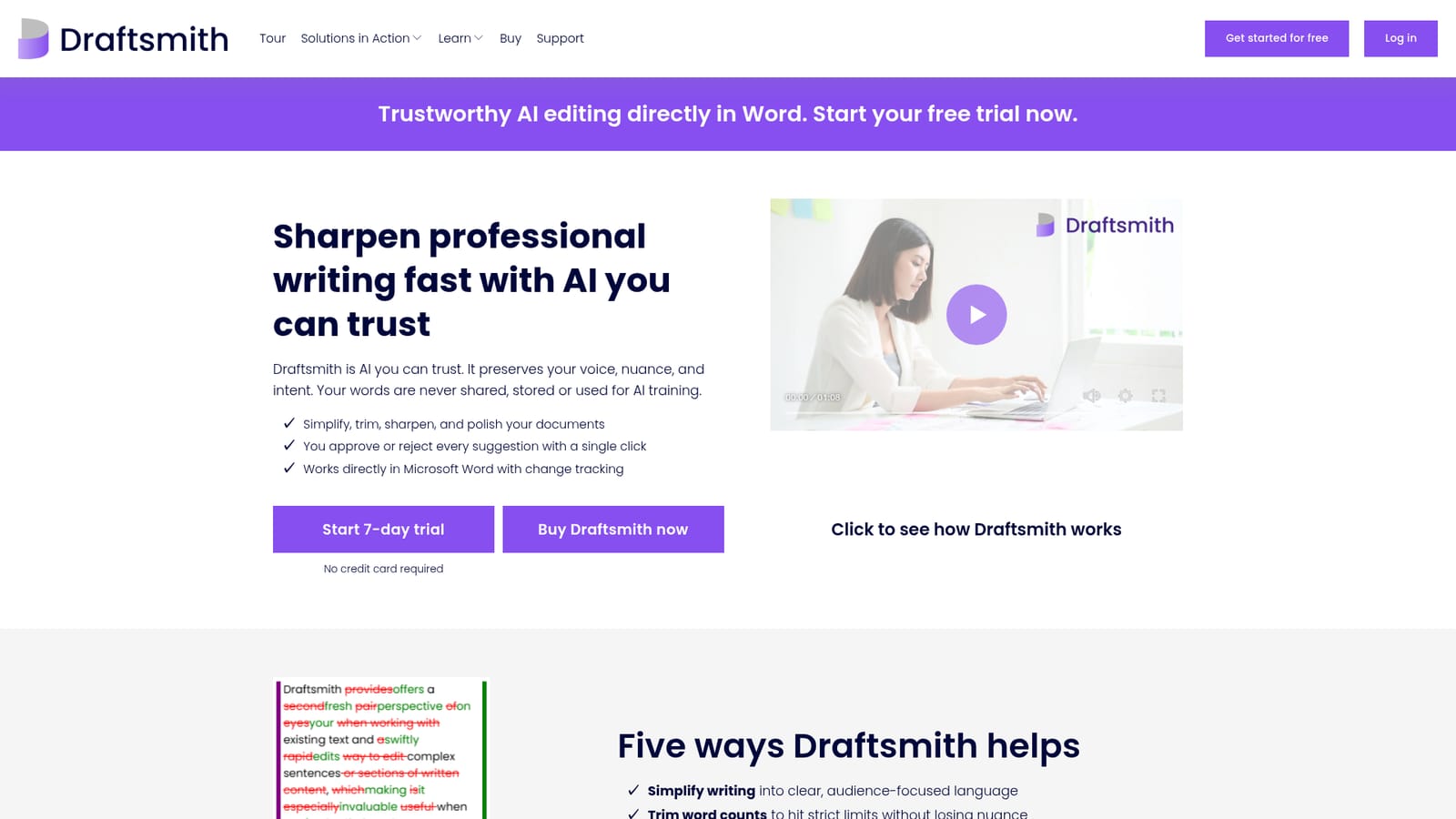
Draftsmith is an AI line editor that works inside Microsoft Word, returning simplified, trimmed or polished versions of selected text as tracked changes you accept or reject. It targets professional writers, editors and ESL authors who want improvement rather than generation, with text processed on Azure OpenAI and not stored or used for training.
Draftsmith is an editing assistant that runs inside Microsoft Word and works on text you have already written. Instead of generating a draft from a prompt, it takes the passage you select and returns a refined version as tracked changes, so every edit arrives as a suggestion you can accept, reject or ask to have redone. The tool is aimed at people who write for a living: proposal teams cutting an RFP down to a fixed word limit, editors polishing client copy, academics facing journal caps, and non-native English speakers who need their prose to read naturally. In practice the workflow stays close to normal Word editing. You highlight a sentence, paragraph or section, choose what kind of improvement you want, and Draftsmith returns a revision in the document rather than in a side panel. The marketed tasks are simplifying dense or industry-specific language, trimming word counts without losing meaning, improving English fluency in ESL and translated text, and general line editing when concentration is running low. Because it only reworks existing sentences, the company argues there is no room for invented facts or citations, a claim that matters for legal, academic and bid work. Where it sits among alternatives: most writing assistants either generate new content or ask you to paste text into a separate web editor. Draftsmith deliberately does neither. It competes on document fidelity, keeping citations, complex formatting and change tracking intact, and on data handling, since the site says text is processed on Microsoft Azure OpenAI Service, is never stored, and is not used to train models. The main trade-off is scope. There is no first-draft generation, no browser or Google Docs companion, and no way to use it outside a Word installation. Buyers who want an all-purpose content engine will find it narrow; buyers who already have words on the page and need them tightened will find that narrowness is the point.
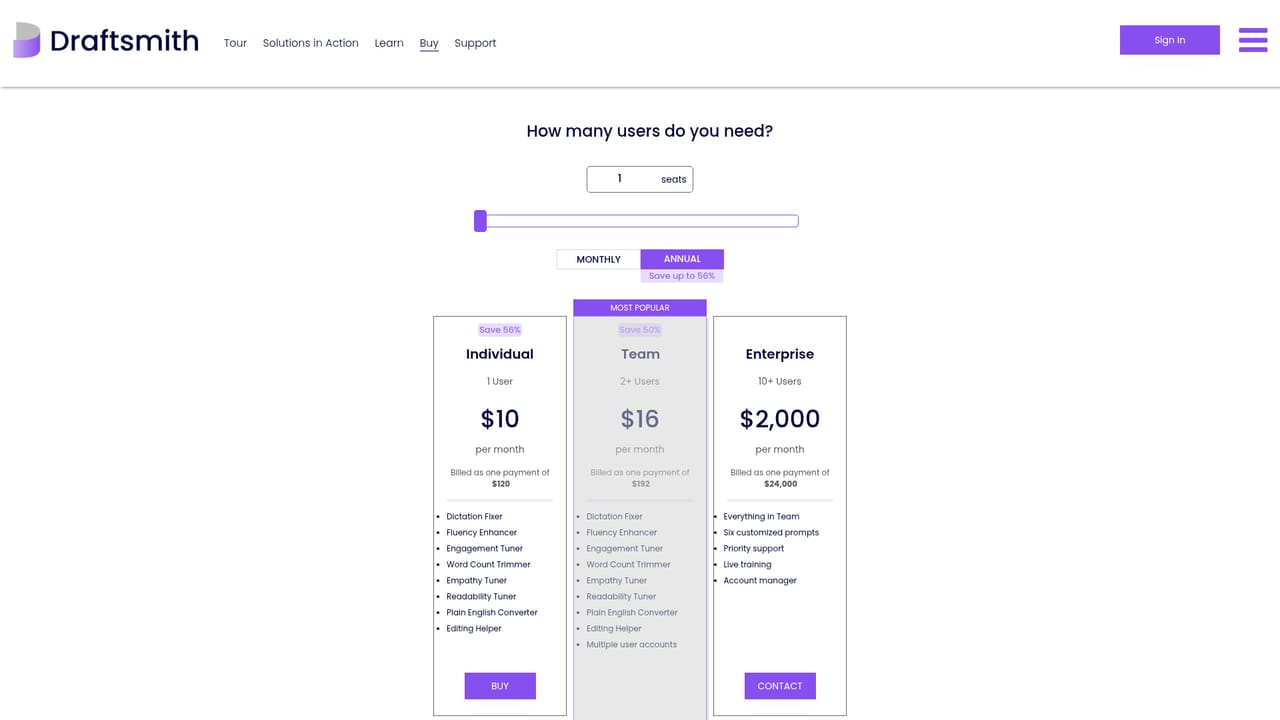
A 7-day free trial is offered through the app sign-in, and the site states no credit card is required to start it.
Learn moreThe only integration described on the homepage is Microsoft Word, where the tool operates directly with change tracking. Text processing runs on Microsoft Azure OpenAI Service.
Draftsmith edits selected text inside Microsoft Word and returns suggestions as tracked changes. Advertised capabilities are simplifying complex or industry-specific language, reducing word counts to fit strict limits, improving English fluency in ESL and translated text, and line editing support when focus is fading. Every suggestion requires user approval, and the tool only reworks existing text rather than generating new content.
 AI Angels400+ customizable AI girlfriends for NSFW chat, voice calls, and roleplay
 Candy AIExperience the future of companionship with AI friends who chat, role-play, and connect with you on a human level.
 ourdream.aiA vast AI roleplay platform with millions of characters for chat, images, video and voiceAI Angels400+ customizable AI girlfriends for NSFW chat, voice calls, and roleplayCandy AIExperience the future of companionship with AI friends who chat, role-play, and connect with you on a human level.ourdream.aiA vast AI roleplay platform with millions of characters for chat, images, video and voice