Free trial
A free start is advertised on the homepage and signup page, with cancel anytime terms; no trial length is stated on the homepage.
Learn moreAI social media management with agents and workflows built in
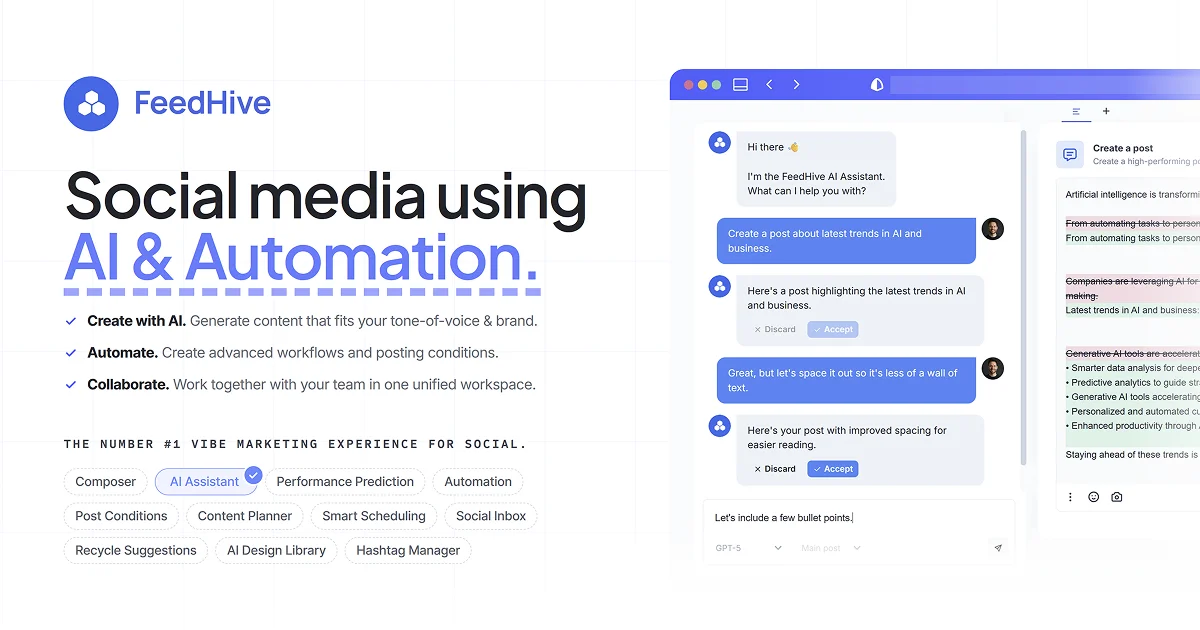
FeedHive is an AI social media management tool for creating, scheduling and automating posts across nine major networks, with AI agents, approval flows and workflow automation in one workspace.
FeedHive is a social media management workspace that combines content creation, scheduling and automation with AI assistance. It publishes to Facebook, Instagram, YouTube, X, TikTok, LinkedIn, Pinterest, Google Business and Threads from a single composer, and it adapts one post into channel ready versions rather than making you rebuild the same idea for each network. The product positions itself as a place where humans and AI agents work side by side on the same content pipeline. The AI side starts by learning your tone of voice, audience and goals, then generates posts, ideas and variations that follow that brand profile. A built in assistant (marketed as Vibe Marketing) turns rough thoughts into draft posts, image generation through Flux Pro and Nano Banana 2 produces visuals without leaving the app, and hashtags, captions and UGC scripts can all be generated. Scheduling runs on posting plans and best time slots, while post conditions and recycled post suggestions keep channels active. Approval flows, team roles, client links and a content calendar cover the review side, and analytics, content scoring and performance prediction cover the measurement side. The most distinctive layer is agent connectivity. FeedHive exposes an MCP server, a documented REST API and a command line interface, so tools such as ChatGPT, Claude, Claude Code, OpenClaw, Hermes Agent, Manus, Grok Bot, Muse and Dots can draft and organize content that then goes through the normal review and publishing flow. Zapier and Make cover no-code automation, and a visual workflow builder handles longer content pipelines. FeedHive suits founders, small marketing teams and solo operators who want one tool for publishing plus automation, and who are comfortable handing parts of the workflow to AI agents. Compared with conventional schedulers, the agent and API layer is the differentiator; teams that only need a calendar and queue may find that surface more than they need.
A free start is advertised on the homepage and signup page, with cancel anytime terms; no trial length is stated on the homepage.
Learn moreThe homepage does not state plan prices or tiers. It advertises starting for free with cancel anytime, and a limited launch bonus that doubles AI credits for three months for new starters. Plan details are on the pricing page.
Learn moreThe homepage does not describe support channels, documentation or response times. Help resources and documentation may be reachable from the site but are not summarized in the provided content.
Publishes to Facebook, Instagram, YouTube, X, TikTok, LinkedIn, Pinterest, Google Business and Threads, and connects to ChatGPT, Claude, Claude Code, OpenClaw, Hermes Agent, Manus, Grok Bot, Muse and Dots via MCP server, REST API or CLI, plus Zapier and Make.
Learn moreCovers a multi-network composer, AI assistant for posts and ideas, AI image generation via Flux Pro and Nano Banana 2, hashtag and caption generation, smart scheduling, post conditions, post recycling, link shortening, content calendar, approval flows, team roles, client links, analytics and performance prediction, plus a workflow builder and agent connections.
Learn more AI Angels400+ customizable AI girlfriends for NSFW chat, voice calls, and roleplay
 Candy AIExperience the future of companionship with AI friends who chat, role-play, and connect with you on a human level.
 ourdream.aiA vast AI roleplay platform with millions of characters for chat, images, video and voiceAI Angels400+ customizable AI girlfriends for NSFW chat, voice calls, and roleplayCandy AIExperience the future of companionship with AI friends who chat, role-play, and connect with you on a human level.ourdream.aiA vast AI roleplay platform with millions of characters for chat, images, video and voice