Free ai Music Creator

Turn text prompts and lyrics into royalty-free songs in your browser.

Beginner
Screenshot of Free ai Music Creator, Turn text prompts and lyrics into royalty-free songs in your browser

What is Free ai Music Creator?

Free ai Music Creator is an audio tool that turns text prompts and lyrics into royalty-free songs in your browser. Free AI Music Creator generates songs and background tracks from text prompts or lyrics, and bundles lyric writing, vocal removal, stem splitting, and MIDI/audio utilities for creators.

Free AI Music Creator is a web based platform that generates original songs and background tracks from text prompts, lyrics, moods, or genre descriptions. Users type a brief description of the music they want, such as a mood, instrument set, or scene, and the system produces a full track to preview and refine. Alongside the core music generator, the platform bundles an AI lyrics generator, vocal remover, stem splitter, drum remover, MIDI editor, MP3 tag editor, BPM and key detection tools, and a set of genre specific generators covering styles like lo-fi, phonk, EDM, reggae, country, and 8-bit. The tool is built for people who want to move quickly from an idea to a finished audio file without a traditional production setup: solo YouTubers, TikTok creators, podcasters, indie game developers, and songwriters sketching out ideas before refining them in a DAW. No music production background is required, since the entire workflow runs on plain language prompts and preset style choices rather than manual composition. In practice, a session starts with a prompt, uploaded lyrics, or a chosen style, after which the generator returns a track within seconds. Creators can audition the result, adjust the prompt for a different direction, and download the file once they are satisfied. Editing tools like the stem splitter and MIDI editor let users pull the generated audio into further production work rather than treating the output as a final deliverable. Within the AI music generation space, this tool positions itself as an all-in-one creator toolkit rather than a single-purpose generator, combining composition, lyric writing, vocal separation, and basic audio utilities in one browser-based collection. It fits alongside other text-to-music tools aimed at content creators, distinguished mainly by the breadth of bundled genre presets and auxiliary audio tools rather than by advanced studio-grade production features.
How do you use Free ai Music Creator?

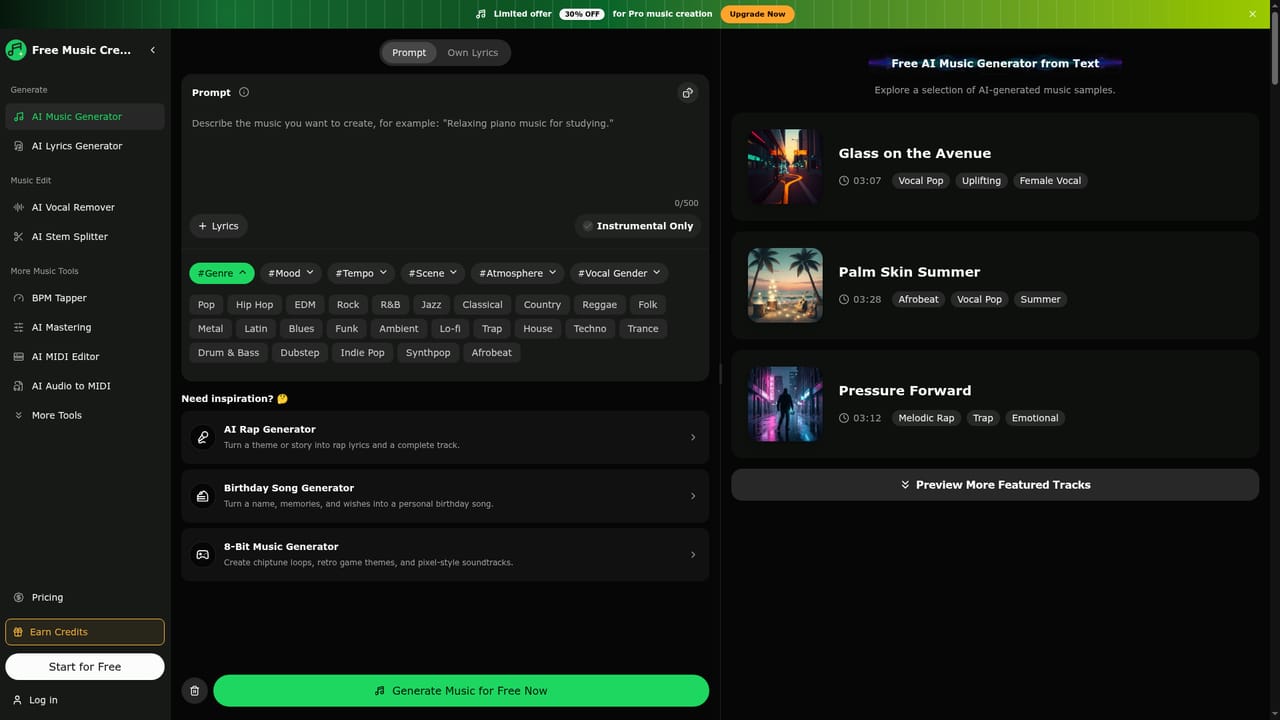
  1. 1Describe your music idea
    Open the AI music generator and type a text prompt describing genre, mood, instruments, or scene, or upload lyrics you already have.
    Free ai Music Creator — Describe your music idea
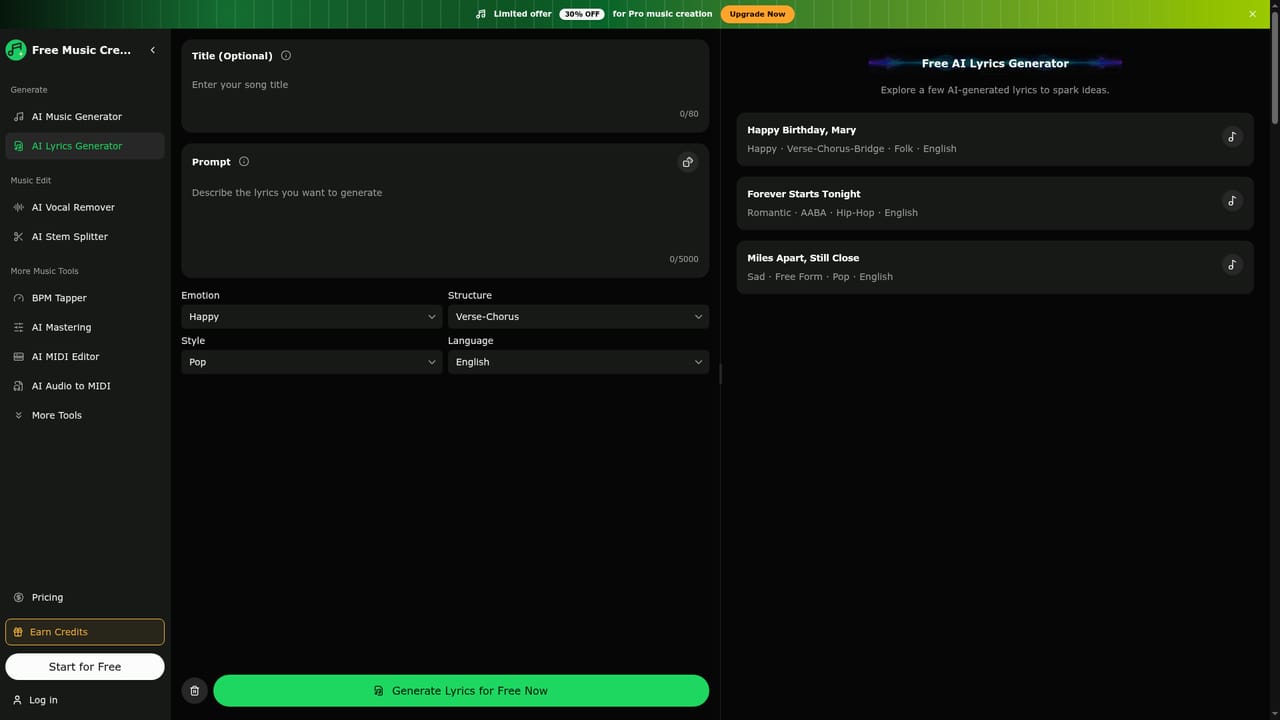
  2. 2Write or refine lyrics (optional)
    Use the lyrics generator to draft editable lyrics from a title, mood, style, and structure before feeding them into the music generator.
    Free ai Music Creator — Write or refine lyrics (optional)
  3. 3Generate and preview the track
    Submit the prompt and let the AI produce a complete track, then listen to the result directly in the browser.
  4. 4Refine the direction if needed
    Adjust the prompt, mood, or style and regenerate until the track matches the intended project.
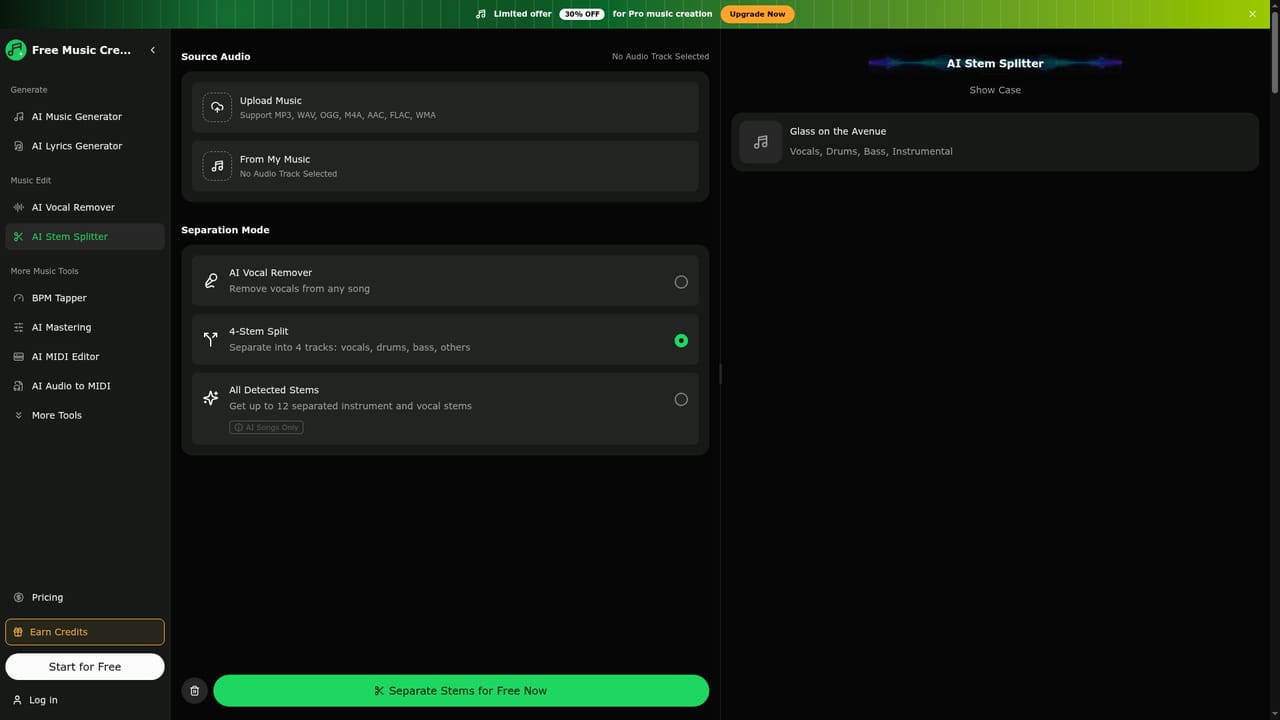
  5. 5Split stems or remove vocals if required
    Use the stem splitter or vocal remover to isolate instruments or vocals for remixing, karaoke, or further editing.
    Free ai Music Creator — Split stems or remove vocals if required
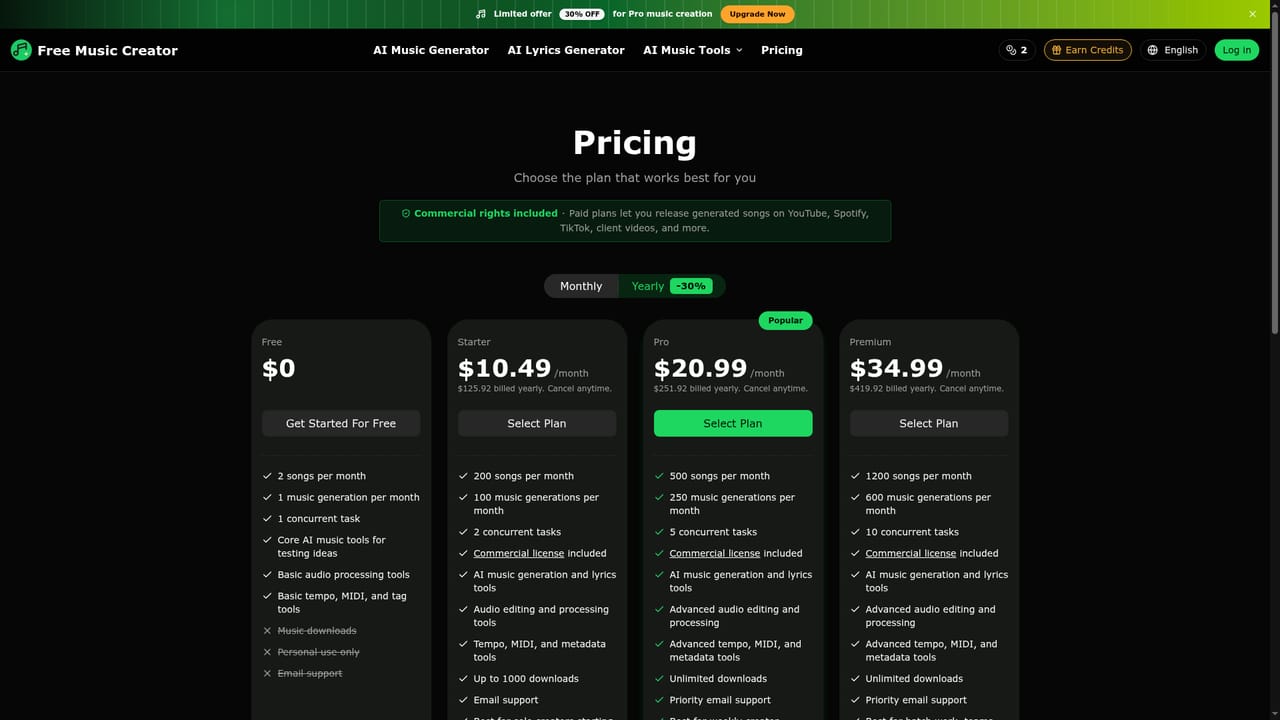
  6. 6Download according to your plan
    Download the finished audio file, checking the pricing page for download limits and commercial license coverage before publishing.
    Free ai Music Creator — Download according to your plan

Pros and cons

Pros

  • Combines music generation, lyrics writing, and audio editing tools in one browser-based workspaceAI
  • No production experience needed, since tracks are created from plain language promptsAI
  • Covers a wide range of genre specific generators from lo-fi to phonk to EDM and countryAI
  • Fast turnaround, with tracks generated in seconds for quick iteration on ideasAI

Cons

  • Free plan is limited to two songs and one generation per month, restricting real testingAI
  • Commercial usage rights require a paid plan, so free output is personal use onlyAI
  • Pricing tiers cap monthly generations and concurrent tasks, which may constrain heavy production schedulesAI
  • Homepage does not specify supported languages or detailed file format limits beyond MP3 and WAVAI

How much does Free ai Music Creator cost?

Free trial

There is no separate time-limited trial; instead a free plan allows 2 songs and 1 music generation per month with personal use rights and email support.

Learn more

Pricing

Free tier offers 2 songs and 1 generation per month for personal use. Paid plans start at $10.49/month (Starter) up to $34.99/month (Premium), adding commercial licensing, more generations, concurrent tasks, and higher or unlimited downloads.

Learn more

Support

Email support is included on all plans, with priority email support offered on the Pro and Premium tiers.

Features

Text-to-music and lyrics generation, AI vocal remover, stem splitter, drum remover, MIDI editor, MP3 tag editor, lo-fi converter, slowed and reverb generator, BPM and key detection, and genre specific generators for styles like EDM, phonk, reggae, and country.

Learn more

Frequently asked questions about Free ai Music Creator

  • How much does Free ai Music Creator cost?
    Free tier offers 2 songs and 1 generation per month for personal use. Paid plans start at $10.49/month (Starter) up to $34.99/month (Premium), adding commercial licensing, more generations, concurrent tasks, and higher or unlimited downloads.
  • Does Free ai Music Creator offer a free trial?
    There is no separate time-limited trial; instead a free plan allows 2 songs and 1 music generation per month with personal use rights and email support.
  • How do you use Free ai Music Creator?
    The walkthrough on this page covers 6 steps: 1. Describe your music idea 2. Write or refine lyrics (optional) 3. Generate and preview the track 4. Refine the direction if needed 5. Split stems or remove vocals if required 6. Download according to your plan.
  • What platforms does Free ai Music Creator support?
    Free ai Music Creator is available on Web App.
  • What are the limitations of Free ai Music Creator?
    Free plan is limited to two songs and one generation per month, restricting real testing. Commercial usage rights require a paid plan, so free output is personal use only. Pricing tiers cap monthly generations and concurrent tasks, which may constrain heavy production schedules.

Status

StatusActive
Views0
Outbound clicks0
Added10/12/2026

Platforms

Web App

Pricing

FreeFreemiumSubscription

Categories