Free trial
A Start Free Trial button for Gauth AI Pro appears at the top of the homepage. Trial length and terms are not stated.
Learn moreAI homework helper with step-by-step solutions and live tutors
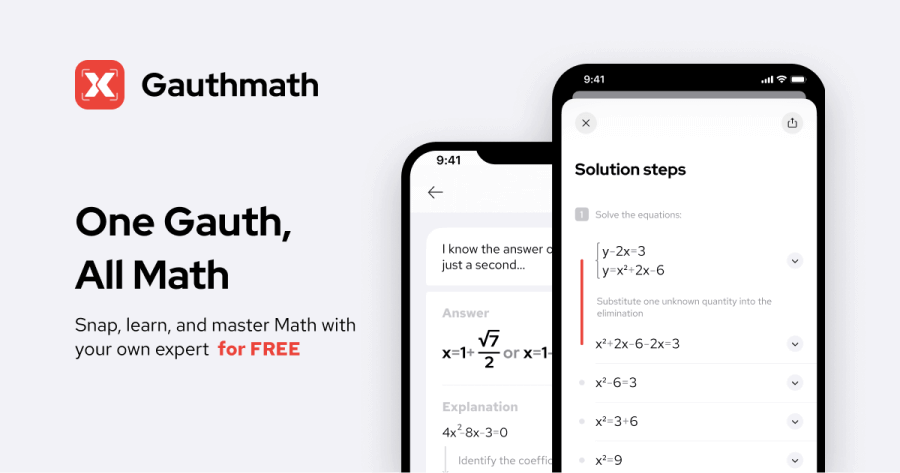
Gauth is an AI homework helper that solves photographed questions across math, science, business and literature with step-by-step explanations, plus a live tutor service, calculator and visual learning tool, on web and mobile.
Gauth is an AI homework helper built for students who get stuck on a specific question and want to see how it is solved, not only what the answer is. A learner drags in, clicks to upload, or pastes a picture of a problem, and the tool returns a worked solution. Coverage runs across math, statistics, calculus, physics, chemistry, biology, economics, literature, business, writing and social science, with an Others bucket for everything else. The public library of solved questions on the site shows the range, from genetics multiple choice to workplace safety quizzes and literature analysis. Solutions are laid out as numbered steps, each with short notes on how and why a move works, and the homepage says answers arrive in seconds. When the AI is not enough, a tutor service connects users with human experts. The site cites 50k verified experts, a 98.5% satisfaction rate, and turnaround as quick as five minutes, including for the hardest problems. Around the solver sit a calculator, a course section, an assignment solver for larger projects, a blog and a library of study resources. Gauth Atlas is a separate visual mode where users click through images, zoom into detail and trace each picture back to a real source. A paid tier called Gauth AI Pro, offered with a free trial, is pitched as the route to unlimited answers. Gauth competes with general-purpose chatbots and with tutoring marketplaces. Its edge is the combination of photo-first input, subject-organized explanations and a human fallback in a single product. Apps on Google Play and the App Store each show a 4.8 rating from roughly 1.9M ratings, according to the site. Reviewers quoted on the page describe checking their own work first and using the app to find mistakes, which is the healthiest way to use it. The same speed also makes it easy to lean on for answers without learning, so results still deserve a sanity check against course material.
A Start Free Trial button for Gauth AI Pro appears at the top of the homepage. Trial length and terms are not stated.
Learn moreThe homepage offers free homework help and promotes a paid Gauth AI Pro tier with unlimited answers. No price figures are listed on the page.
Learn moreA tutor service offers human experts around the clock, with solutions in as little as 5 minutes. Product support channels are not described on the homepage.
Image-based question solving, step-by-step solutions with detailed explanations, fast results, a 24/7 live tutor service, a calculator, an assignment solver, courses, study resources and Gauth Atlas for visual, source-grounded exploration.
 AI Angels400+ customizable AI girlfriends for NSFW chat, voice calls, and roleplay
 Candy AIExperience the future of companionship with AI friends who chat, role-play, and connect with you on a human level.
 ourdream.aiA vast AI roleplay platform with millions of characters for chat, images, video and voiceAI Angels400+ customizable AI girlfriends for NSFW chat, voice calls, and roleplayCandy AIExperience the future of companionship with AI friends who chat, role-play, and connect with you on a human level.ourdream.aiA vast AI roleplay platform with millions of characters for chat, images, video and voice