Free trial
A 14 day free trial of SEOptimer is offered, which includes access to AI Writer and the rest of the platform.
Learn moreResearch-first SEO article writer with a live content score

GrowthBar is a content tool. GrowthBar's successor inside SEOptimer: a keyword-to-draft article writer that studies ranking pages first, scores content live out of 100 and refreshes old posts in the same editor.
GrowthBar no longer exists as a standalone product. SEOptimer acquired the tool and rebuilt its research-first approach to article writing as AI Writer, which now sits inside the wider SEOptimer platform alongside site audits, keyword research, keyword tracking and backlink research. Former GrowthBar subscribers keep their articles, version history and tracked keywords, and log in with their existing email address. The workflow starts with a target keyword, a format (standard article, how-to, comparison or listicle) and a search country. Before drafting, the tool reviews the pages already ranking for that term and reports on their structure, shared themes and typical length, then proposes several title angles. Writers pick how much assistance they want: a complete draft with every section written, an outline of researched headings and talking points, or a blank editor with assistance on call. Articles can be produced in 49 languages, and adding a website URL pulls in internal link suggestions from existing pages. A Content Score out of 100 updates with every edit and splits into length, readability, keyword coverage, headings and links, so the weakest part of a draft is visible while there is still time to fix it. Built-in commands continue, rephrase or regenerate passages without leaving the document. Existing articles can be imported, scored immediately and refreshed in the same editor, with version history recording word counts and scores for each draft. Finished work exports to PDF, Word, HTML or Markdown, which suits in-house teams and agencies handling client sites. The main trade-off is that GrowthBar is now inseparable from an SEOptimer subscription: article quotas are bundled into plans rather than sold separately, so anyone wanting only a writing tool pays for audit and tracking features too. The Content Score is guidance measured against ranking pages, not a ranking guarantee, and every draft still needs factual review before publishing.

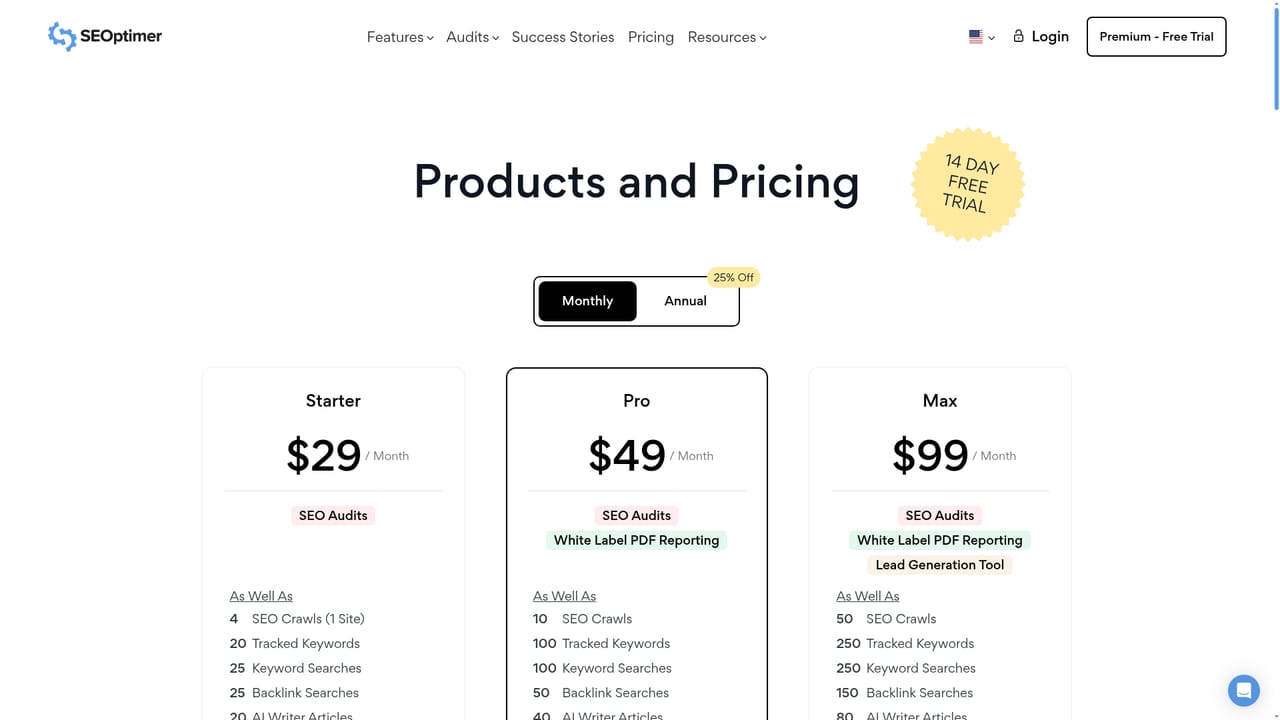
A 14 day free trial of SEOptimer is offered, which includes access to AI Writer and the rest of the platform.
Learn moreAI Writer is included in every SEOptimer base plan rather than sold on its own. Article generations are capped monthly: 20 on Starter (DIY SEO), 40 on Pro (White Label) and 80 on Max (White Label & Embedding). Current plan prices sit on the SEOptimer pricing page.
Learn moreKeyword-to-article generation across four formats, competitor research on ranking pages, multiple title suggestions, and three drafting modes (full article, outline only, or self-written with assistance). A live Content Score out of 100 grades length, readability, keyword coverage, headings and links. Writing in 49 languages, country-targeted research, internal link suggestions from your URL, existing article imports, version history, and export to PDF, Word, HTML or Markdown.
 AI Angels400+ customizable AI girlfriends for NSFW chat, voice calls, and roleplay
 Candy AIExperience the future of companionship with AI friends who chat, role-play, and connect with you on a human level.
 ourdream.aiA vast AI roleplay platform with millions of characters for chat, images, video and voiceAI Angels400+ customizable AI girlfriends for NSFW chat, voice calls, and roleplayCandy AIExperience the future of companionship with AI friends who chat, role-play, and connect with you on a human level.ourdream.aiA vast AI roleplay platform with millions of characters for chat, images, video and voice








