Free trial
The site offers a free starting point through the Get Started Free link, but it does not state trial length, limits or whether a card is required.
Learn moreOne mobile app to create and schedule posts across every major social platform

Hookle is a content tool. A mobile social media manager for small businesses that drafts posts with AI, suggests images and daily ideas, schedules across the major networks plus Google Business Profile, and reports basic statistics, with multi-brand support and a one-minute setup.
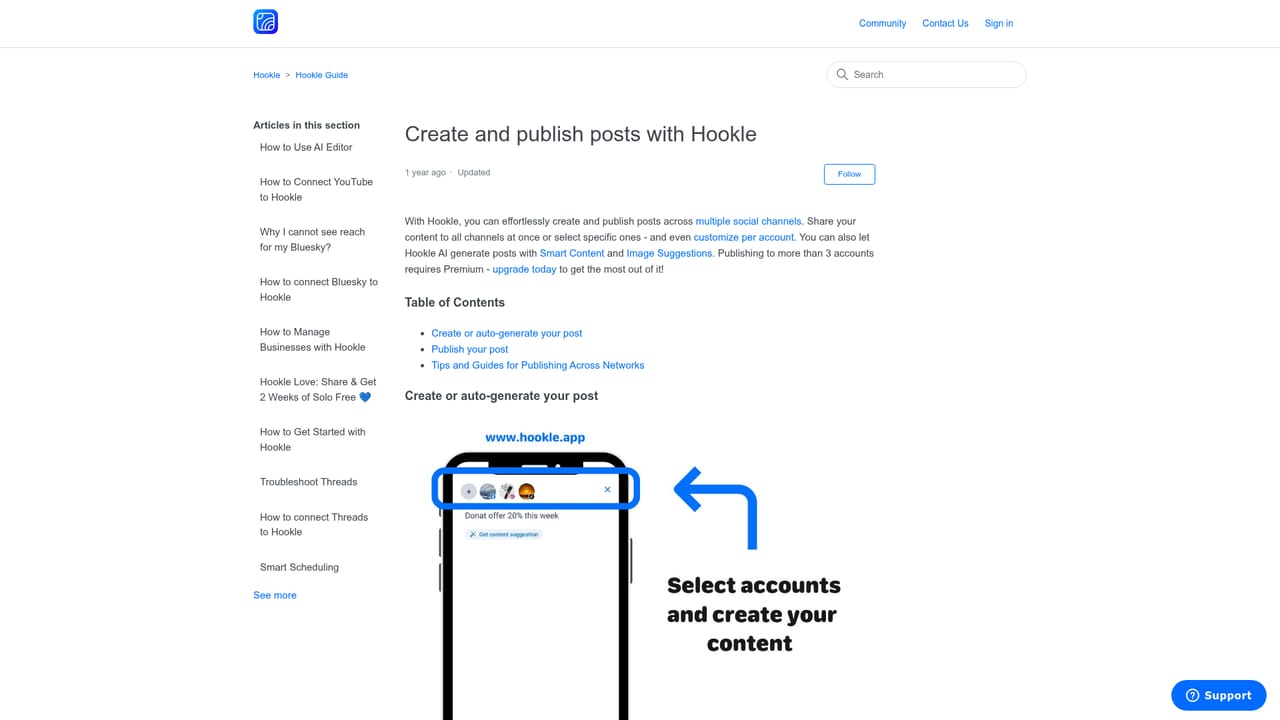
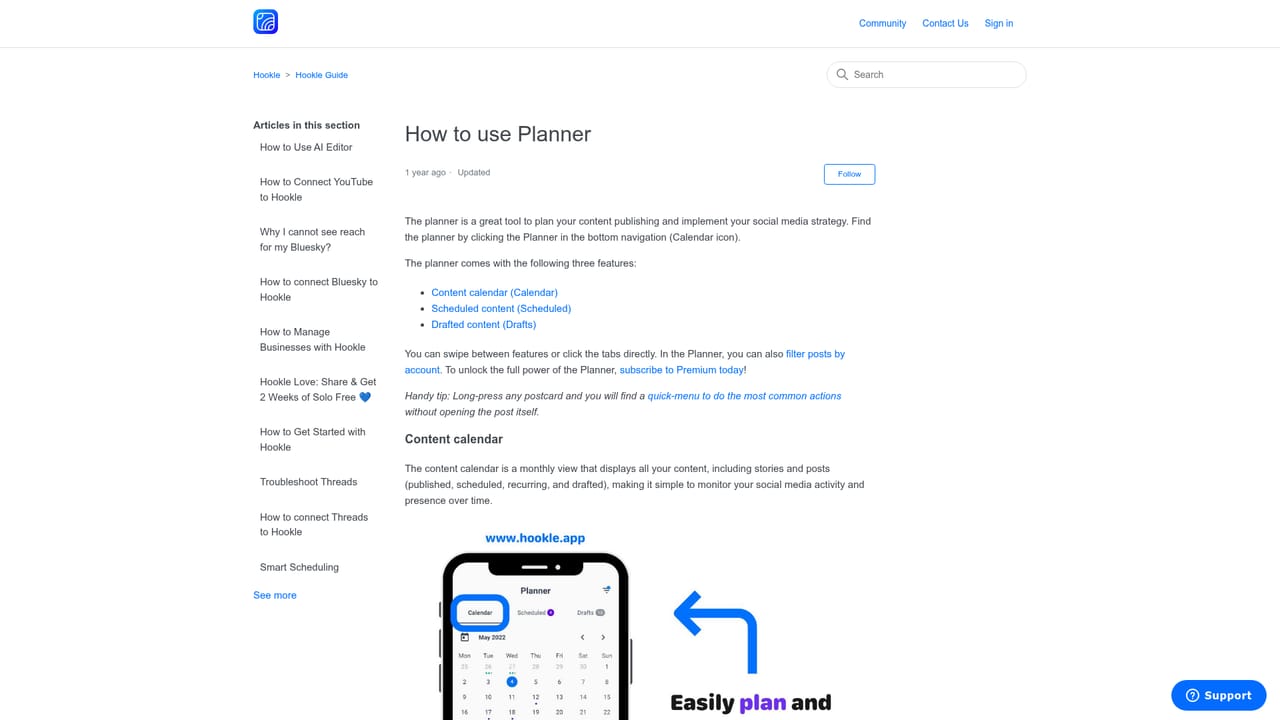
Hookle is a mobile-first social media manager aimed squarely at small business owners who do not have a marketing team or the time to learn a professional publishing suite. The app connects a business profile to the major networks and Google Business Profile, then lets the owner compose, schedule and review posts from a single inbox rather than switching between native apps. The AI layer is the core of the product. Smart content suggestions, daily post inspirations and image suggestions give the user ready-made starting points, and the system is described as learning a business's own voice so generated posts read like they were written by the owner. A planner view shows the publishing calendar so gaps are visible before they turn into silence on the feed. Statistics are reported inside the app, closing the loop between what was published and how it performed. Setup is pitched as a one-minute job, and the app is built for use on the phone, which suits owners who post between customers rather than at a desk. Multi-brand management is handled through a brand switching feature, which matters for operators running more than one location or venture. The audience the homepage names reads like a high street directory: therapists, realtors, restaurants, photographers, musicians, handymen, coffee bars, breweries, Airbnb hosts and bloggers. Roughly 30,000 small business owners across more than 130 countries are cited as users. Against alternatives, Hookle trades depth for accessibility. It will not match the approval workflows, granular analytics or team seats of an agency-grade tool, and the homepage positions those tools explicitly as too complex and too expensive for its buyer. The claim is affordability plus a shallow learning curve, so the honest comparison is with doing social media manually or paying an agency, not with an enterprise scheduler. Owners wanting a desktop-first dashboard or advanced reporting should look elsewhere; owners who want posts drafted and queued from their phone will find the fit much closer.

The site offers a free starting point through the Get Started Free link, but it does not state trial length, limits or whether a card is required.
Learn moreA public help centre carries how-to articles on creating posts, using the planner, content and image suggestions, statistics, brands and Google Business Profile setup.
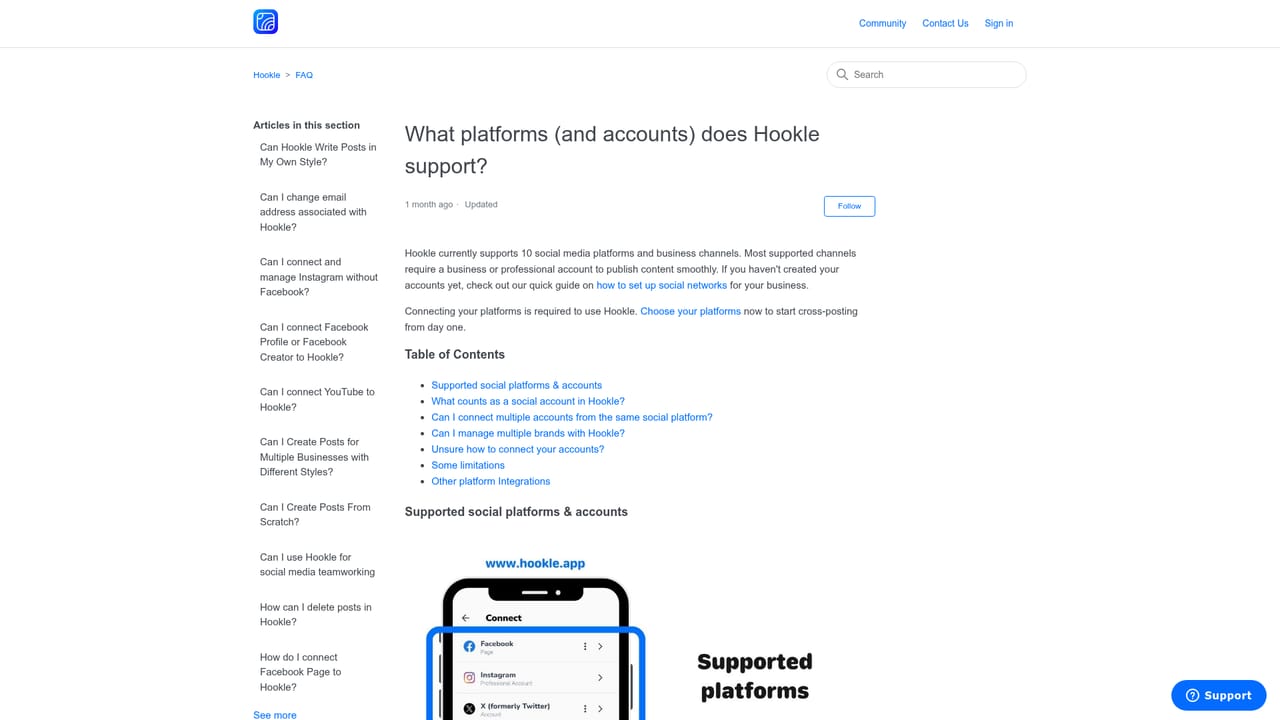
Learn moreHookle connects to the social networks it publishes to, including Facebook, Instagram, X, LinkedIn, TikTok, YouTube, Pinterest, Threads and Bluesky, plus Google Business Profile for local listings.
Learn moreAI content and image suggestions, daily post inspirations, a publishing planner, in-app statistics, Google Business Profile setup, and multi-brand management, all within a mobile app that publishes to Facebook, Instagram, X, LinkedIn, TikTok, YouTube, Pinterest, Threads, Bluesky and Google Business Profile.
Learn more AI Angels400+ customizable AI girlfriends for NSFW chat, voice calls, and roleplay
 Candy AIExperience the future of companionship with AI friends who chat, role-play, and connect with you on a human level.
 ourdream.aiA vast AI roleplay platform with millions of characters for chat, images, video and voiceAI Angels400+ customizable AI girlfriends for NSFW chat, voice calls, and roleplayCandy AIExperience the future of companionship with AI friends who chat, role-play, and connect with you on a human level.ourdream.aiA vast AI roleplay platform with millions of characters for chat, images, video and voice








