Free trial
A free plan is available, not a time-limited trial. It includes 400 AI credits at signup, a basic AI model, the full mind map editor, themes and presentation mode, with limited storage.
Learn moreTurn documents, videos and web pages into AI mind maps in seconds.
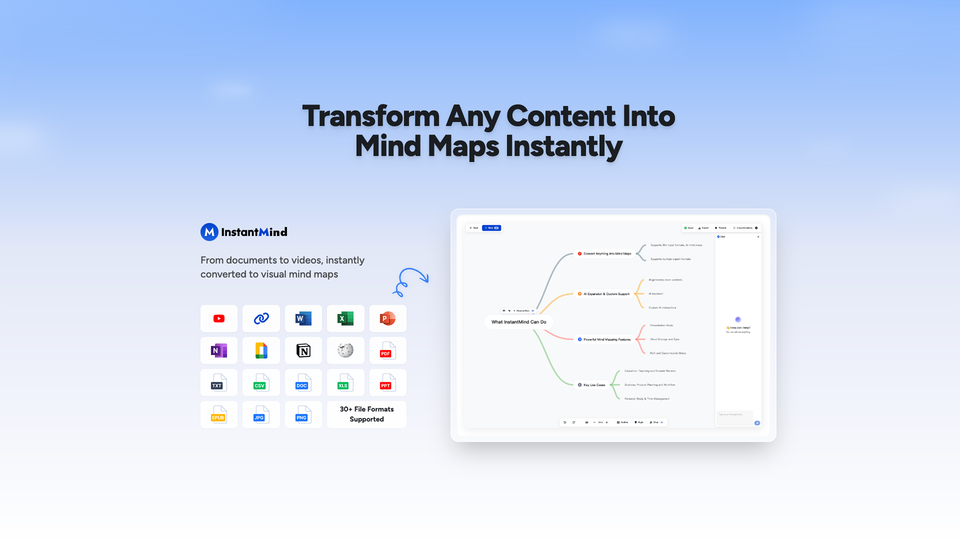
InstantMind is an AI tool that turns documents, videos and web pages into AI mind maps in seconds. InstantMind converts documents, images, YouTube videos and web pages into editable AI mind maps. It adds AI node expansion, document chat, multiple layouts and export to PNG, PDF, SVG or Markdown.
InstantMind is a browser-based AI mind map generator built around one core job: taking a dense input and returning a structured visual diagram. It accepts more than 30 file formats, including PDF, Word, Excel, PowerPoint, Markdown, EPUB and common image types, and it also ingests YouTube URLs and web pages. The AI extracts the main topics and hierarchy, then renders a mind map that can be edited node by node. Students use it to compress lecture notes and papers, while product managers and consultants lean on it for meeting notes, project plans and client presentations. In practice the workflow is upload, generate, refine. Generated maps can be expanded with AI-written child nodes, so a single branch can be deepened with explanations, examples or related concepts without leaving the canvas. A chat panel sits alongside the map and answers questions against the source document and the map itself, which is more useful than a generic chatbot because responses stay tied to the uploaded material. Custom instructions let users steer the output toward a preferred structure, tone or focus area before generation starts. The editor covers the basics that determine whether a mind map gets reused: multiple layouts (classic, logic, org chart, catalog, fishbone, timeline), a switch to outline view, theme and color controls, presentation mode and export to PNG, PDF, SVG, Markdown or InstantMind's own format. Cloud storage and auto sync keep maps available across desktop, tablet and mobile browsers. It competes with dedicated mind mapping suites and with general document summarizers, and its edge is breadth of input rather than depth of diagramming features. Pricing runs from a free tier with 400 credits at signup to Pro and Max subscriptions with larger token allowances.
A free plan is available, not a time-limited trial. It includes 400 AI credits at signup, a basic AI model, the full mind map editor, themes and presentation mode, with limited storage.
Learn moreFree tier at $0 with 400 AI credits at signup and 20,000 AI token inputs. Pro is $8 per month billed yearly ($96 annually) with unlimited AI creation, 500,000 token inputs and 30MB file summaries. Max is $12 per month billed yearly ($144 annually) with 1,000,000 token inputs and 50MB file summaries. Monthly billing is also offered.
Learn moreSupport is reached through a contact option on the site. Priority support is listed on Pro and dedicated customer service on Max; the homepage does not describe response times or channels.
Converts 30+ file formats, images via OCR, YouTube videos and web pages into mind maps. Includes AI node expansion, chat with documents and maps, custom AI instructions, multiple layouts (classic, logic, org chart, catalog, fishbone, timeline), outline view, themes, presentation mode, export to PNG, PDF, SVG, Markdown or InstantMind files, plus cloud storage and auto sync.
 AI Angels400+ customizable AI girlfriends for NSFW chat, voice calls, and roleplay
 Candy AIExperience the future of companionship with AI friends who chat, role-play, and connect with you on a human level.
 ourdream.aiA vast AI roleplay platform with millions of characters for chat, images, video and voiceAI Angels400+ customizable AI girlfriends for NSFW chat, voice calls, and roleplayCandy AIExperience the future of companionship with AI friends who chat, role-play, and connect with you on a human level.ourdream.aiA vast AI roleplay platform with millions of characters for chat, images, video and voice


