Massvai

Turn a plain-language prompt into a deployable Next.js, Supabase and Vercel app.

Intermediate
Screenshot of Massvai, Turn a plain-language prompt into a deployable Next.js, Supabase and Vercel app

What is Massvai?

Massvai is a coding tool that turns a plain-language prompt into a deployable Next.js, Supabase and Vercel app. Massvai is an AI app builder that turns prompts into full-stack Next.js applications wired to Supabase, complete with live preview, GitHub sync, and one-click Vercel deployment.

Massvai is an AI app builder that converts a written product brief into a full-stack Next.js application. The underlying agent plans the build before writing code, scaffolds a TypeScript project, wires up Supabase for authentication and data, and prepares the result for GitHub syncing and a guided Vercel deployment. Rather than producing a static mockup, it outputs a working, inspectable codebase that a team can keep extending after the first generation. The tool is aimed at founders validating a SaaS idea, product teams that need an internal tool without waiting on an engineering queue, agencies turning client briefs into shippable websites, and developers who want a head start on boilerplate rather than a finished replacement for coding. Because every file is exportable, it suits people who care about owning the implementation rather than being locked into a closed visual builder. In practice, a user describes the app, optionally attaching a screenshot or reference file, and the agent plans and writes the Next.js code while a live preview shows progress in real time, including build status, type checks, and the running app. Users can stop or retry steps, inspect generated files such as dashboard pages and Supabase auth wiring, then push the reviewed codebase to GitHub and deploy it to Vercel from within the same flow. Progress and tool history persist across sessions, so a project can be returned to later rather than restarted. Within the AI app builder category, Massvai positions itself between simple no-code website builders and hand-coding a Next.js app from scratch. The emphasis on production-ready TypeScript, a consistent design system, and full code export distinguishes it from tools that only generate throwaway prototypes or keep output trapped inside a proprietary editor.


How do you use Massvai?

  1. 1Describe the app you want to build
    Write a plain-language brief for the product, workflow, or screen you need, optionally attaching a screenshot or reference file for extra detail.
    Massvai — Describe the app you want to build
  2. 2Create an account or log in
    Sign up for the free plan or log in to access the Massvai workspace where the build happens.
    Massvai — Create an account or log in
  3. 3Let the AI agent plan and build
    The durable agent plans the work first, then writes maintainable TypeScript for the Next.js project while keeping progress visible.
  4. 4Review the live preview
    Watch the app take shape in real time, check type errors and build status, and use Stop or Retry on any step that needs adjustment.
  5. 5Sync to GitHub and deploy to Vercel
    Once the codebase is reviewed, sync the repository to GitHub and deploy the finished app through the guided Vercel publishing flow.
  6. 6Check the blog for build tips
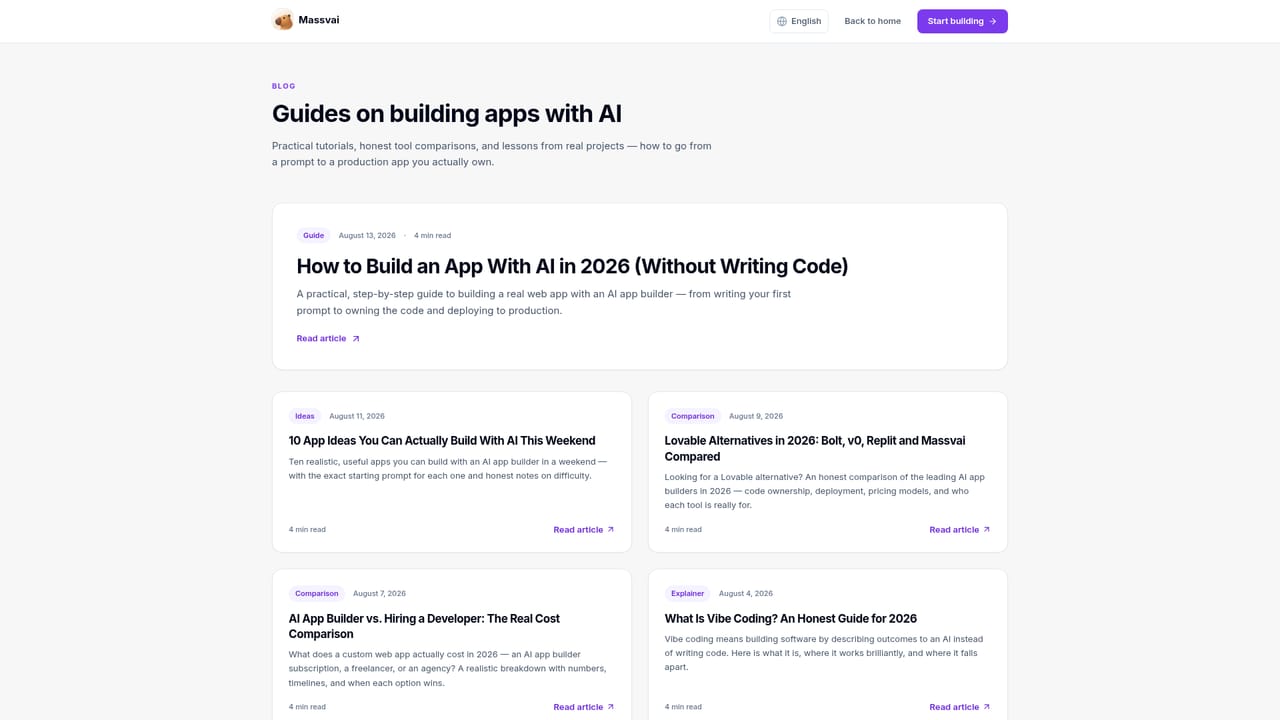
    Browse the blog for guidance on getting more out of prompts, Supabase setup, and deployment workflows.
    Massvai — Check the blog for build tips

Pros and cons

Pros

  • Generates a full-stack Next.js app with Supabase auth and database wiring directly from a text promptAI
  • Live preview shows build progress and type-check status before anything is deployedAI
  • Every generated file can be exported, avoiding lock-in to the Massvai platformAI
  • Free plan includes 100 welcome credits with no credit card required to start buildingAI

Cons

  • Usage is credit-based, so iterative or complex builds can burn through monthly allowances quicklyAI
  • No API access is mentioned, limiting programmatic or workflow-based integrationAI
  • Stack is tied specifically to Next.js, Supabase, and Vercel, offering less flexibility for other frameworksAI
  • Priority support is reserved for the Pro tier, leaving lower plans with community support onlyAI
  • Pricing is based on credits rather than flat usage, which can make cost forecasting less predictableAI

How much does Massvai cost?

Pricing

Free plan offers 100 welcome credits with no card required. Builder is $25 per month for 1,500 credits. Pro is $49 per month for 4,000 credits plus Supabase setup help and priority support. Yearly billing saves 20 percent.

Learn more

Support

Community support is available on the Free plan, with priority product support included on the Pro plan.

Integrations

Built around Next.js 15, React 19, TypeScript, Tailwind CSS, Supabase, Prisma, GitHub, Vercel, and Stripe-ready billing UI.

Features

AI coding agent that plans before building, live preview with real-time status, Supabase auth and data wiring, GitHub sync, one-click Vercel deployment, full code export, and a consistent accessible design system.

Frequently asked questions about Massvai

  • How much does Massvai cost?
    Free plan offers 100 welcome credits with no card required. Builder is $25 per month for 1,500 credits. Pro is $49 per month for 4,000 credits plus Supabase setup help and priority support. Yearly billing saves 20 percent.
  • How do you use Massvai?
    The walkthrough on this page covers 6 steps: 1. Describe the app you want to build 2. Create an account or log in 3. Let the AI agent plan and build 4. Review the live preview 5. Sync to GitHub and deploy to Vercel 6. Check the blog for build tips.
  • What platforms does Massvai support?
    Massvai is available on Web App.
  • What does Massvai integrate with?
    Built around Next.js 15, React 19, TypeScript, Tailwind CSS, Supabase, Prisma, GitHub, Vercel, and Stripe-ready billing UI.
  • What are the limitations of Massvai?
    Usage is credit-based, so iterative or complex builds can burn through monthly allowances quickly. No API access is mentioned, limiting programmatic or workflow-based integration. Stack is tied specifically to Next.js, Supabase, and Vercel, offering less flexibility for other frameworks.

Status

StatusActive
Views0
Outbound clicks0
Added10/10/2026

Platforms

Web App

Pricing

FreemiumSubscription