Free trial
No trial is needed: generation, the editor and publishing on the free plan are available without registering. Paid tiers raise the limits rather than unlocking the first draft.
Learn moreDescribe your business, get four editable website drafts
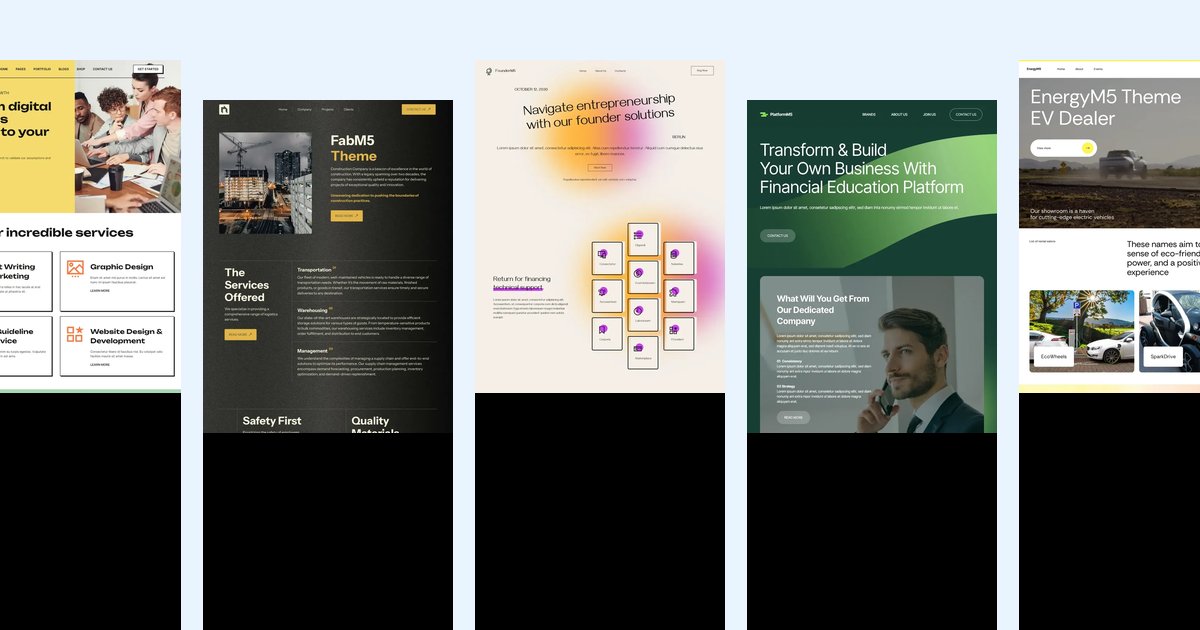
Mobirise is an AI tool. Prompt to website generator that returns four complete drafts with layout, copy and generated images, then lets you refine them in chat or a visual editor and publish free or export the code.
Mobirise AI Website Builder is a prompt driven site generator. Instead of picking a template and filling in placeholders, you describe the business, the audience, the services and the mood you want, and the generator returns four complete designs. Each draft takes a different direction in layout, palette and typography, and each arrives with written copy and generated imagery rather than lorem ipsum and shared stock photos. No account is needed to see the first results. The prompt does most of the work, and the site is candid about it: naming the business, listing products or services, stating the audience, the location, the brand colors and the sections required (menu, price table, team, FAQ, booking form) produces a far stronger first draft than a one line request. You can also upload a screenshot, wireframe or paper sketch if showing is easier than describing. Refinement happens two ways. Chat instructions handle broad changes such as shortening an intro, translating the whole site, restyling to a dark palette or adding a price table. The visual editor handles surgical edits: retype a heading, drag a block, swap a photo, adjust spacing. It fits small businesses, freelancers, event organizers and anyone who needs a credible marketing site without hiring a designer, copywriter and developer for the routine parts. Landing pages, portfolios, small shops with cart and checkout, clinic and restaurant sites are the sweet spot. Web applications with user accounts or custom databases are outside its scope, though it works well for the marketing site in front of such an app. Against template marketplaces, the difference is that the starting point is already about you, and every section stays a normal editable block. Against locked in site builders, the difference is portability: pages are static HTML, CSS and JavaScript, downloadable at any time and hostable anywhere. Publishing options run from a free subdomain with SSL to your own domain to exporting files to an existing host. Images and short video clips are generated to match each block's subject and surrounding colors, forms can group and summarize incoming inquiries, and SEO structure plus metadata are prepared during generation. The assistant also flags weak structure, color pairings and wording while you edit.
No trial is needed: generation, the editor and publishing on the free plan are available without registering. Paid tiers raise the limits rather than unlocking the first draft.
Learn moreThe generator is free to use and publishing on a free plan is available, with no sign-up required to start. Paid plans exist and raise the usage limits, but the homepage does not list prices or plan tiers, so current figures have to be checked on the Pricing page.
Learn moreFour drafts per prompt with layout, copy and generated images; chat based edits alongside a visual block editor; themed restyles that keep text and images; neural translation; SEO structure and metadata built during generation; forms with topic grouping and summaries; product listings, cart and checkout; call, chat, map and social blocks; generated short video clips; full HTML, CSS and JS export.
 AI Angels400+ customizable AI girlfriends for NSFW chat, voice calls, and roleplay
 Candy AIExperience the future of companionship with AI friends who chat, role-play, and connect with you on a human level.
 ourdream.aiA vast AI roleplay platform with millions of characters for chat, images, video and voiceAI Angels400+ customizable AI girlfriends for NSFW chat, voice calls, and roleplayCandy AIExperience the future of companionship with AI friends who chat, role-play, and connect with you on a human level.ourdream.aiA vast AI roleplay platform with millions of characters for chat, images, video and voice


