MusicAura AI

Turns mood descriptions and lyrics into original tracks for videos, podcasts, and games.

Beginner
Screenshot of MusicAura AI, Turns mood descriptions and lyrics into original tracks for videos, podcasts, and games

What is MusicAura AI?

MusicAura AI is an audio editing tool that turns mood descriptions and lyrics into original tracks for videos, podcasts, and games. MusicAura AI generates original music from text prompts, moods, or lyrics, and bundles lyric writing, vocal removal, and stem splitting tools for creators working on videos, podcasts, and games.

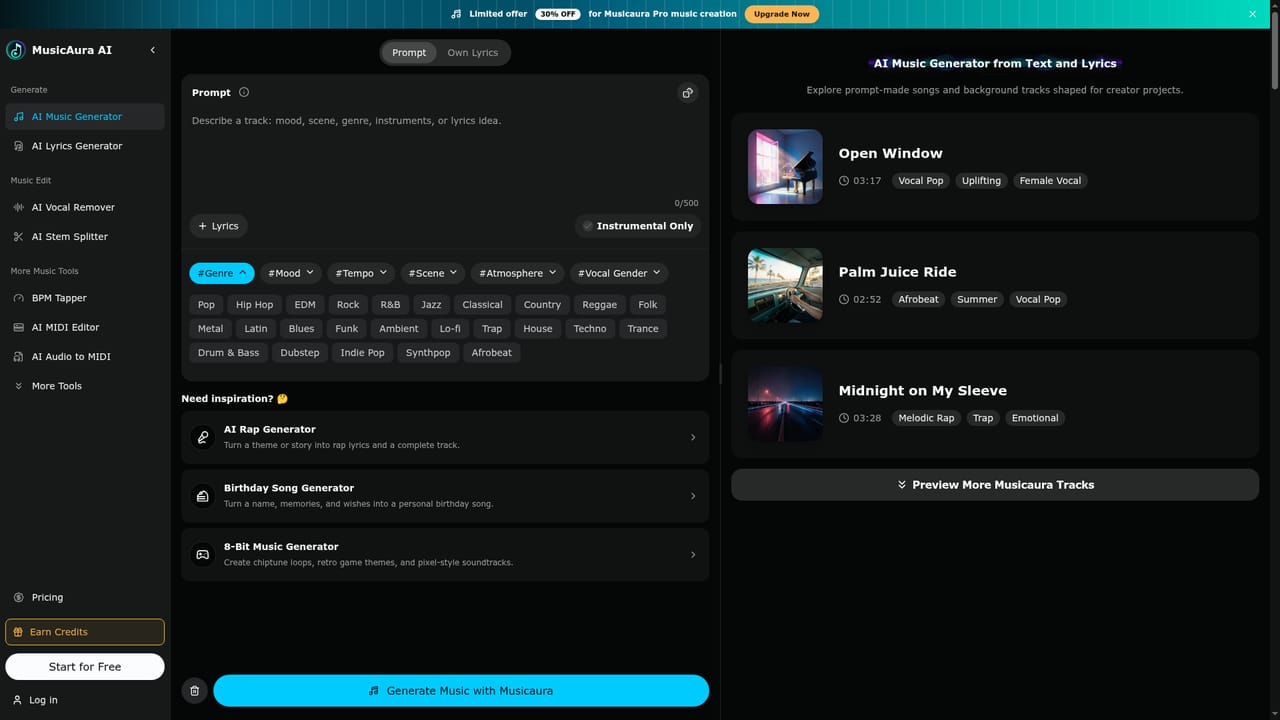
MusicAura AI is a browser-based music generation platform built around a simple idea: describe a mood, scene, or lyric and receive a finished track without opening a digital audio workstation. Users type a prompt covering genre, tempo, instruments, or atmosphere, and the system generates a preview that can be refined or regenerated until it fits the project. Beyond generation, the platform bundles a set of audio utilities that creators usually have to find in separate apps. An AI lyrics generator writes editable verses from a title or theme before they are turned into a song. A vocal remover and stem splitter separate tracks into vocals, drums, bass, and other elements for remixing or karaoke use, while a MIDI editor, MP3 tag editor, lo-fi converter, and tempo or key detection tools round out the workspace. Genre-specific generators for reggae, phonk, metal, country, jingles, and 8-bit music extend the same prompt-based workflow into niche styles. The tool is aimed at people who need usable music fast rather than studio-grade original composition: YouTubers, TikTok creators, podcasters, game developers, and marketers building ads or social content. It sits alongside stock music libraries and other AI music generators as an option for teams that want faster iteration across genres and moods without licensing a catalog track for every cut. Pricing follows a credit-based subscription model, with a free tier for testing and paid tiers that add commercial licensing, more monthly generations, and higher download limits. Because the platform runs entirely in the browser, it suits creators who want a lightweight addition to an existing editing workflow rather than a replacement for a full production setup.

How do you use MusicAura AI?

  1. 1Describe the mood or scene
    Open the AI music generator and enter a short prompt covering mood, genre, instruments, or tempo for the project.
    MusicAura AI — Describe the mood or scene
  2. 2Draft lyrics if needed
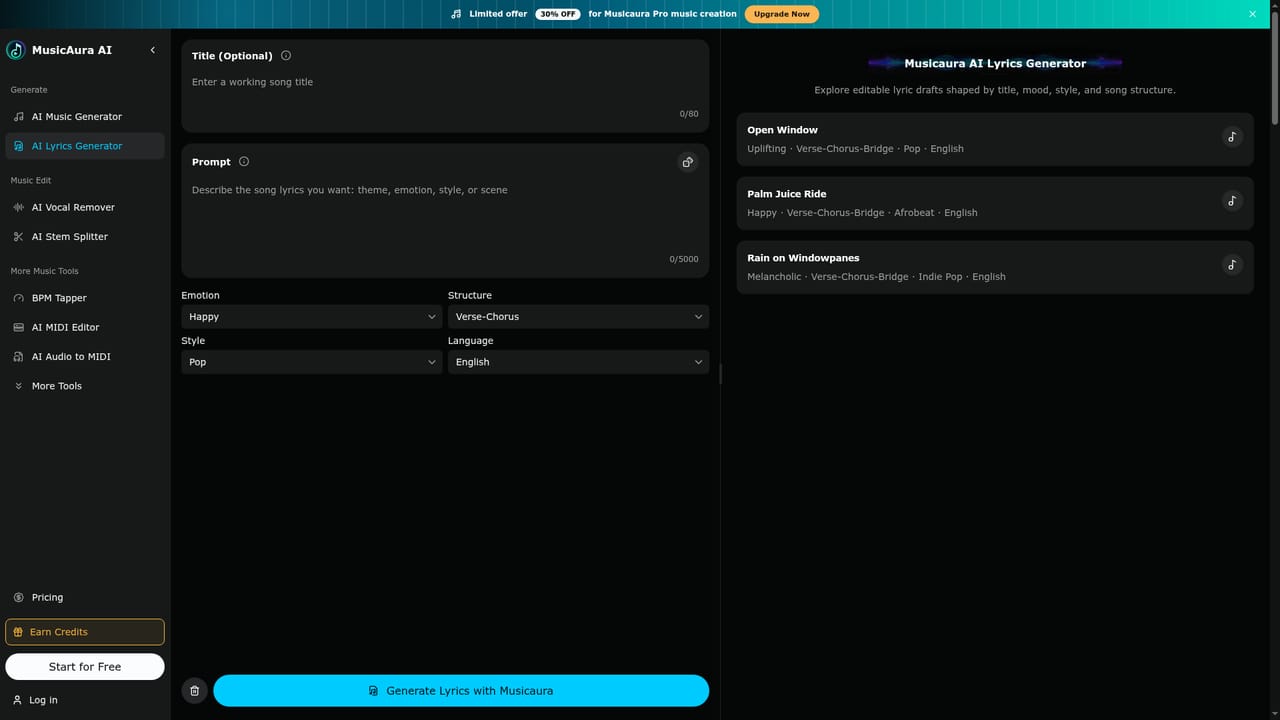
    Use the lyrics generator to write editable verses from a title, mood, or structure before turning them into a song.
    MusicAura AI — Draft lyrics if needed
  3. 3Generate and preview the track
    Run the prompt to produce a track, listen to the result, and adjust the description to explore other directions.
  4. 4Clean up vocals or split stems
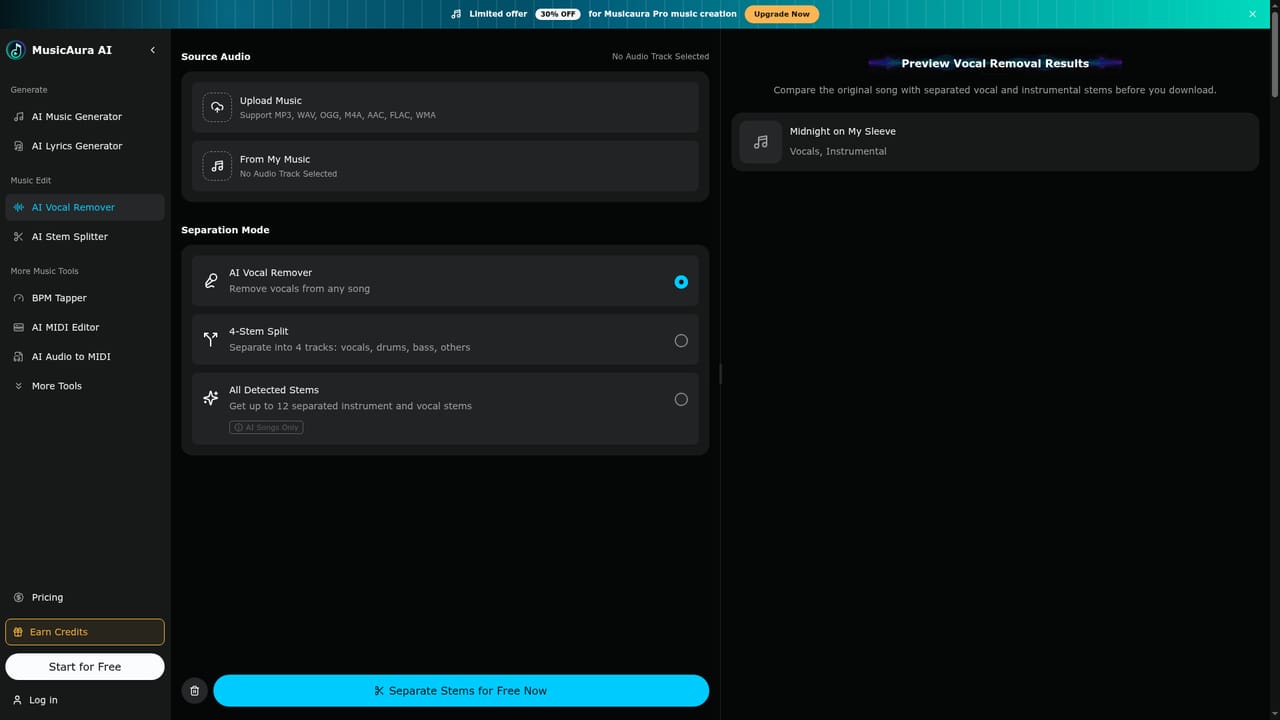
    Use the vocal remover or stem splitter to separate vocals, drums, and other elements for remixing or editing.
    MusicAura AI — Clean up vocals or split stems
  5. 5Pick a plan and download
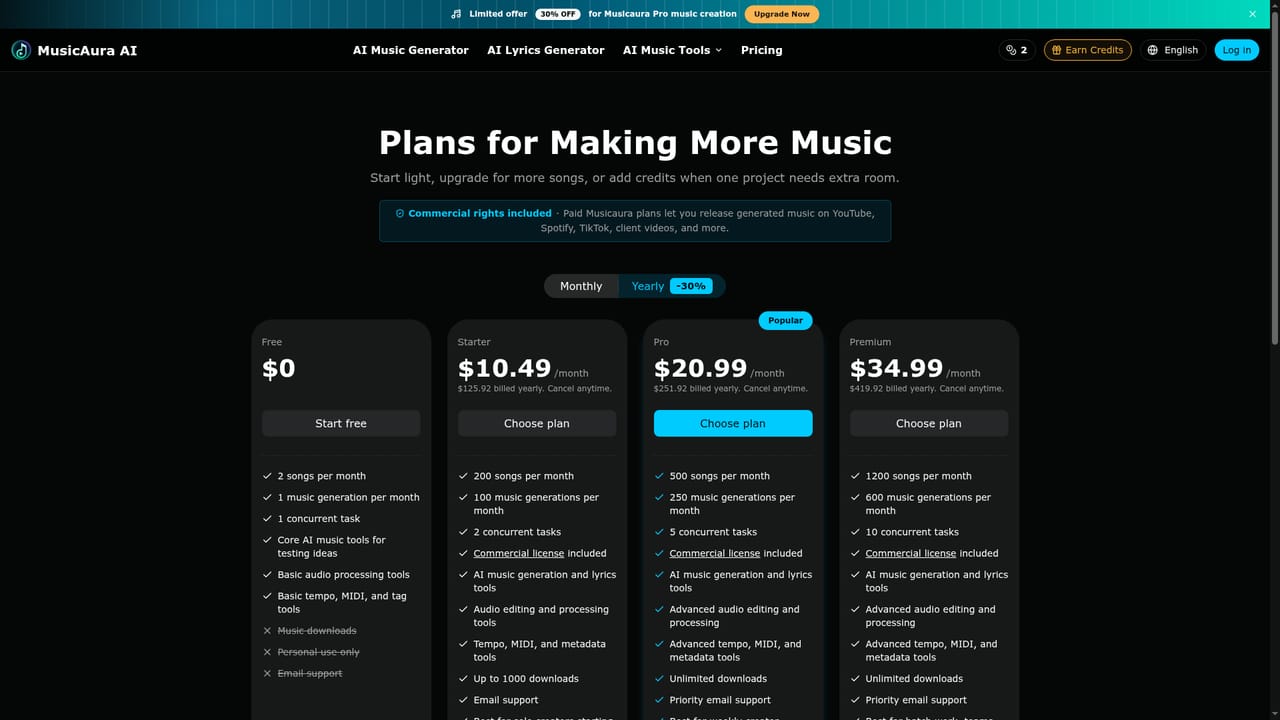
    Choose a free or paid plan based on how many generations and downloads the project needs, then save the final track.
    MusicAura AI — Pick a plan and download

Pros and cons

Pros

  • Generates usable tracks from plain-language mood or scene descriptions without DAW skillsAI
  • Combines music generation, lyrics, vocal removal, and stem splitting in one browser workspaceAI
  • Offers genre-specific generators for reggae, phonk, metal, country, and jingles among othersAI
  • Free plan lets new users test core tools before committing to a paid tierAI
  • Paid tiers include a commercial license for published creator workAI

Cons

  • Free plan is limited to one music generation and two songs per monthAI
  • Higher-volume plans reach $34.99 per month for 1200 songs, which adds up for frequent useAI
  • Homepage does not specify supported audio export formats or track length limitsAI
  • No mobile apps, offline mode, or third-party integrations are mentionedAI
  • Language support beyond English is not documented on the homepageAI

How much does MusicAura AI cost?

Pricing

Free plan offers 2 songs and 1 generation per month. Paid tiers start at $10.49/month (Starter) up to $34.99/month (Premium), billed monthly or yearly at a discount, with commercial licensing and higher generation and download limits.

Learn more

Support

Email support is included on the free plan, with priority email support on paid Starter, Pro, and Premium tiers.

Features

Prompt-based music generation from moods, scenes, or lyrics, plus an AI lyrics generator, vocal remover, stem splitter, MIDI editor, MP3 tag editor, lo-fi converter, and genre-specific generators for reggae, phonk, metal, country, and jingles, alongside BPM and key detection tools.

Learn more

Frequently asked questions about MusicAura AI

  • How much does MusicAura AI cost?
    Free plan offers 2 songs and 1 generation per month. Paid tiers start at $10.49/month (Starter) up to $34.99/month (Premium), billed monthly or yearly at a discount, with commercial licensing and higher generation and download limits.
  • How do you use MusicAura AI?
    The walkthrough on this page covers 5 steps: 1. Describe the mood or scene 2. Draft lyrics if needed 3. Generate and preview the track 4. Clean up vocals or split stems 5. Pick a plan and download.
  • What platforms does MusicAura AI support?
    MusicAura AI is available on Web App.
  • What are the limitations of MusicAura AI?
    Free plan is limited to one music generation and two songs per month. Higher-volume plans reach $34.99 per month for 1200 songs, which adds up for frequent use. Homepage does not specify supported audio export formats or track length limits.

Status

StatusActive
Views0
Outbound clicks0
Added10/12/2026

Platforms

Web App

Pricing

FreeFreemiumSubscription