Free trial
The meta description invites users to try the app for free, and reviews mention a free version with limits. No explicit trial length or trial terms are stated on the homepage.
Learn moreAI language tutors for private, judgment-free conversation practice

Praktika is an AI chat bot tool. Praktika pairs learners with AI tutors for conversation practice in a new language, offering real-time corrections, a personalized study plan and adjustable feedback intensity. It targets self-directed learners who want frequent speaking practice without human tutor costs or scheduling.
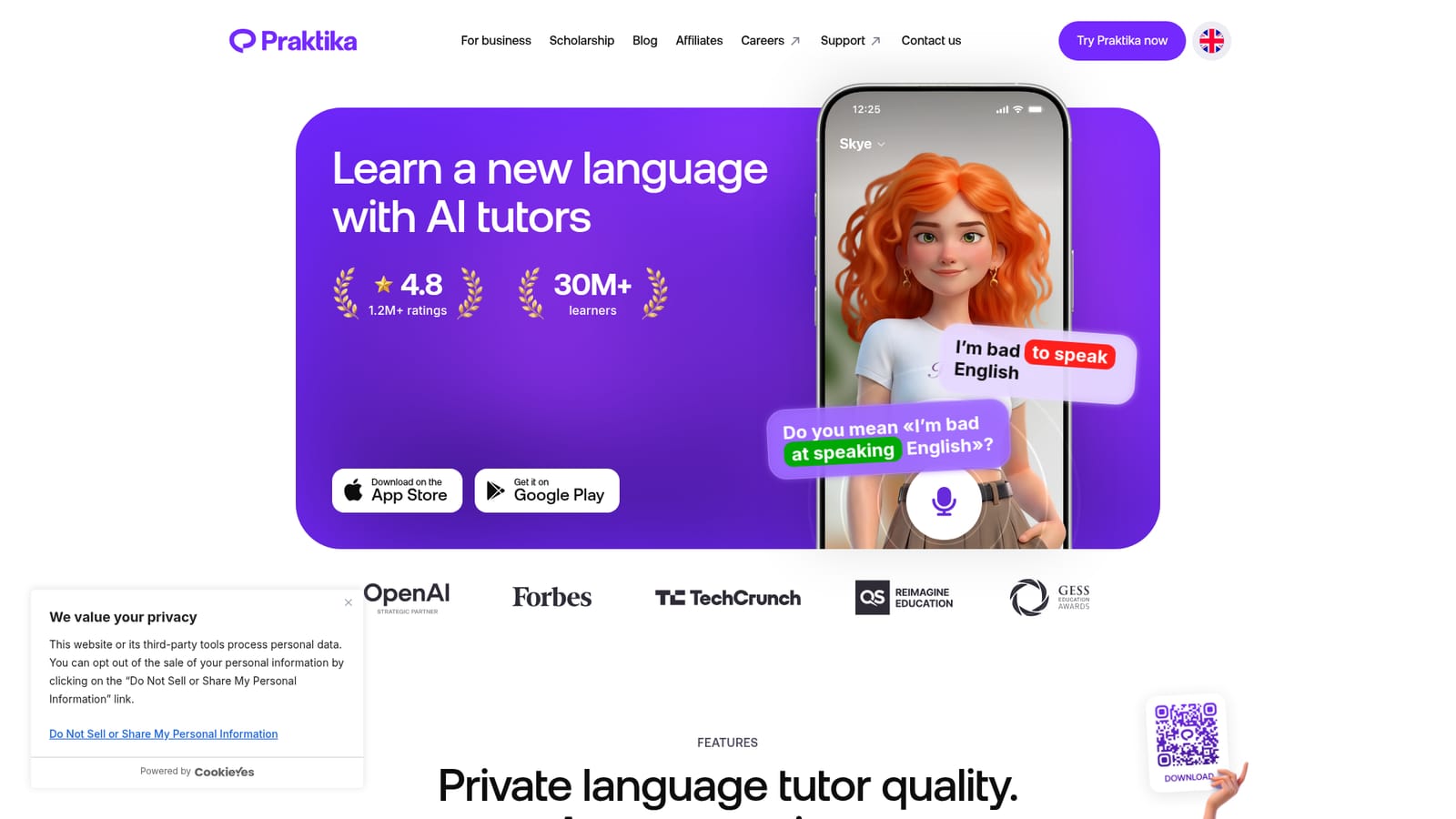
Praktika is a language learning app built around AI tutors that hold conversations with you in the language you are studying. The pitch is private tutor quality at app convenience: instead of scheduling lessons with a human, you open the app and speak or type with an AI character who remembers your context, corrects mistakes in the flow of conversation and keeps the session moving. The homepage reports more than 30 million learners and a 4.8 rating from over 1.2 million reviews, which places it in the same conversation as the large gamified language apps. The learning model leans on conversation rather than drills alone. You can start a free talk on any topic, and the tutor responds with gentle corrections on pronunciation, grammar and word choice. It also suggests natural phrases and prompts when you stall, so beginners are not left staring at a blank screen. A personal study plan adapts to your goals, interests and pace, and the tutors can speak in your native language to guide you through the early stages. Beyond speaking, the app covers grammar, vocabulary, listening and reading exercises, closer to what a human tutor might assign. Personality is part of the product. Named tutors such as Tama, Raven, Skye and Noah serve as consistent conversation partners, and you can set the tone and intensity of feedback between soft, balanced and strict. That combination suits self-directed learners who want frequent practice without the cost or scheduling friction of a human tutor, and it is a reasonable fit for people reviving a language before travel. The trade-off is that progress depends on how much you actually show up and talk; the app supplies the partner, not the discipline. Pricing is listed on the homepage at roughly $8 per month, positioned against the roughly $400 per month cited for a private human tutor. Apps, not the web, are the primary surface.
The meta description invites users to try the app for free, and reviews mention a free version with limits. No explicit trial length or trial terms are stated on the homepage.
Learn moreThe homepage lists Praktika at roughly $8 per month, framed against the roughly $400 per month cited for a private human tutor. A free version exists, and reviewers note a paywall limits some features. Exact plan tiers and billing periods are not detailed on the homepage.
Learn moreA support portal is linked from the site footer, alongside a contact page. The homepage does not describe response times or support channels.
Praktika centers on AI tutors for spoken and written conversation practice, with instant corrections on pronunciation, grammar and word choice. It adds a personal study plan, native-language guidance for beginners, contextual phrase suggestions, adjustable feedback intensity and exercises covering grammar, vocabulary, listening and reading.
 AI Angels400+ customizable AI girlfriends for NSFW chat, voice calls, and roleplay
 Candy AIExperience the future of companionship with AI friends who chat, role-play, and connect with you on a human level.
 ourdream.aiA vast AI roleplay platform with millions of characters for chat, images, video and voiceAI Angels400+ customizable AI girlfriends for NSFW chat, voice calls, and roleplayCandy AIExperience the future of companionship with AI friends who chat, role-play, and connect with you on a human level.ourdream.aiA vast AI roleplay platform with millions of characters for chat, images, video and voice









