SendPulse

Visual no-code chatbot builder for social messengers

Beginner
Screenshot of SendPulse, Visual no-code chatbot builder for social messengers

What is SendPulse?

SendPulse is an AI chat bot tool. SendPulse provides a visual, no-code chatbot builder for Facebook Messenger, Instagram, WhatsApp, Telegram, Viber and web live chat. Templates, cross-channel flow copying, keyword and subscription triggers, in-chat payments and an OpenAI-powered assistant handle support and sales conversations without developers.

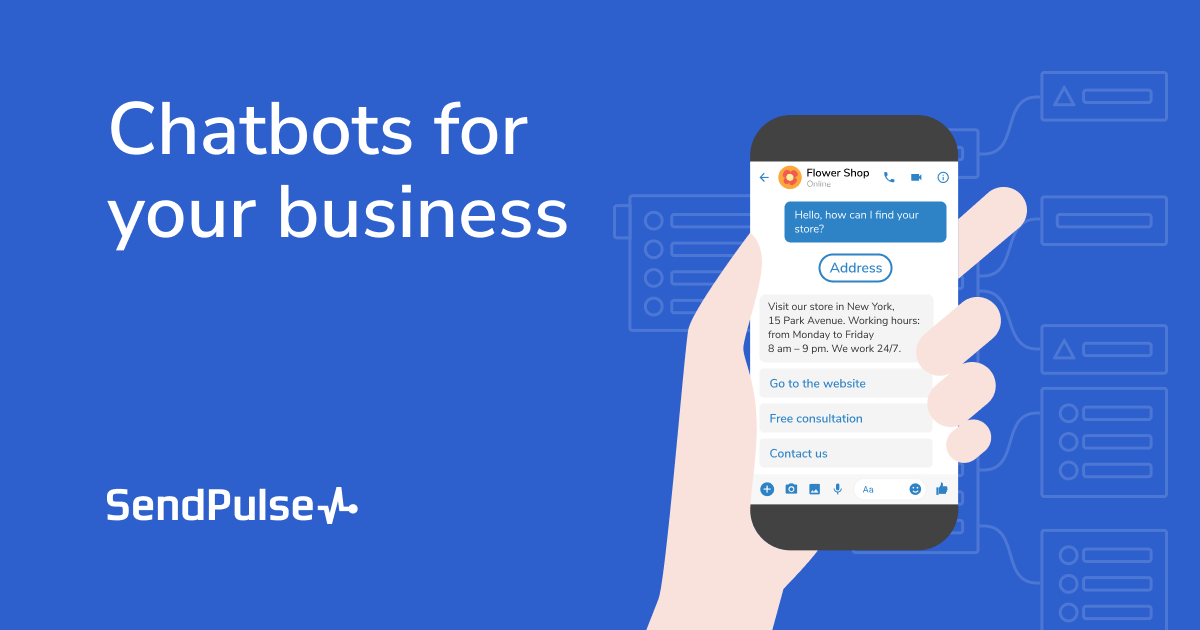
SendPulse's chatbot feature is a drag and click flow builder for Facebook Messenger, Instagram, WhatsApp, Telegram, Viber and the site live chat widget. Blocks are arranged on a visual map: a trigger starts the flow, messages and quick replies carry the conversation forward, and user input elements store typed answers in variables so later messages can address people by name or reference what they submitted. Flows can be copied inside one messenger or across channels, which means a sequence built for Telegram can be reused on WhatsApp without a rebuild. A bio link page is generated automatically for each bot so visitors have a single place to subscribe. The builder aims at marketers, small ecommerce teams and support departments without engineering support. Templates ship with every plan, including the free tier, and cover common jobs such as booking appointments, registering webinar attendees, handing out discount codes on special dates, auto-replies outside working hours and a monthly group chat pass. Testing happens in a preview mode before a flow is activated, and edits can be made afterwards without involving developers. AI is a narrow layer on top rather than the core. An OpenAI connection supplies response generation for open questions, natural language prompts can draft new flows, and voice messages can be recognized and transcribed so subscribers can talk to the bot. Payment processing and abandoned cart recovery sit inside conversations, and Facebook Messenger product cards let merchants present items directly in chat. An AI agent can be added to handle cases the scripted FAQ cannot. The mobile apps for iOS and Android exist mainly to answer chatbot subscribers on the move, not to build flows. Among chatbot platforms, SendPulse stands out less for conversational depth than for bundling: the same account also reaches email and other channels, and the messenger tool is priced as one part of a broader marketing suite. Teams that only want a single-channel bot may find the wider platform larger than necessary.

How do you use SendPulse?

  1. 1Choose a messenger and connect the page
    Start from the channel page you plan to use, Facebook Messenger, WhatsApp, Instagram, Telegram or Viber, and link the business account or page so the bot can send and receive messages.
  2. 2Pick a template or start from a blank flow
    Every plan includes prebuilt flows for tasks such as booking appointments, webinar registration and out-of-hours auto-replies. Customize one or create your own sequence from scratch.
  3. 3Set the trigger that starts the flow
    Choose what fires the auto-reply: a new subscription, keywords in an incoming message, a standard reply fallback, or an unsubscribe command.
  4. 4Build the message sequence
    Add text, images, files and lists, attach up to ten quick replies per element, insert buttons with links, and use user input elements with variables to capture form answers.
  5. 5Connect OpenAI for AI replies and voice
    Link OpenAI to generate answers for harder questions, draft flows from a text prompt, or transcribe voice messages so subscribers can interact by speaking.
  6. 6Test, then activate the bot
    Run the flow in test mode to check every branch, launch it, and share the auto-generated bio link page on social media and in email to attract subscribers.

Pros and cons

Pros

  • Visual flow map with triggers, quick replies, variables and buttons that non-technical staff can editAI
  • Ready-made templates on every plan, including the free tier, so a first bot can go live quicklyAI
  • Flows can be copied within and across messengers instead of rebuilt for each channelAI
  • Handles sales inside the chat: personalized offers, abandoned cart recovery and payment collectionAI
  • OpenAI integration adds generated replies, prompt-based flow drafts and voice message transcriptionAI

Cons

  • AI features are an add-on to scripted flows, not a general conversational engine that learns from historyAI
  • No pricing figures on the chatbot page, so the cost of higher subscriber tiers is hard to judge up frontAI
  • The mobile apps only let you reply to subscribers; flow building stays on the desktop web appAI
  • Some element types are channel-specific, such as product cards in Facebook Messenger only, which complicates parity across messengersAI
  • Support quality and documentation depth beyond the included knowledge base articles cannot be assessed from the homepageAI

How much does SendPulse cost?

Integrations

Facebook Messenger, Instagram, WhatsApp, Telegram, Viber and the site live chat widget are covered, with an OpenAI connection for AI replies, prompt-based flow generation and voice recognition. Payment processing is available inside chat flows.

Learn more

Features

Visual flow builder with subscription, keyword, standard reply and unsubscribe triggers. Messages support images, files, lists, buttons and up to ten quick replies, plus user input saved to variables. Flows can be copied within and across messengers. Extras include an auto-generated bio link page, in-chat payments, abandoned cart recovery, Facebook product cards and OpenAI-powered replies, flow drafts and voice transcription.

Learn more

Frequently asked questions about SendPulse

  • How do you use SendPulse?
    The walkthrough on this page covers 6 steps: 1. Choose a messenger and connect the page 2. Pick a template or start from a blank flow 3. Set the trigger that starts the flow 4. Build the message sequence 5. Connect OpenAI for AI replies and voice 6. Test, then activate the bot.
  • What platforms does SendPulse support?
    SendPulse is available on Web App, iOS and Android.
  • What does SendPulse integrate with?
    Facebook Messenger, Instagram, WhatsApp, Telegram, Viber and the site live chat widget are covered, with an OpenAI connection for AI replies, prompt-based flow generation and voice recognition. Payment processing is available inside chat flows.
  • What are the limitations of SendPulse?
    AI features are an add-on to scripted flows, not a general conversational engine that learns from history. No pricing figures on the chatbot page, so the cost of higher subscriber tiers is hard to judge up front. The mobile apps only let you reply to subscribers; flow building stays on the desktop web app.

Status

StatusActive
Views0
Outbound clicks0
Added10/21/2026

Platforms

Web AppiOSAndroid

Pricing

FreePaidSubscription




