Free trial
No separate trial is described. The tool is marketed as free and no credit card is required, with a small credit balance displayed for the upload session.
Learn moreSplit any song into vocals, instrumentals and individual stems with AI.
Own Singify AI Vocal Remover? Verify ownership to get a dofollow link
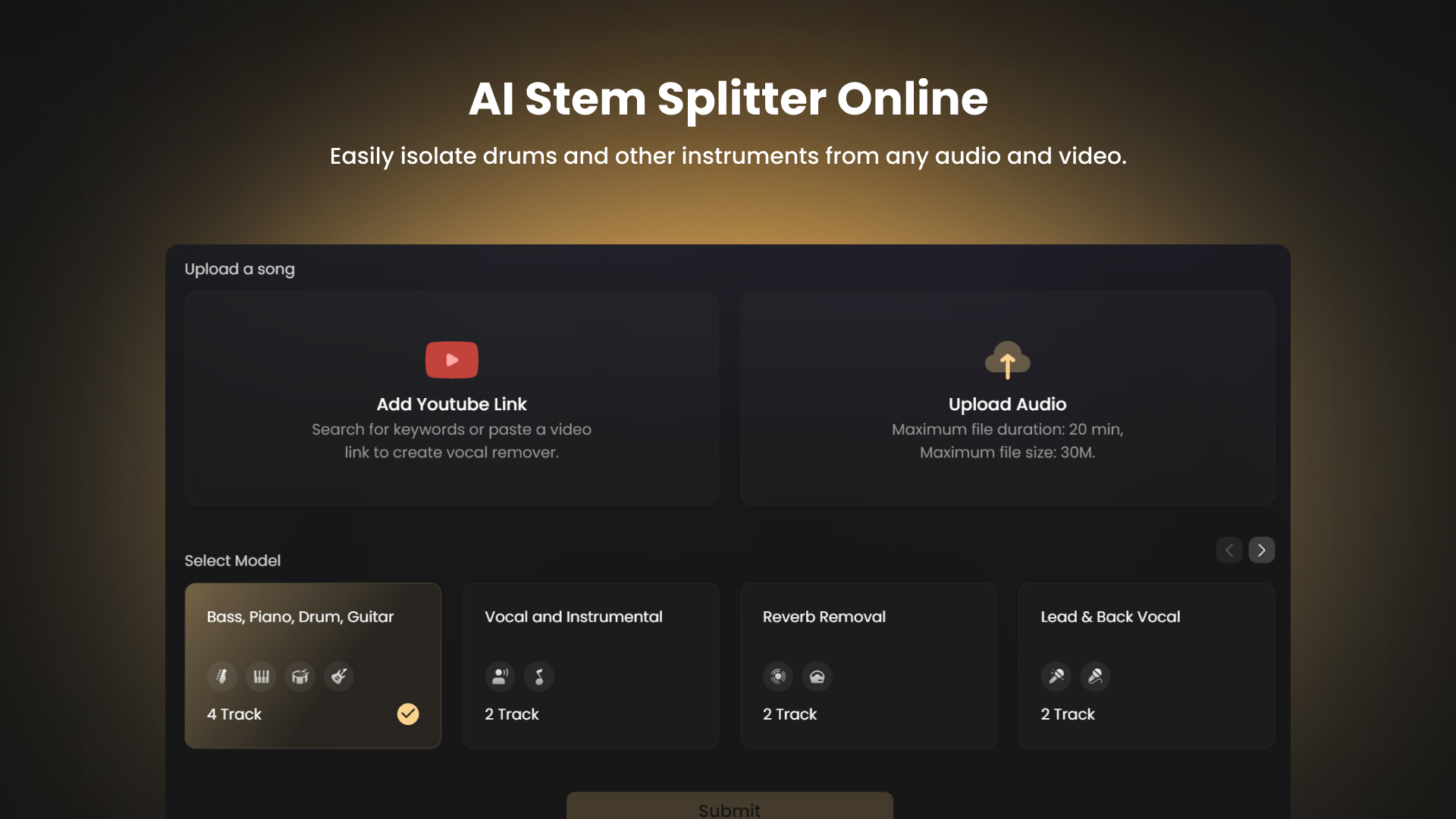
Singify AI Vocal Remover is an audio editing tool. Free online AI stem separator that removes vocals from songs or extracts up to ten individual parts from audio files and YouTube links, with preview and multi format download.
Singify AI Vocal Remover is a browser based stem separation tool that takes a finished mix and breaks it into usable parts. Upload a track or paste a YouTube link, choose a separation model, and the service returns isolated vocals and instrumentals or up to ten individual stems. Supported targets include bass, piano, drums, guitar, organ, strings, wind, lead and backing vocals, reverb tails, male and female voices, and separate speech, music and effects channels. Export formats cover MP3, WAV, M4A and other common containers, and uploaded sources can be MP3, WAV, FLAC, AIFF, MP4 or MOV files with a 20 minute duration cap and a 30 MB size cap. The workflow is deliberately short. Files are dragged into the upload area or pulled from a YouTube URL, the AI runs the split, and the results are previewed before download. A sample audio preview on the page lets visitors judge separation quality before committing a file. The tool sits inside the wider Singify suite, alongside a lead and backing vocal splitter, an acapella extractor, a reverb remover, a key and BPM finder, a song cover generator, a music extender and a lyrics generator, so a project can move from raw separation into remixing or cover creation without switching products. Karaoke singers, DJs, music students, podcast editors and video creators are the obvious audience, since all of them need a clean instrumental or an isolated part without a studio. Producers use it for sampling and mashups, and vocal coaches use it for comparison playback. The interface assumes no audio engineering background, which is the main trade off: separation is largely one click, with little room to tune the algorithm. Compared with desktop stem splitters and heavier DAW plugins, Singify competes on accessibility and price rather than surgical control. Competing services such as LALAL.AI and EaseUS Vocal Remover are addressed directly in the site FAQ, which signals that the product expects to be evaluated head to head on separation quality and file handling.
No separate trial is described. The tool is marketed as free and no credit card is required, with a small credit balance displayed for the upload session.
Learn moreThe page presents the vocal remover as free to use with no credit card required, and shows a credit balance of 5 credits in the upload panel, which indicates a credit based free allowance rather than unlimited use. No paid tier prices are listed on the page.
Learn moreSupport is limited to an on page FAQ covering file types, upload handling, audio quality and comparisons with other vocal removers. No email, chat or ticketing channel is listed.
YouTube link import is the only external integration described on the page. No API access, plugin or third party service connections are mentioned.
Ten stem separation covering vocals, instrumental, bass, piano, drums, guitar, organ, strings, wind, reverb removal, lead and back vocal, multi singer, male and female split, and speech, music and effects. Sources include local audio and video files and YouTube links. Results can be previewed and exported in MP3, WAV, M4A and other formats. Models receive regular updates for separation accuracy.
Learn more AI Angels400+ customizable AI girlfriends for NSFW chat, voice calls, and roleplay
 Candy AIExperience the future of companionship with AI friends who chat, role-play, and connect with you on a human level.
 ourdream.aiA vast AI roleplay platform with millions of characters for chat, images, video and voiceAI Angels400+ customizable AI girlfriends for NSFW chat, voice calls, and roleplayCandy AIExperience the future of companionship with AI friends who chat, role-play, and connect with you on a human level.ourdream.aiA vast AI roleplay platform with millions of characters for chat, images, video and voice






