Free trial
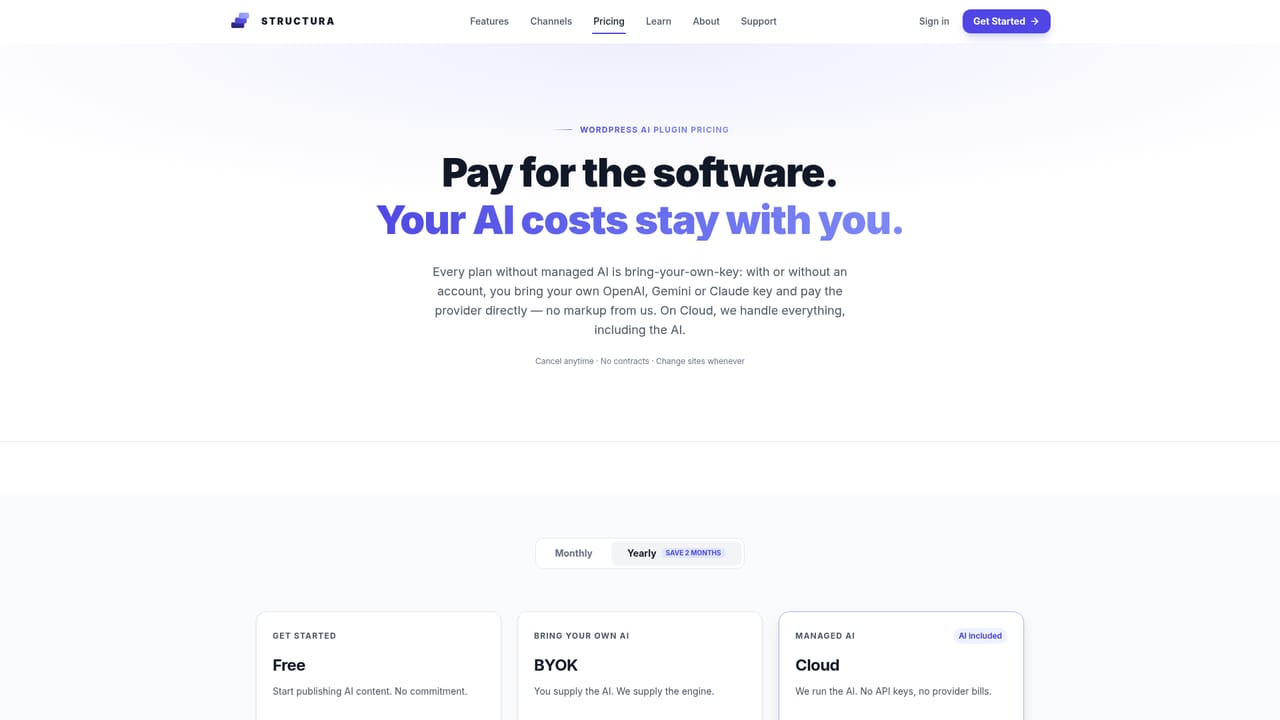
The free plan can be started without a credit card and includes the core autoblogging workflow. Paid features such as SERP competitor analysis remain gated behind a subscription.
Learn moreAutoblogging plugin that writes, optimizes, and schedules SEO posts on WordPress.

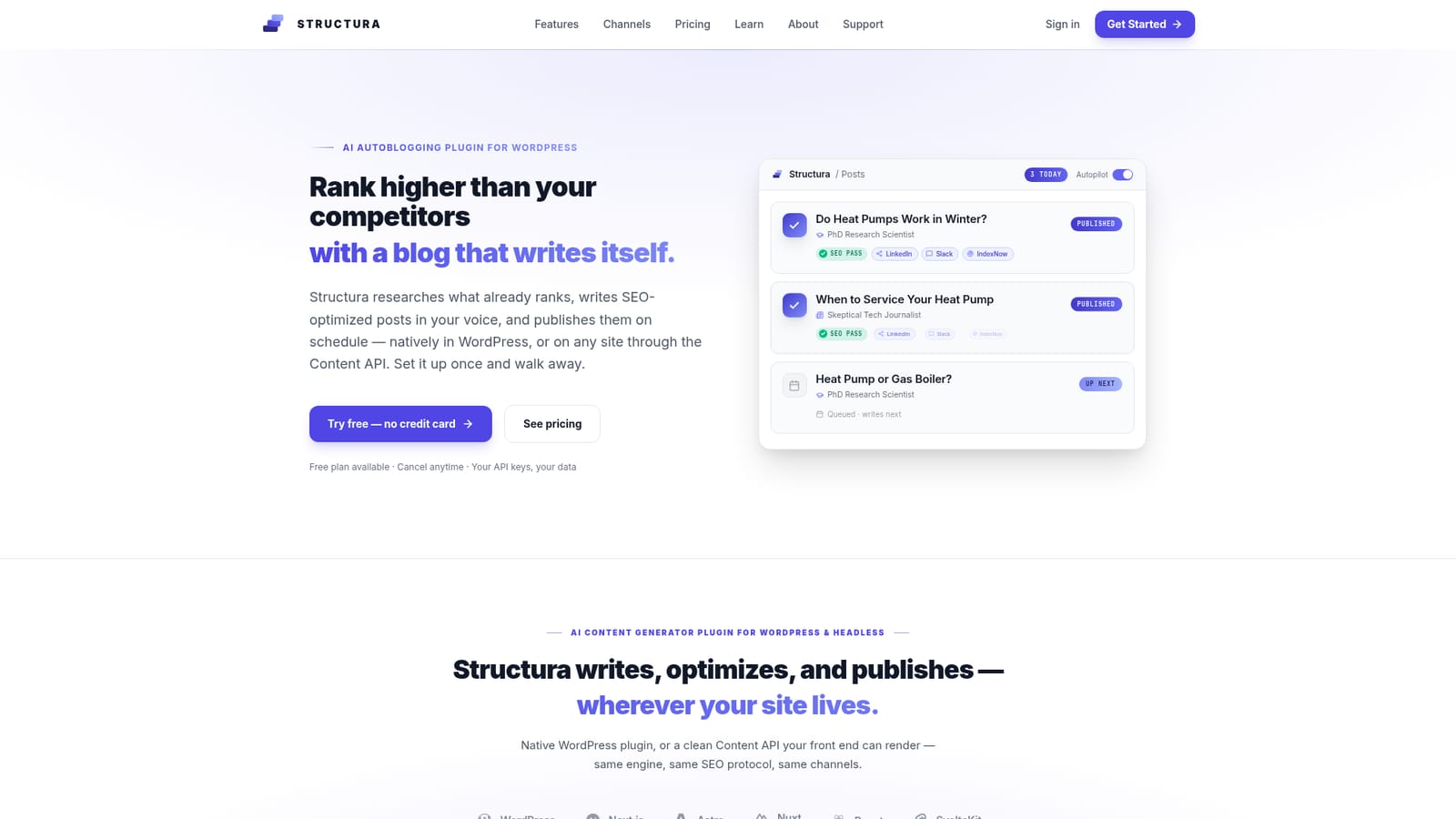
Structura is an AI autoblogging plugin for WordPress and headless sites that researches live SERPs, writes SEO-optimized posts in designed personas, validates links, and publishes on schedule with native Gutenberg blocks or a Content API.
Structura is an AI autoblogging system built for WordPress and headless sites. It researches live search results, produces posts in a chosen voice, runs a 20+ point SEO checklist, and publishes on a schedule. The plugin writes native Gutenberg blocks rather than raw HTML, so themes stay intact, and the same engine can output structured JSON through a Content API for frameworks such as Next.js, Astro, and SvelteKit. The workflow starts with a campaign brief. You paste key pages, and Campaign Architect suggests a strategy (Traffic Magnet, Quick Wins, Conversion, or Authority) or you pick one. Virtual personas are assigned to categories; a journalist persona can handle opinion pieces while a researcher persona covers technical guides. Structura then sources authority links, validates each URL before publishing, generates brand-aware images, and pushes posts to the site. A Google Search Console connection shows performance and ranks pages to improve next. Structura targets site owners who want consistent publishing without a content team, and agencies managing multiple WordPress properties. It also suits developers building headless front ends who need clean JSON rather than markdown blobs. Bring-your-own AI keys keep token costs at provider rates, and publishing fans out to LinkedIn, Telegram, Slack, email, and IndexNow. Compared with general LLM chat tools, Structura automates research, link validation, and publishing in one pipeline. Its paid tiers add live SERP competitor analysis and internal link selection from pages already ranking. The plugin itself is maintained by a WordPress agency, which shapes its emphasis on editor-native output and theme compatibility over export-only workflows.
The free plan can be started without a credit card and includes the core autoblogging workflow. Paid features such as SERP competitor analysis remain gated behind a subscription.
Learn moreA free plan is available with no credit card required, and paid tiers add live SERP gap analysis, premium readability rules, and internal link selection from pages that already rank. The homepage does not list specific prices; the pricing page carries the current figures.
Learn moreWordPress is the native integration, with a Content API for headless frameworks including Next.js, Astro, Nuxt, React, and SvelteKit, plus webhooks. Publishing channels include LinkedIn, Telegram, Slack, email, and IndexNow. Shopify and Webflow are labeled as coming soon.
Structura handles research, persona-based writing, image generation, link validation, and scheduled publishing. It outputs native Gutenberg blocks on WordPress or structured JSON via the Content API for Next.js, Astro, Nuxt, React, and SvelteKit. A 20+ point SEO protocol covers titles, meta, keyphrase placement, readability, internal links, and FAQ schema. Paid plans add live SERP competitor gap analysis and a ranked improvement list from Google Search Console.
 AI Angels400+ customizable AI girlfriends for NSFW chat, voice calls, and roleplay
 Candy AIExperience the future of companionship with AI friends who chat, role-play, and connect with you on a human level.
 ourdream.aiA vast AI roleplay platform with millions of characters for chat, images, video and voiceAI Angels400+ customizable AI girlfriends for NSFW chat, voice calls, and roleplayCandy AIExperience the future of companionship with AI friends who chat, role-play, and connect with you on a human level.ourdream.aiA vast AI roleplay platform with millions of characters for chat, images, video and voice


