Summarify.me

Turn long text, PDFs, videos and audio into short summaries

Beginner
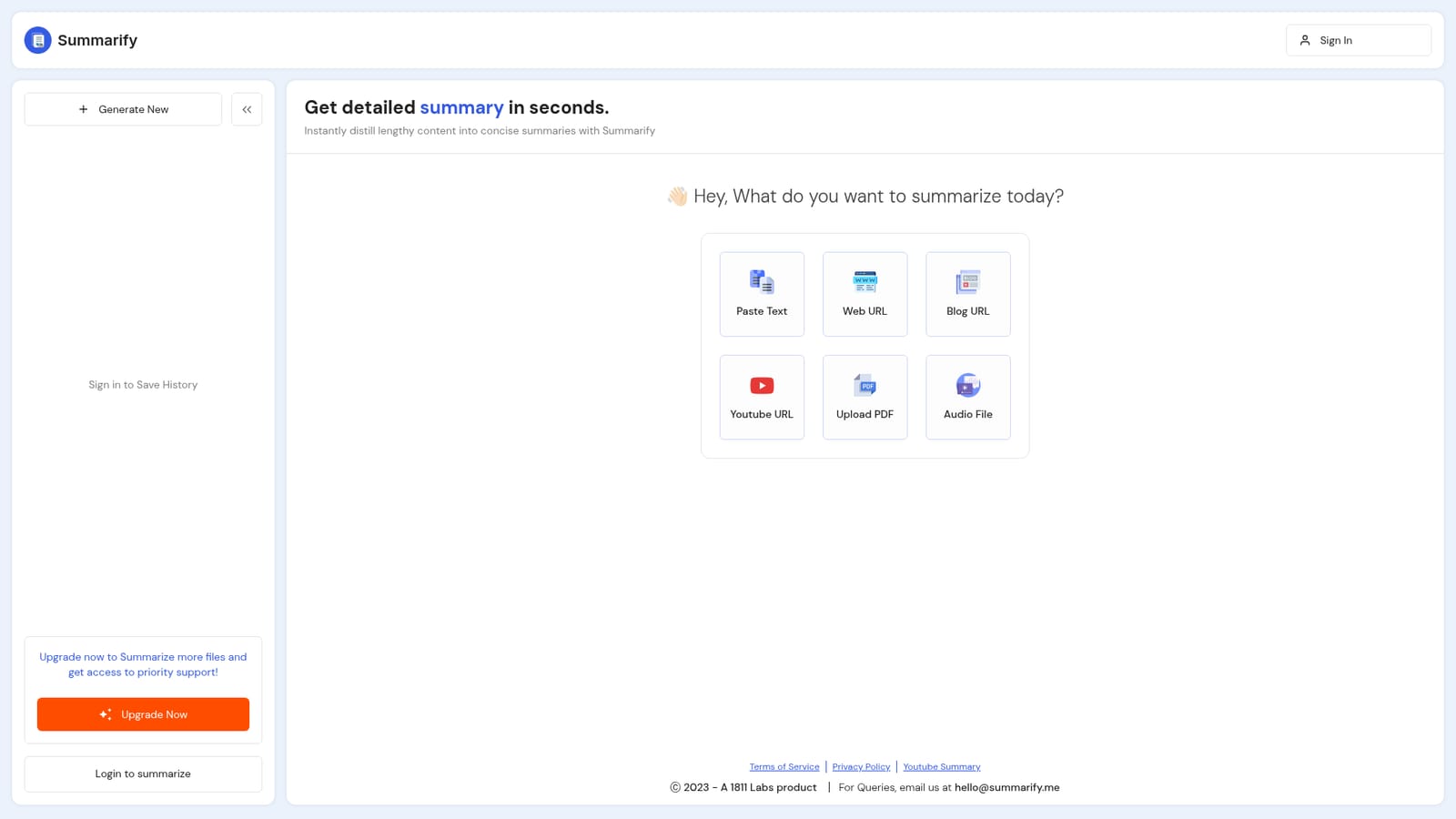
Screenshot of Summarify.me, Turn long text, PDFs, videos and audio into short summaries

What is Summarify.me?

Summarify.me is an AI summarizer tool that turns long text, PDFs, videos and audio into short summaries. A web based summarisation tool that accepts pasted text, web and blog URLs, YouTube links, PDFs and audio files, returning condensed versions in one place.

Summarify is a web tool built around a single job: taking a long piece of content and returning a short, readable version of it. The homepage presents six input types on one screen: pasted text, a general web URL, a blog URL, a YouTube URL, an uploaded PDF and an audio file. That spread of sources is the product's main argument. Rather than specialising in documents or in video, it aims to cover most of the material a person might be handed on a given day. In practice you pick the matching input box, supply the content and let the tool produce a distilled version. The pitch is speed, with the landing page promising a detailed summary in seconds, so the workflow is closer to a utility than a workspace: paste, wait, read. Written text and links suit students working through readings or researchers skimming articles, while the PDF and audio options point at people dealing with reports, lecture recordings or meeting files. The YouTube option targets anyone who wants the gist of a long video without watching it. The obvious comparison is with the summarisation features bundled into general assistants such as ChatGPT or Claude, and with dedicated readers that focus on articles and PDFs alone. Summarify's edge is the breadth of input formats in one place, and history that can be saved once you sign in. Its weakness is that most of the surrounding workflow, from saving history to lifting usage limits, is tied to creating an account. There is no public API, no integration directory and no documented support channels beyond the upgrade promise of priority support. The tool is best judged as a lightweight, general purpose consumer summariser: quick to try, easy to understand, and narrow in scope by design.

How do you use Summarify.me?

  1. 1Pick the input type that matches your content
    The homepage lists six options: pasted text, a web URL, a blog URL, a YouTube URL, an uploaded PDF and an audio file. Choose the one that fits what you have at hand.
    Summarify.me — Pick the input type that matches your content
  2. 2Supply the content and generate the summary
    Paste your text or link, or upload the PDF or audio file, then start the summarisation. The tool returns a condensed version of the source.
  3. 3Create an account to keep your history
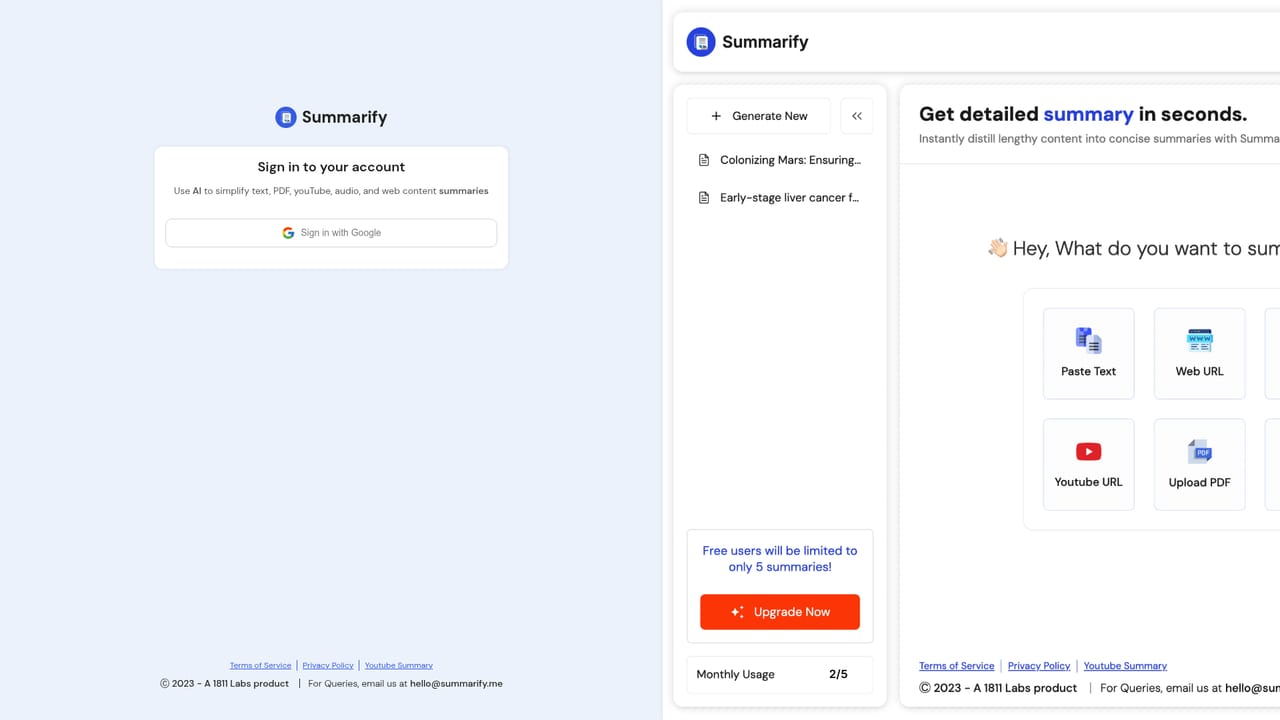
    Sign in through the authentication page so your summaries are saved rather than discarded after each session. Without an account, history is not retained.
    Summarify.me — Create an account to keep your history
  4. 4Check plan options if you need more volume
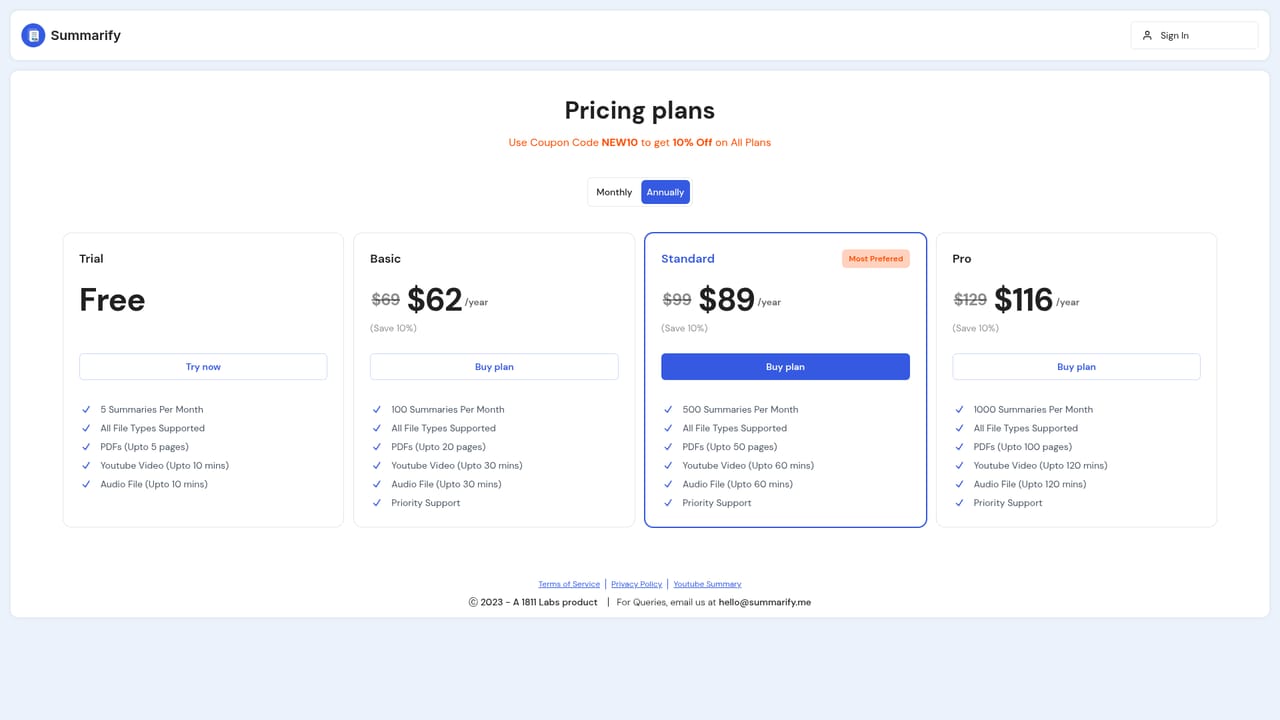
    The free experience is capped. The pricing page sets out the upgrade, which lifts file limits and adds priority support.
    Summarify.me — Check plan options if you need more volume
  5. 5Revisit saved summaries
    Once signed in, previously generated summaries stay in your history, so you can return to earlier digests instead of re running the same source.

Pros and cons

Pros

  • Six input types on one screen, covering text, links, blogs, YouTube, PDFs and audioAI
  • No setup required: choose an input, supply the content and read the resultAI
  • Signing in lets you save and revisit past summaries through historyAI
  • Useful breadth for mixed workloads, such as a student handling readings, videos and slidesAI
  • Clear, single purpose landing page that makes the supported sources obviousAI

Cons

  • No sample output shown on the homepage, so summary quality and length control are unknown before signing upAI
  • Saving history and summarising more files both require an account and, for volume, a paid planAI
  • No API, plugins or third party integrations, which rules out automated or in workflow useAI
  • Priority support is mentioned only as an upgrade benefit; there is no visible help centre or documented contact channelAI
  • Only summarisation is offered, with no follow up chat, translation or export features mentionedAI

How much does Summarify.me cost?

Pricing

The homepage advertises a free entry point with an upgrade for users who want to summarise more files and receive priority support. Actual plan names, prices and per tier limits are not stated on the landing page; they sit behind the pricing link.

Learn more

Support

Priority support is listed as a benefit of upgrading, but no help centre, email address or documentation link is shown on the homepage.

Features

Summarises pasted text, general web pages, blog posts, YouTube videos, uploaded PDFs and audio files, all selectable from one screen. Signing in enables saved history of past summaries. An upgrade raises file limits and adds priority support. No API, plugins or export options are described on the homepage.

Frequently asked questions about Summarify.me

  • How much does Summarify.me cost?
    The homepage advertises a free entry point with an upgrade for users who want to summarise more files and receive priority support. Actual plan names, prices and per tier limits are not stated on the landing page; they sit behind the pricing link.
  • How do you use Summarify.me?
    The walkthrough on this page covers 5 steps: 1. Pick the input type that matches your content 2. Supply the content and generate the summary 3. Create an account to keep your history 4. Check plan options if you need more volume 5. Revisit saved summaries.
  • What platforms does Summarify.me support?
    Summarify.me is available on Web App.
  • What are the limitations of Summarify.me?
    No sample output shown on the homepage, so summary quality and length control are unknown before signing up. Saving history and summarising more files both require an account and, for volume, a paid plan. No API, plugins or third party integrations, which rules out automated or in workflow use.

Status

StatusActive
Views0
Outbound clicks0
Added10/21/2026

Platforms

Web App

Pricing

FreemiumSubscription




