Free trial
A free tier runs alongside the paid plans, allowing submissions of up to 1000 words per summary with no stated time limit.
Learn moreCondense long articles, reports and PDFs into clear summaries
Own Summarizing Tool? Verify ownership to get a dofollow link

Summarizing Tool is an AI summarizer tool. A focused web and mobile summarizer that turns long articles, reports and PDFs into paragraph, bullet or single line summaries. Users control length with a slider, compare source and output side by side, and can summarize in nine languages.
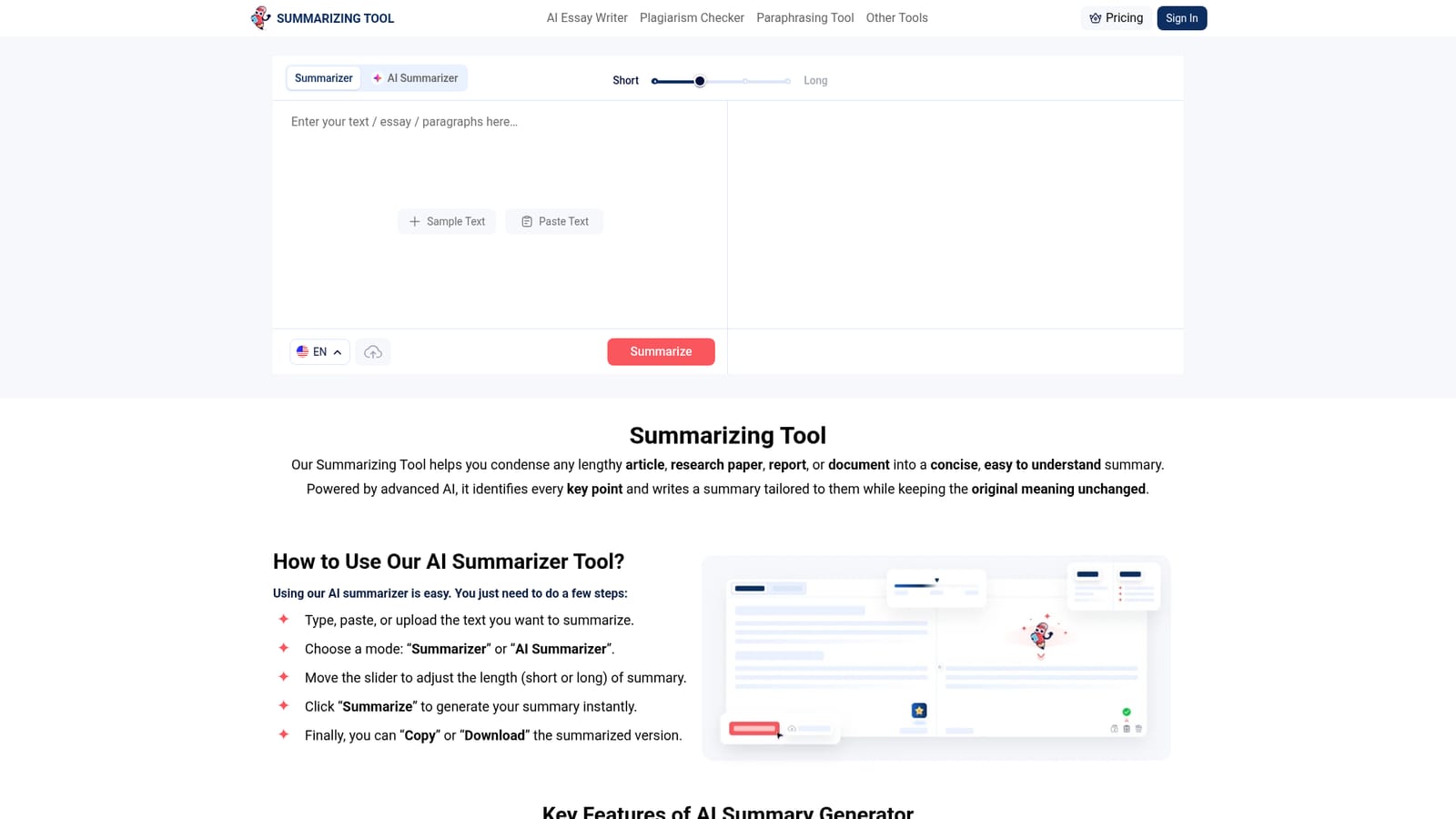
Summarizing Tool is a browser based text condenser built around two AI summarization modes. Paste an article, report, research paper or case study into the editor and the engine scans the full text, isolates the details that carry the argument and rebuilds them as a shorter piece that keeps the original context intact. A length slider runs from Short to Long, so the same source can produce a quick overview or a more detailed digest. Output arrives as a paragraph by default, with bullet points for scanning or a single Best Line for a one sentence takeaway. The workflow is deliberately plain. Text can be typed, pasted or uploaded as PDF, TXT or DOCX, and the source and result sit side by side on screen so the summary can be checked against the original without switching tabs. A paraphrase button reworks the finished summary, and results can be copied or downloaded. Students digesting journal articles, analysts skimming business reports, marketers reviewing long product copy and researchers triaging case studies all fit the intended audience. The interface assumes no prompt engineering skill; the only decisions are mode, length and output format. The site states support for English, Spanish, Indonesian, Portuguese, Italian, German, Turkish and Swedish, and the interface is reachable from desktops, laptops, tablets and phones, with dedicated Android and iOS apps. It is one node in a small writing suite: a paraphrasing tool, grammar checker, plagiarism checker, PDF summarizer and article rewriter share the same domain, so summarization usually sits alongside cleanup work rather than replacing a full editor. Against general purpose chatbots, the appeal is a focused form with no conversation to manage, plus file upload and a fixed comparison layout. The trade is scope: this is a single purpose summarizer, not a research workspace, and quality on dense technical material depends on the model behind the free tier.
A free tier runs alongside the paid plans, allowing submissions of up to 1000 words per summary with no stated time limit.
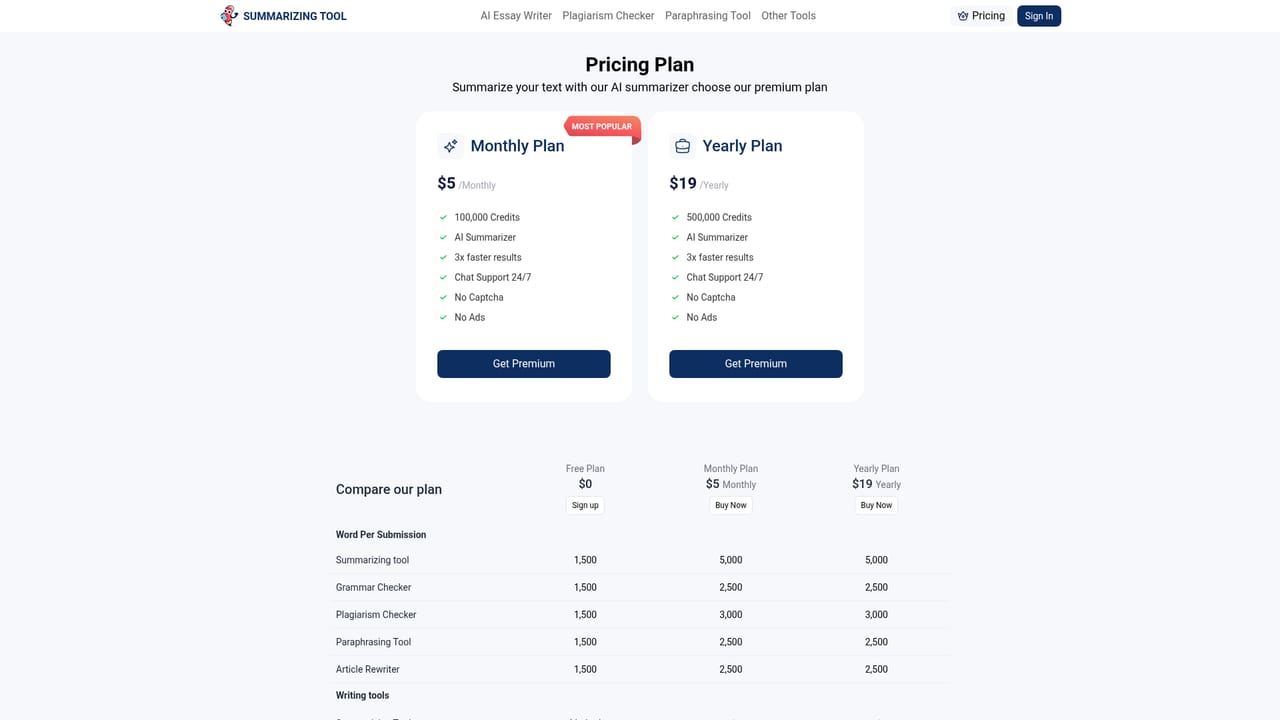
Learn moreFreemium. The free version allows up to 1000 words per submission with unlimited summarization. Premium is offered as a monthly plan at $5 and a yearly plan at $19, lifting the limit to 5,000 words per submission with 100,000 credits, chat support, no ads and no captcha.
Learn moreChat support is listed as a benefit of the paid monthly and yearly plans. No free tier support channel is described on the homepage.
Learn moreTwo summarization modes, a Short to Long length slider, and paragraph, bullet or Best Line output. Supports pasted text and PDF, TXT and DOCX uploads, shows source and summary side by side, and adds a paraphrase button plus copy and download options. Summarizes in nine languages and runs in the browser and on Android and iOS apps.
 AI Angels400+ customizable AI girlfriends for NSFW chat, voice calls, and roleplay
 Candy AIExperience the future of companionship with AI friends who chat, role-play, and connect with you on a human level.
 ourdream.aiA vast AI roleplay platform with millions of characters for chat, images, video and voiceAI Angels400+ customizable AI girlfriends for NSFW chat, voice calls, and roleplayCandy AIExperience the future of companionship with AI friends who chat, role-play, and connect with you on a human level.ourdream.aiA vast AI roleplay platform with millions of characters for chat, images, video and voice





