TeachAny

AI teaching tools that turn lesson prep into minutes, not hours

Beginner
Screenshot of TeachAny, AI teaching tools that turn lesson prep into minutes, not hours

What is TeachAny?

TeachAny is an AI platform that generates quizzes, lesson plans, worksheets, rubrics, and flashcards for teachers, tutors, and parents, with free tools and paid subscription tiers.

TeachAny is a web based platform built for teachers who need classroom materials fast. It bundles a set of AI generators, quizzes, lesson plans, worksheets, rubrics, flashcards, coloring pages, mazes, flipbooks, and text leveling and rewriting tools, into a single dashboard so educators are not switching between separate apps for each task. The platform is aimed squarely at classroom teachers, tutors, homeschooling parents, and education consultants who need differentiated materials for mixed ability groups. A teacher can take a standard worksheet or reading passage and have the system adapt it to different reading levels, generate a matching quiz or rubric, and produce supporting communication such as report card comments or recommendation letters, all from the same account. In practice the workflow starts with picking a tool from the catalog, such as the quiz generator or lesson plan generator, entering a topic, grade level, or source text, and letting the AI draft the output for review and editing. TeachAny states support for more than 30 languages and multiple subjects including math, science, and humanities, which positions it for international schools and multilingual classrooms rather than a single curriculum standard. Compared with general purpose AI writing tools, TeachAny's value is in its education specific templates: rubric structures, true or false sets, SAT math practice, and flashcard decks that a generic chatbot would need heavy prompting to replicate. It sits alongside broader lesson planning suites and worksheet generators as a narrower, teacher focused alternative, with a freemium entry point that lets new users try tools before committing to a paid plan.

How do you use TeachAny?

  1. 1Create an account
    Register on the TeachAny homepage to access the dashboard and browse the full tool catalog.
    TeachAny — Create an account
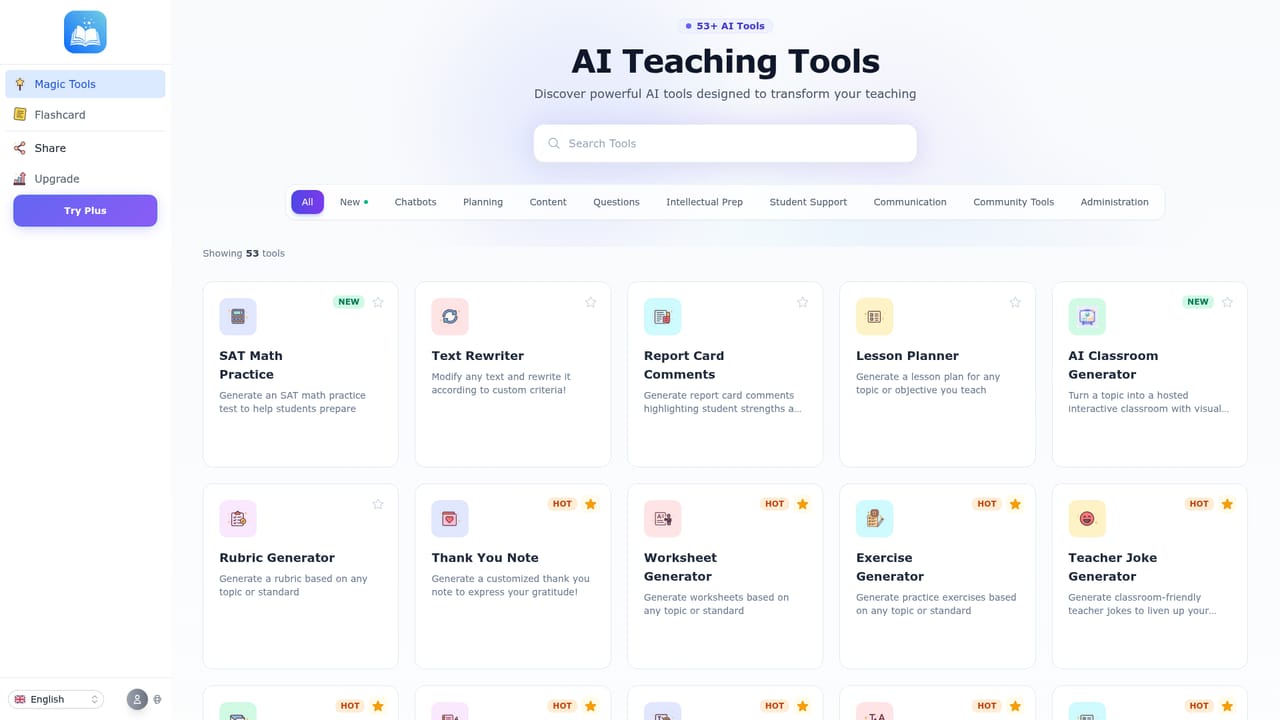
  2. 2Pick a teaching tool
    Choose from tools such as the quiz generator, lesson plan generator, or worksheet generator based on the material needed.
    TeachAny — Pick a teaching tool
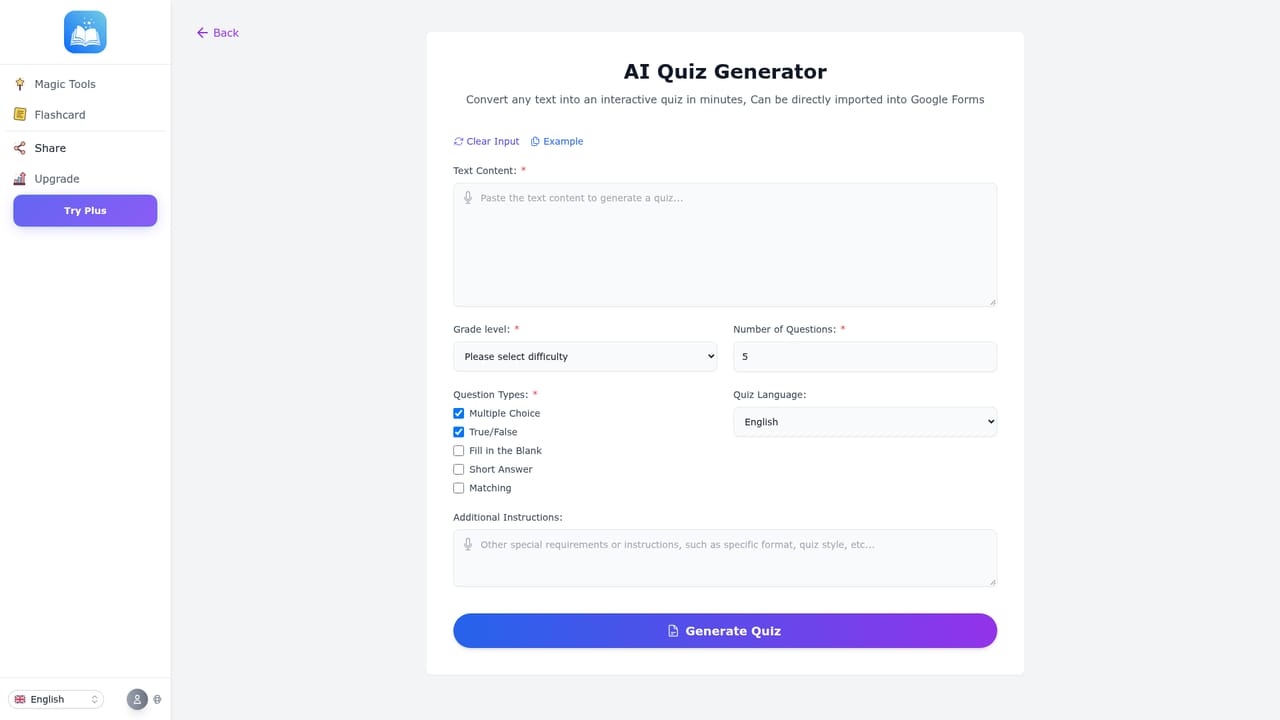
  3. 3Generate a quiz or assessment
    Enter a topic, grade level, or source text into the quiz or practice test generator and let the AI draft questions for review.
    TeachAny — Generate a quiz or assessment
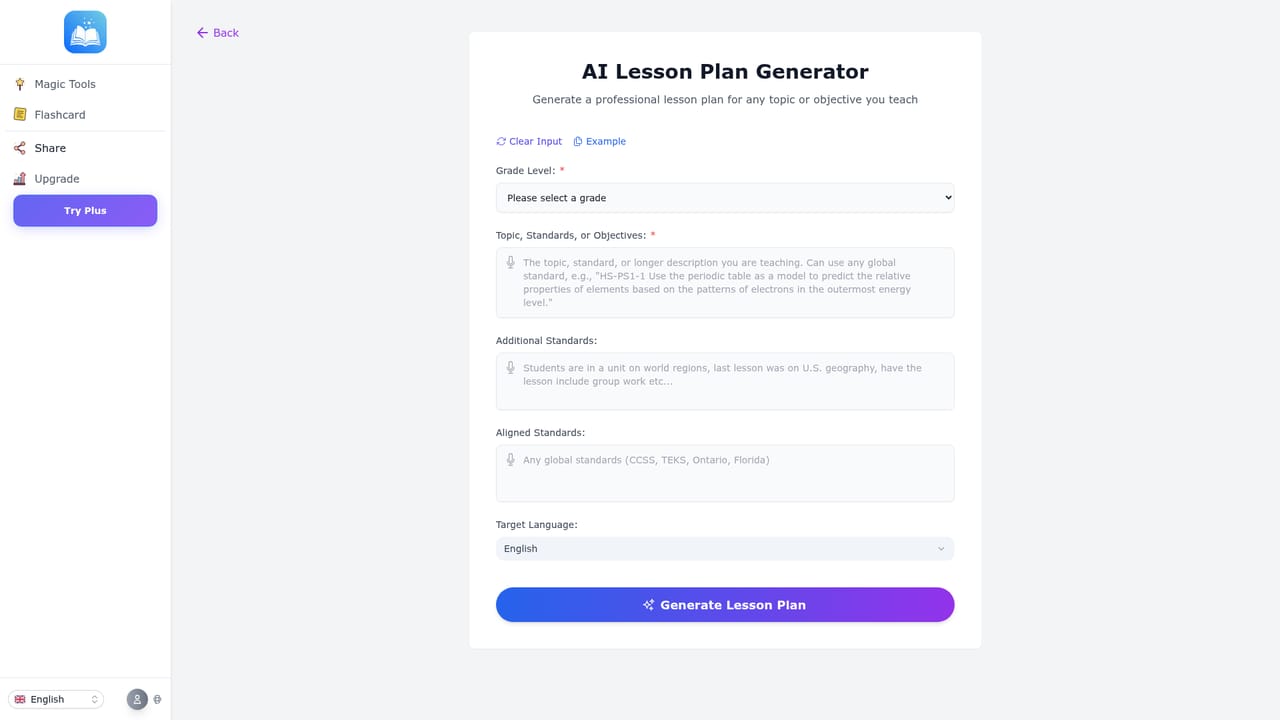
  4. 4Build a lesson plan
    Use the lesson plan generator to turn a topic or standard into a structured lesson outline that can be edited before class.
    TeachAny — Build a lesson plan
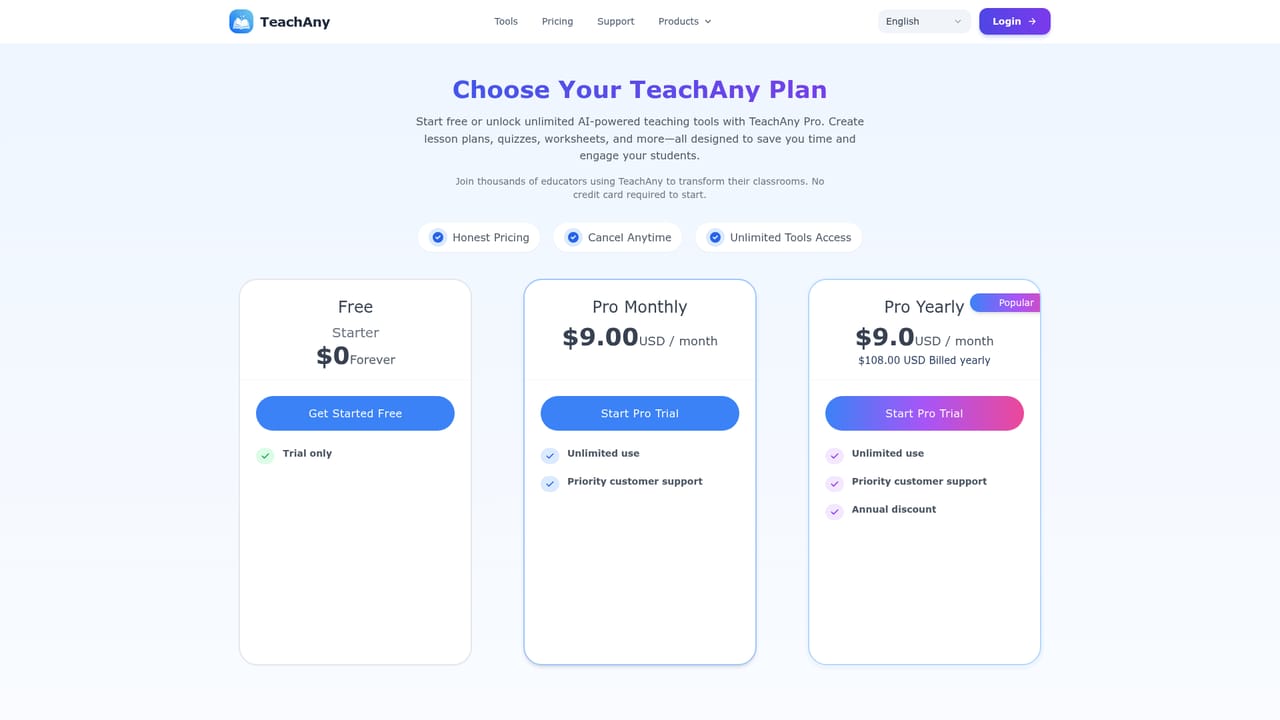
  5. 5Check pricing and upgrade if needed
    Review the pricing page to compare free tools against subscription tiers before upgrading for additional features.
    TeachAny — Check pricing and upgrade if needed

Pros and cons

Pros

  • Wide catalog of education specific generators covering quizzes, rubrics, worksheets, and lesson plans in one placeAI
  • Supports differentiated instruction by adapting materials to varying student reading and skill levelsAI
  • Multilingual support across more than 30 languages suits international and bilingual classroomsAI
  • Free tools and a free trial on subscription features let teachers test the platform without upfront costAI

Cons

  • Homepage does not disclose specific subscription pricing tiers or limits on free usageAI
  • No mention of integrations with common school platforms like Google Classroom or LMS systemsAI
  • Accuracy of AI generated content still requires teacher review before classroom useAI
  • No listed mobile apps, so the experience is limited to a web browserAI

How much does TeachAny cost?

Free trial

Subscription based tools include a free trial period before billing begins, and several tools are free to start without a credit card.

Learn more

Pricing

TeachAny offers free tools alongside paid subscription tools; exact tier pricing is not listed on the homepage, so details should be checked on the pricing page.

Learn more

Support

Support is available through a dedicated support page and via email for account or subscription issues, including cancellations.

Learn more

Features

Generators for quizzes, lesson plans, worksheets, rubrics, flashcards, true or false sets, math practice, coloring pages, mazes, flipbooks, text leveling, proofreading, rewriting, and communication templates like report card comments and recommendation letters.

Learn more

Frequently asked questions about TeachAny

  • How much does TeachAny cost?
    TeachAny offers free tools alongside paid subscription tools; exact tier pricing is not listed on the homepage, so details should be checked on the pricing page.
  • Does TeachAny offer a free trial?
    Subscription based tools include a free trial period before billing begins, and several tools are free to start without a credit card.
  • How do you use TeachAny?
    The walkthrough on this page covers 5 steps: 1. Create an account 2. Pick a teaching tool 3. Generate a quiz or assessment 4. Build a lesson plan 5. Check pricing and upgrade if needed.
  • What platforms does TeachAny support?
    TeachAny is available on Web App.
  • What are the limitations of TeachAny?
    Homepage does not disclose specific subscription pricing tiers or limits on free usage. No mention of integrations with common school platforms like Google Classroom or LMS systems. Accuracy of AI generated content still requires teacher review before classroom use.

Status

StatusActive
Views0
Outbound clicks0
Added10/9/2026

Platforms

Web App

Pricing

FreemiumFree TrialSubscription