Pricing
Free tier at $0 per user per month with limited translation, rephrase and AI writing. Unlimited use costs $4.99 per user per month billed annually or $9.99 per user per month billed monthly. Checkout runs through Lemon Squeezy.
Learn moreAI translation, paraphrasing and copywriting inside Figma
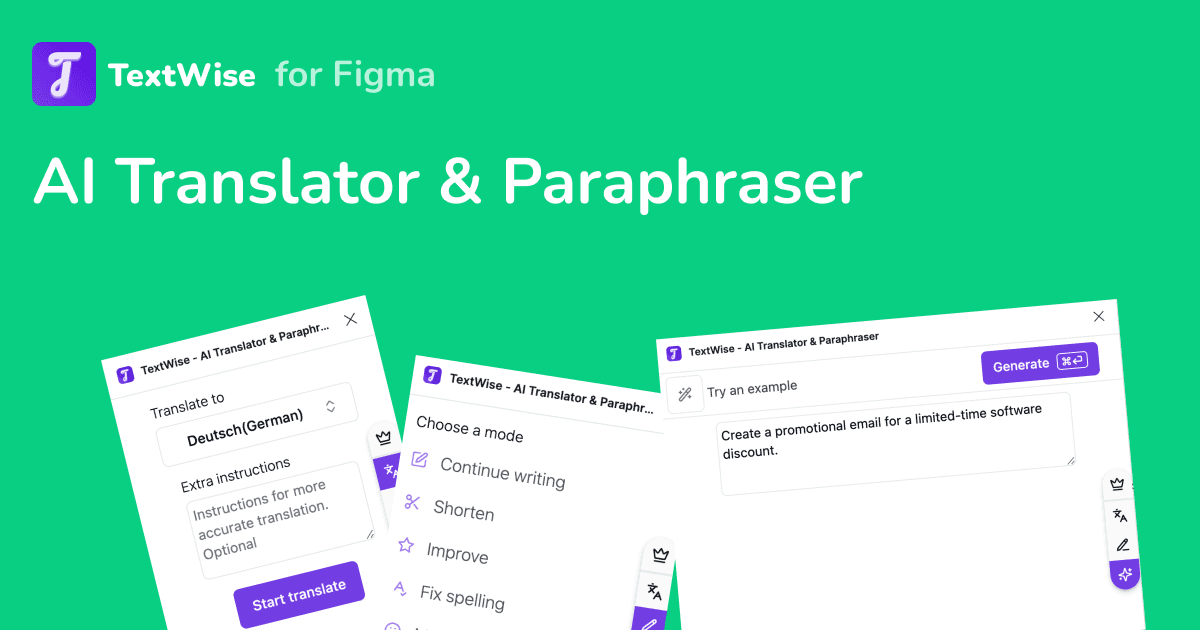
TextWise is a Figma plugin that translates design frames into over 30 languages, rewrites copy with an AI paraphraser and generates text from prompts without leaving the editor. A free tier caps usage; unlimited plans cost $4.99 per user per month annually or $9.99 monthly.
TextWise is a Figma plugin built around a narrow but frequent problem: the words inside a design file need rewriting, and leaving Figma to do it breaks concentration. The plugin adds three text tools directly to the editor. The AI Translator converts design frames into more than 30 languages in a few clicks, which makes it useful for localisation passes, multilingual mockups and client presentations aimed at non-English audiences. The AI Paraphraser rewrites existing copy so a designer can produce a fresh sentence or paragraph without inventing every variant by hand, which suits testing alternative headlines or fitting text into a fixed layout. The AI Writer is the general-purpose option. A prompt produces copy, outlines, lists, bios or content ideas, all generated on demand and dropped straight into the design. This is where TextWise overlaps with dedicated AI writing assistants, but the difference is placement: the output arrives where the layout lives rather than in a separate browser tab that then has to be copied across. The tool is aimed at product designers, UI designers and small design teams who handle their own copy or work alongside a writer and need quick iterations. Marketing teams producing landing page mockups in Figma are a natural second audience. It is not a full copywriting platform: there is no research workflow, no brand voice library and no long-form editor. Think of it as a utility for short strings, labels and placeholder text rather than a replacement for a content tool. The plugin is published on the Figma Community, so installation runs through Figma rather than a standalone download. A free tier covers limited translation, paraphrasing and AI writing, and paid plans at $4.99 per user per month annually or $9.99 monthly remove those limits. Payment is handled through Lemon Squeezy. Designers already using a separate translation or writing service will find the gain is speed and context, not capability; anyone who only occasionally rewrites a label will likely stay on the free tier.
Free tier at $0 per user per month with limited translation, rephrase and AI writing. Unlimited use costs $4.99 per user per month billed annually or $9.99 per user per month billed monthly. Checkout runs through Lemon Squeezy.
Learn moreContact is by email at hello@qutesoft.com. The site also lists privacy policy and terms of service pages. No help centre or documentation is published.
TextWise is a Figma plugin distributed through the Figma Community. No other integrations are described on the homepage.
Three modes: an AI Translator that converts design frames into over 30 languages, an AI Paraphraser that rewords existing text, and an AI Writer that generates copy, outlines, lists, bios and content ideas from a prompt. All three run inside the Figma editor.
 AI Angels400+ customizable AI girlfriends for NSFW chat, voice calls, and roleplay
 Candy AIExperience the future of companionship with AI friends who chat, role-play, and connect with you on a human level.
 ourdream.aiA vast AI roleplay platform with millions of characters for chat, images, video and voiceAI Angels400+ customizable AI girlfriends for NSFW chat, voice calls, and roleplayCandy AIExperience the future of companionship with AI friends who chat, role-play, and connect with you on a human level.ourdream.aiA vast AI roleplay platform with millions of characters for chat, images, video and voice


