Free trial
Sign up free with no credit card required and the site mentions free lifetime credits, though the size of the allowance and the limits of the free tier are not stated on the homepage.
Learn moreTurn ideas, articles and web content into on-brand social posts

Tweetify It is a content tool that turns ideas, articles and web content into on-brand social posts. A social media post generator for agencies and social media managers.
Tweetify It is a social media content tool built for agencies and social media managers who need to publish a lot of posts across many accounts without sounding like a machine. Instead of starting from a blank prompt box in a general purpose chatbot, users define their tone, style, objectives and target audience through a few clicks, then save those choices as Presets. A Custom Tone option lets each client brand keep a consistent voice from one campaign to the next, which matters when a single manager is juggling a dozen accounts. The workflow runs end to end. Topic Explorer works as a research assistant that searches the web in real time for trending subjects and angles, so a content calendar does not stall for lack of ideas. Strong candidates can be saved to an Inspirations Library and pulled back into the pipeline later. From there the tool generates several posts at once, lets the user refine any single post individually, and shows at a glance whether a draft fits the target platform. Finished work is stored in a Posts Library for reuse in future campaigns. That structure is the main distinction from general writing assistants. Chatbots can produce a social post, but the user has to engineer the prompt, restate brand rules every session and manually check character limits. Tweetify It encodes those settings once and reuses them, which suits teams managing multiple clients with different voices and objectives. The homepage speaks directly to agencies and social media managers rather than individuals posting for fun, and the emphasis on volume, presets and reusable libraries reflects that audience. Accounts are created by email and confirmed through a verification link, with Google sign in also offered. Anyone comparing it against generic AI writers should weigh the specialised workflow against the narrower scope: this is a social post tool, not a general purpose drafting environment.
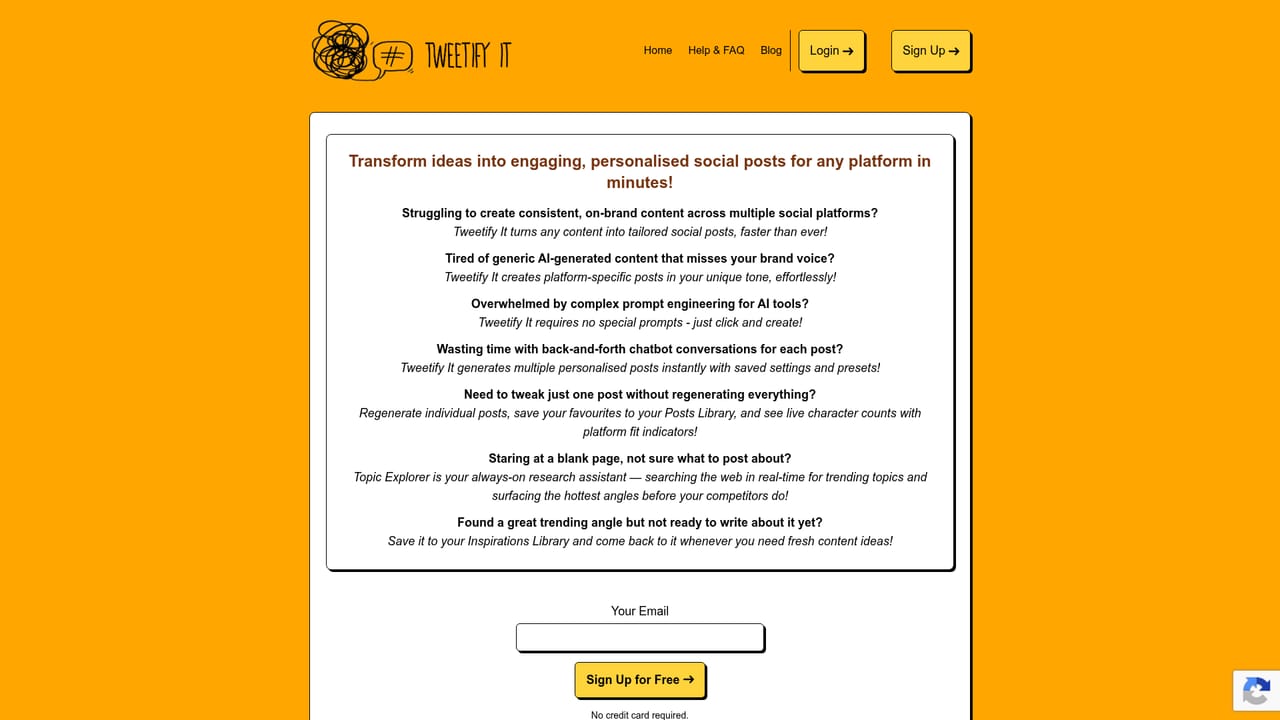
Sign up free with no credit card required and the site mentions free lifetime credits, though the size of the allowance and the limits of the free tier are not stated on the homepage.
Learn moreGoogle sign in is offered at registration. No third party publishing or scheduling integrations are described on the homepage.
Preset based tone and audience settings remove prompt writing, Custom Tone locks a brand voice per client, Topic Explorer searches the web in real time for trending angles, batch post generation covers multiple drafts at once, and Inspirations and Posts libraries store ideas and finished work for reuse.
 AI Angels400+ customizable AI girlfriends for NSFW chat, voice calls, and roleplay
 Candy AIExperience the future of companionship with AI friends who chat, role-play, and connect with you on a human level.
 ourdream.aiA vast AI roleplay platform with millions of characters for chat, images, video and voiceAI Angels400+ customizable AI girlfriends for NSFW chat, voice calls, and roleplayCandy AIExperience the future of companionship with AI friends who chat, role-play, and connect with you on a human level.ourdream.aiA vast AI roleplay platform with millions of characters for chat, images, video and voice








