Free trial
A free plan is available, and signing up requires no credit card. Paid tiers are not described on the homepage.
Learn moreText expander and keyboard shortcut app for reusable replies
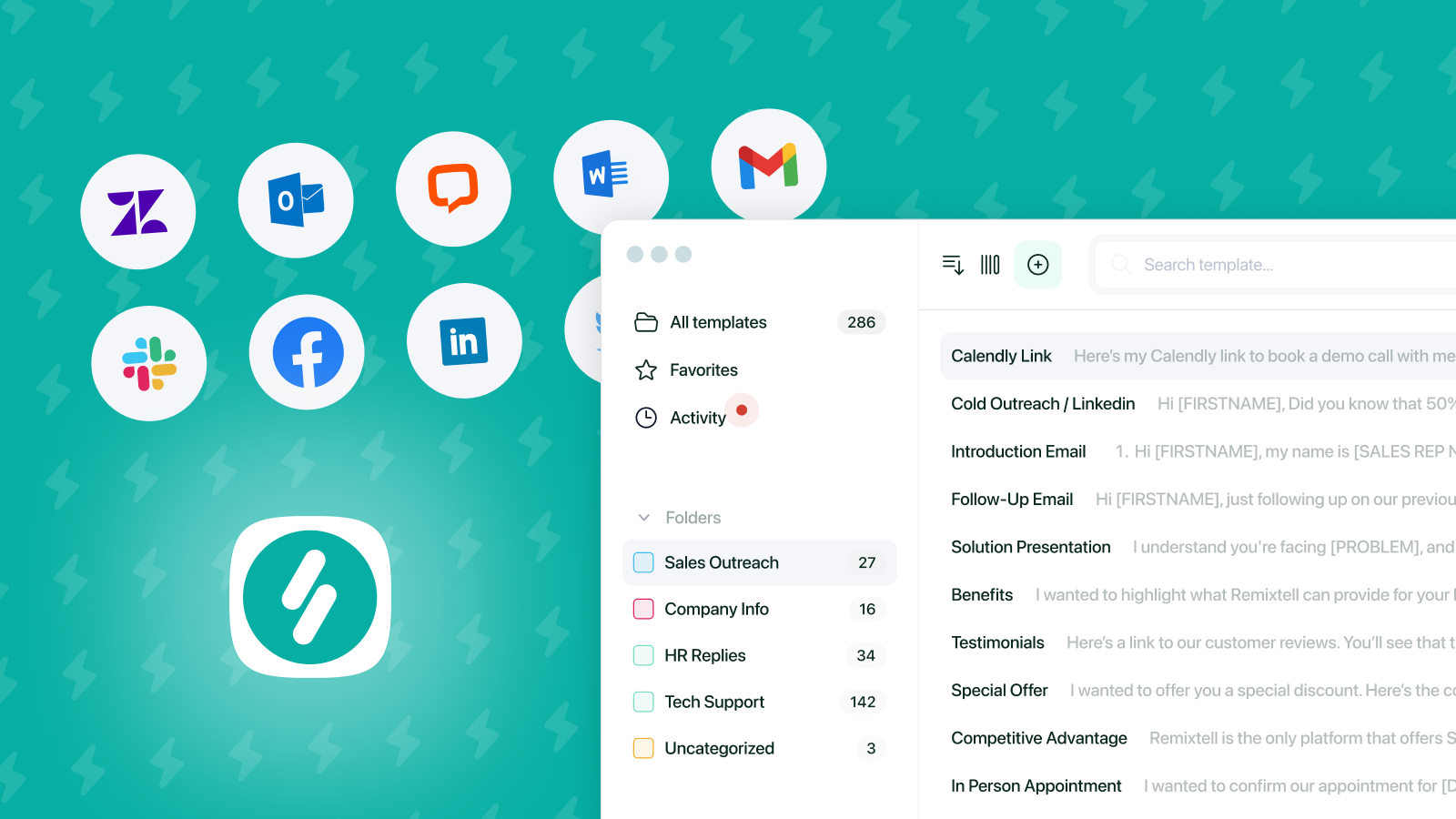
Typedesk is a cross platform text expander for Windows, Mac and browsers that turns short shortcuts into full canned responses, with dynamic variables, shared team templates and a ChatGPT integration for generated replies.
Typedesk is a text expansion and keyboard automation app that lets teams turn short abbreviations into complete messages, anywhere they type. A user defines a shortcut such as /refund, and typing it inside Gmail, Slack, LinkedIn, WhatsApp or Microsoft Word inserts a stored reply. The core promise on the homepage is straightforward: ditch repetitive typing, skip copy and paste, and keep messaging consistent across every app and website without configuring integrations. The product is aimed at people whose day is dominated by repeated text. Customer support teams use it to answer common tickets faster while keeping a personal voice. Sales teams store booking links, quotes and cold email blocks. Agencies keep briefs and follow ups in one place. Lawyers, accountants and administrators store definitions, contract language, payroll notes and document requests. Shared folders carry permissions per user, and the team is notified when someone edits a response, so a support desk and a legal team end up working from the same approved wording. Mechanically it is a lightweight desktop and browser layer rather than a platform specific plugin. Typedesk ships apps for Windows, Mac and major browsers, and template insertion is driven by keyboard shortcuts with native operating system hooks, which is what allows the same shortcut to fire in an unrelated web app. Templates can include dynamic placeholders, so a reply can pull in names or dates or run a simple calculation instead of staying static. A ChatGPT integration allows prompts to be stored as templates and generated on the spot. Sharing templates with coworkers happens inside the app, and a playground on the site lets you test shortcuts before installing anything. Compared with TextExpander and TextBlaze, which several reviewers mention switching from, Typedesk competes on cross platform coverage and shared team templates rather than on deep native integrations. A reviewer notes that iOS is not yet available, so mobile use is not covered, and the feature set is about text insertion and prompting rather than broader workflow automation.
A free plan is available, and signing up requires no credit card. Paid tiers are not described on the homepage.
Learn moreThe homepage states no integration is needed because shortcuts work directly inside Gmail, Zendesk, HelpScout, Facebook, WhatsApp, LinkedIn, Slack and Microsoft Word. ChatGPT is offered as an optional integration.
Shortcut triggered text expansion across all apps and websites, dynamic placeholders for fill in information and calculations, shared team templates with fine permissions per folder and edit notifications, keyboard first template search, apps for Windows, Mac and major browsers, and a ChatGPT integration for AI generated replies.
Learn more AI Angels400+ customizable AI girlfriends for NSFW chat, voice calls, and roleplay
 Candy AIExperience the future of companionship with AI friends who chat, role-play, and connect with you on a human level.
 ourdream.aiA vast AI roleplay platform with millions of characters for chat, images, video and voiceAI Angels400+ customizable AI girlfriends for NSFW chat, voice calls, and roleplayCandy AIExperience the future of companionship with AI friends who chat, role-play, and connect with you on a human level.ourdream.aiA vast AI roleplay platform with millions of characters for chat, images, video and voice