Verie

Browser-based AI photo filters for Y2K, VHS, glitch and vintage grain looks.

Beginner
Screenshot of Verie, Browser-based AI photo filters for Y2K, VHS, glitch and vintage grain looks

What is Verie?

Verie is an image to image tool. Verie applies AI-generated photo effects such as Y2K, VHS, glitch and vintage grain to uploaded photos entirely in the browser, using credit-based generation and preset style recipes called Skills.

Verie is a browser-based photo effects tool that applies stylized AI filters, such as Y2K digicam glow, VHS scan lines, RGB glitch and vintage grain, to a user's own photos without installing any software. Each effect is built around a saved recipe called a Skill, which defines a starting style, supported photo types and available settings, so a result can be generated without writing a detailed prompt. The tool is aimed at people who want a quick, polished look for a profile picture, a social post or cover art rather than a full photo editing suite. The workflow is consistent across effects: pick a style, sign in, upload a photo, check a credit estimate, then generate and inspect the output directly in the browser. Follow-up instructions let a user refine the mood, such as asking for a softer glow, after the first generation, and basic brightness, contrast and saturation adjustments are handled separately without using generation credits. Beyond the core filter catalog, Verie includes an AI camera angle changer for producing new viewpoints of an uploaded photo, an image-to-image mode, and a library of photo prompt ideas for users who want more creative direction before generating. New accounts receive 100 starter credits with no stated expiry, letting people test the generation flow before deciding whether to buy more credits. Compared with general-purpose AI image editors or desktop plugins, Verie narrows its focus to a curated set of retro and stylized photo treatments delivered through a simple choose, upload, review and download flow. That makes it a practical option for casual creators and social media users chasing a specific aesthetic quickly, though it is less suited to anyone who needs granular manual retouching controls or batch processing across many images at once.
How do you use Verie?

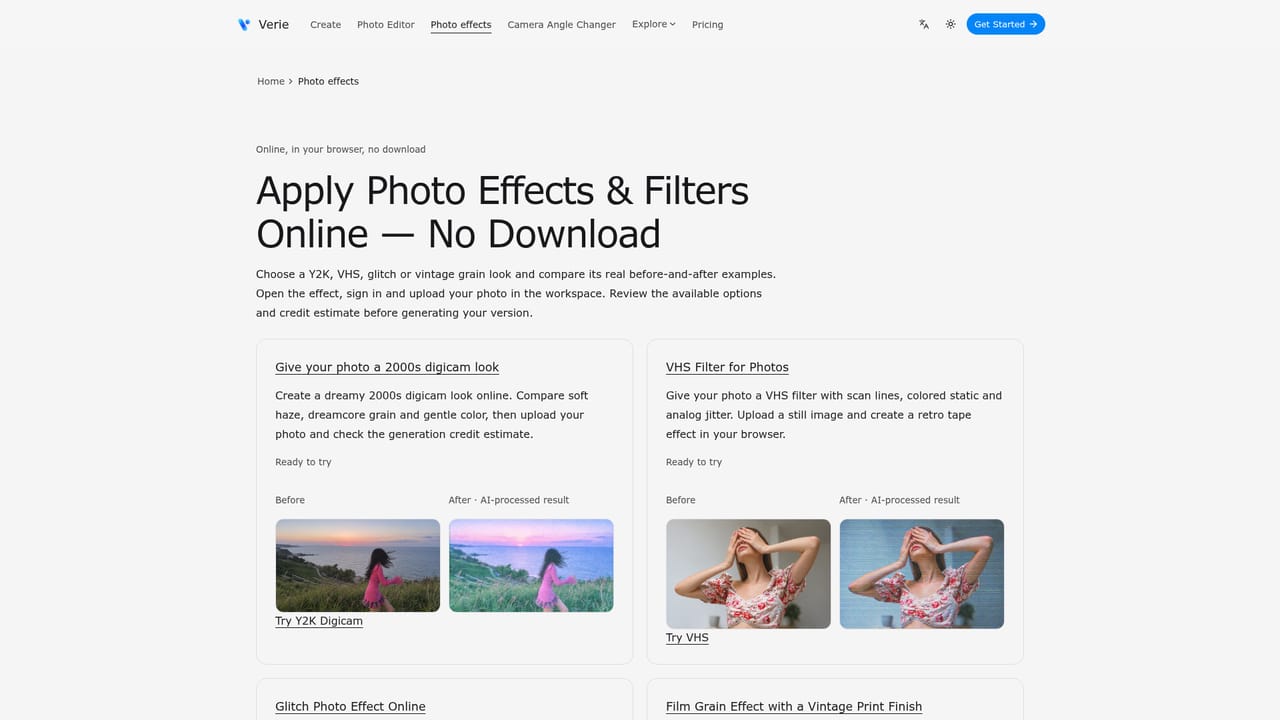
  1. 1Browse the effect catalog
    Compare available photo filters such as Y2K, VHS, glitch and grain, and view example before/after pairs for each style.
    Verie — Browse the effect catalog
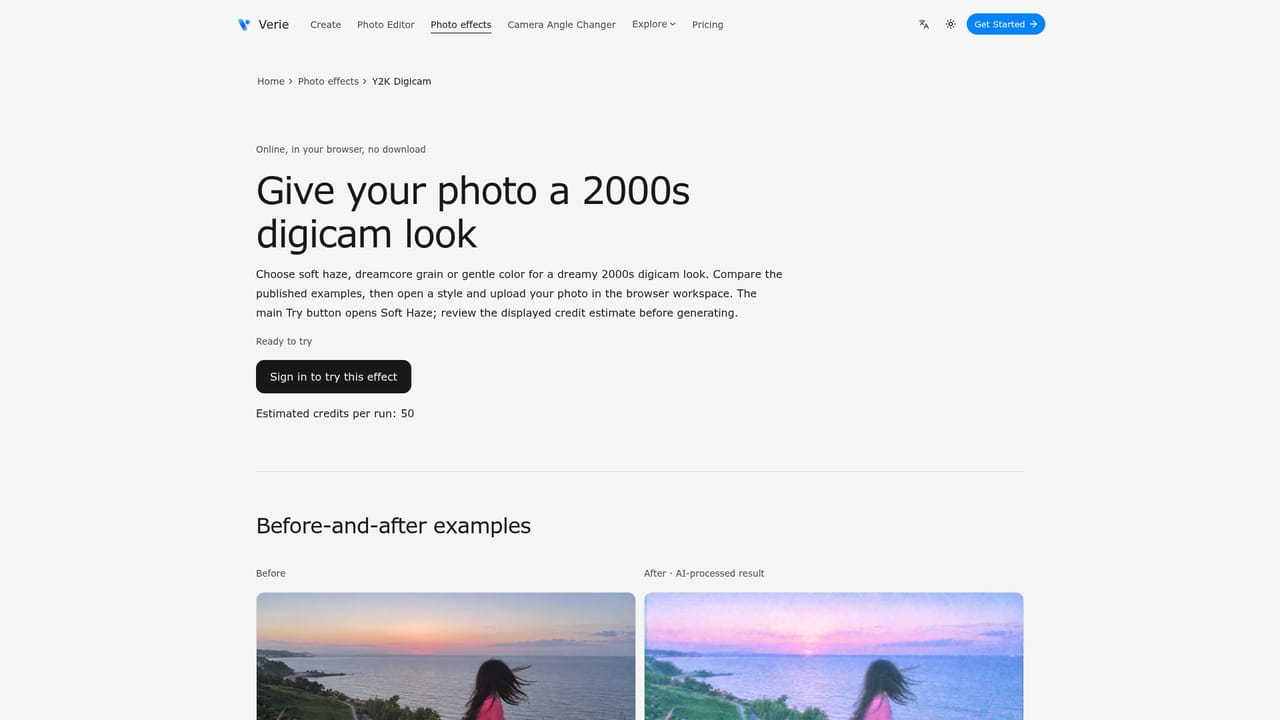
  2. 2Open a specific style
    Open an individual effect page, such as the Y2K filter, to see its details, supported inputs and settings.
    Verie — Open a specific style
  3. 3Sign in and upload a photo
    Sign in to the workspace, upload a clear source photo with a visible subject, and choose the options available for the selected style.
  4. 4Check the credit estimate and generate
    Review the credit cost shown for the chosen effect before generating, since cost varies by style and settings.
  5. 5Review and download the result
    Compare the generated image against the original, checking faces, text and important shapes, then download the version you want.
  6. 6Try the camera angle changer for new viewpoints
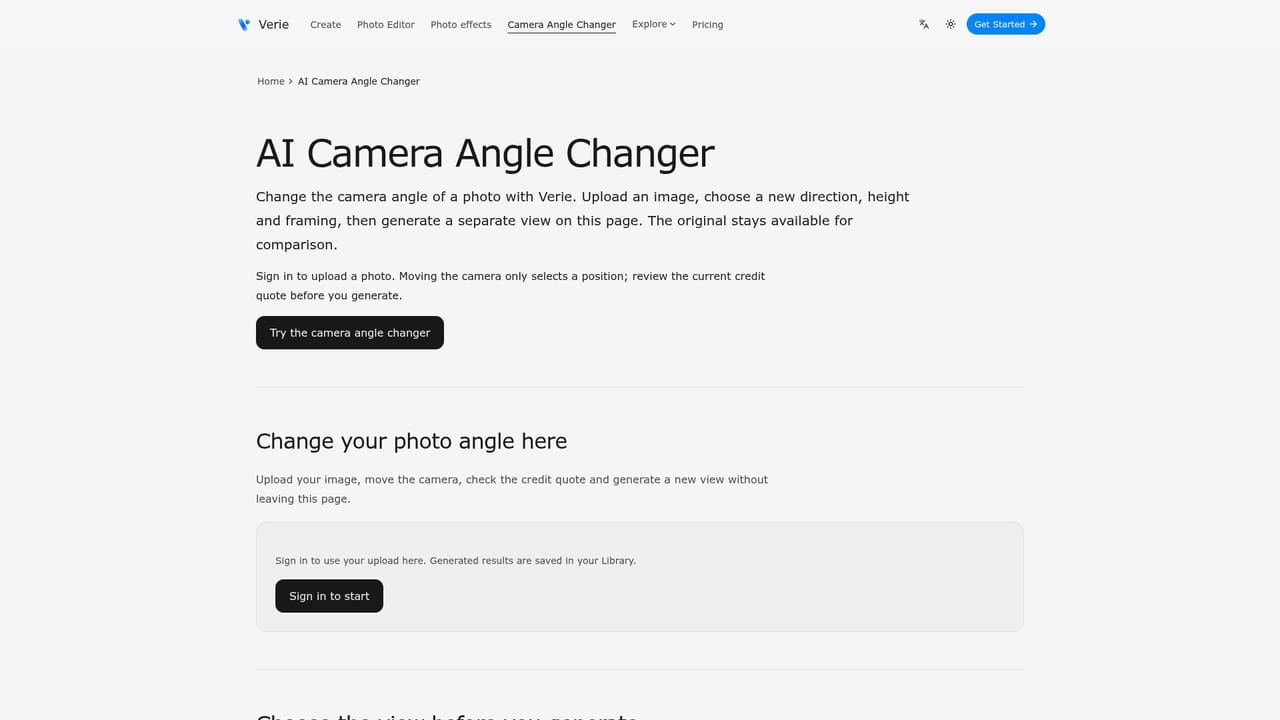
    Upload a photo to the camera angle tool, choose direction, height and framing, then review the credit quote before generating a new view.
    Verie — Try the camera angle changer for new viewpoints

Pros and cons

Pros

  • Simple three-step workflow (choose, upload, generate) needs no installed software or pluginsAI
  • Preset Skills give each effect built-in settings, removing the need to write detailed promptsAI
  • Basic light and color adjustments do not consume generation creditsAI
  • Starter credits let new accounts test generation before buying a paid credit planAI
  • Includes extra tools like an AI camera angle changer and an image-to-image modeAI

Cons

  • Homepage does not publish numeric pricing for credit packs, making cost hard to judge upfrontAI
  • AI effects can alter facial details and other elements, so results need careful comparison with the originalAI
  • VHS effect only applies to still photos, not video, despite the tape-inspired aestheticAI
  • No integrations with other design tools or platforms are mentioned on the homepageAI
  • Platform support appears limited to a web app, with no desktop or mobile app mentionedAI

How much does Verie cost?

Free trial

Eligible new accounts receive 100 starter credits with no stated expiry period, and sign-in is required to use them for generation.

Learn more

Pricing

Verie runs on a credit system: browsing effects and examples is free, but generating a result consumes credits whose cost depends on the chosen effect. Exact plan prices are not stated on the homepage; see the plans page for current details.

Learn more

Support

Support is reachable by email at support@verie.app, alongside an on-site FAQ covering effects, credits, downloads and gallery questions.

Features

Core features include AI photo filters (Y2K, VHS, glitch, grain and more), an image-to-image mode, an AI camera angle changer, a photo editor for brightness, contrast and saturation adjustments, and a prompt library, all run through a browser-based credit system.

Learn more

Frequently asked questions about Verie

  • How much does Verie cost?
    Verie runs on a credit system: browsing effects and examples is free, but generating a result consumes credits whose cost depends on the chosen effect. Exact plan prices are not stated on the homepage; see the plans page for current details.
  • Does Verie offer a free trial?
    Eligible new accounts receive 100 starter credits with no stated expiry period, and sign-in is required to use them for generation.
  • How do you use Verie?
    The walkthrough on this page covers 6 steps: 1. Browse the effect catalog 2. Open a specific style 3. Sign in and upload a photo 4. Check the credit estimate and generate 5. Review and download the result 6. Try the camera angle changer for new viewpoints.
  • What platforms does Verie support?
    Verie is available on Web App.
  • What are the limitations of Verie?
    Homepage does not publish numeric pricing for credit packs, making cost hard to judge upfront. AI effects can alter facial details and other elements, so results need careful comparison with the original. VHS effect only applies to still photos, not video, despite the tape-inspired aesthetic.

Status

StatusActive
Views0
Outbound clicks0
Added10/8/2026

Platforms

Web App

Pricing

FreemiumPaid