Free trial
A free 3-day trial is offered. A $1 card check is required and is added back to the account as AI credits.
Learn moreDescribe a Discord bot in plain English and VibeBot builds it
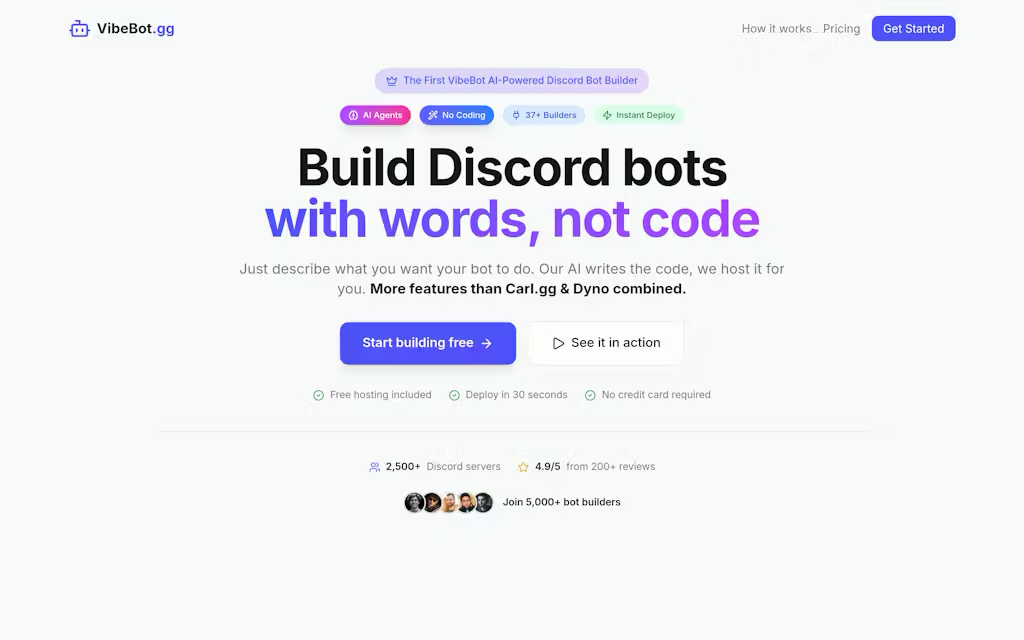
VibeBot generates a real, self branded Discord bot from a written description, tests the code, and hosts it 24/7. It suits server owners replacing preset bots like MEE6, Dyno or Carl-bot who want custom moderation, tickets, music, leveling or AI personas without writing code.
VibeBot is a no-code builder that turns a plain language description into a working Discord bot. Instead of toggling preset options in a hosted bot like MEE6 or Dyno, you tell VibeBot what you want (a welcome flow with role assignment, a three-strike warning system, a ticket queue with transcripts) and the AI writes the Discord.js code, tests it, and deploys it. The resulting bot is your own Discord application, with your name, avatar and invite link, so members see your brand rather than a shared third party bot. The workflow has three parts. You describe the behaviour in whatever language you prefer, and the site notes that roughly one in six builders describe their bot in a language other than English. The builder generates the feature set while you watch, checks for problems, then publishes with a single button. VibeBot runs the bot on its own cloud infrastructure around the clock, so there is no server to rent or maintain. Around 40 templates cover the classics (leveling and XP, economy, reaction roles, tickets, auto-moderation, matchmaking), and those are available in one click when you do not want to write a prompt. Beyond static commands, VibeBot positions itself around autonomous agents: AI moderation that judges context before warning, muting or banning, a context-aware auto-responder, a ticket handler that triages and resolves common issues, and AI personas with conversation memory that can be triggered by mention, keyword or always-on. A REST API lets a website, app or game read and control the bot's data. Integrations listed on the site include OpenAI, Spotify, YouTube, Twitch, Steam, GitHub, Notion and Reddit. Server owners migrating from MEE6, Dyno or Carl-bot are the obvious audience, particularly communities that have outgrown preset feature sets or are paying for several bots at once. The site targets a flat $10 per month for everything, and lists 2,500 or more Discord servers running bots built with it.
A free 3-day trial is offered. A $1 card check is required and is added back to the account as AI credits.
Learn moreThe site advertises a flat $10 per month for the full feature set, with cancellation at any time and a $1 card check that is credited back to the account as AI credits. Some hero copy shows a from $5 per month figure, so confirm the current rate at checkout.
Learn moreThe homepage lists 13 integrations, including OpenAI, Spotify, YouTube, Twitch, Steam, GitHub, Notion and Reddit, with more stated to be in progress.
Learn morePrompt based bot generation with your own Discord application, 24/7 cloud hosting, real-time command and user analytics, around 40 ready templates, AI moderation and ticket agents, contextual auto replies, custom AI personas with memory, music playback and a REST API for reading and controlling bot data from outside Discord.
Learn more AI Angels400+ customizable AI girlfriends for NSFW chat, voice calls, and roleplay
 Candy AIExperience the future of companionship with AI friends who chat, role-play, and connect with you on a human level.
 ourdream.aiA vast AI roleplay platform with millions of characters for chat, images, video and voiceAI Angels400+ customizable AI girlfriends for NSFW chat, voice calls, and roleplayCandy AIExperience the future of companionship with AI friends who chat, role-play, and connect with you on a human level.ourdream.aiA vast AI roleplay platform with millions of characters for chat, images, video and voice










