Free trial
No separate trial is described because the core product is presented as free to use with no credit card required.
Learn moreTurn Reels, podcasts and meetings into clean text fast
Own VideoToTextAI? Verify ownership to get a dofollow link
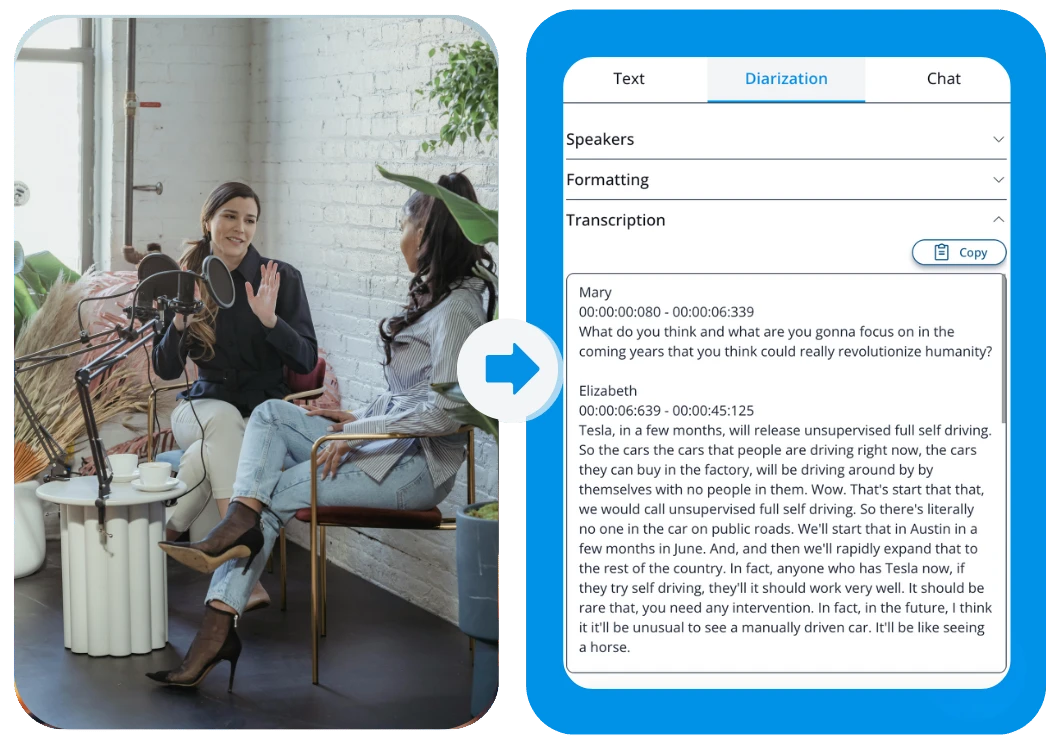
VideoToTextAI is an AI tool that turns Reels, podcasts and meetings into clean text fast. A free AI transcription tool that turns Instagram Reels, TikToks, podcasts, meetings and uploaded audio or video files into editable text, with translation and export to text, SRT or VTT.
VideoToTextAI is a browser based transcription tool that converts spoken content into editable text. Its range covers short form social video, long form audio, meetings and voice notes. A user can paste an Instagram Reel or TikTok link and let the platform pull the audio without a manual download, or upload an MP3, MP4, MOV or other common audio and video file. The generated transcript then opens in a dashboard where it can be cleaned up, translated and exported as plain text, SRT or VTT subtitles. The product leans toward two audiences. The first is creators and social media teams who want to mine short clips for hooks, scripts and quotable lines, or turn a podcast episode into LinkedIn posts, carousels and X threads. The second is working teams that record Zoom calls, internal updates and voice memos and need searchable notes they can share or archive. Because the same transcript can be translated and reworked into summaries or posts, it doubles as a starting point for multilingual content rather than a one off archive file. In practice the workflow is short: sign in, pick a source (a supported social URL or an uploaded file), wait for processing, then edit and export. The site advertises free access with no credit card required and claims more than 15,000 users. Output formats make it practical for both text workflows and video publishing, since SRT and VTT can be dropped into editing tools. Compared with manual transcription or a general purpose speech to text service, VideoToTextAI is positioned around repurposing: the transcript is treated as raw material for social copy, show notes and research. Teams that mainly need automated captions baked into a video editor, or very deep speaker level analytics, will want to check whether the transcript centric approach fits their process before committing.
No separate trial is described because the core product is presented as free to use with no credit card required.
Learn moreThe homepage states the tool is free to use and that no credit card is required. No paid tiers, usage caps or per minute charges are listed on the page, so the cost of heavier usage cannot be confirmed from the homepage alone.
Learn moreTranscript generation from Instagram Reel and TikTok links plus uploaded audio and video files (MP3, MP4, MOV and others). Dashboard editing, translation, AI chat for repurposing content, and export to text, SRT or VTT.
 AI Angels400+ customizable AI girlfriends for NSFW chat, voice calls, and roleplay
 Candy AIExperience the future of companionship with AI friends who chat, role-play, and connect with you on a human level.
 ourdream.aiA vast AI roleplay platform with millions of characters for chat, images, video and voiceAI Angels400+ customizable AI girlfriends for NSFW chat, voice calls, and roleplayCandy AIExperience the future of companionship with AI friends who chat, role-play, and connect with you on a human level.ourdream.aiA vast AI roleplay platform with millions of characters for chat, images, video and voice


