Integrations
Files can be imported from local devices, Dropbox, Google Drive, a pasted link or a live screencast. No API or third party editing integrations are documented.
AI voice cleaner that strips background noise from audio and video in one click.
Own Voice Cleaner AI? Verify ownership to get a dofollow link

Voice Cleaner AI is an audio editing tool. Browser based AI tool that removes hum, wind, echo, clicks and other background noise from audio and video files in a few steps, with 10GB uploads, 20+ formats and two cleaning models.
Voice Cleaner AI is a browser based tool for removing unwanted background noise from audio and video files. It is aimed at podcasters, video editors, musicians, educators, journalists and anyone who records voice in less than ideal conditions and needs a faster alternative to manual repair in a digital audio workstation. The workflow is deliberately simple. A file is dragged in from a computer, phone, Dropbox, Google Drive, a pasted link or a live screencast recording. The upload limit is 10GB and the maximum duration is three hours, and more than 20 formats are accepted, including MP3, WAV, M4A, FLAC, MP4, MOV and MKV. Before processing, the user picks the noise type to target (hum, clicks, echo, wind, static, reverb or silence, among others) and the content type (meeting, studio, voiceover and similar), then the AI analyses the audio and produces a cleaned version. Results can be previewed and exported in the format that fits the project. Two models are offered. AudioCleaner Model V1 is positioned for general compatibility across common audio scenarios, while the Alpha V2 model is trained on larger datasets and tuned for complex noise environments and more natural sounding speech. Preset demos on the site show targeted cleanups such as breath removal, mouth click removal, filler word elimination, stutter removal, normalisation and AutoEQ. The company reports 6 million files processed and users in more than 190 countries, with named institutional users including several universities and research organisations. Compared with suites like Adobe Podcast Enhance or dedicated desktop restoration tools, Voice Cleaner AI leans on breadth: it handles video as well as audio, accepts very large files and offers a long list of single purpose noise removers that act as focused entry points. Files are deleted within 24 hours and processing is SSL encrypted, which matters for interview and meeting recordings. The main trade off is that creative control is limited to preset noise and content categories rather than a full spectral editor.
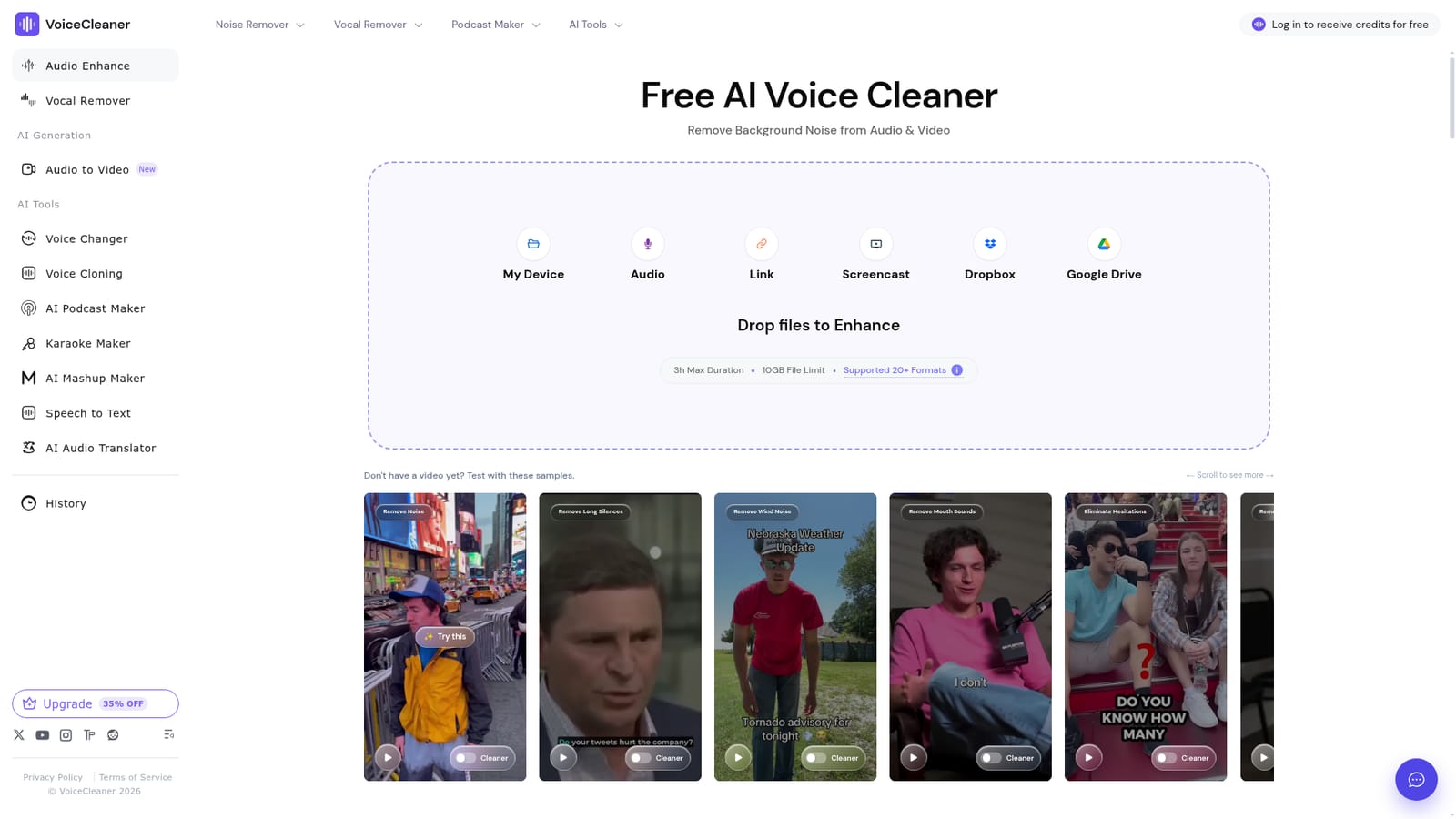
Files can be imported from local devices, Dropbox, Google Drive, a pasted link or a live screencast. No API or third party editing integrations are documented.
Noise removal for audio and video in the browser, with 10GB and three hour limits, 20+ formats, two models (stable V1 and Alpha V2), noise and content type selection, preview and multi format export. Focused sub tools cover breath, mouth clicks, silence, wind, buzz, static, reverb and echo, plus an audio enhancer.
Learn more AI Angels400+ customizable AI girlfriends for NSFW chat, voice calls, and roleplay
 Candy AIExperience the future of companionship with AI friends who chat, role-play, and connect with you on a human level.
 ourdream.aiA vast AI roleplay platform with millions of characters for chat, images, video and voiceAI Angels400+ customizable AI girlfriends for NSFW chat, voice calls, and roleplayCandy AIExperience the future of companionship with AI friends who chat, role-play, and connect with you on a human level.ourdream.aiA vast AI roleplay platform with millions of characters for chat, images, video and voice






