Free trial
A free tier provides 60 minutes of transcription without a credit card, which serves as a hands-on trial of the transcript and Smart Note output.
Learn moreTurn any recording into labeled transcripts and editable meeting notes
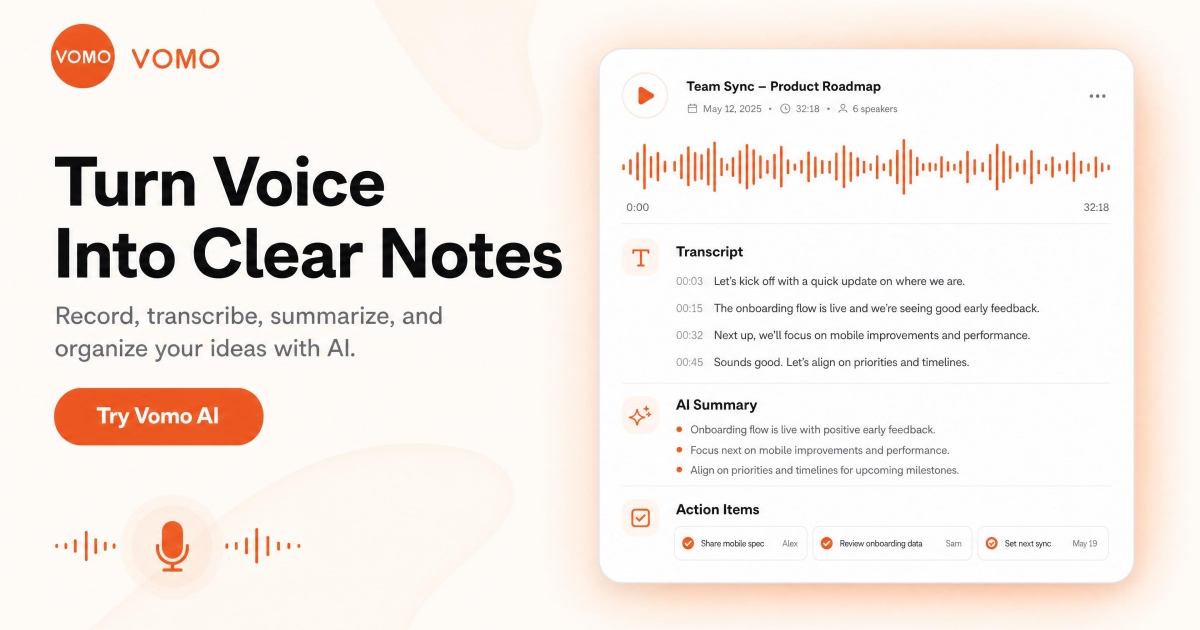
VOMO AI is an AI tool that turns any recording into labeled transcripts and editable meeting notes. VOMO AI transcribes live recordings, uploaded audio and video files, and YouTube links in 90+ languages, then generates editable Smart Notes with summaries, chapters, speaker labels and action items.
VOMO AI is a transcription and meeting notes tool built around a single premise: every recording should end as a readable, searchable document rather than a file nobody revisits. Live audio, uploaded files and YouTube links all feed the same pipeline. The service produces a transcript with timestamps and speaker labels, then layers a Smart Note on top with a summary, key takeaways, chapters, decisions and action items assigned to named owners. The accuracy claim is 95% or better across more than 90 languages, and the engine is explicitly built to handle conversations that switch languages mid-call. Pro accounts process files up to three hours long with no cap on total transcription minutes, which pushes the product past short voice memos and into full workday recordings. Input support covers common audio and video containers (MP3, WAV, M4A, MP4), and up to ten files can be queued at once. In daily use the tool is aimed at people who sit in a lot of conversations: sales teams documenting calls, interviewers, students, podcasters, remote teams and anyone who wants a written record of appointments or staff meetings. Templates reshape the output for a given context, so a standup note and an interview evaluation arrive in different structures. Unlike tools that freeze the generated output, VOMO keeps notes fully editable, and an Ask AI panel answers specific questions from the transcript, with answers saved back into the note. Public share links let teammates read and search without creating an account, and exports cover PDF, HTML and TXT. Where VOMO differs from single-purpose transcribers is the meeting memory angle. A CLI exposes transcripts, Smart Notes and action items to Claude Code, Codex, OpenCode and internal automations, so recordings become context for agents rather than an archive. Data is encrypted in transit and at rest, and recordings can be deleted on demand.
A free tier provides 60 minutes of transcription without a credit card, which serves as a hands-on trial of the transcript and Smart Note output.
Learn morePro is listed at $99.99 per year in USD. The free entry point includes 60 minutes with no credit card required, and Pro raises the per-file ceiling to 3 hours with unlimited total transcription minutes. No monthly or team pricing is stated on the homepage.
Learn moreA CLI brings transcripts, Smart Notes and action items into Claude Code, Codex, OpenCode and custom internal automations. YouTube links are accepted as a transcription source. No other native integrations are listed.
Learn moreTranscription at 95%+ accuracy in 90+ languages with speaker labels and timestamps, from live recording, uploaded files or YouTube links. Smart Notes add AI summaries, key takeaways, chapters, decisions and action items with owners, all editable and shaped by meeting-type templates. Ask AI answers questions grounded in the transcript, and notes share via public link or export to PDF, HTML and TXT.
 AI Angels400+ customizable AI girlfriends for NSFW chat, voice calls, and roleplay
 Candy AIExperience the future of companionship with AI friends who chat, role-play, and connect with you on a human level.
 ourdream.aiA vast AI roleplay platform with millions of characters for chat, images, video and voiceAI Angels400+ customizable AI girlfriends for NSFW chat, voice calls, and roleplayCandy AIExperience the future of companionship with AI friends who chat, role-play, and connect with you on a human level.ourdream.aiA vast AI roleplay platform with millions of characters for chat, images, video and voice


