Pricing
The page title states the generator is free and no paid tiers, plans or usage limits are mentioned anywhere on the site. No pricing page exists.
Learn moreTurn a webinar topic into a title that earns the click.
Own Webinar Titles Generator? Verify ownership to get a dofollow link

Webinar Titles Generator is a copywriting tool that turns a webinar topic into a title that earns the click. A free, single field tool that turns a webinar topic into suggested titles, with copyable results. Useful for marketers and educators who want fast phrasing options, though suggestions still need editing and testing.
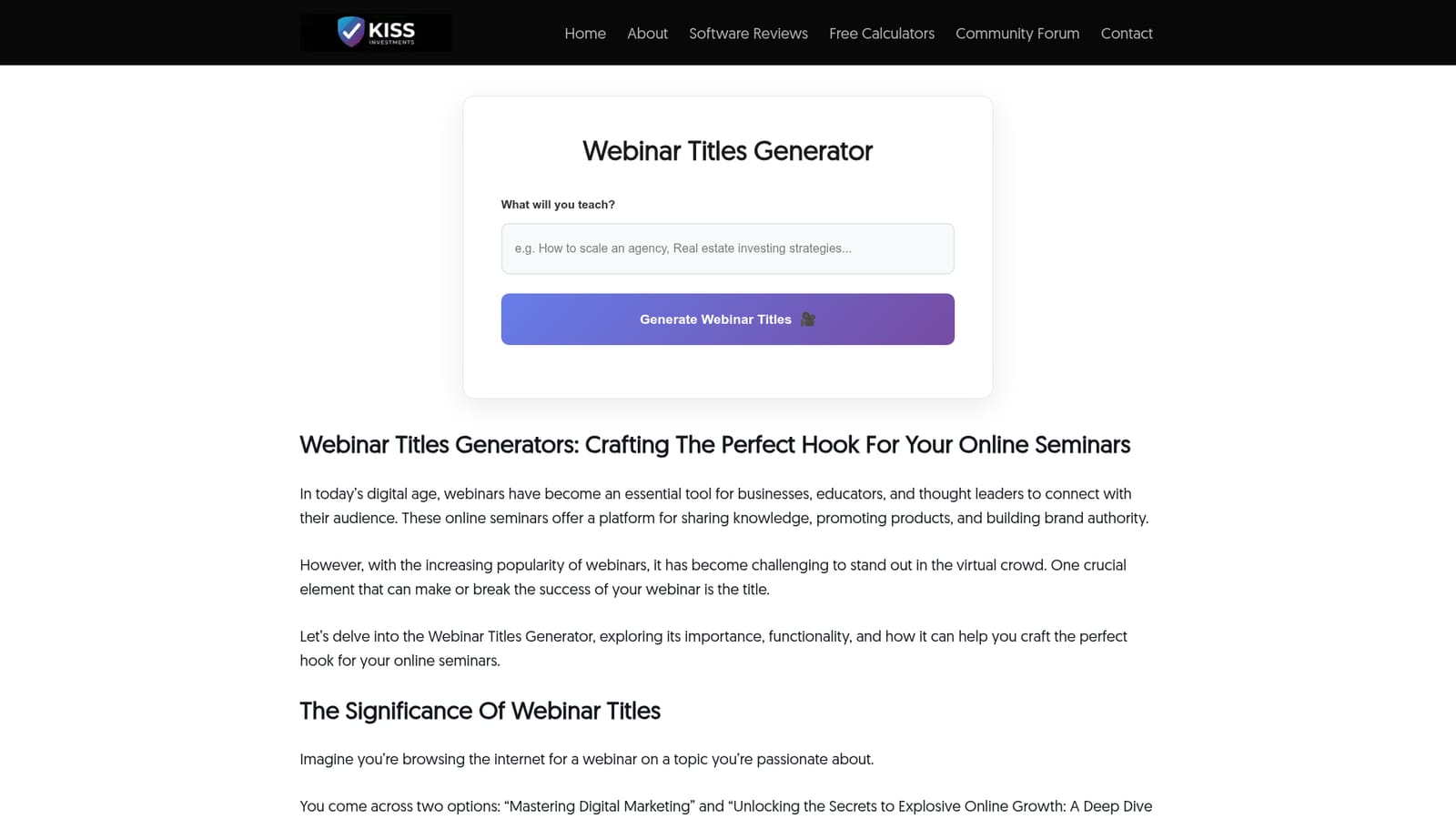
The Webinar Titles Generator is a free browser based tool from Kiss Investments that turns a short topic prompt into a list of suggested webinar titles. The interface is deliberately minimal: one field asks what you will teach, a single button labeled Generate Webinar Titles runs the request, and the results appear in a block with a Copy Results button so titles can move straight into a registration page, email subject line or slide deck. Because the site frames the tool around a single question, it suits anyone who already knows the subject of a session but is stuck on the wording. The premise behind the tool is that a title does more than label a session. The site argues that a descriptive, curiosity driven title draws registrations, signals what attendees will gain, and can lift participation and sharing after the live event ends. It contrasts a flat label such as a generic marketing topic with a longer, benefit framed version, and repeats the pattern for healthy eating and financial planning examples. The generator is built to push prompts in that direction by layering in power words, adjectives and persuasive phrasing while keeping the subject visible. The vendor describes the underlying process as keyword analysis for search visibility, comparison against competing webinar titles, matching of suggestions to the planned content, and reference to engagement signals such as click through and social sharing. Those claims are described in marketing language rather than documented methodology, so the sensible reading is that the tool offers useful phrasing prompts rather than guaranteed performance data. Good fits are marketers, course creators, coaches and internal teams producing a steady stream of sessions and needing fast starting points. The generator is a drafting aid, not a strategy tool: it will not test titles for you, check claims, or tell you which phrasing suits a given audience. Treat output as raw material to edit against the content you will actually deliver, and run your own split tests once you have shortlisted options.
The page title states the generator is free and no paid tiers, plans or usage limits are mentioned anywhere on the site. No pricing page exists.
Learn moreOne input field for the webinar topic and a single generate action produce a batch of title suggestions. Results sit alongside a Copy Results button with no other editing controls. The vendor describes keyword analysis, competitor title comparison, content relevance matching, engagement signal modelling and creative power word insertion as the method behind the suggestions.
 AI Angels400+ customizable AI girlfriends for NSFW chat, voice calls, and roleplay
 Candy AIExperience the future of companionship with AI friends who chat, role-play, and connect with you on a human level.
 ourdream.aiA vast AI roleplay platform with millions of characters for chat, images, video and voiceAI Angels400+ customizable AI girlfriends for NSFW chat, voice calls, and roleplayCandy AIExperience the future of companionship with AI friends who chat, role-play, and connect with you on a human level.ourdream.aiA vast AI roleplay platform with millions of characters for chat, images, video and voice