Whatagraph IQ

Prompt-built marketing reports with AI themes, summaries and chat

Beginner
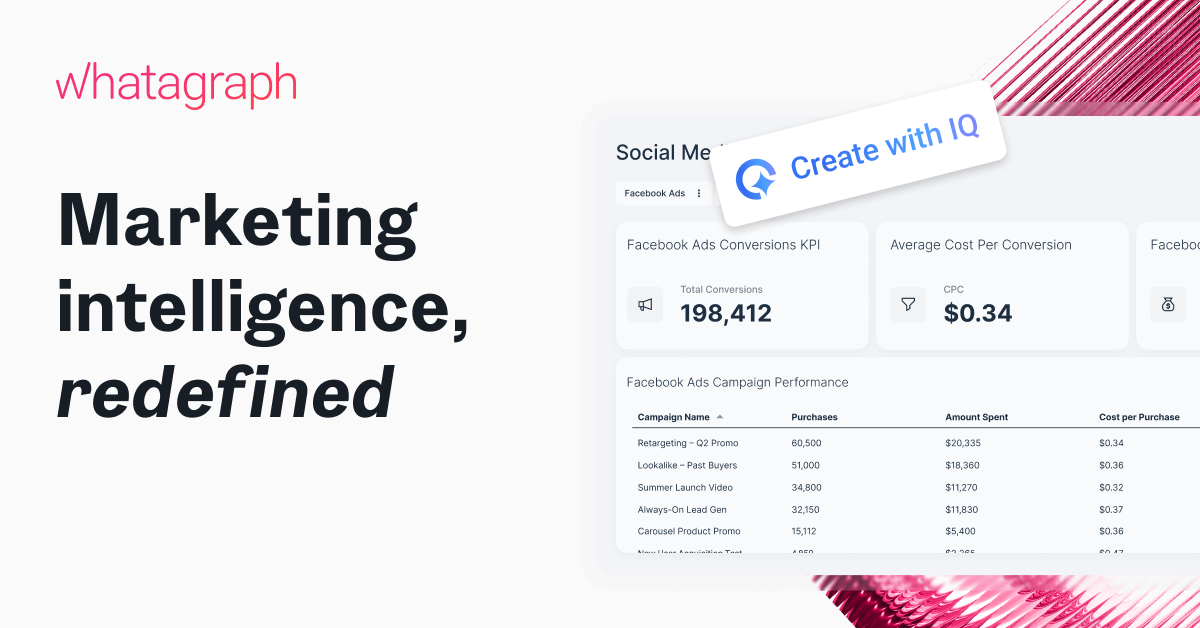
Screenshot of Whatagraph IQ, Prompt-built marketing reports with AI themes, summaries and chat

What is Whatagraph IQ?

Whatagraph IQ is an AI tool. AI reporting assistant inside the Whatagraph platform that builds full marketing reports, tabs and widgets from a prompt, generates branded themes from an uploaded image, writes performance summaries and answers data questions in a report-level chat.

Whatagraph IQ is the AI layer inside the Whatagraph marketing reporting platform. It lets a marketer describe the report they want in plain language and receive a complete, populated report back, rather than assembling layouts, charts and filters by hand. From there, the same assistant can add extra tabs, build individual widgets, restyle the entire document from a single uploaded brand image, and write the performance commentary that usually gets drafted late on a Friday. The tool addresses three recurring time sinks the vendor names directly: rebuilding the same report structures every month, copy-pasting logos and colour codes, and debugging filters and dimensions when a chart comes back empty. IQ report creation, IQ tab creation and IQ widget creation each target one of those. IQ Themes generates a matching report theme from an image, with fonts, HEX codes and colours editable afterwards and a larger icon library available. IQ Summary turns the underlying data into written insights suitable for internal reviews or client updates, while IQ Chat sits inside the report so anyone can ask follow-up questions and get answers without leaving the document. A higher tier, IQ+, extends the same idea to shared report links, where stakeholders can chat with the data in a theme that matches the report branding. It also adds prompt-level context so summaries follow a brand tone of voice, automatic refresh of commentary when the date range changes, AI-built custom dimensions (grouping campaign names by category, sorting reviews by language), and self-healing widgets that detect incompatible metrics or incorrect dimensions and propose a fix before the report breaks. The product is aimed squarely at agencies and in-house marketing teams that produce recurring client or stakeholder reporting at volume, and the vendor cites more than 1,000 agencies and brands using the platform. Teams already working inside Whatagraph get the most from it, since IQ operates on the reports and connected marketing data already in the account. Compared with general-purpose AI assistants, the advantage is that output lands as a styled, shareable report rather than text that still needs assembling. Pricing, plan limits and the full connector list are not published on this page, so buyers should confirm those on a demo call before committing.

How do you use Whatagraph IQ?

  1. 1Book a demo and get account access
    Whatagraph IQ is positioned around a guided demo rather than self-serve signup on this page. Request a walkthrough to see the assistant working against sample marketing data.
  2. 2Describe the report you need
    Inside the platform, type the report request in plain language. IQ returns a complete report with layout, tabs and charts, and you can reply with adjustments until the structure is right.
  3. 3Brand it from an uploaded image
    Upload a brand asset and let IQ Themes build a matching theme, then fine-tune fonts, HEX codes and colours and pick icons from the expanded library.
  4. 4Generate the written summary
    Run IQ Summary over the finished report to produce performance commentary in plain language that can go into a client update or an internal review.
  5. 5Interrogate the numbers with IQ Chat
    Open the chat panel within the report and ask about trends or specific metrics. Answers appear in context so nothing has to be exported for a quick question.
  6. 6Try a prebuilt AI report layout
    Start from the AI reporting template to see how an IQ-built report is structured before adapting it to your own client or campaign.

Pros and cons

Pros

  • Builds complete reports from a text prompt instead of manual layout workAI
  • Generates a matching report theme from a single uploaded brand imageAI
  • Writes plain-language performance summaries for client and internal updatesAI
  • Chat panel answers data questions inside the report, cutting follow-up emailsAI
  • Self-healing widgets flag wrong dimensions and incompatible metrics before publishingAI

Cons

  • No published pricing or plan limits on the IQ page, so cost needs a sales callAI
  • Value depends on already running reports and connected data inside WhatagraphAI
  • Several headline capabilities (stakeholder chat, tone-guided summaries, date sync, custom dimensions) sit behind the paid IQ+ tierAI
  • Full data source and integration list is not documented on this pageAI
  • Accuracy of generated summaries and themes still needs a human check before sending to clientsAI

How much does Whatagraph IQ cost?

Features

Prompt-based creation of full reports, new tabs and individual widgets; theme generation from an uploaded image with editable fonts, HEX codes and colours; AI-written performance summaries; in-report chat for data questions. IQ+ adds stakeholder chat on shared links, tone-guided summaries, automatic refresh on date changes, AI custom dimensions and self-healing widgets.

Learn more

Frequently asked questions about Whatagraph IQ

  • How do you use Whatagraph IQ?
    The walkthrough on this page covers 6 steps: 1. Book a demo and get account access 2. Describe the report you need 3. Brand it from an uploaded image 4. Generate the written summary 5. Interrogate the numbers with IQ Chat 6. Try a prebuilt AI report layout.
  • What platforms does Whatagraph IQ support?
    Whatagraph IQ is available on Web App.
  • What are the limitations of Whatagraph IQ?
    No published pricing or plan limits on the IQ page, so cost needs a sales call. Value depends on already running reports and connected data inside Whatagraph. Several headline capabilities (stakeholder chat, tone-guided summaries, date sync, custom dimensions) sit behind the paid IQ+ tier.

Status

StatusActive
Views0
Outbound clicks0
Added10/21/2026

Platforms

Web App

Pricing

PaidSubscription