Pricing
Yodi is free. The PAIRS Foundation is a nonprofit and states there are no ads, no subscription and nothing to unlock. There is no premium tier.
Learn moreA nonprofit AI coach for practicing real relationship skills
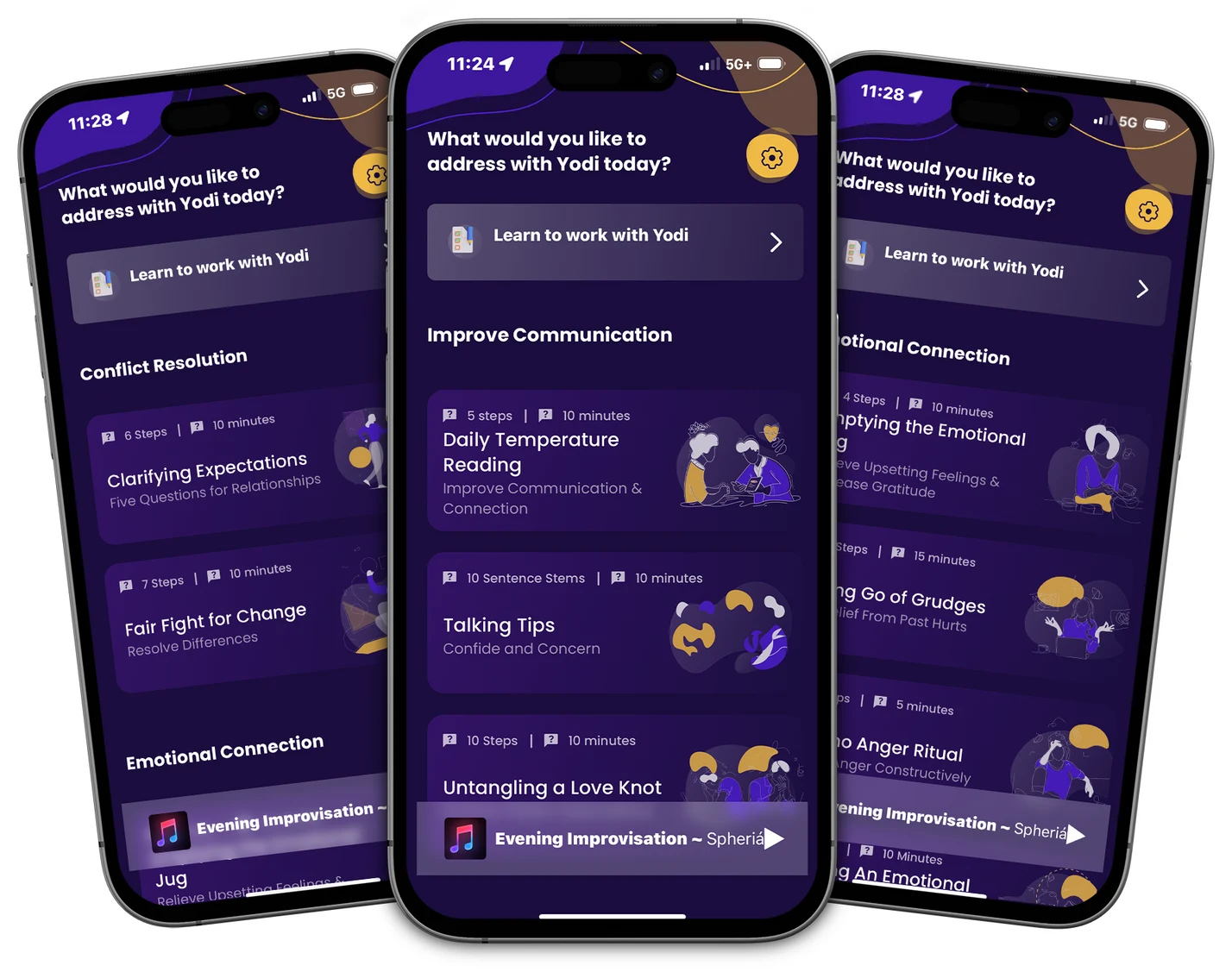
Yodi is a free AI relationship coach from the nonprofit PAIRS Foundation. It walks users through sixteen structured exercises across communication, conflict, emotional connection and intimacy, by voice or text, alone or with a partner. No ads, no subscription, no premium tier.
Yodi is a conversational AI coach built by the PAIRS Foundation, a nonprofit that has taught relationship skills to therapists, chaplains, educators and couples since 1983. The app packages sixteen structured PAIRS exercises into a guided chat, so users can rehearse hard conversations with a patient listener before trying them with a real partner, family member or friend. Speech and typing both work, and Yodi keeps the user inside the steps of whichever exercise is running rather than drifting into open-ended chat. The exercises are grouped into four areas: communication, conflict, emotional connection and intimacy. The recommended starting point is the Daily Temperature Reading, a five-step check-in covering appreciations, new information, puzzles, concerns with requests, and wishes, hopes and dreams. From there users can move to Clarifying Expectations, Talking Tips, the Volcano Anger Ritual, Fair Fight for Change, Letting Go of Grudges, Museum Tour of Past Hurts, Exploring Desire and others. Each one is a fixed structure, which is the point: the skill is meant to become familiar enough to use under stress. This is practice software, not therapy. The foundation states plainly that Yodi does not replace a licensed therapist or counselor, and the app is aimed at people who want to build communication habits without booking a session or waiting for a class. A solo user can work through every exercise alone, with Yodi playing the part of an attentive partner, then invite someone else in later. Because there is no partner requirement, it also suits people who are not currently in a relationship but want to change how they handle conflict and closeness. The positioning among alternatives is unusual. Most AI companion and coaching apps are commercial products with subscription tiers; Yodi has no ads, no premium unlock and no upsell because the nonprofit mission funds it. That also means the product is narrow by design: sixteen exercises, a defined curriculum, and no promise of general life advice. Devices covered are iPhone and iPad, Apple silicon Macs, and Android phones and tablets.
Yodi is free. The PAIRS Foundation is a nonprofit and states there are no ads, no subscription and nothing to unlock. There is no premium tier.
Learn moreA chat assistant on the website answers pre-download questions, and the homepage FAQ covers pricing, privacy, device support and troubleshooting voice input.
Sixteen guided exercises across communication, conflict, emotional connection and intimacy, including the Daily Temperature Reading, Fair Fight for Change and Letting Go of Grudges. Voice or text input, a coach that keeps each exercise on track, solo practice without a partner, and no ads or data selling.
 AI Angels400+ customizable AI girlfriends for NSFW chat, voice calls, and roleplay
 Candy AIExperience the future of companionship with AI friends who chat, role-play, and connect with you on a human level.
 ourdream.aiA vast AI roleplay platform with millions of characters for chat, images, video and voiceAI Angels400+ customizable AI girlfriends for NSFW chat, voice calls, and roleplayCandy AIExperience the future of companionship with AI friends who chat, role-play, and connect with you on a human level.ourdream.aiA vast AI roleplay platform with millions of characters for chat, images, video and voice