Free trial
A 3 day free trial is available without a credit card, letting users set up their offer and ideal customer profile and connect accounts before deciding to continue on the $67/month Operator plan.
Learn moreCold email, LinkedIn outreach and content, run from one platform for $67/month.

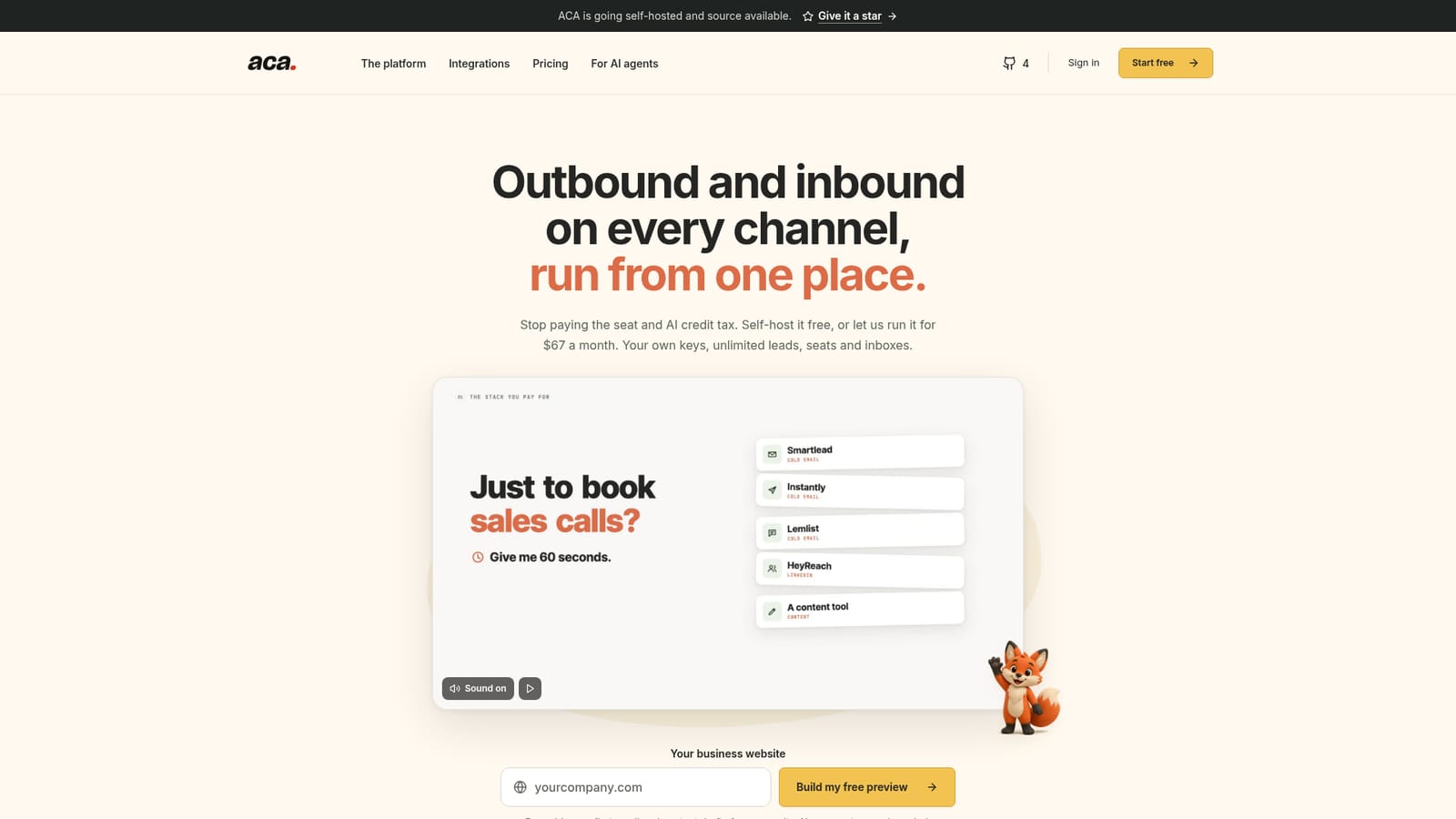
ACA: Automated Client Acquisition is a lead generation tool. ACA bundles cold email sequencing, LinkedIn outreach, mailbox infrastructure, lead magnets and content publishing into one $67/month platform, usable through its app or headlessly via AI agents and MCP.
ACA (Automated Client Acquisition) is an outbound and inbound marketing platform built around a single flat subscription instead of per-seat or AI-credit pricing. It combines cold email sequencing, LinkedIn connection and messaging campaigns, Microsoft 365 mailbox provisioning and warmup, lead magnet capture, content drafting and scheduling, buyer signal tracking and a unified inbox into one workspace. Users bring their own API keys and provider accounts (email, LinkedIn, AI models, enrichment data) so the platform fee stays fixed while usage costs are billed separately by those providers. The tool targets founders, agencies, growth teams and solo operators who currently juggle separate subscriptions for a cold email sequencer, LinkedIn automation tool, content calendar, lead magnet software and mailbox warmup service. It is also built for a headless mode of use: instead of clicking through the app, a user can instruct an AI agent (Claude, Codex, Grok, Hermes or OpenClaw) in plain language to build a lead list, write a sequence, launch it and draft replies, with ACA exposed as an MCP connector, CLI and API for that purpose. In practice, a team connects its email and LinkedIn accounts, a Microsoft 365 tenant or ZapMail for infrastructure, and an AI provider key, then sets up sequences with stop-on-reply logic, LinkedIn campaigns with branching on acceptance or reply, and content blueprints that generate posts for multiple social channels from one idea. Replies across channels land in a shared inbox where AI drafts responses for human review before sending. Against dedicated point solutions for outreach, infrastructure and content, ACA positions itself as a consolidation play: one flat monthly platform fee replacing several tool subscriptions, with provider costs kept transparent and separate rather than marked up or credit-gated.
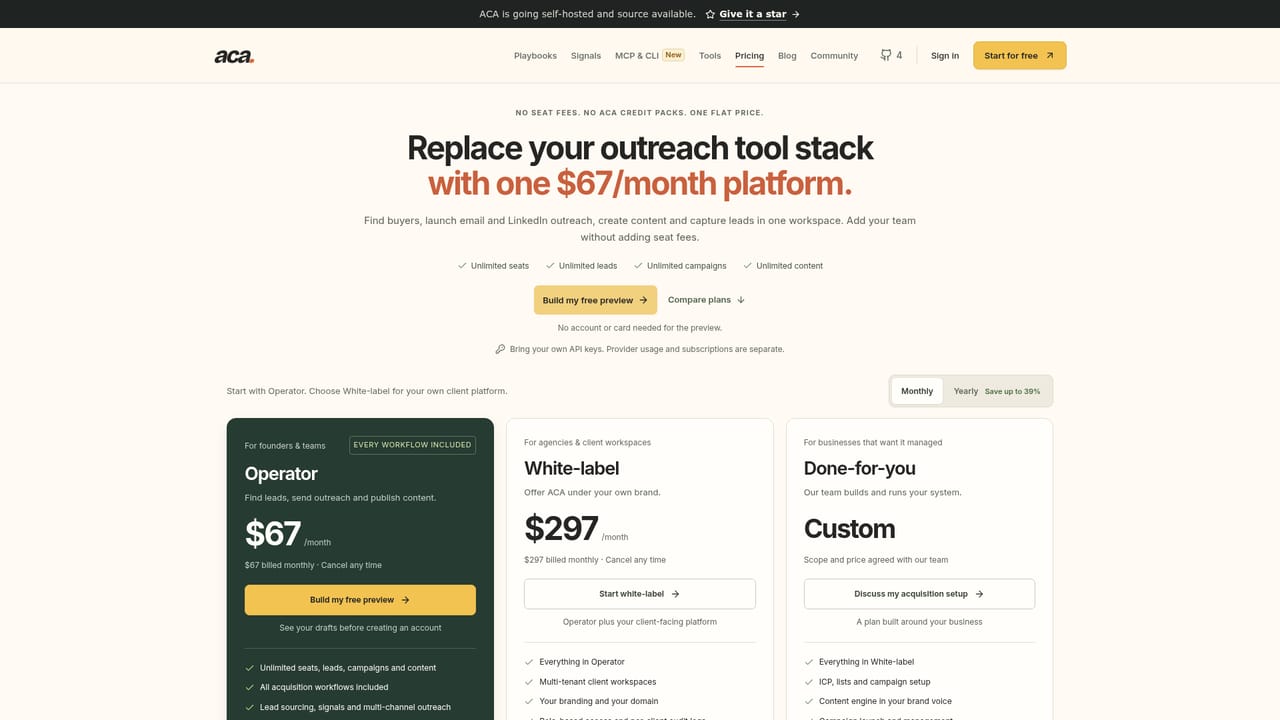
A 3 day free trial is available without a credit card, letting users set up their offer and ideal customer profile and connect accounts before deciding to continue on the $67/month Operator plan.
Learn moreOperator plan costs $67/month flat, covering unlimited seats, leads, campaigns and content across all acquisition features. External provider costs (AI usage, mailboxes, domains, enrichment) are billed separately. White-label with client workspaces and branding costs $297/month.
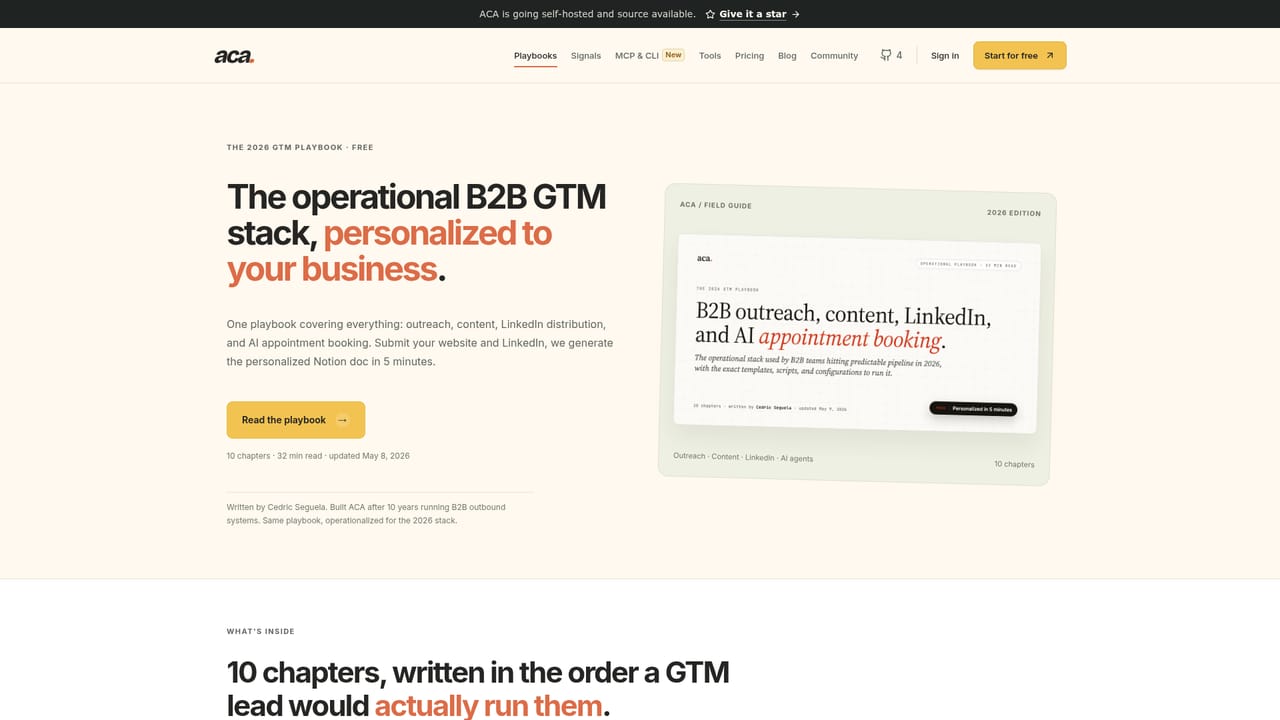
Learn moreOffers a community page, playbooks for setup guidance, and an option to request a personal walkthrough by leaving a work email address.
Learn moreConnects to around 40 providers across outreach (LinkedIn, Gmail, Outlook, WhatsApp, Instagram, Telegram, Messenger, X), AI and content, lead data via Apify, publishing/CRM, and email/domain infrastructure like Microsoft 365 and ZapMail.
Learn moreCold email sequencing with stop-on-reply logic, LinkedIn connection and messaging campaigns, Microsoft 365 mailbox provisioning and warmup, lead magnet capture, multi-channel content drafting and scheduling, buyer signal tracking, a unified inbox, and MCP/CLI/API access for AI agents.
Learn moreTwitter / X
 AI Angels400+ customizable AI girlfriends for NSFW chat, voice calls, and roleplay
 Candy AIExperience the future of companionship with AI friends who chat, role-play, and connect with you on a human level.
 ourdream.aiA vast AI roleplay platform with millions of characters for chat, images, video and voiceAI Angels400+ customizable AI girlfriends for NSFW chat, voice calls, and roleplayCandy AIExperience the future of companionship with AI friends who chat, role-play, and connect with you on a human level.ourdream.aiA vast AI roleplay platform with millions of characters for chat, images, video and voice


