Free trial
A free plan provides 10 character generations per month. The homepage invites users to start a free trial from the generator page.
Learn moreComplete character design sheets from a sketch or a short description
Own AI Character Generator? Verify ownership to get a dofollow link

AI Character Generator is an anime tool. AI character generator that turns a sketch, photo or text description into a full design package with turnaround views, expression sheets, pose references and outfit variations in a few minutes.
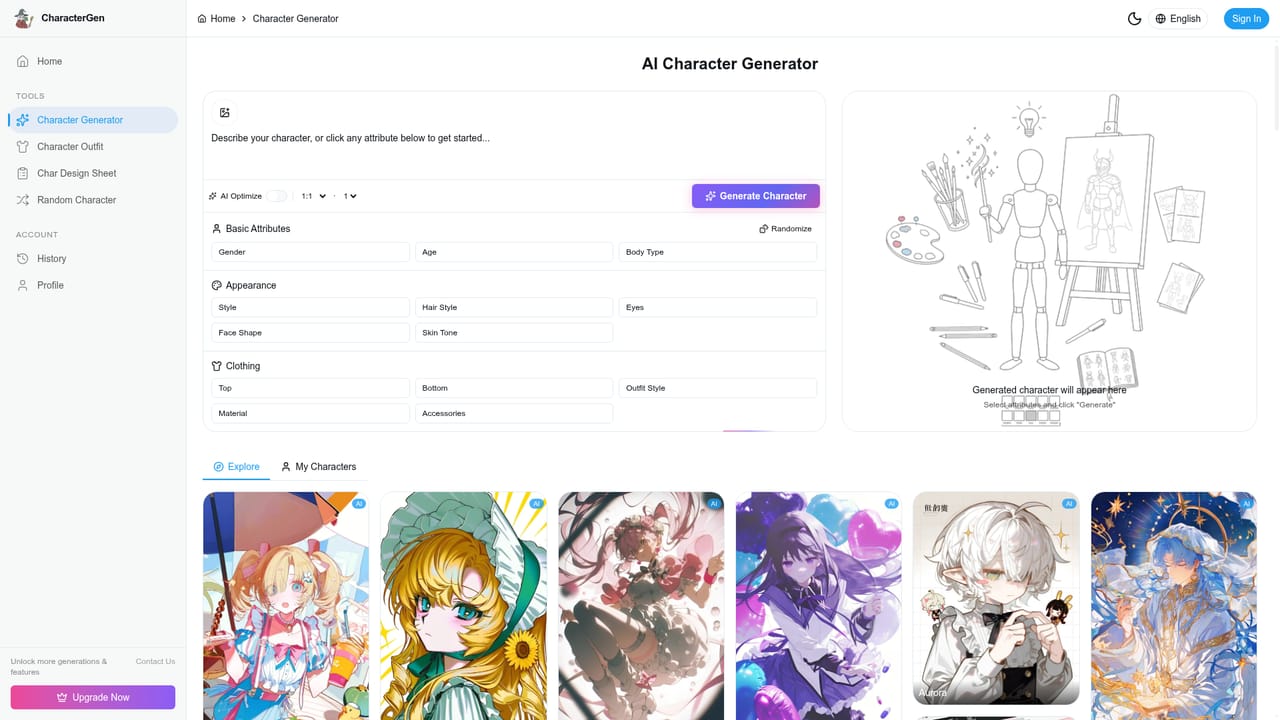
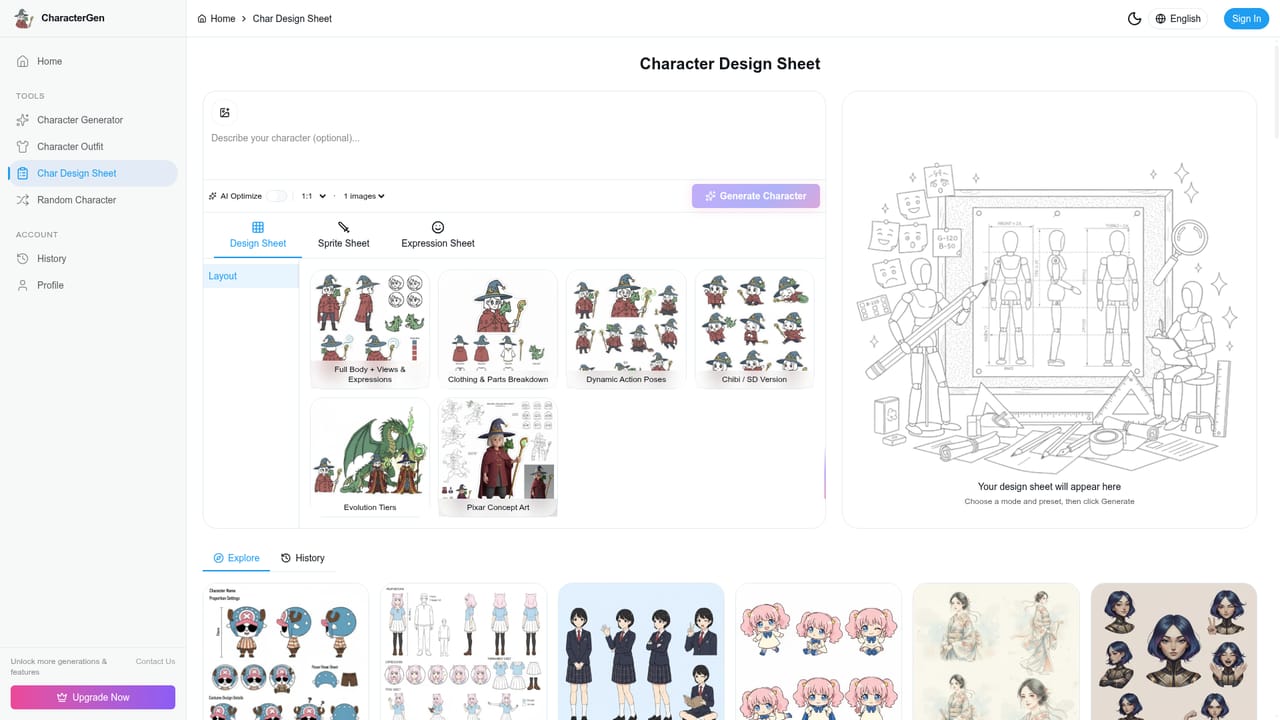
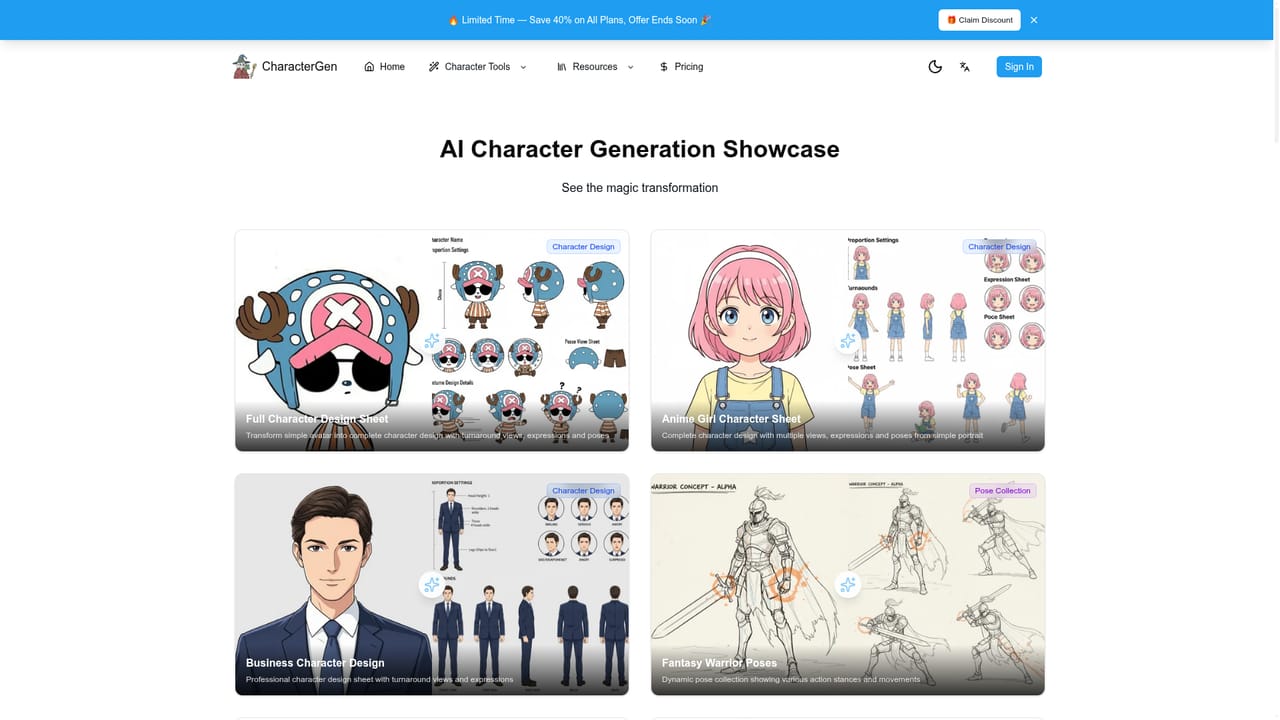
CharacterGen is a browser based AI character generator built around a specific promise: not one finished illustration, but a full design package for a single character. The site describes outputs that include turnaround views (front, side and back), expression sheets with six to eight emotional variations, pose references covering five to ten common stances, outfit variations and proportion notes. Inputs are flexible. A user can upload an existing sketch, portrait or photo, or type a description covering gender, age, style and key features, then let the tool build the reference set. Generation is quoted at two to three minutes for a complete package, with the site noting slower queues under heavy load but generally under five minutes. The audience is mostly people who need a character to look the same across many images: comic and manga artists, novelists visualizing cast members, game and animation teams building reference sheets before production, and hobbyists making original characters. The style range is broad, covering anime, chibi, western cartoon and realistic looks, and the showcase gallery leans heavily on anime adjacent examples such as Ghibli inspired pose sets and Detective Conan style sheets. A prompt helper called AI Optimize is offered in the creation box to expand a rough description into something more usable, which matters for people who have never written an image prompt. Practically, the workflow is short. Describe or upload, review the generated sheet, download as PNG, JPG or PDF, then either draw from the reference or bring it into drawing software. The site positions itself against general image models like Midjourney and DALL-E by arguing that those tools produce single images without turnarounds, while a dedicated character generator is the better fit for consistency heavy projects. Claims of 50,000 generated characters, 2,000 creators and a generation speed roughly 40 percent faster than competitors come from the vendor's own testing and should be read as marketing rather than independent benchmarks. Where it fits: a reasonable first stop for drafting a character bible quickly or filling gaps in a reference sheet, less so as a replacement for a commissioned illustrator. The site itself concedes that professional illustration still needs human artists and frames the tool as an efficiency aid.
A free plan provides 10 character generations per month. The homepage invites users to start a free trial from the generator page.
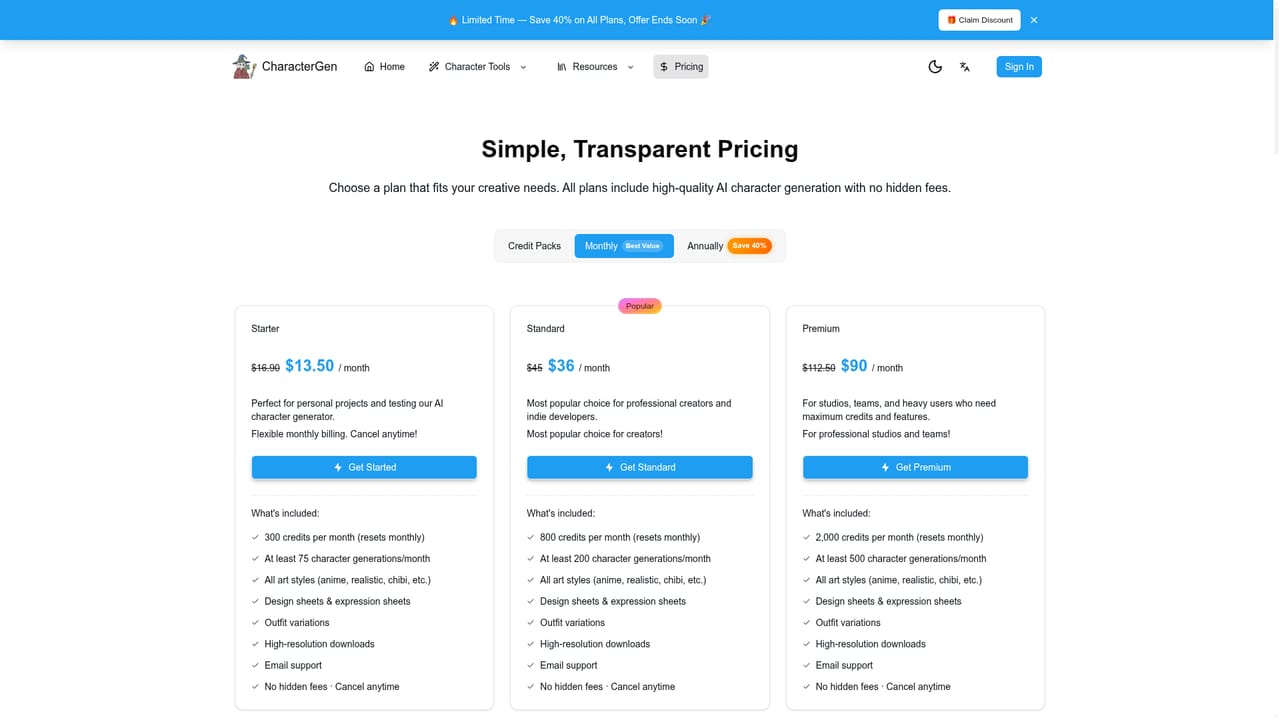
Learn moreA free plan covers 10 generations per month with turnaround, expression and pose features included. Paid tiers are described as Pro at roughly $10 to $30 per month and are stated to include a commercial license. A 40 percent discount promotion is advertised sitewide, and exact figures should be confirmed on the pricing page.
Learn moreSupport is offered by email and through social media channels according to the FAQ section. No dedicated help centre or documentation page is named on the homepage.
Core outputs are turnaround views (front, side, back), expression sheets with six to eight emotions, pose references covering standing, sitting, walking and running, outfit design, proportion settings and consistency across repeated generations. Inputs accept uploaded sketches, photos or text descriptions, with an AI Optimize prompt helper. Exports are available as PNG, JPG or PDF.
Learn more AI Angels400+ customizable AI girlfriends for NSFW chat, voice calls, and roleplay
 Candy AIExperience the future of companionship with AI friends who chat, role-play, and connect with you on a human level.
 ourdream.aiA vast AI roleplay platform with millions of characters for chat, images, video and voiceAI Angels400+ customizable AI girlfriends for NSFW chat, voice calls, and roleplayCandy AIExperience the future of companionship with AI friends who chat, role-play, and connect with you on a human level.ourdream.aiA vast AI roleplay platform with millions of characters for chat, images, video and voice