Pricing
One-time credit packs ranging from $6.90 (Single) to $59.90 (Studio), with no subscription. Credits never expire; an HD video costs 150 credits and a Standard video 100, and failed renders are refunded automatically.
Learn moreTurn two photos into a 15-second zombie love story video with sound.

AI Zombie is a generative video tool that turns two photos into a 15-second zombie love story video with sound. AI Zombie turns two photos into a 15-second zombie hug trend video with sound, offering six pairing templates and four worlds, sold as one-time credit packs with no subscription.
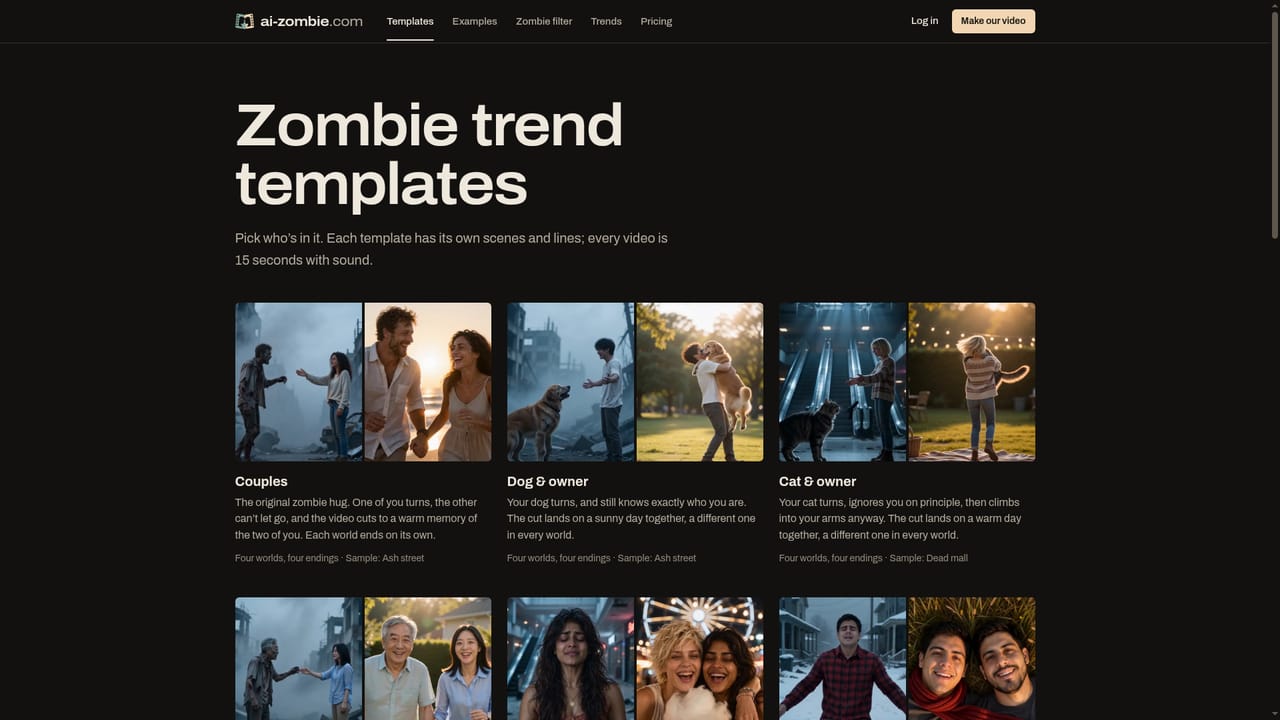
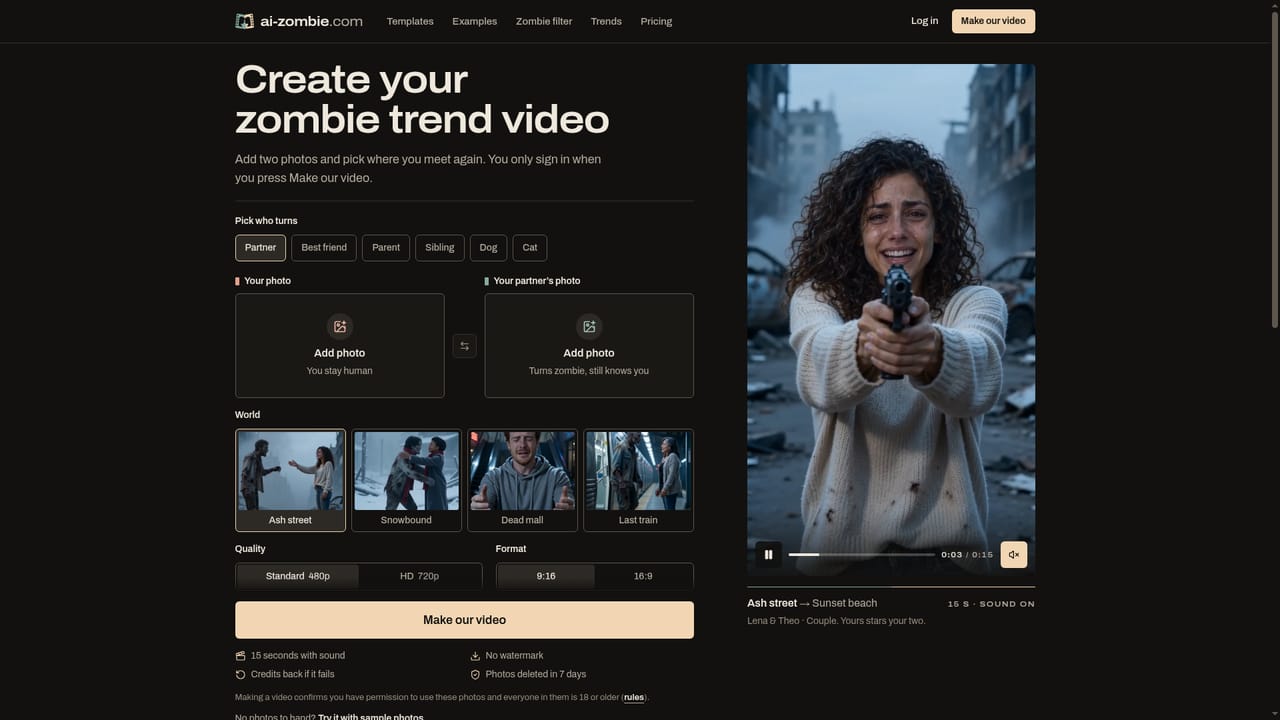
AI Zombie converts two uploaded photos into a fifteen-second video built around the zombie hug trend seen on TikTok, Reels and YouTube Shorts. One subject turns into a zombie, a moment of recognition follows, the pair embrace, and the clip then cuts to a bright memory of the two of them together. Every video ships with sound already mixed in, in a 9:16 or 16:9 format, without a watermark. The service targets people who want to join a specific social video trend without learning a video editor or writing a prompt. Templates cover couples, dogs, cats, parents and children, siblings and best friends, and four selectable worlds, Ash street, Snowbound, Dead mall and Last train, each resolve into a different closing scene, from a sunset beach to a kitchen slow dance. In practice, a user picks a template, uploads one photo of themselves and one of the other subject, chooses a world plus resolution and aspect ratio, and pays for a one-time credit pack before the render starts. Output quality options are Standard and HD, with HD consuming more credits. Uploaded photos are automatically deleted seven days after use and are not used to train AI models; a failed render refunds the credits spent, with guidance on what to change, typically picture clarity. Compared with general-purpose AI video generators that need prompt writing and scene design, AI Zombie is a narrow, templated tool built around a single viral format. It suits creators and casual social media users chasing one specific trend rather than teams needing flexible, open-ended video generation or ongoing subscription tooling.
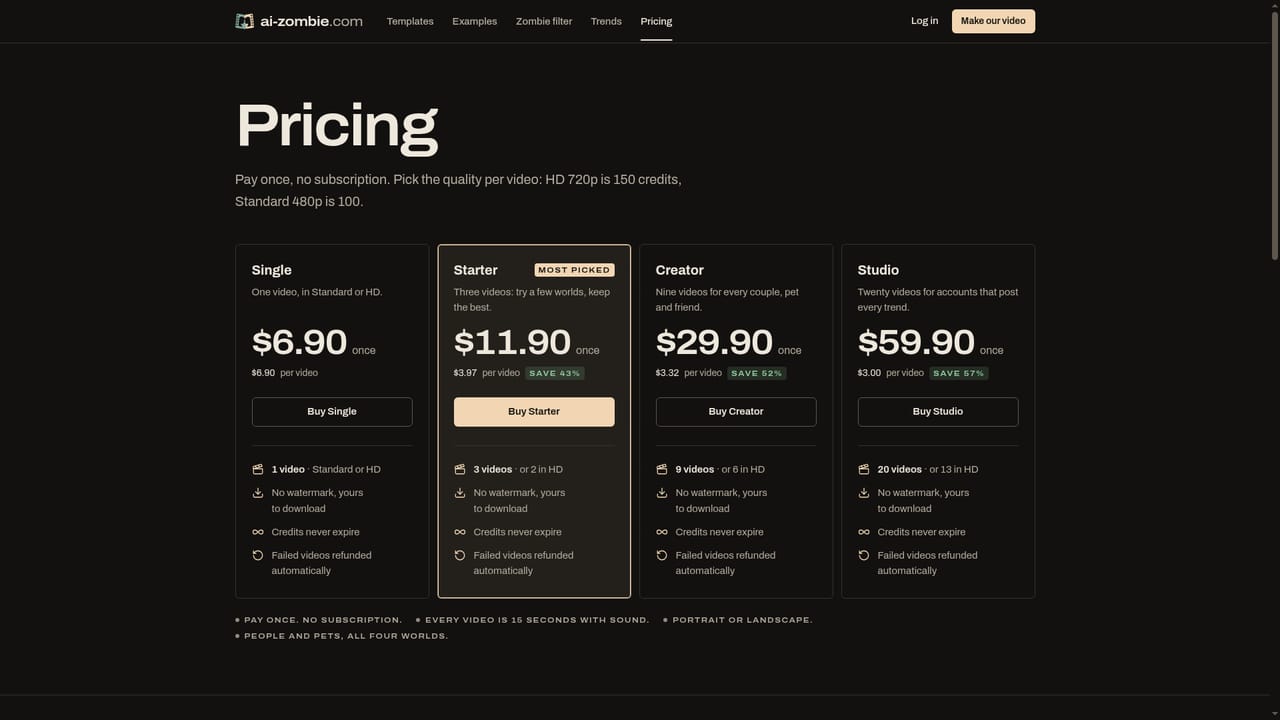
One-time credit packs ranging from $6.90 (Single) to $59.90 (Studio), with no subscription. Credits never expire; an HD video costs 150 credits and a Standard video 100, and failed renders are refunded automatically.
Learn moreSupport is offered through a contact email and an FAQ page covering account, payment, photo handling and failed-render troubleshooting; no live chat or phone support is mentioned.
Learn moreGenerates a 15-second MP4 with sound from two photos, following the zombie hug trend's choice, recognition, embrace and memory-cut structure. Six pairing templates across four worlds, output in 9:16 or 16:9, Standard or HD, with no watermark.
Learn more