TryBurningBridges

Turn one selfie into the chandelier-lit Burning Bridges rap video, song included.

Beginner
Screenshot of TryBurningBridges, Turn one selfie into the chandelier-lit Burning Bridges rap video, song included

What is TryBurningBridges?

TryBurningBridges is a generative video tool that turns one selfie into the chandelier-lit Burning Bridges rap video, song included. A narrow-purpose AI video generator that turns a single selfie or pet photo into a 10-second Burning Bridges trend clip, song and lip-sync included, sold as one-time paid packs rather than a subscription.

TryBurningBridges is a single-purpose AI video generator built around one viral format: the Burning Bridges trend, where a person raps to camera in a chandelier-lit, green-neon room while a crew of friends hypes them up. A user uploads one clear photo of a face (or a pet), picks a format and quality, and the service renders a 10 second clip with the song and lip-sync already placed, ready to download and post. The tool is built for creators who want to join a specific social trend quickly rather than experiment with open-ended AI video generation. There is no prompt box, no timeline editor and no scene design: the five-beat shot list (finger guns, hand on collar, pointing at the crew, the crowd closing in, the final laugh) is fixed, and the only creative input is the source photo. This makes it accessible to anyone comfortable uploading an image, but it also means the output cannot be adapted beyond the trend's own structure. In practice, a session runs through uploading a photo, choosing 16:9 or 9:16 and Standard or HD quality, then waiting roughly three minutes for an email notification that the video is ready. Pricing is pay-per-video in one-time packs rather than a subscription, and failed renders are automatically credited back. Photos are deleted after seven days, and finished videos do not expire. Compared with general-purpose AI video generators that require prompt-writing and scene assembly, TryBurningBridges trades flexibility for speed on one narrow use case. It sits closer to a themed content generator than a full video editing or animation suite, and its value depends entirely on how long the Burning Bridges trend stays relevant on platforms like TikTok and Instagram Reels.
How do you use TryBurningBridges?

  1. 1Pick a clear source photo
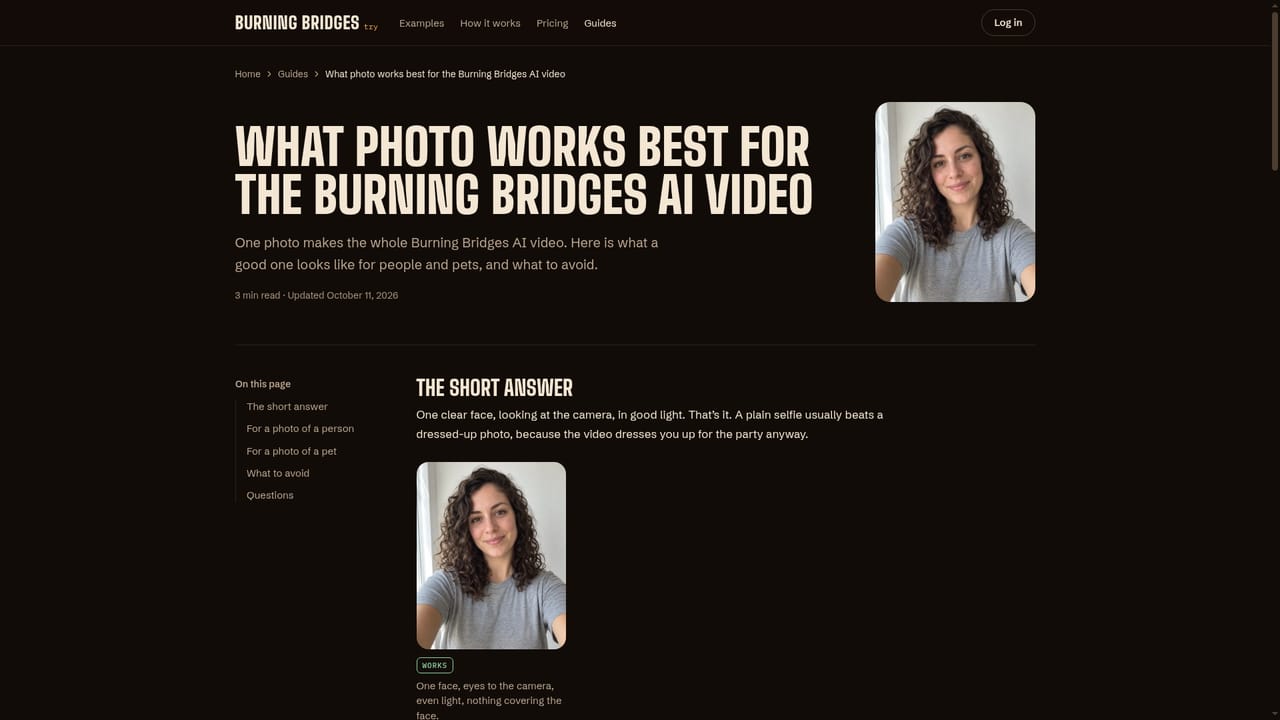
    Choose a recent selfie with one face visible, facing the camera in good light, or a pet photo where the animal looks at the lens. The guide on photo selection explains what the model reads best.
    TryBurningBridges — Pick a clear source photo
  2. 2Set format and quality
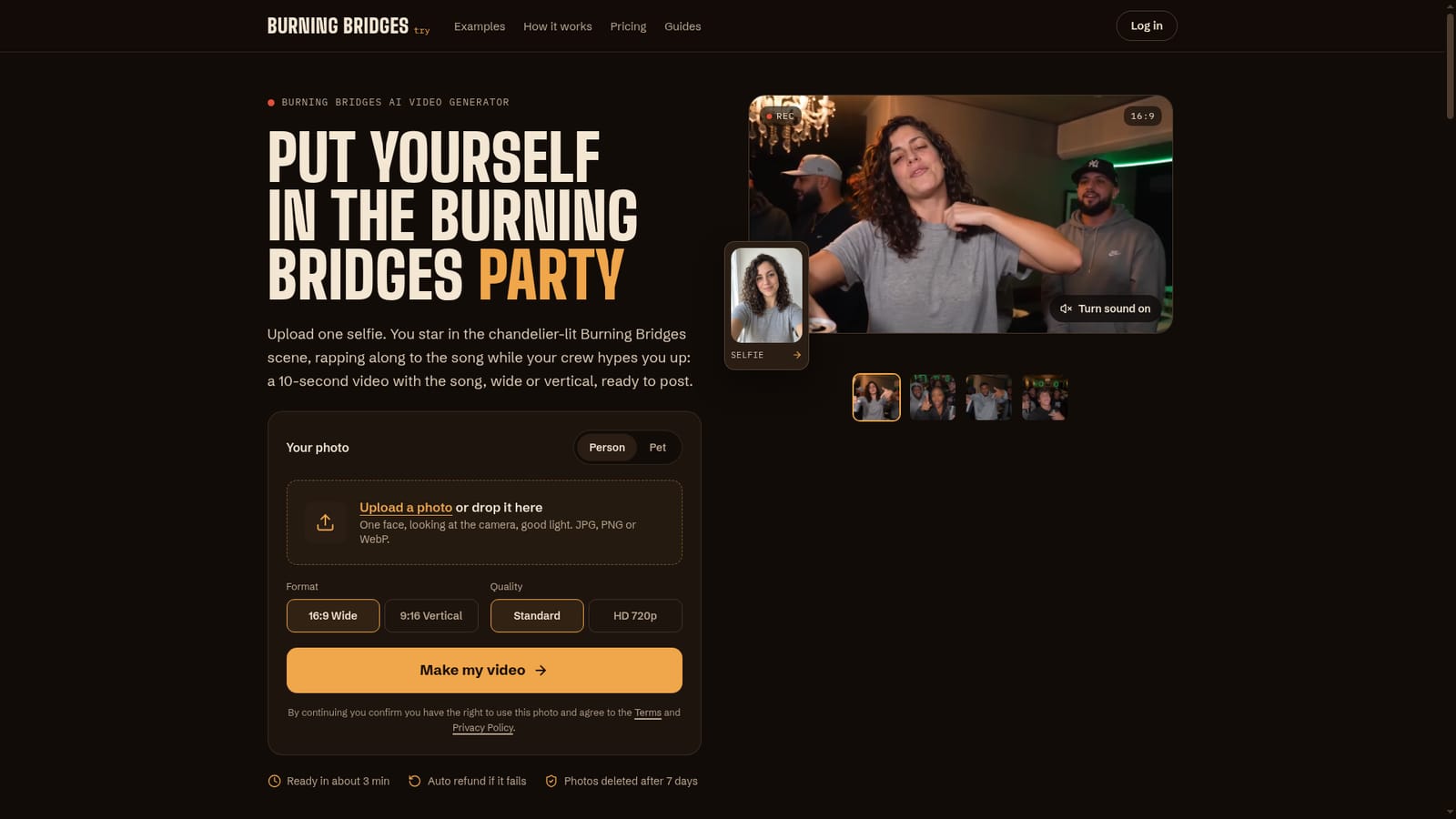
    On the homepage tool, choose 16:9 for a wide, music-video look or 9:16 for TikTok and Reels, then pick Standard 480p or HD 720p before uploading.
    TryBurningBridges — Set format and quality
  3. 3Upload the photo and generate
    Upload the chosen image and press Make my video. Rendering takes about three minutes, and an email arrives once the clip is ready in the account.
  4. 4Check examples for reference
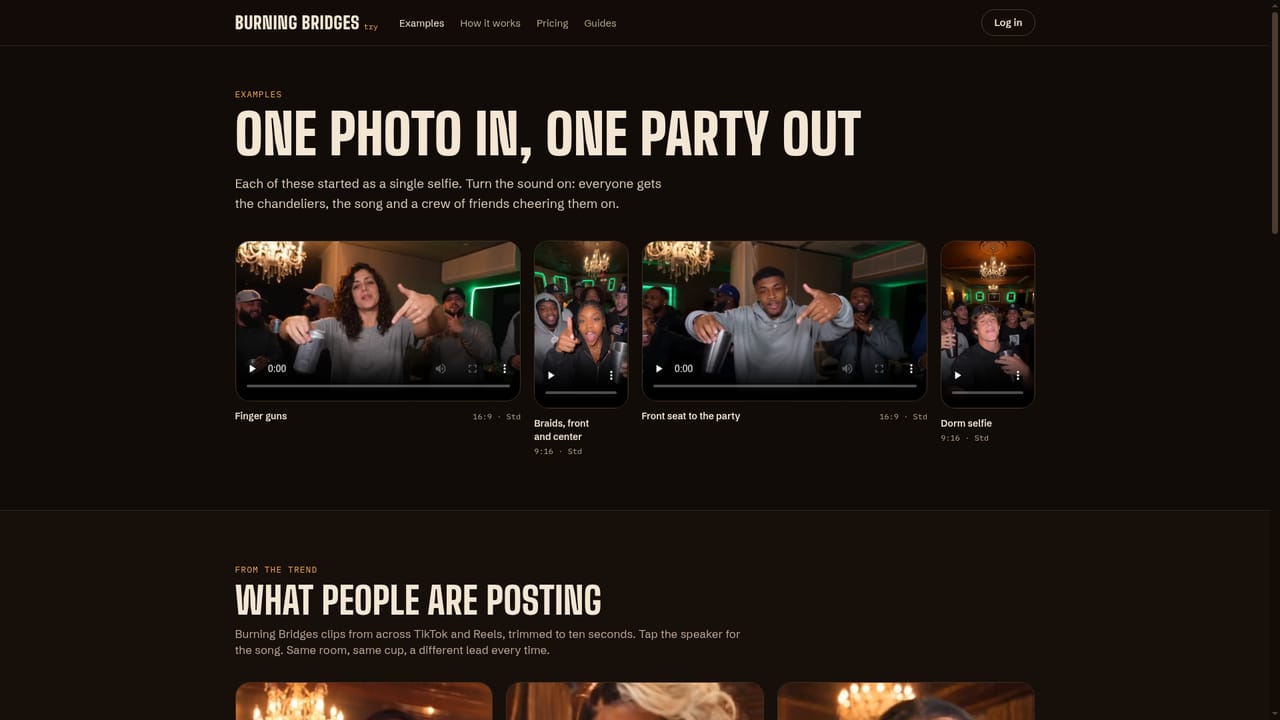
    Browse sample clips from other users, including pet versions, to see how different photos translate into the finished scene before committing a credit.
    TryBurningBridges — Check examples for reference
  5. 5Buy a video pack
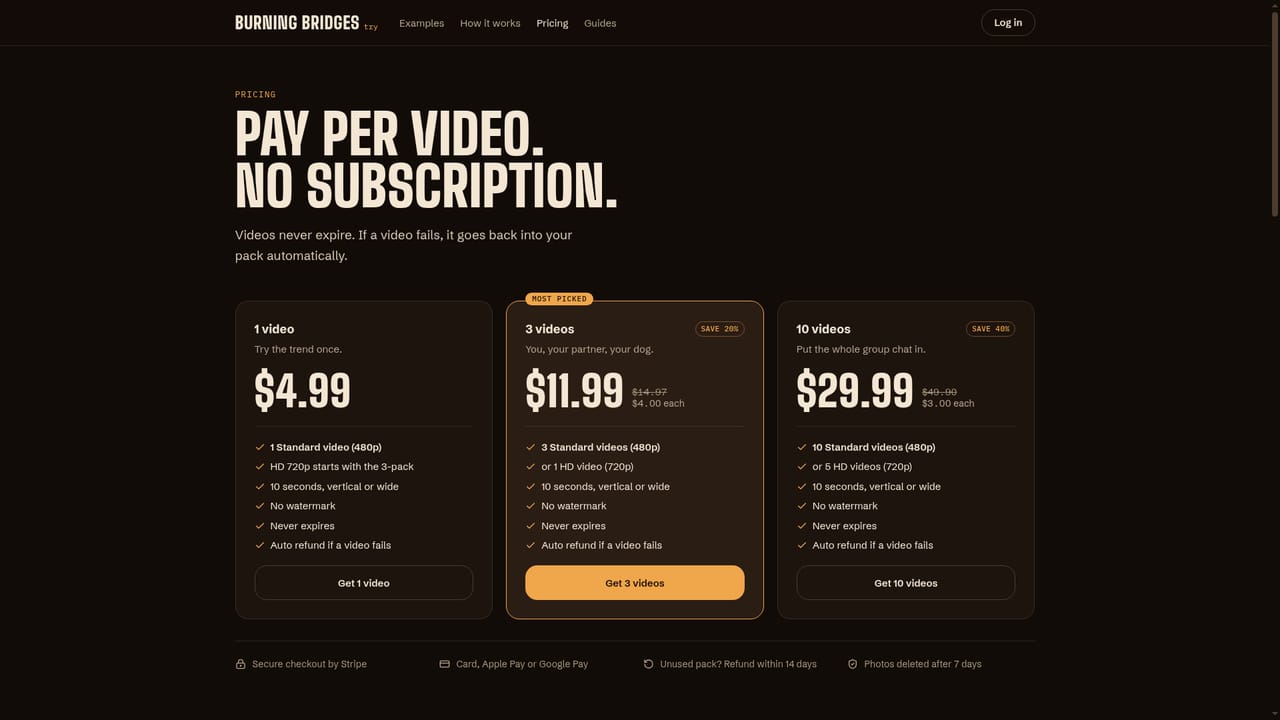
    Select the 1, 3, or 10 video pack based on how many clips are needed, since pricing is per-video with no subscription involved.
    TryBurningBridges — Buy a video pack
  6. 6Download and post with the trend sound
    Download the finished video, which already includes the song, then post it and optionally select the official Burning Bridges audio on TikTok or Reels to link the clip to the trend page.

Pros and cons

Pros

  • Produces a finished 10-second video with song and lip-sync from just one uploaded photo, no prompt writing requiredAI
  • Supports both 16:9 and 9:16 formats filmed natively for the chosen aspect ratio, at the same priceAI
  • Accepts pet photos as well as human selfies, letting a dog or cat become the subject of the sceneAI
  • One-time pack pricing with no subscription, videos that never expire, and automatic refund to the pack if a render failsAI
  • Clear first-try guidance on photo selection and quality settings to reduce failed rendersAI

Cons

  • No free tier or sample render; every video consumes a paid credit from the very first attemptAI
  • Output is locked to one fixed 10-second shot sequence tied to a single trend, with no scene or prompt customizationAI
  • Uploaded photos are deleted after 7 days, limiting the window to retry or regenerate from the same source imageAI
  • No stated API, bulk upload, or integration options for teams producing multiple videos at scaleAI
  • Standard quality caps at 480p, and HD 720p consumes two credits from a pack instead of oneAI

How much does TryBurningBridges cost?

Free trial

No free tier or trial video; every render consumes a paid credit. The underlying prompt is published free on the site for use in other video tools.

Learn more

Pricing

One-time packs with no subscription: $4.99 for 1 video, $11.99 for 3 (20% savings), $29.99 for 10 (40% savings). Videos never expire and a failed render is automatically refunded back into the pack.

Learn more

Support

Support is handled by email (support@tryburningbridges.com) alongside a public FAQ, guides section, and a dedicated contact page covering refunds and account questions.

Learn more

Features

Converts one photo into a fixed 10-second Burning Bridges trend clip with song and lip-sync built in, offered in 16:9 or 9:16 at Standard or HD quality, supporting both human and pet subjects, with no prompt or scene editing required.

Frequently asked questions about TryBurningBridges

  • How much does TryBurningBridges cost?
    One-time packs with no subscription: $4.99 for 1 video, $11.99 for 3 (20% savings), $29.99 for 10 (40% savings). Videos never expire and a failed render is automatically refunded back into the pack.
  • Does TryBurningBridges offer a free trial?
    No free tier or trial video; every render consumes a paid credit. The underlying prompt is published free on the site for use in other video tools.
  • How do you use TryBurningBridges?
    The walkthrough on this page covers 6 steps: 1. Pick a clear source photo 2. Set format and quality 3. Upload the photo and generate 4. Check examples for reference 5. Buy a video pack 6. Download and post with the trend sound.
  • What platforms does TryBurningBridges support?
    TryBurningBridges is available on Web App.
  • What are the limitations of TryBurningBridges?
    No free tier or sample render; every video consumes a paid credit from the very first attempt. Output is locked to one fixed 10-second shot sequence tied to a single trend, with no scene or prompt customization. Uploaded photos are deleted after 7 days, limiting the window to retry or regenerate from the same source image.

Status

StatusActive
Views0
Outbound clicks0
Added10/11/2026

Platforms

Web App

Pricing

Paid