Support
Support is handled through a mailto link for the AI Cover Letter Generator, which opens a pre-addressed email to the support inbox. No help centre, documentation or live chat is listed on the site.
Paste a job ad and a PDF CV, get a tailored cover letter draft.
Own AICoverLetterCreator? Verify ownership to get a dofollow link

AICoverLetterCreator is a career tool. A minimalist web tool that takes a job description and a PDF resume and generates a tailored cover letter, with a tone selector and an option to shorten the output. Best suited to job seekers who want a fast first draft to edit.
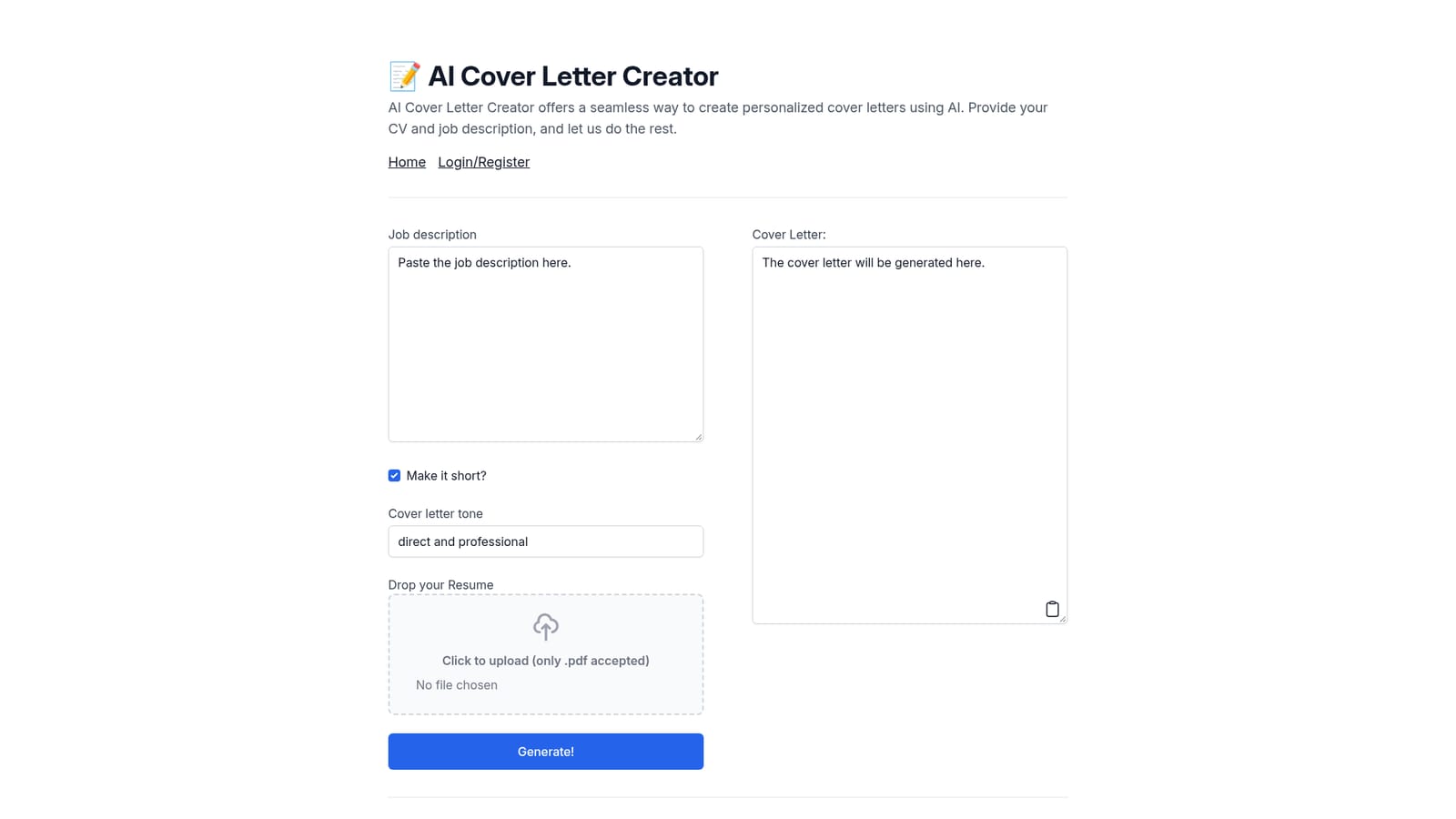
AICoverLetterCreator is a single-purpose web tool built around one repetitive job search task: turning a CV and a job posting into a first draft cover letter. The page presents a short form and little else. There is a field for the job description, a toggle labelled "Make it short?", a tone selector, and a PDF upload box that accepts resumes in .pdf format only. Pressing Generate returns a cover letter in the output area beneath the form. The workflow is deliberately narrow, and that narrowness is the point. Rather than dropping the user into a chat window and hoping the prompt is well constructed, the tool locks the inputs to the two documents that matter and handles the instruction writing behind the scenes. The tone control and the short-form toggle give a small amount of steering, which is enough to shift a letter between formal and conversational registers or to trim it for an application form with a character limit. Anyone who has written five cover letters in an evening for near-identical roles will recognise the intended use case. It suits individual job seekers most of all: career changers, new graduates sending bulk applications, and anyone applying in a second language who wants a fluent draft to edit. It is a draft engine, not a submission system. Nothing on the page suggests it stores, tracks or sends applications, and the output still needs a human pass for company-specific detail, named contacts and claims the CV does not actually support. The field around it is crowded with broader AI writing assistants and with resume builders that bundle a letter generator into a larger career suite. AICoverLetterCreator competes on simplicity and on the fact that the CV is an input rather than something the user retypes. The trade-off is that it does far less than those suites, so it works best as a quick utility alongside a separate resume tool rather than as a replacement for one.
Support is handled through a mailto link for the AI Cover Letter Generator, which opens a pre-addressed email to the support inbox. No help centre, documentation or live chat is listed on the site.
The tool centres on a single form: a job description field, a tone dropdown, a short-letter toggle and a PDF resume upload. Submitting the form produces a tailored cover letter in an output panel on the same page. There is no editor, template library, application tracker or export beyond copying the text.
 AI Angels400+ customizable AI girlfriends for NSFW chat, voice calls, and roleplay
 Candy AIExperience the future of companionship with AI friends who chat, role-play, and connect with you on a human level.
 ourdream.aiA vast AI roleplay platform with millions of characters for chat, images, video and voiceAI Angels400+ customizable AI girlfriends for NSFW chat, voice calls, and roleplayCandy AIExperience the future of companionship with AI friends who chat, role-play, and connect with you on a human level.ourdream.aiA vast AI roleplay platform with millions of characters for chat, images, video and voice


