Free trial
No time-limited trial is described. The Free tier itself is the entry path: $0 with 200 signup credits, roughly one complete narrated video, downloaded through the desktop app.
Learn moreTurn one teaching sentence into a narrated explainer video

AnimoX is an AI narration tool that turns one teaching sentence into a narrated explainer video. AnimoX turns a single written sentence into a complete narrated explainer video, with animation, voiceover, subtitles and music bundled into one file.
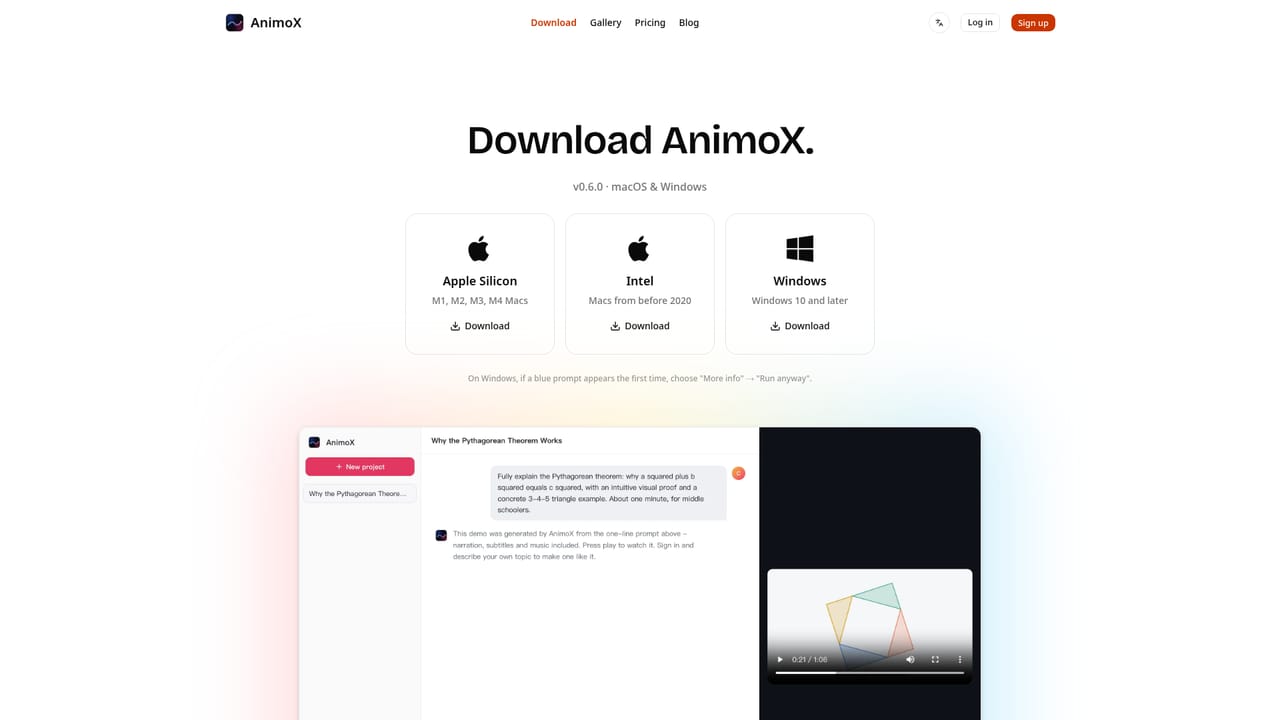
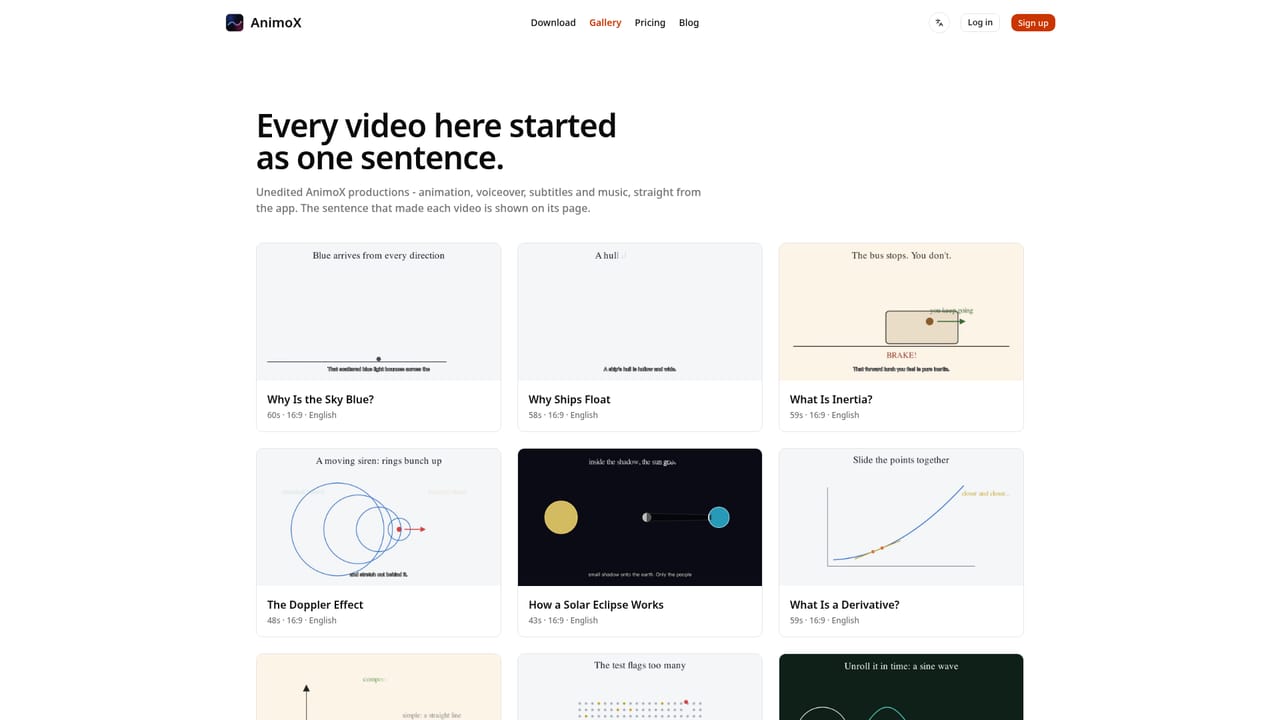
AnimoX is a desktop application that converts a single written sentence into a finished educational explainer video. The output is not a set of clips to assemble elsewhere: narration, on-screen animation, subtitles and background music arrive together in one file, and the site states the whole process takes roughly three minutes per video. The product is explicitly aimed at teachers, students and science creators, and the public gallery reflects that focus, with worked examples on the Monty Hall problem, the Fourier transform, the normal distribution, compound interest, the Doppler effect, Bayes' theorem and the Pythagorean theorem (the last also available in Chinese). The workflow is conversational rather than timeline based. A user types a prompt, for example a request to explain the Pythagorean theorem with a visual proof and a 3-4-5 example at middle school level in about a minute, and AnimoX responds like a director, asking a couple of clarifying questions. Length, visual style and voice are then chosen in one click, or the user can simply tell the tool to proceed. Revisions work the same way: a plain-language instruction such as making the title punchier changes only the part named. Scenes render one at a time as they finish, so the video builds visibly instead of sitting behind a progress bar. Prompts can be written in any language and the narration and subtitles follow that language. AnimoX requires an install rather than running purely in a browser. Rendering happens locally on the machine, and the download page provides the app. Credits are consumed per creation, with video export itself always free and failed generations not charged. The free tier grants 200 signup credits, described as enough for about one narrated video, which makes it a genuine evaluation path rather than a demo reel. Where general text-to-video tools aim at cinematic footage or marketing b-roll, AnimoX stays closer to the whiteboard and motion graphics tradition, competing with manual animation suites and slide-based tools by removing the authoring step entirely. The trade-off is scope. This is a purpose-built explainer engine, so anyone wanting live action, brand asset libraries, fine control over individual animation keyframes, or collaborative review workflows will find it narrower than a professional editor. The pricing page also notes that free-tier jobs may queue at busy times, and credits on paid plans expire 30 days after they are granted.
No time-limited trial is described. The Free tier itself is the entry path: $0 with 200 signup credits, roughly one complete narrated video, downloaded through the desktop app.
Learn moreFour tiers. Free is $0 with 200 signup credits (about one narrated video). Starter is $20 monthly or $10 per month billed $120 annually, for 2,000 credits (about 10 medium videos). Pro is $40 monthly or $20 per month billed annually at $240, for 6,000 credits (about 30 videos). Team is $80 monthly or $40 per month billed annually at $480, for 18,000 credits (about 90 videos). Credits last 30 days.
Learn morePro and Team plans list priority support. No help centre, documentation site or contact channel is described on the homepage.
One-sentence prompts produce a full explainer with animation, voiceover, subtitles and music in a single exportable file. A chat-style director asks clarifying questions, sets length, style and voice, and applies plain-language revisions to individual parts. Scenes render progressively as they complete. Any input language is supported, with narration and subtitles following it. Rendering runs locally inside the desktop app, exports are free, and failed generations are not charged.
 AI Angels400+ customizable AI girlfriends for NSFW chat, voice calls, and roleplay
 Candy AIExperience the future of companionship with AI friends who chat, role-play, and connect with you on a human level.
 ourdream.aiA vast AI roleplay platform with millions of characters for chat, images, video and voiceAI Angels400+ customizable AI girlfriends for NSFW chat, voice calls, and roleplayCandy AIExperience the future of companionship with AI friends who chat, role-play, and connect with you on a human level.ourdream.aiA vast AI roleplay platform with millions of characters for chat, images, video and voice