Free trial
The homepage invites visitors to start creating for free, which indicates a no-cost entry path, but the scope of that free access and any limits are not described.
Learn moreTurn a written app idea into working iOS, Android and web apps
Own AppForceStudio? Verify ownership to get a dofollow link
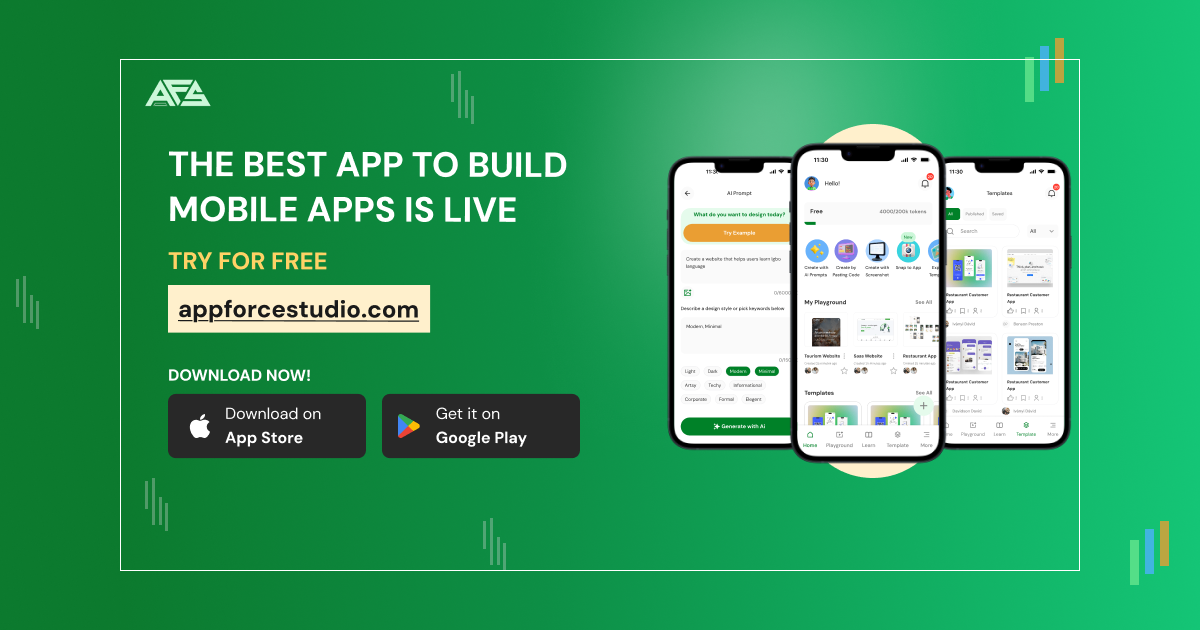
AppForceStudio is an AI project builder tool that turns a written app idea into working iOS, Android and web apps. An AI app builder that turns a typed idea into screens, a feature list and exportable native code for iOS, Android and web, with a visual design canvas, storyboarding and an online code editor in one workspace.
AppForceStudio is an AI app builder that starts from a typed description rather than a blank file. The prompt box accepts an idea in plain language, and the platform returns screens together with a feature list, so the first draft of a product exists before any code is written. Suggested starting points on the site include an e-commerce website, a hospital discovery app and an inventory dashboard, which gives a fair picture of the scope it is aimed at: ordinary business and consumer apps rather than experimental software. The build process runs on two tracks that stay connected. A visual canvas works like a design whiteboard for apps, where screens are mapped out, flows are linked and the structure is arranged before implementation begins. Beside it sits an online code editor with live previews and AI suggestions, so anyone who wants to work directly in source can switch over without leaving the project. Storyboarding tools handle user flows, and a design system layer keeps components and branding consistent as a project grows. The AI assistant sits across all of it, generating code that matches the designs on the canvas and refining the interface when prompts change. Output is not locked inside the platform. Projects can be exported as native HTML, Kotlin or Swift code, and finished work can be deployed to web or mobile. Android, iOS, React, and Vanilla CSS with HTML are the named targets. The company positions the tool as complementing designers rather than replacing them, and it states that no coding background is required, which fits the drag-and-drop builders and visual tools described on the homepage. Who it suits: developers who want a fast first draft, designers who need a functional prototype, startups and small businesses without a technical team, and students or educators learning how apps are assembled. Compared with general-purpose no-code builders, the emphasis here lands on exporting real native code and on keeping design and development in one workspace. Data security is addressed through encryption, access controls and stated compliance with data protection regulations, though the homepage points readers to specific policies for detail.
The homepage invites visitors to start creating for free, which indicates a no-cost entry path, but the scope of that free access and any limits are not described.
Learn moreA frequently asked questions page covers what the platform is, who it targets, coding requirements, app types and security. No phone, chat or email support channels are listed on the homepage.
Learn moreCore features include prompt to design generation from a typed idea, a visual canvas for mapping screens and flows, storyboarding tools, an online code editor with live preview and AI suggestions, a design system manager for consistent components, an AI assistant for code and design changes, and native code export in HTML, Kotlin or Swift with deployment to web or mobile.
Learn more AI Angels400+ customizable AI girlfriends for NSFW chat, voice calls, and roleplay
 Candy AIExperience the future of companionship with AI friends who chat, role-play, and connect with you on a human level.
 ourdream.aiA vast AI roleplay platform with millions of characters for chat, images, video and voiceAI Angels400+ customizable AI girlfriends for NSFW chat, voice calls, and roleplayCandy AIExperience the future of companionship with AI friends who chat, role-play, and connect with you on a human level.ourdream.aiA vast AI roleplay platform with millions of characters for chat, images, video and voice