AppGen

Fill in a few blanks, get a finished result from a community-built AI app.

Beginner
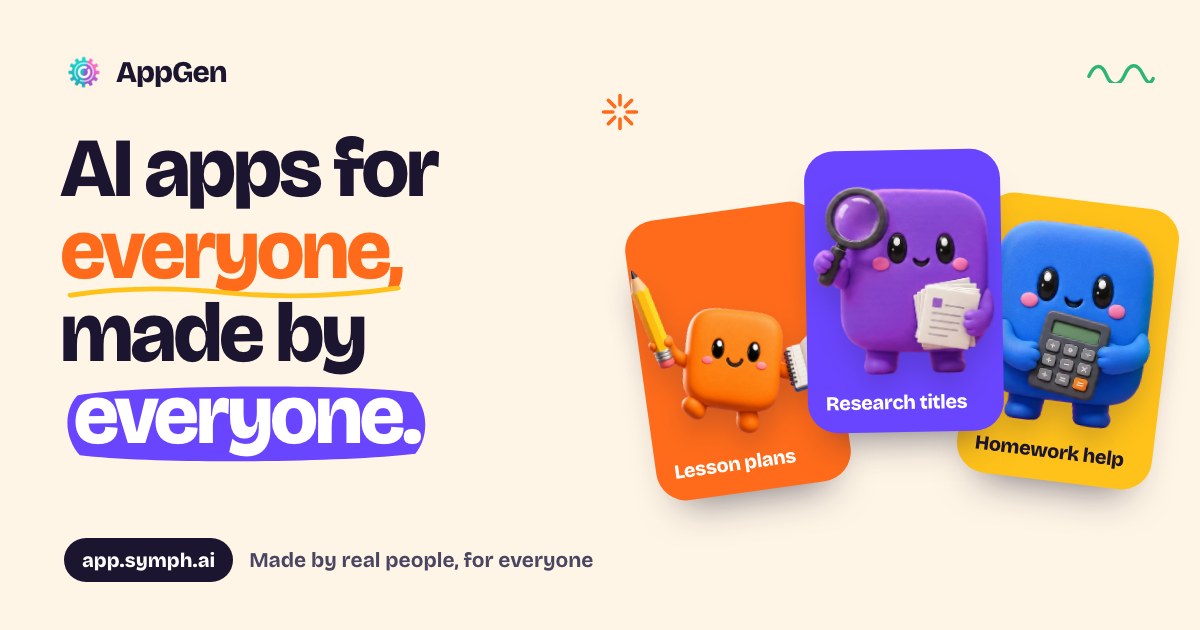
Screenshot of AppGen, Fill in a few blanks, get a finished result from a community-built AI app

What is AppGen?

AppGen is an app creation tool. A community-built directory of more than 6,000 single-purpose AI apps where users fill in a short form instead of writing a prompt. Strong for teachers, students, job seekers and online sellers; quality depends on whoever built each app.

AppGen is a marketplace of thousands of small, single-purpose AI apps built by the people who actually needed them. Teachers, students, freelancers and creators publish apps that wrap a carefully written prompt behind a short form. Instead of composing a long instruction from scratch, a user picks an app, answers a couple of questions such as a topic and a grade level, and receives a finished output in seconds. The catalogue covers lesson plans, research titles, homework help, quizzes, captions, logos, study guides and resumes, with the site claiming 6,087 apps and more than 833,000 users. The design philosophy is to skip prompt writing entirely. Each app hides an expert prompt, so the input is usually a text box, a dropdown or a file upload. Results are not just readable text: they can be copied, downloaded as a Word document, or shared as a full thread through a link. Some apps go further and check documents the creator uploaded or run web searches to pull in current prices and news, which makes them more useful for research and client work than a plain chat window. AppGen is aimed at two audiences. The first is non-technical users who want a repeatable tool for a routine job, like a Philippine teacher producing ILAW lesson plans or a seller writing listings for Shopee and Lazada. Curated kits bundle related apps for teachers, job seekers, online sellers, real estate agents and social media work. The second audience is creators who want to publish their own app without code; the builder lets anyone define the form and the prompt behind it. The main alternative is a general assistant such as ChatGPT, where the user brings their own prompt and gets an open-ended conversation. AppGen trades that flexibility for structure and speed, and its quality varies by creator. Paid tiers add generation quotas, word limits, knowledge bases, storage, web searches and password-protected apps.

How do you use AppGen?

  1. 1Browse or search the app catalogue
    Open the browse page and filter by category, collection or keyword to find a tool that matches the job you need done.
  2. 2Pick a curated collection if you want a full workflow
    Collections group apps for a specific role such as teaching, job hunting or online selling, so related tasks stay in one place.
  3. 3Fill in the app form
    Each app asks for a few simple inputs, usually a text box, a dropdown or a file upload. Supply the topic, level or document and run it.
  4. 4Take the result out of the tool
    Copy the answer, download it as a Word document, or share the whole thread with a link so a colleague or client can read it.
  5. 5Compare plans before you commit
    Check the pricing page to see how many generations, words per generation and knowledge bases each tier includes.
  6. 6Build your own app without code
    If nothing in the catalogue fits, the creators area lets you define your own form and prompt and publish it to the directory.

Pros and cons

Pros

  • Huge catalogue of ready-made apps covering lesson plans, research titles, captions, logos and resumesAI
  • Short input forms remove the need to write or tune promptsAI
  • Results can be copied, exported as a Word file or shared as a linkAI
  • Some apps check creator-uploaded documents or search the web for current informationAI
  • Curated collections bundle related apps for teachers, job seekers and sellersAI

Cons

  • Output quality is inconsistent because every app is authored by a different community memberAI
  • No listed apps for coding, analytics or other specialist work outside education, research and marketingAI
  • Monthly generation quotas and per-generation word caps can bind on heavy useAI
  • Free tier is not clearly documented on the homepage, so cost is hard to judge before signing upAI

How much does AppGen cost?

Pricing

Three monthly tiers: Starter at $8 for 800 generations, 1,000 words per generation, 3 knowledge bases, 100 MB storage and 3 web searches; Pro at $12 for 2,000 generations, 1,500 words, 10 knowledge bases, 500 MB and 5 searches; Premium at $20 for 5,000 generations, 2,000 words, 50 knowledge bases, 2 GB and unlimited searches. All include smarter AI mode and password protection.

Learn more

Features

Each app pairs an expert prompt with a short form, so users answer a couple of questions instead of writing instructions. Outputs can be copied, exported as .docx or shared via a link. Apps can check documents uploaded by their creator and search the web for current information. Knowledge bases, storage, word limits and web searches scale with the plan, and password protection is available on every tier.

Learn more

Frequently asked questions about AppGen

  • How much does AppGen cost?
    Three monthly tiers: Starter at $8 for 800 generations, 1,000 words per generation, 3 knowledge bases, 100 MB storage and 3 web searches; Pro at $12 for 2,000 generations, 1,500 words, 10 knowledge bases, 500 MB and 5 searches; Premium at $20 for 5,000 generations, 2,000 words, 50 knowledge bases, 2 GB and unlimited searches. All include smarter AI mode and password protection.
  • How do you use AppGen?
    The walkthrough on this page covers 6 steps: 1. Browse or search the app catalogue 2. Pick a curated collection if you want a full workflow 3. Fill in the app form 4. Take the result out of the tool 5. Compare plans before you commit 6. Build your own app without code.
  • What platforms does AppGen support?
    AppGen is available on Web App.
  • What are the limitations of AppGen?
    Output quality is inconsistent because every app is authored by a different community member. No listed apps for coding, analytics or other specialist work outside education, research and marketing. Monthly generation quotas and per-generation word caps can bind on heavy use.

Status

StatusActive
Views0
Outbound clicks0
Added10/21/2026

Platforms

Web App

Pricing

FreemiumSubscription